Your Browsing History
Meet Your Seller
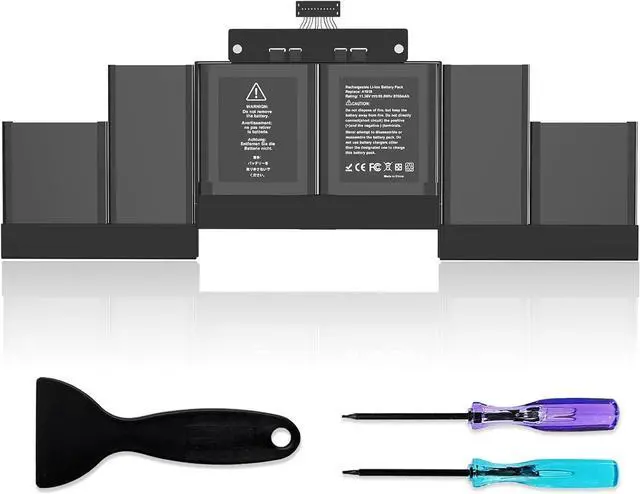
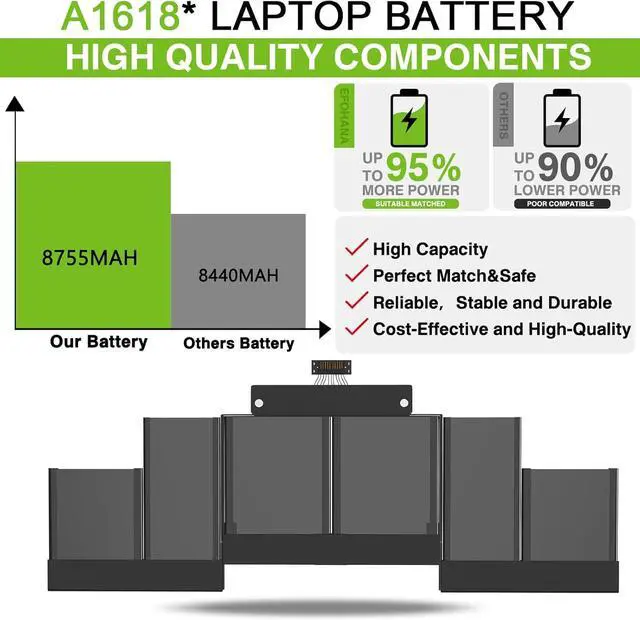
A1618 Battery Replacement A1494 A1398 Battery for MacBook Pro 15 inch (Mid 2015 Mid 2014 Late 2013 Version) EMC 2909 2910 MJLQ2LL/A MJLT2LL/A MJU2LL/A 11.36V 99.5Wh 8755mAh
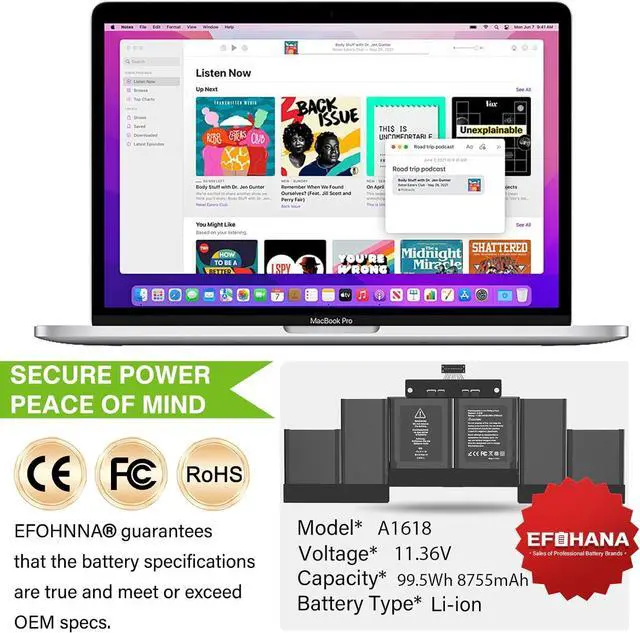
- SpecificationsModel:A1618 // Battery type: Li-ion // Voltage: 11.36V// Capacity: 99.5Wh 8755mAh // 100% New from Manufacturer. Top circuit boards and smart chip.
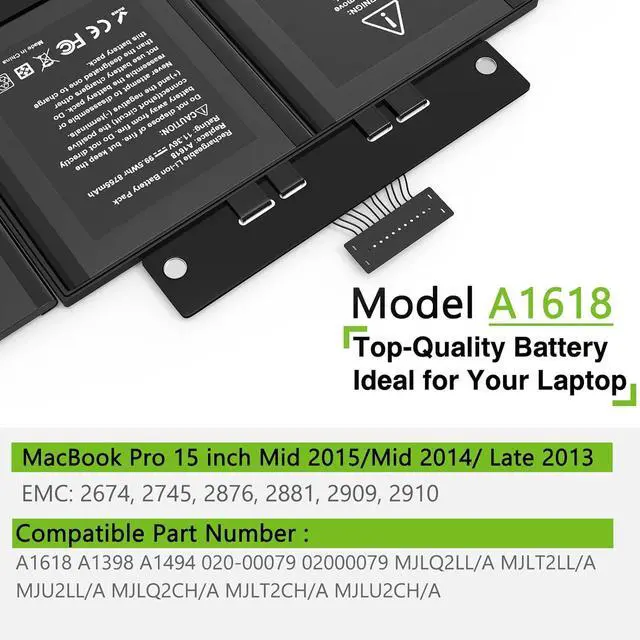
- Compatible Part NumberA1618 A1398 A1494 020-00079 02000079 MJLQ2LL/A MJLT2LL/A MJU2LL/A MJLQ2CH/A MJLT2CH/A MJLU2CH/A
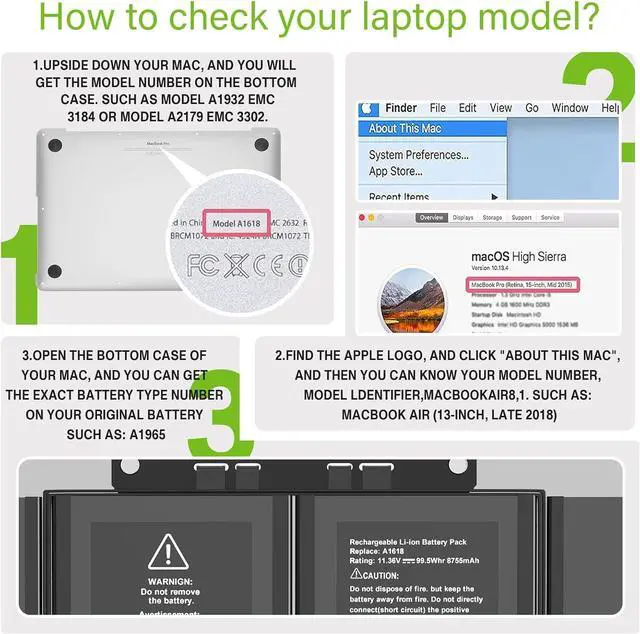
- Compatible with Laptop ModelsFit for MacBook Pro 15 inch Mid 2015/Mid 2014/ Late 2013 Model A1398 EMC: 2674, 2745, 2876, 2881, 2909, 2910. (Model Identifier: MacBookPro11,2 & MacBookPro11,3 & MacBookPro11,4 & MacBookPro11,5) series.
- After ServiceReturn and exchange are permitted within 30 days, accompanied by a 12-month warranty. (NOTE: If you encounter any issues with the battery, please reach out to usunder "YOUR ORDER," select the "contact seller" option.)
- Gentle ReminderIf the new battery is not recognized during the initial installation, please reinstall and check if the interface is fully connected. Discharge the new battery to 20% (not 0%), then charge and cycle 4-5 times to reach maximum
+
+
Overview
Reviews
Any questions? Ask CelesteSM will help you find out quickly.
Try me now
EFOHANA is committed to providing you with high quality laptop batteries, tablet batteries, adapters and other products. We will also provide you with high quality and efficient after-sales service to attract and retain more customers.
Model: A1618
Voltage:11.36V
Capatity: 99.5Wh 8755mAh
Battery Condition: Brand New
Compatible Part Number : A1618 A1398 A1494 020-00079 02000079 MJLQ2LL/A MJLT2LL/A MJU2LL/A MJLQ2CH/A MJLT2CH/A MJLU2CH/A 1ICP9/47/95ICP8/56/662, 1ICP9/47/95, ICP8/56/662, 1ICP7/63/81-2, 1ICP7/63/812;
Compatible Models(Use "Ctrl"+"F" to find your laptop model)
MacBook Pro Retina 15" 2.2GHz Core i7 (MJLQ2LL/A, A1398, MacBookPro11,4) - Mid 2015;
MacBook Pro Retina 15" 2.5GHz Core i7 (MJLT2LL/A, A1398, MacBookPro11,5) - Mid 2015;
MacBook Pro Retina 15" 2.8GHz Core i7 (MJLU2LL/A, A1398, MacBookPro11,5) - Mid 2015;
MacBook Pro Retina 15" 2.2GHz Core i7 (MJLQ2CH/A, A1398, MacBookPro11,4) - Mid 2015;
MacBook Pro Retina 15" 2.5GHz Core i7 (MJLT2CH/A, A1398, MacBookPro11,5) - Mid 2015;
MacBook Pro Retina 15" 2.8GHz Core i7 (MJLU2CH/A, A1398, MacBookPro11,5) - Mid 2015;
MacBook Pro Core I7 2.2GHZ 15.4 inch Retina A1398 (EMC 2909);
MacBook Pro Core I7 2.5GHZ 15.4 inch Retina A1398 (EMC 2909);
MacBook Pro Core I7 2.5GHZ 15.4 inch Retina A1398 (EMC 2910);
MacBook Pro Core I7 2.8GHZ 15.4 inch Retina A1398 (EMC 2910);
MacBook Pro Core I7 2.9GHZ 15.4 inch Retina A1398 (EMC 2910).
We wanted to deliver a battery that doesn't only only last long, but also safe for use. Weve incorporated Grade A battery cells to ensure longer battery life, durability, and lower power consumption. All of our batteries offer 1000+ recharge cycles over life of battery.
Each battery contains built in multi-protection functions such as short circuit, overheat & overload for maximum safety.
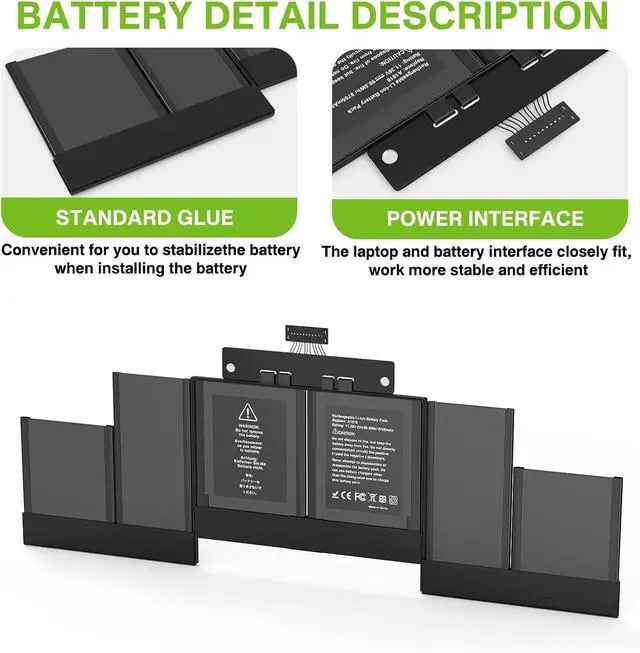
Power Interface: Gold-plated connector points to ensure current transport excellently and serve stably.
Enclosure: The enclosure is made of ABS + PC high quality material, it has high temperature resistant function to protect your laptop overheat.
Battery Buckle: The battery buckle is closely connected to the laptop, and the metal interface is stably powered.
All of our batteries are brand new and are 100% compatible to meet OEM specifications for safety and efficiency. Same size as original battery, Don't worry about assembly and adaptation issues.
Heat is the enemy: Lithium-ion batteries do not like high temperatures. Avoid placing your laptop anywhere it might become hot. Make sure your laptop's ventilation ports are not obstructed. Avoid using your laptop on a blanket or a pillow for long periods of time.
Do not discharge to 0%
Do not completely discharge and then recharge your li-ion battery on a regular basis. This is actually a destructive practice. Instead,try to always aim for the 60-90% sweet spot.Let your battery discharge to 20% (With out bottoming it) and then charge it again.
Use the battery.Discharge and charge the battery at least once every 3 weeks if battery is not constantly in use.
Proper storing: If not in use for long periods of time,charge the battery to above 50% and store it in a dry,cool place away from any heat sources and metallic objects.
In cases of battery bloating,stop using it,disconnect it.
New battery: For use a new battery, youd better try a few cycles of discharging to 5%. then charging up to 95%. So that it can be activated completely.
Overuse: Do not always run out of a battery to 0%, this would make it damaged or usage life shortened.
Charging sequence: when charging, first install the battery, then turn on the power, when fully charged, first cut off the power, then pull the power plug.
Long-term storage:Please store the unused battery fully charged.(Charge it once a month) Do not store at low power to prevent reduce the lifespan of a battery.
Turn off the laptop.
Unplug AC power.
Remov
Warranty & Returns
Warranty, Returns, And Additional Information
Warranty
- Please contact the Seller directly for warranty information. Warranty information may also be found on the Manufacturer's website.
- CONTACT
Return Policies
- Return for refund within: 30 days
- Return for replacement within: 30 days
- This item is covered by Forestgrand Return Policy
Manufacturer Contact Info
- For a directory of all our manufacturers, please click below.
- Manufacturers Directory
LOADING...