• $81.99
  • Free 30-day Returns
  • Ships from China.
    Sold by Forestgrand

    Shipped by Forestgrand

    Price alert
    Shop it at NeweggBusiness.

    Meet Your Seller

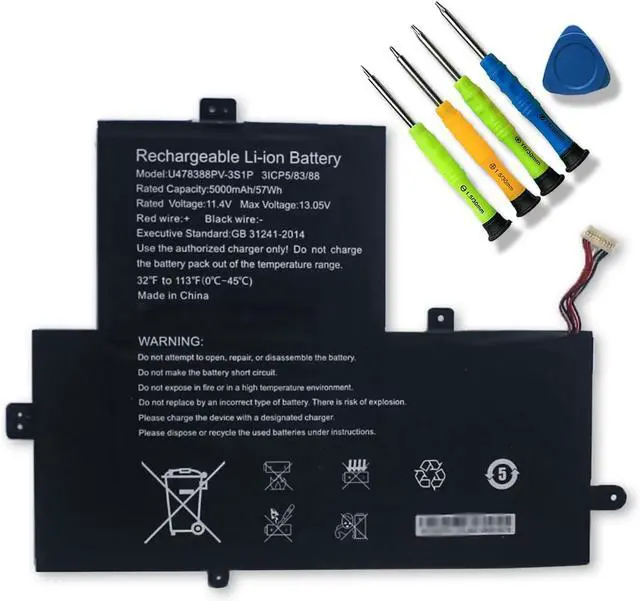
    JOTACT U478388PV-3S1P 57Wh Laptop Battery Compatible with Gateway GWTN156-12BK GWTN156-12RD GWTN156-12GR GWTN156-12BL GWTN156-12Bl Series 11.4V 5000mAh

    • Customer SupportRest assured with 30 days Refund and 12 months Replacement,also get our friendly customer service;(Note: The return window will be closed a month after you received the Battery .If you have any problem with this battery, please Contact us - in "YOUR ORDER" options click the "contact seller")
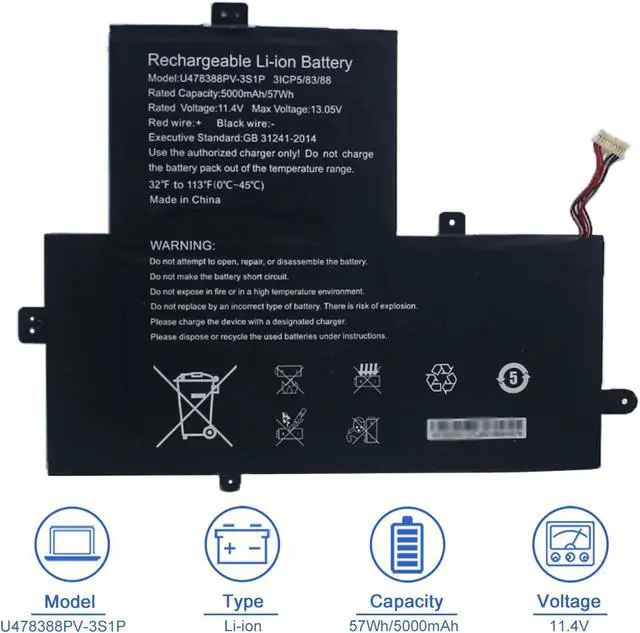
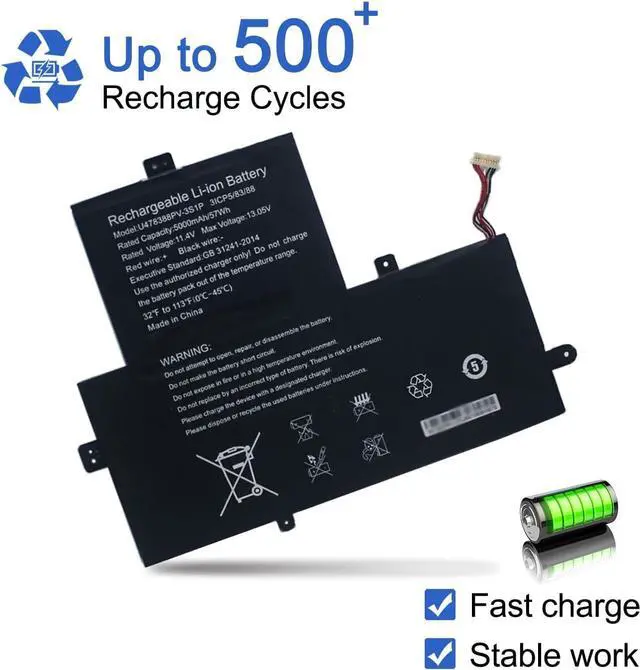
    • SpecificationsBattery Model :U478388PV-3S1P;Product Type: Replacement battery; Battery Type: Li-ion; Voltage: 11.4V; Capacity: 57Wh/5000mAh; Battery Life: Up to 500 recharge cycles over the life of the battery
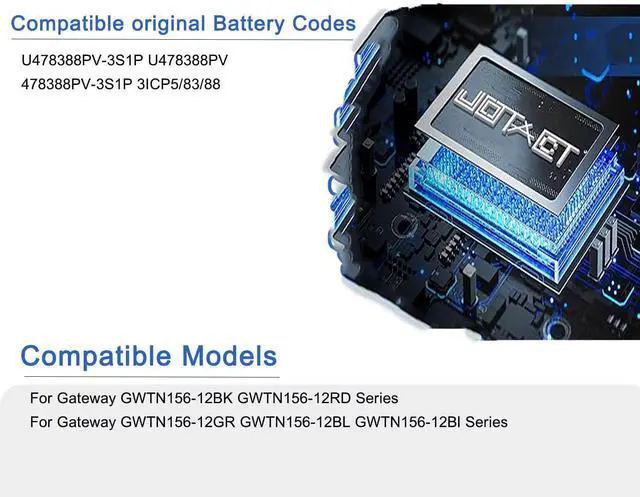
    • Compatible original Battery Codes U478388PV-3S1P U478388PV 478388PV-3S1P 3ICP5/83/88
    • Compatible Laptop ModelsFor Gateway GWTN156-12BK GWTN156-12RD GWTN156-12GR GWTN156-12BL GWTN156-12Bl Series
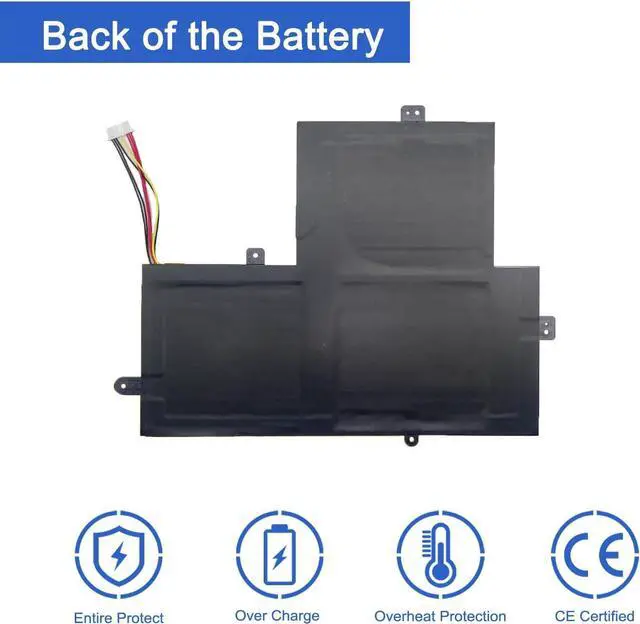
    • High Safety 100% New, 100% Compatibility. Over-current protection, over-voltage protection, over-temperature protection, short-circuit protection, reserve protection, antistatic impact. Certified by CE/FCC/ROHS/UKCA
    +
    +
    Overview
    Reviews

    Any questions? Ask CelesteSM will help you find out quickly.

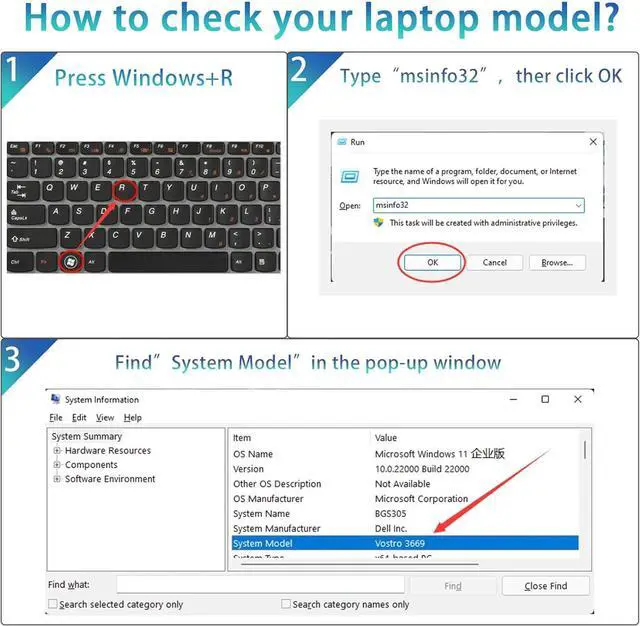
    Replacement Part Numbers U478388PV-3S1P / 478388PV-3S1P / U478388PV / 478388 / 3ICP5 / 83 / 88 Compatible with Gateway GWTN156-12 Series Compatible with Gateway GWTN156-12BI / GWTN156-12BK / GWTN156-12BL Series Compatible with Gateway GWTN156-12GR / GWTN156-12RD Series Compatibility Note Please check your original battery model, voltage, capacity, shape and connector before ordering. Q: How do I confirm this battery fits my laptop?
    A: Please check your original battery's exact part number and compare it with our product images before ordering.
    Q: Do I need to activate the new battery before first use?
    A: Yes. Cycle it 3-4 times (discharge to 5%, then charge to 95%) to activate its maximum capacity.
    Q: How can I extend the battery's lifespan in daily use?
    A: Recharge when it drops to 5% and avoid letting it drain completely to 0%.
    Q: Should I remove the battery if I use external power continuously?
    A: Yes, we recommend removing the battery if you plan to keep your laptop plugged in for extended periods.
    Q: Is the installation process complicated?
    A: No. Simply turn off the laptop, unplug the power, and replace the old battery. A video guide is highly recommended if you are unsure.
    Compatible Laptop Models(use "Ctrl+F to find your model quickly") Q: How do I confirm this battery fits my laptop?
    Q: Do I need to activate the new battery before first use?
    Q: How can I extend the battery's lifespan in daily use?
    Q: Should I remove the battery if I use external power continuously?
    Q: Is the installation process complicated?

    Warranty & Returns

    Warranty, Returns, And Additional Information

    Warranty

    • Please contact the Seller directly for warranty information. Warranty information may also be found on the Manufacturer's website.
    • CONTACT

    Return Policies

    Manufacturer Contact Info

    LOADING...