Specifications:
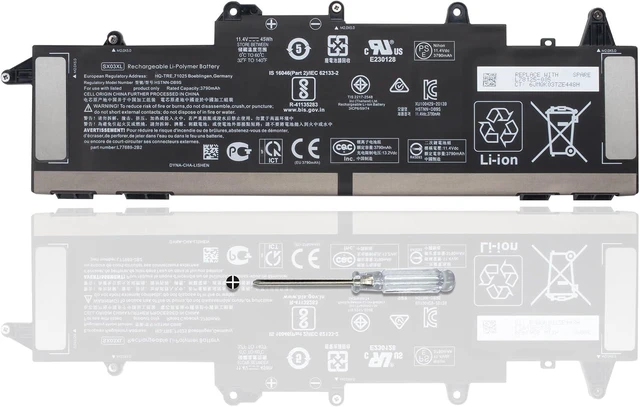
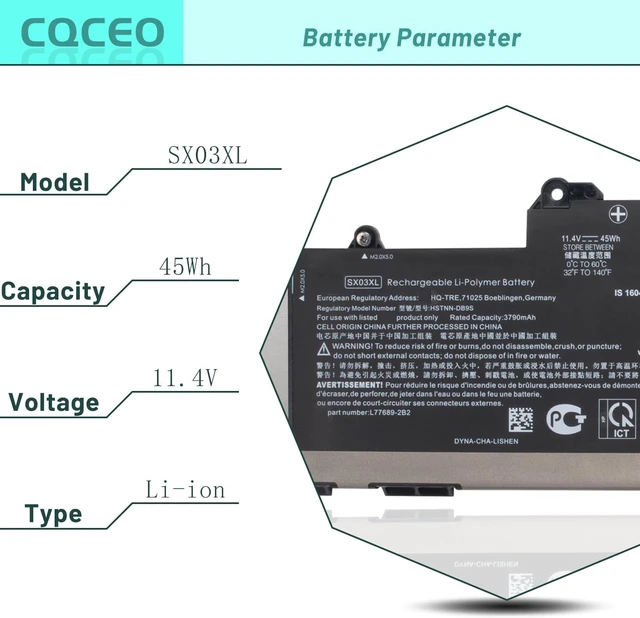
Voltage: 11.4V
Capacity: 45Wh/3790mAh/3-Cell
Battery Type: Lithium ion
Battery Condition: Brand New
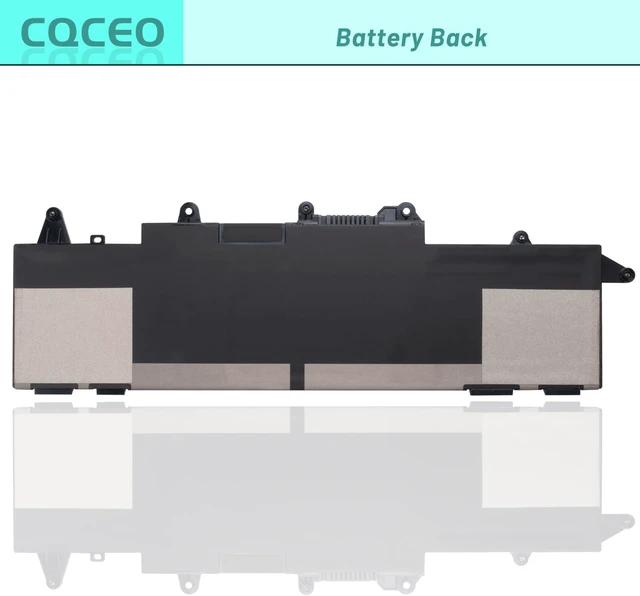
Color: black
Condition: 100% New from Manufacturer, Grade A Cell
Compatible Part Numbers:
SX03XL SX03045XL 996QA176H HSTNN-DB9S HSTNN-DB9P HSTNN-IB9D L77689-2B1 L77689-2B2 HSTNN-IB9I L77689-171 L77689-172 L78125-005
Compatible Machine Models (Use "Ctrl+F to find your model quickly):
for HP ProBook x360 435 G7 series:
for HP ProBook x360 435 G7 1F3G6EA 1F3G9EA 1L3L2EA 1L3R5EA 1Q2W3ES 1V2Y7PA 1Y8K6PA
for HP ProBook x360 435 G7 3S071AV 17G35UT 17G36UT 17G38UT 18Z98LA 175W9EA 224U0PA
for Hp ProBook x360 435 G7 1V2Y7PA, ProBook x360 435 G7 1Y8K6PA, ProBook x360 435 G7 3S071AV, ProBook x360 435 G7 18Z98LA, ProBook x360 435 G7 224U0PA, ProBook x360 435 G7 17G38UT, ProBook x360 435 G7 17G36UT, ProBook x360 435 G7 1L3L2EA, ProBook x360 435 G7 1F3G9EA, ProBook x360 435 G7 1L3R5EA, ProBook x360 435 G7 1Q2W3ES, ProBook x360 435 G7 17G35UT, ProBook x360 435 G7 175W9EA, ProBook x360 435 G7 1F3G6EA,
for HP ProBook x360 435 G8 series:
for HP ProBook x360 435 G8 2X7P7EA 2X7P9EA 3A5L3EA 3A5N1EA 3A5N2EA 3G0S1PA 32M35EA 2X7P9EA
for HP ProBook x360 435 G8 32M90EA 32N44EA 32N45EA 32N48EA 38Y41UT 38Y69UT R7-5800U
for Hp ProBook x360 435 G8 2X7P9EA, ProBook x360 435 G8 R7-5800U, ProBook x360 435 G8 3G0S1PA, ProBook x360 435 G8 3A5L3EA, ProBook x360 435 G8 2X7P7EA, ProBook x360 435 G8 32N48EA, ProBook x360 435 G8 32N44EA, HSTNN-IB9D, ProBook x360 435 G8 32N45EA, ProBook x360 435 G8 32M35EA, ProBook x360 435 G8 38Y41UT, ProBook x360 435 G8 3A5N2EA, ProBook x360 435 G8 3A5N1EA, ProBook x360 435 G8 32M90EA, ProBook x360 435 G8 38Y69UT
How to use the battery correctly :
1. To prevent safety issues from transportation, all battery out off factory are charged 40-50%,(you can check from laptop Battery indicator icon). For initial using of the battery, please discharge it to 5%(not to 0%) and then charge to 100%, and cycle 3-4 times to activate the batterys maximum capacity.
2. Please recharge immediately when battery reduced to 15% level,when you use the battery. Or it will shorten the battery life and cause damages to the battery.
3. If the battery do not use for a long time, please keep the battery to charge to a minimum 50% electricity. Or, it will maybe cause unable to charge again.To maintain the best battery state,replacement battery needs to be fully discharge to 15% and recharge to 100% each 2 month.
4.Do not unplug the battery during charging , better to turn off the laptop when recharge the it.
5.If your laptop cant be charged or cannot be fully charged,there may be possibilities that the adapter does not compatible with the laptop or theres some damage with the adapter. Please switch off your laptop and try again or change to a correct adapter.
6.The battery usage time is related to factors such as the CPU processor speed, application, program, screen brightness, wireless device external ports, and battery life of the laptop, so the actual usage time of the battery may differ from that of the same model of battery.




 here!