Your Browsing History
Meet Your Seller
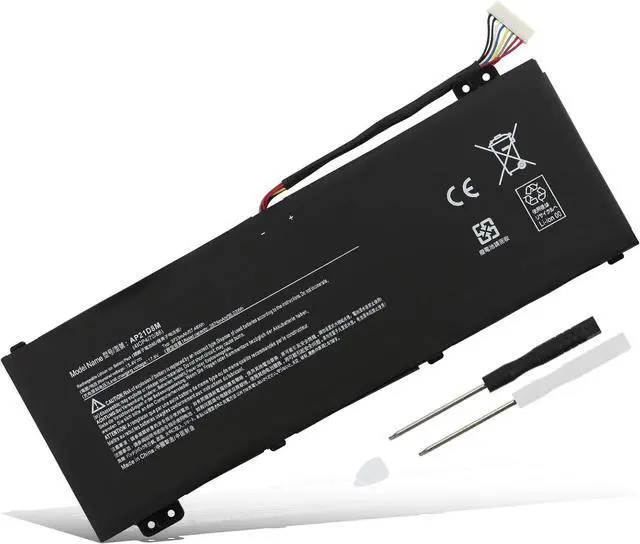
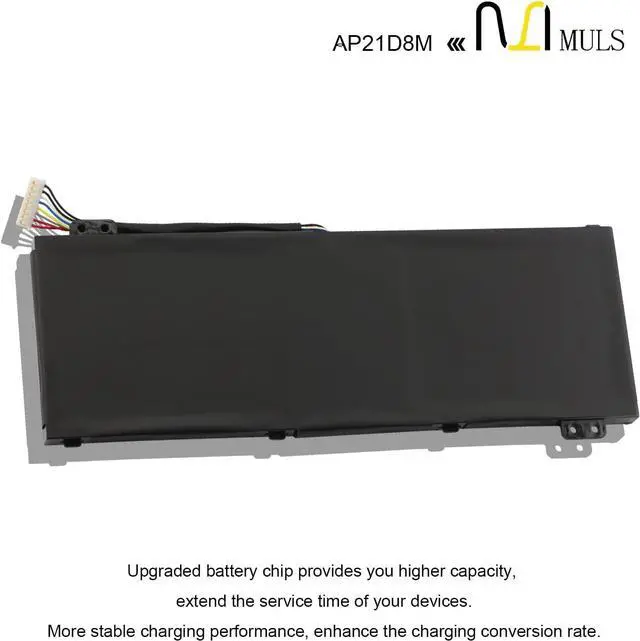
MULS AP21D8M Laptop Battery for Acer Nitro 5 AN515-46 AN515-47 AN515-58
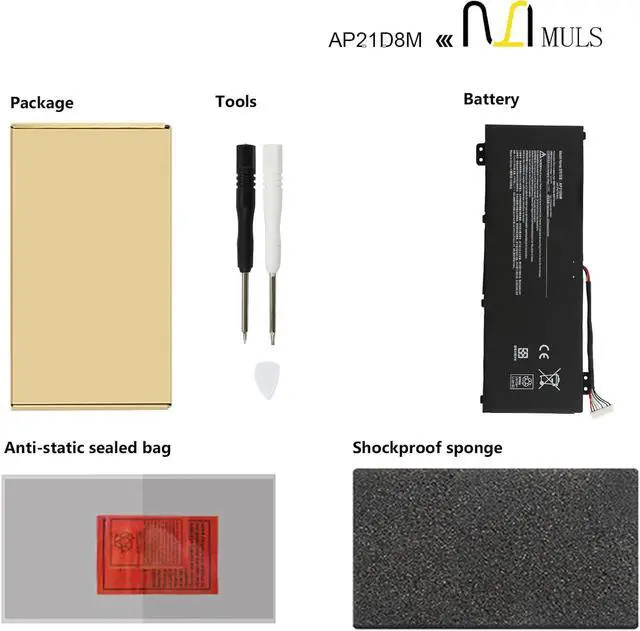
- AN515-58-56CL AN515-58-766R AN515-58-72QR, Nitro V 15 ANV15-51,Nitro 16 AN16-51 AN16-51-74BV 15.4V 57.48Wh with Tools
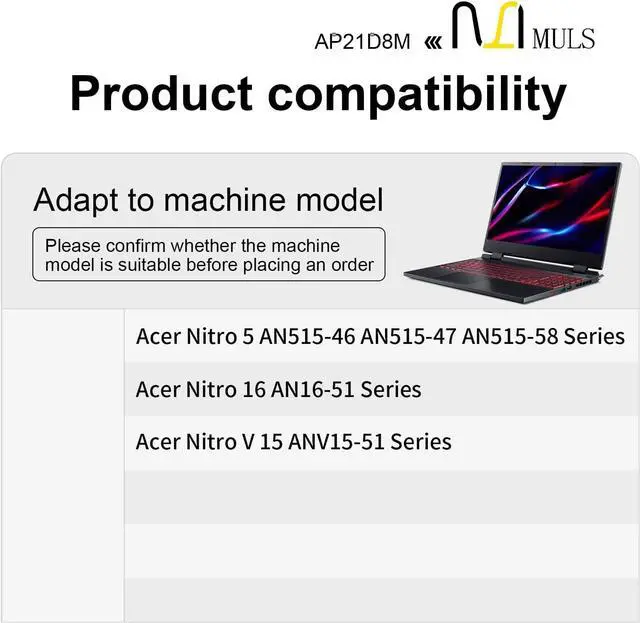
- Replacement For Laptop: Fit for Acer Nitro 5 AN515-46 AN515-47 AN515-58 AN515-58-56CL AN515-58-766R AN515-58-72QR AN515-58-74JS AN515-58-75UH AN515-58-77YC Acer Nitro 16 AN16-51 AN16-51-74BV AN16-51-78GX AN16-51-76BS AN16-51-56VT Series.
- Compatible with Part Number: Fit for AP21D8M.
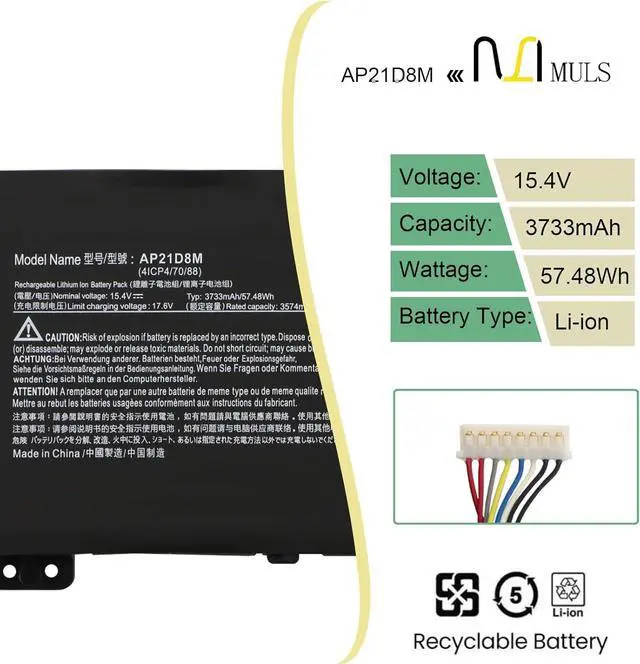
- Battery Specification: Capacity: 57.48Wh 3733mAh Voltage: 15.4V. Brand new.
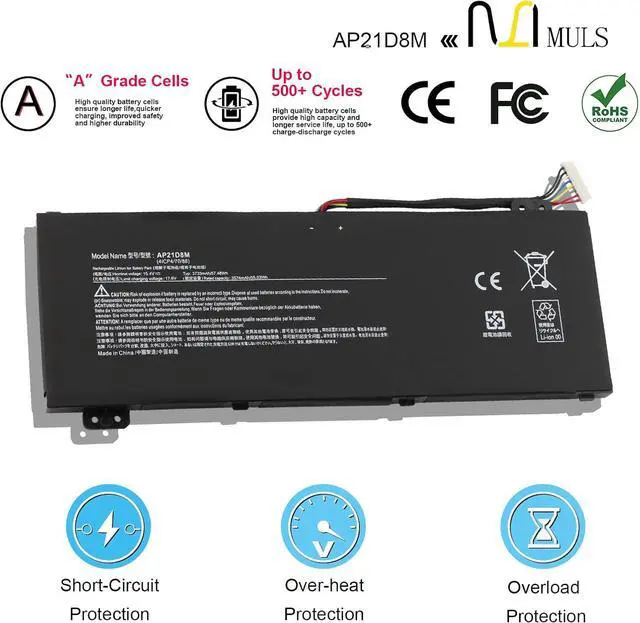
- Safety Above All: Our batteries are certified by CE, FCC and RoHS to ensure your safety, and packed with prevention measures like short circuit, overheat and overcharge protection.Our laptop batteries are made with premium materials and circuit boards to ensure performance and durability.
- Give Customers the Best Benefit: 30 Days no-questions-asked full money back and 12 Months Exchange Guarantee. (The return window will be closed a month after you received the the product. CONTACT US, we will make it up and sol
+
+
Overview
Reviews
Any questions? Ask CelesteSM will help you find out quickly.
Try me now
About MULS
1. We have professional battery and adapter experience!
Strictly test before shipment to ensure full capacity and safety without harming the computer!
2. We recommend that the first charge is not less than 5 hours.
3. The new battery cannot be charged, is there a problem with the battery?
Usually not. The computer charges the battery for the first time. Due to the instability of voltage and current, the computer may stop charging the battery when the battery is half charged (sometimes more, sometimes less). If this happens, Don't worry, just take the battery out of the computer and recharge it again. The new battery charged for the first time may require several iterations. Don't worry, this is normal.
4. When the battery is in normal operation, if the battery is discharged to 3%, it must be shut down or recharged. If the battery is discharged to 0%, the battery will be damaged and its life will be attenuated.
5. Avoid falling, heating, and short-circuit, avoid using the battery in an environment where the temperature is too high or too low.
Specification:
Voltage:15.4V
Capatity:57.48Wh 3733mAh
Condition: 100% brand new from manufacture, Grade A cell
Compatible Laptop Models:
Acer Nitro 5 AN515-46 AN515-47 AN515-58 Series
AN515-58-56CL AN515-58-766R AN515-58-72QR
AN515-58-74JS AN515-58-75UH AN515-58-77YC
Acer Nitro 16 AN16-51 Series
AN16-51-74BV AN16-51-78GX AN16-51-76BS AN16-51-56VT
Acer Nitro V 15 ANV15-51 Series
Replacement for Part Number
AP21D8M
Please open the back cover of your laptop to check the original battery size and capacity before placing an order. Please scroll down to the list to purchase.
1. Turn off your laptop and disconnect the power.
2. Disconnect the connection between the old battery and the motherboard to avoid unnecessary damage caused by disassembling the battery. Then unscrew the old battery screws one by one and carefully save each screw.
3. Remove the old battery, carefully connect the new battery to the mainboard, reinstall all the parts that have been removed earlier, and connect the wiring of the new battery.
4. If you don't understand the above steps, you can search the relevant installation tutorial video on YouTube for help.
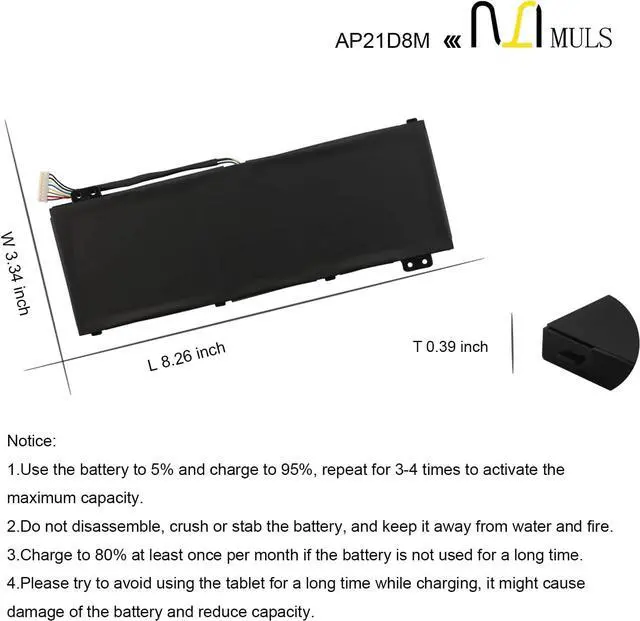
1. New battery: Discharge the new battery to 10% (not 0%), then charging up to 95% and repeat 3-4 times to activate the maximum capacity.
2. Overuse: Do not always run out of a battery to 0%, that would damage the battery or shorten the usage life.
3. Charging sequence: when charging, first install the battery, then turn on the power, when fully charged, first cut off the power, then pull the power plug.
4. Fully charge the battery before long-term storage, and keep charging once a month.
Do not store the battery at low power circumstances.
Could be caused by battery loss. Please re-install the battery and make sure that the battery cable and the motherboard interface are tightly inserted.
Maybe due to conductive material damage which the laptop motherboard and battery anode and cathode contact position, you can try to confirm it with your original battery.
Check whether the battery drive is in normal condition, if not, download the corresponding driver software to update.
MULS AP21D8M Replacement Battery How to Install A New Battery: Tips for Battery Maintenance: Why the laptop does not recognize the battery
Warranty & Returns
Warranty, Returns, And Additional Information
Warranty
- Please contact the Seller directly for warranty information. Warranty information may also be found on the Manufacturer's website.
- CONTACT
Return Policies
- Return for refund within: 30 days
- Return for replacement within: 30 days
- This item is covered by Forestgrand Return Policy
Manufacturer Contact Info
- For a directory of all our manufacturers, please click below.
- Manufacturers Directory
LOADING...