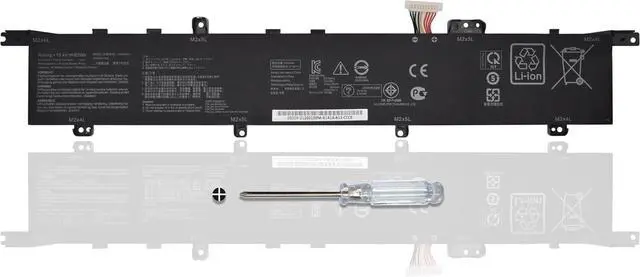
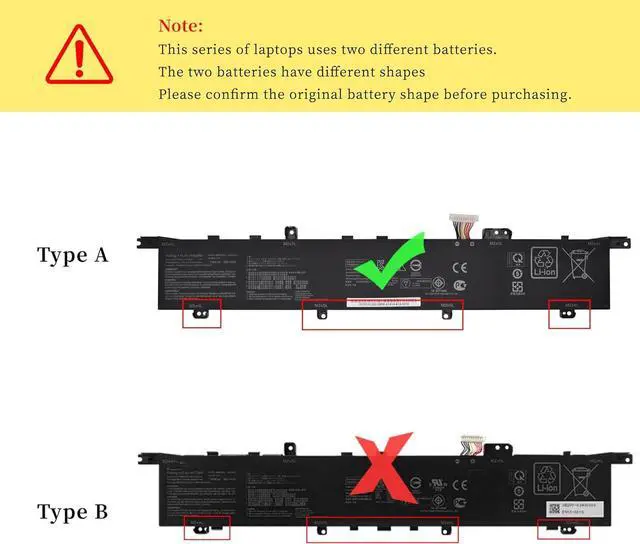
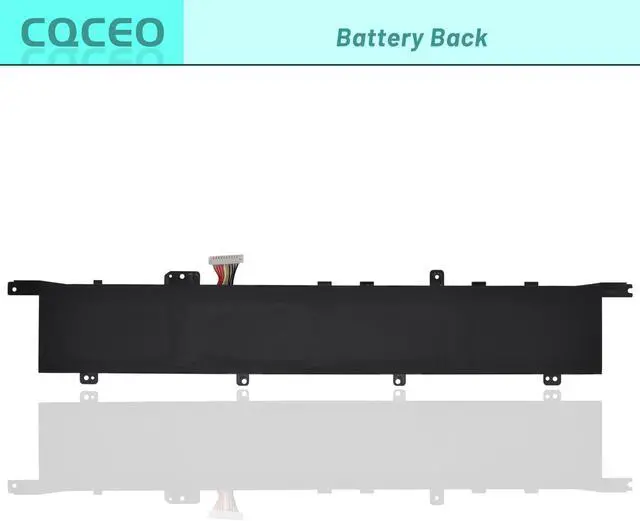
Important noteC42N1846 C42N1846-1 has two different designs, they are not compatible with each other, please make sure the original battery is the same as the picture before purchase.
Specifications:
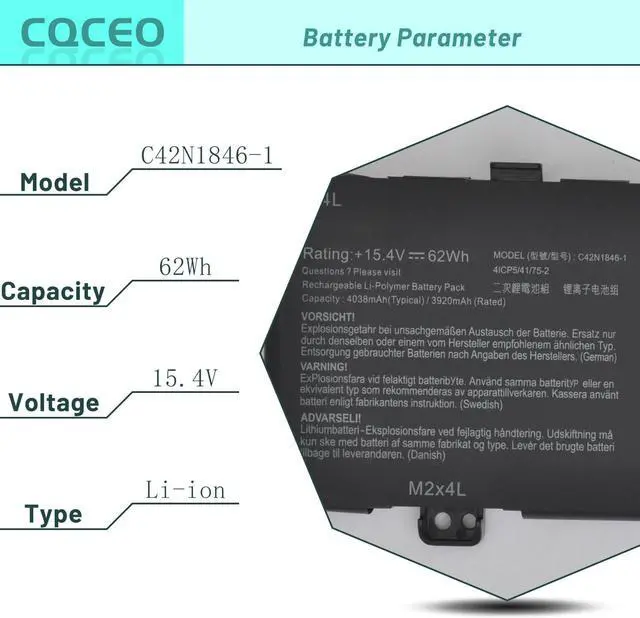
Voltage: 15.4V
Capacity: 62Wh/4038mAh/4-cell
Battery Type: Lithium ion
Battery Condition: Brand New
Color: black
Condition: 100% New from Manufacturer, Grade A Cell
Compatible Part Numbers:
C42N1846 C42N1846-1 0B200-03490000 4ICP5/41/75-2 0B200-03490100
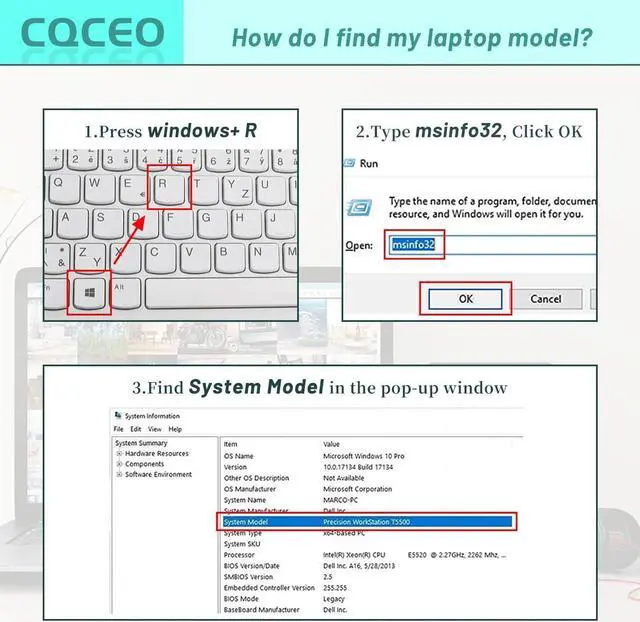
Compatible Machine Models (Use "Ctrl+F to find your model quickly):
for Asus ZenBook Pro Duo UX581 UX581G Series
for Asus ZenBook Duo Pro UX581GV Series
UX581GV-BP9702U UX581GV-BP9901U UX581GV-H2001R UX581GV-H2001T UX581GV-H2001TS
UX581GV-H2002R UX581GV-H2002T UX581GV-H2003R UX581GV-H2003T UX581GV-H2004R
UX581GV-H2004T UX581GV-H2035T UX581GV-H2036T UX581GV-H2037T UX581GV-H2041T
UX581GV-H2050R UX581GV-H7201T UX581GV-H9201T UX581GV-HM7201T UX581GV-XB74T
UX581GV-XB94T UX581GV-XH77T UX581GV-0031A9980HK UX581GV-79D27AB1 UX581GV-9750
UX581GV-9980 UX581GV-H2013T UX581GV-H2037R UX581GV-H2038R UX581GV-H2049R
UX581GV-H7201T UX581GV-H2004T UX581GV-H2002T
for Asus ZenBook Pro Duo UX581LV Series
UX581LV-BP1911U UX581LV-H2001R UX581LV-H2001T UX581LV-H2002R UX581LV-H2008T
UX581LV-H2009R UX581LV-H2011R UX581LV-H2013T UX581LV-H2014R UX581LV-H2014TS
UX581LV-H2018TS UX581LV-H2023T UX581LV-H2024R UX581LV-H2024T UX581LV-H2025T
UX581LV-H2028T UX581LV-H2030TS UX581LV-H2034T UX581LV-H2035T UX581LV-H2045T
UX581LV-XS74T UX581LV-XS77T UX581LV-XS94T
How to use the battery correctly :
1. To prevent safety issues from transportation, all battery out off factory are charged 40-50%,(you can check from laptop Battery indicator icon). For initial using of the battery, please discharge it to 5%(not to 0%) and then charge to 100%, and cycle 3-4 times to activate the batterys maximum capacity.
2. Please recharge immediately when battery reduced to 15% level,when you use the battery. Or it will shorten the battery life and cause damages to the battery.
3. If the battery do not use for a long time, please keep the battery to charge to a minimum 50% electricity. Or, it will maybe cause unable to charge again.To maintain the best battery state,replacement battery needs to be fully discharge to 15% and recharge to 100% each 2 month.
4.Do not unplug the battery during charging , better to turn off the laptop when recharge the it.
5.If your laptop cant be charged or cannot be fully charged,there may be possibilities that the adapter does not compatible with the laptop or theres some damage with the adapter. Please switch off your laptop and try again or change to a correct adapter.
6.The battery usage time is related to factors such as the CPU processor speed, application, program, screen brightness, wireless device external ports, and battery life of the laptop, so the actual usage time of the battery may differ from that of the same model of battery.




 here!