Your Browsing History
Meet Your Seller
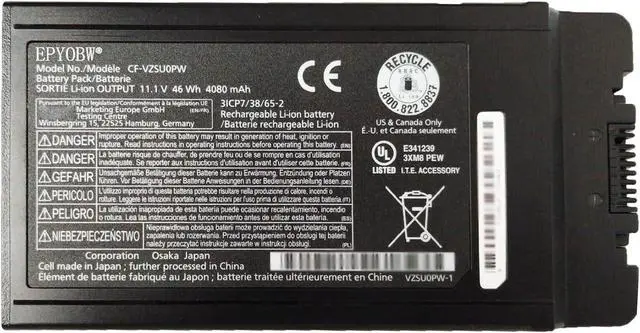
CF-VZSU0PW Laptop Battery 46Wh 4080mAh 11.1V Compatible with Panasonic Toughbook CF-54 CF-54F9001KM CF-54G2999VM CF-54F0961NE 54 Gloved Multi Touch Series CF-VZSU0LW CF-VZSU0PR CF-VZSU0GW
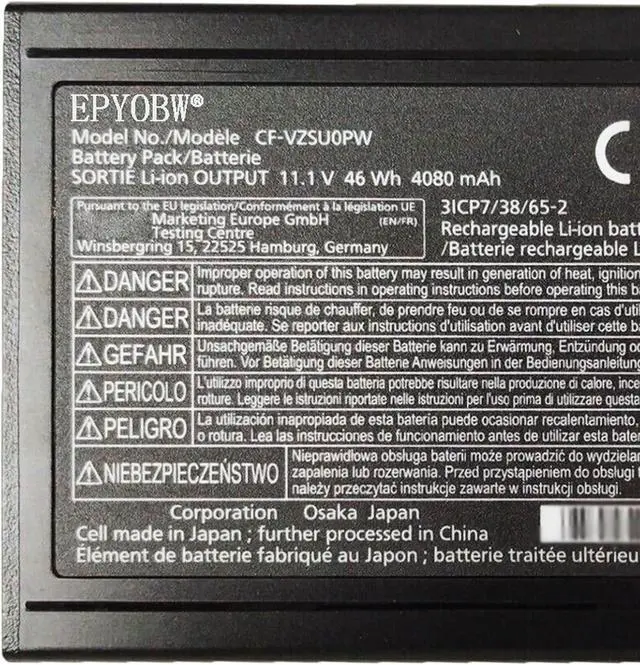
- SpecificationsBattery Model: CF-VZSU0PW / Voltage: 11.1V / Capacity: 46Wh 4080mAh / Color: Black / Condition: Brand New.
- Replace Part NumberCF-VZSU0PW CF-VZSU0LW CF-VZSU0PR CF-VZSU0GW
- Compatible with Laptop ModelsFor Panasonic Toughbook CF-54 Series; For Panasonic Toughbook 54 Gloved Multi Touch Series; For Panasonic Toughbook 54 Lite Series; For Panasonic Toughbook 54 Performance Series; For Panasonic Toughbook 54 Prime Series; For Panasonic Toughbook CF-54F9001KM Series; For Panasonic Toughbook CF-54G2999VM Series.
- Compatible with Laptop ModelsFor Panasonic Toughbook CF-54F0961NE Series; For Panasonic Toughbook 54F0961VM Series; For Panasonic Toughbook 54A0005CM Series; For Panasonic Toughbook 54D2912VM Series; For Panasonic Toughbook 54D0005KM Series.
- Purchase SkillsPlease open the back cover of the laptop before ordering and make sure that the original battery model is consistent with the listing. After getting the battery, please install the battery correctly, make
+
+
Overview
Reviews
Any questions? Ask CelesteSM will help you find out quickly.
Try me now
EPYOBW is a professional laptop battery supplier that continues to provide durable and safe laptop batteries. Wish you a happy shopping
Step 1: Press the "Windows + R" keys to pop up the window.
Step 2: Enter "msinfo32" and click "OK".
Step 3: View the "System Model" in the right pane.
Step 1: Shut down the laptop and unplug the power cord.
Step 2: Carefully use a screwdriver to remove the back panel to prevent damage to laptop components.
Step 3: Disconnect the cable connected to the battery, then you can check the model number and specific specifications on the battery.
Brand new battery
Rechargeable up to 1000+ times
Overcharging protection
Overheating protection
Short circuit protection
professional
Battery Model: CF-VZSU0PW
Capacity: 46Wh 4080mAh
Voltage: 11.1V
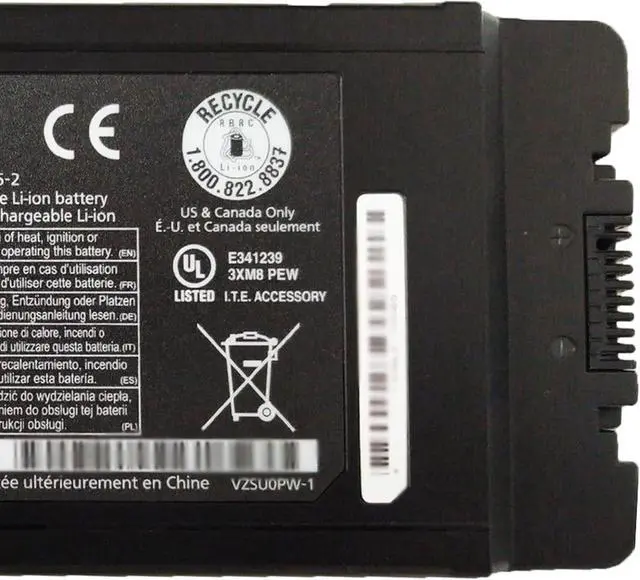
Battery Type: Li-ion
Condition: Brand New
Color: Black
Replace Part Number:
CF-VZSU0PW CF-VZSU0LW CF-VZSU0PR CF-VZSU0GW
Compatible Laptop Models: (use "Ctrl+F" to find your model quickly)
for Panasonic Toughbook CF-54 Series
for Panasonic Toughbook 54 Gloved Multi Touch Series
for Panasonic Toughbook 54 Lite Series
for Panasonic Toughbook 54 Performance Series
for Panasonic Toughbook 54 Prime Series
for Panasonic Toughbook CF-54F9001KM Series
for Panasonic Toughbook CF-54G2999VM Series
for Panasonic Toughbook CF-54F0961NE Series
for Panasonic Toughbook 54F0961VM Series
for Panasonic Toughbook 54A0005CM Series
for Panasonic Toughbook 54D2912VM Series
for Panasonic Toughbook 54D0005KM Series
Notice needing attention:
Not all compatible laptop models are listed or included here.
You can open the back of your laptop to check the original battery model number.
Brand new battery
100% compatible
Meet OEM specifications
Rechargeable up to 1000+ times
capacity is true, stable current, low self-discharge
short circuit, overheat, and overload protections
Multiple protection
Strong battery life
Good "core" quality
After getting the battery, please install the battery correctly, make sure that the battery connector is firmly connected to the laptop motherboard, and start charging the laptop. Discharge the new battery to 5% (not 0%), then charge and cycle 3-4 times to wake up the new battery.
Remember not to discharge the battery to 0%, otherwise the battery will be easily damaged.
After the battery is exhausted, please charge it in time. If it is not charged for a long time, the battery may be damaged.
If the battery is not used for a long time, it needs to be charged to more than 70% for storage. The storage time should not exceed 3 months.
If you often use it with a charger, please use the battery power regularly and use it more than once a week.
Please use original chargers. Inferior chargers will affect the normal charging of the battery.
Regularly clean the fan dust to increase the heat dissipation effect and reduce power consumption, which can effectively extend the battery life.
Please feel free to choose us Welcome to EPYOBW How to get the correct battery? Method 1: Use the shortcut "Window+R" to check your laptop model. Method 2: Open the back cover of the laptop and confirm the battery type, capacity, and laptop model. Brand: EPYOBW Specification EPYOBW High Quality Laptop Battery High Quality Battery Grade "A" cells Trustworthy Easily cope with various scenarios Battery use and maintenance:
Warranty & Returns
Warranty, Returns, And Additional Information
Warranty
- Please contact the Seller directly for warranty information. Warranty information may also be found on the Manufacturer's website.
- CONTACT
Return Policies
- Return for refund within: 30 days
- Return for replacement within: 30 days
- This item is covered by Forestgrand Return Policy
Manufacturer Contact Info
- For a directory of all our manufacturers, please click below.
- Manufacturers Directory
LOADING...