Your Browsing History
Meet Your Seller
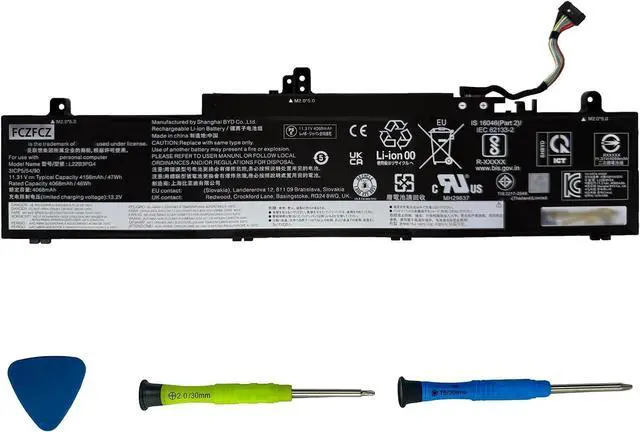
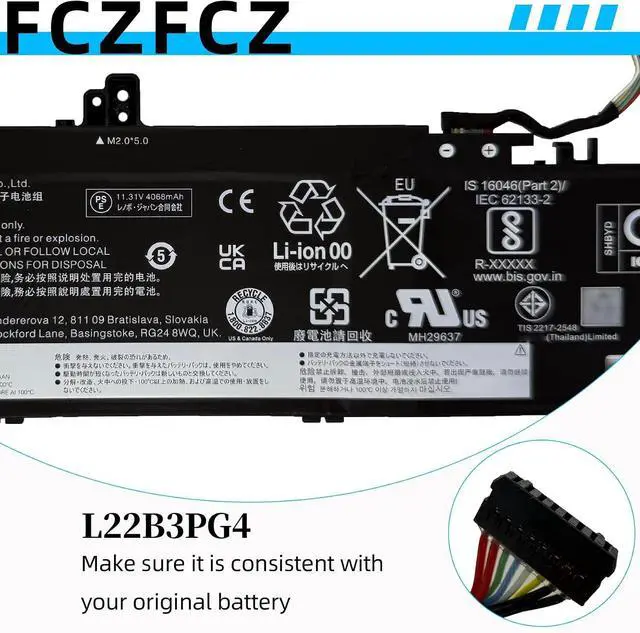
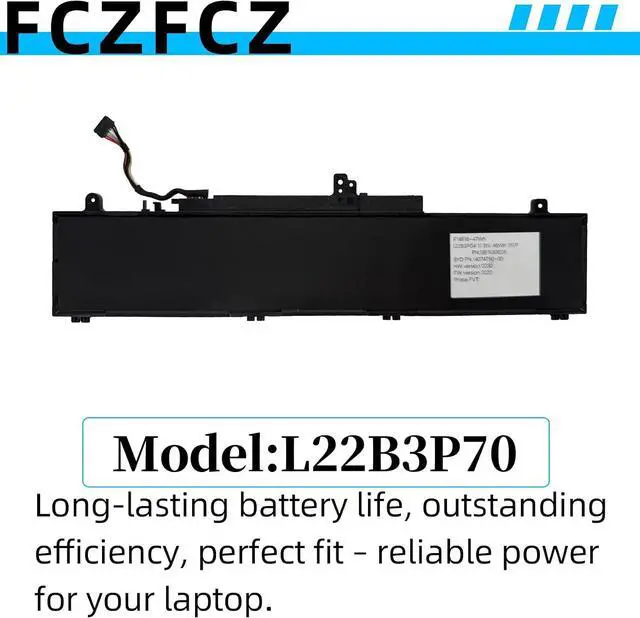
L22B3PG4 Battery 47Wh 4156mAh Replacement for Lenovo ThinkPad E14 Gen 5 Gen 6 / E16 Gen 1 Gen 2 Series SB11N46023 L22X3PG4 L22D3PG4 L22M3PG4 L22L3PG5 L22B3PG5 L22D3PG5 L22M3PG5 11.31V 3-Cell
- SpecificationsBattery Model:L22B3PG4 // Voltage:11.31V // Capacity:47Wh 4156mAh 3-cell // Color:Black // Condition:Brand New.
- Replacement for Part NumberL22B3PG4 SB11K63026 5B11K63022 SB11N46023 5B11N45978 L22D3PG4 SB11K63023 5B11K63020 SB11N45976 5B11N46005 L22X3PG4 SB11K63021 5B11K63024 SB11N46026 5B11N45961 L22M3PG4 SB11K63019 5B11K63025 SB11N45980 5B11N45988 L22L3PG5 SB11K63027 5B11K63034 SB11N46010 5B11N46003 L22B3PG5 SB11K63028 5B11K63032 SB11N46033 5B11N46012 L22D3PG5 SB11K63031 5B11K63033 SB11N56342 5B11N56341 L22M3PG5 SB11K63030 5B11K63029 SB11N45998 5B11N46031
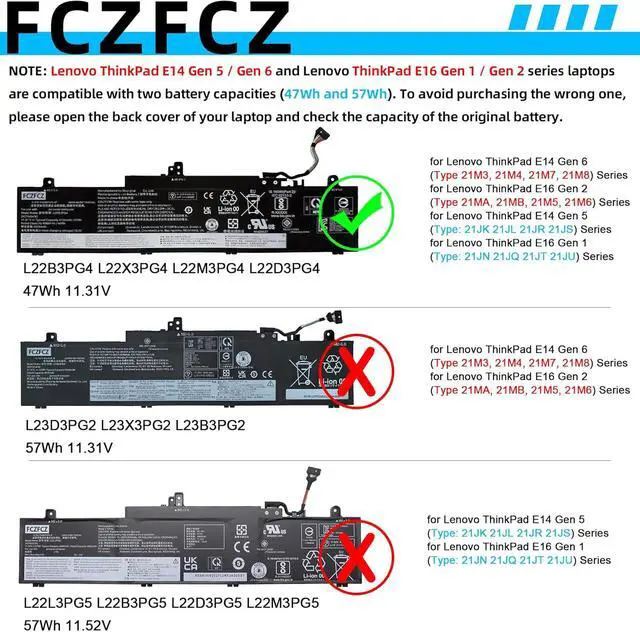
- Compatible with Machine Models for Lenovo ThinkPad E14 Gen 5 (Type: 21JK 21JL 21JR 21JS) Series; for Lenovo ThinkPad E16 Gen 1 (Type: 21JN 21JQ 21JT 21JU) Series; for Lenovo ThinkPad E14 Gen 6 (Type: 21M3 21M4 21M7 21M8) Series; for Lenovo ThinkPad E16 Gen 2 (Type: 21MA 21MB 21M5 21M6) Series. (NOTE: These laptop series are all compatible with two battery capacities (47Wh and 57Wh). To avoid purchasing the wron
+
+
Overview
Reviews
Any questions? Ask CelesteSM will help you find out quickly.
Try me now
We specialize in providing high capacity, long life, safe and stable replacement batteries for your laptop. We select high-quality cells and strictly control the production process to ensure that each battery has excellent performance and durability.
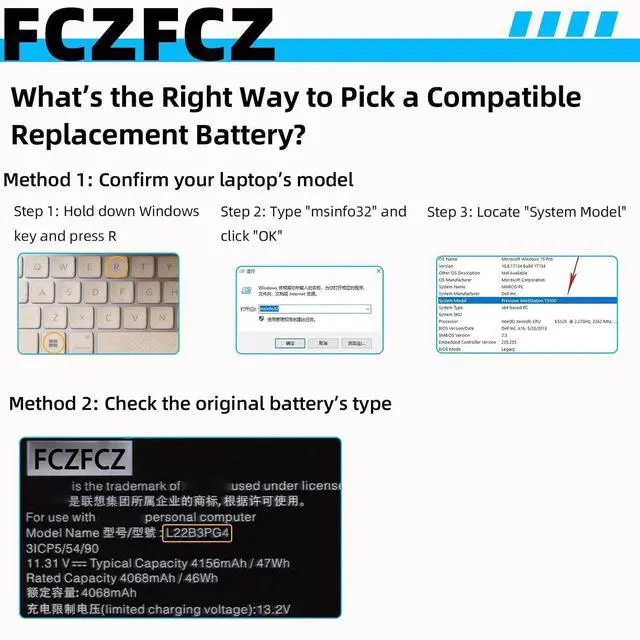
1. Quickly check your laptop model name
Press [Win]+[R] on your keyboard at the same time
Type [msinfo32] in the Run window and click [OK]
Look for System Model in the system information.
2. Check the original battery directly (most accurate method)
Turn off the laptop and disconnect the power
Remove the bottom cover of the laptop
Locate the battery and record: Battery type/Voltage/capacity
TIPS: The same battery model may have different capacity, please buy the original capacity battery to avoid damage to your laptop. The same laptop may be suitable for different capacity batteries, we recommend that you find the original battery model for purchase.
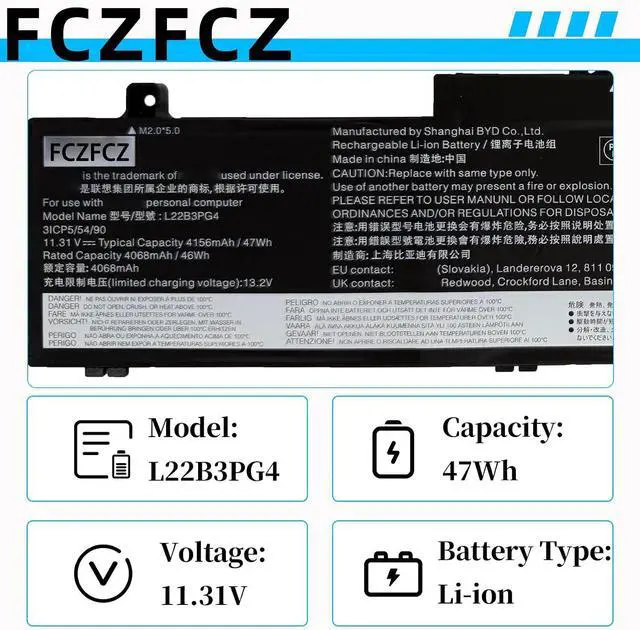
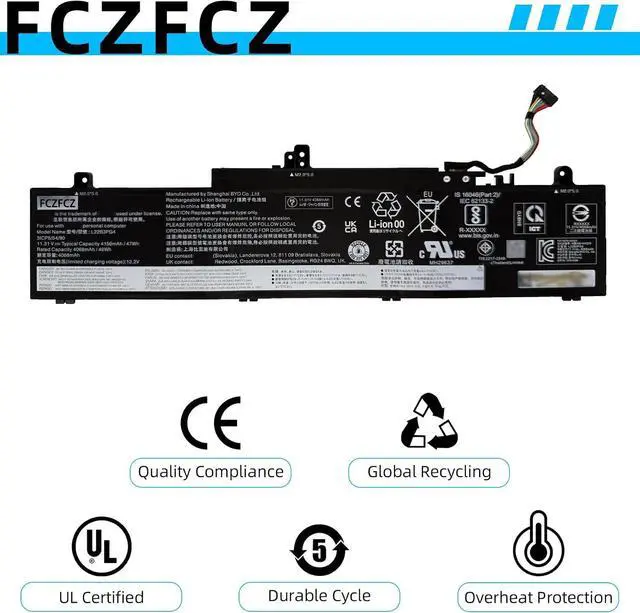
Battery model: L22B3PG4
Capacity: 47Wh 4156mAh 3-cell
Voltage: 11.31V
Battery Type: Rechargeable Lithium-ion Battery
Condition: 100% brand new, Grade A Cell
Color: Black
Replacement Part Number:
L22B3PG4 SB11K63026 5B11K63022 SB11N46023 5B11N45978 L22D3PG4 SB11K63023 5B11K63020 SB11N45976 5B11N46005 L22X3PG4 SB11K63021 5B11K63024 SB11N46026 5B11N45961
L22M3PG4 SB11K63019 5B11K63025 SB11N45980 5B11N45988 L22L3PG5 SB11K63027 5B11K63034 SB11N46010 5B11N46003 L22B3PG5 SB11K63028 5B11K63032 SB11N46033 5B11N46012
L22D3PG5 SB11K63031 5B11K63033 SB11N56342 5B11N56341 L22M3PG5 SB11K63030 5B11K63029 SB11N45998 5B11N46031
Compatible Machine Models (use "Ctrl+F" to find your model quickly)
for Lenovo ThinkPad E14 Gen 5 (Type: 21JK 21JL 21JR 21JS) Series
for Lenovo ThinkPad E16 Gen 1 (Type: 21JN 21JQ 21JT 21JU) Series
for Lenovo ThinkPad E14 Gen 6 (Type: 21M3 21M4 21M7 21M8) Series
for Lenovo ThinkPad E16 Gen 2 (Type: 21MA 21MB 21M5 21M6) Series
NOTE: These laptop series are all compatible with two battery capacities (47Wh and 57Wh). To avoid purchasing the wrong one, please open the back cover of your laptop and check the capacity of the original battery.
Each FCZFCZ brand battery includes a variety of built-in protections such as overheat protection, overcurrent protection, overload protection, high voltage protection, and short circuit protection to ensure maximum safety.
All our batteries are brand new, 100% compatible, fit your laptop, meet OEM specification, safe and efficient. Same size as original batteries, no need to worry about assembly and fitment issues
Laptop batteries are made of A-grade cells, which are strictly screened and tested for more cycles, longer endurance, better compatibility and adaptability
All of our laptop replacement batteries are 100% brand new, the batteries are made of A-grade cells for long life and durability.
Tip: We strongly recommend that you purchase a replacement battery with the same capacity as the original battery. If you purchase a replacement battery with a different capacity, it may cause the original charger to fail to charge and you will have to purchase an additional charger, adding extra cost.
New battery: When using for the first time, discharge to about 5% (not 0%) and then charge to 95%, avoiding full charge and discharge.
Avoid over-discharge: Do not drain the battery to 0%, as this will damage the battery in the long run. We recommend charging the battery when it drops to 5%.
Long-term storage: If not used for a long period of time, it should be stored fully charged. Charged and discharged once a month.
Turn off the laptop, disconnect the power supply, open the back cover of the laptop, install the new battery and secure the it.
Battery installation is easy, you can search for laptop battery installation videos.
Battery is loose, remove and reinstall to ensure good contact.
Check the battery driver, if not normal, downloa
Warranty & Returns
Warranty, Returns, And Additional Information
Warranty
- Please contact the Seller directly for warranty information. Warranty information may also be found on the Manufacturer's website.
- CONTACT
Return Policies
- Return for refund within: 30 days
- Return for replacement within: 30 days
- This item is covered by Forestgrand Return Policy
Manufacturer Contact Info
- For a directory of all our manufacturers, please click below.
- Manufacturers Directory
LOADING...