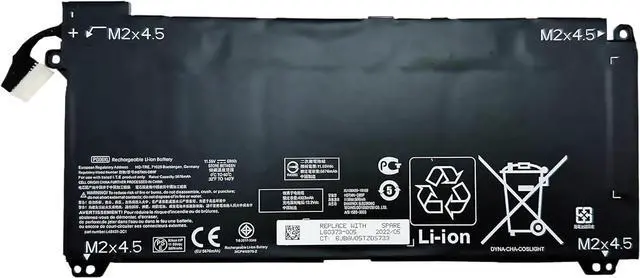
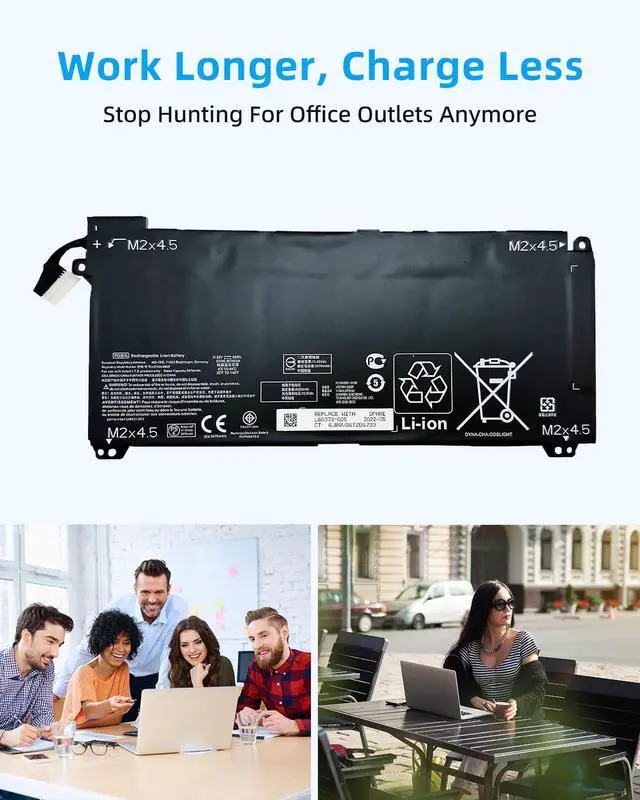
1Power Wilderness Office2Marathon Presentations3Airport Power4Productive Mobility Compatible Laptop Models For: Fit PG06XL L48431-2C1 L48497-005 PGO6XL ICP4/69/75-2 HSTNN-DB9F Compatible Laptop Models For: Replacement for HP Omen 15T-DH000 15T-DH100 Series; Compatible Laptop Models For: Replacement for HP Omen 15-DH0000 15-DH1000 Series: 15-dh0000nx 15-dh0001la 15-dh0002ng 15-dh0002ns 15-dh0002nl 15-dh0003la 15-dh0004ng 15-dh0004ns 15-dh0004la 15-dh0005la 15-dh0006nt 15-dh0006la 15-dh0007na 15-dh0007ng 15-dh0009ng 15-dh0009ns 15-dh0010tx 15-dh0011ng 15-dh0011ne 15-dh0012ng 15-dh0014ng 15-dh0015ns 15-dh0015nr 15-dh0015tx 15-dh0016nf 15-dh0016ns 15-dh0017nt 15-dh0020ng 15-dh0022nf 15-dh0028nl 15-dh0039nl 15-dh0105tx 15-dh0134tx 15-dh0135tx 15-dh0136tx Compatible Laptop Models For: 15-dh0144tx 15-dh017nt 15-dh0203ng 15-dh0306ng 15-dh0600nd 15-dh0650nd 15-dh0750nd 15-dh1000ne 15-dh1001nl 15-dh1001ne 15-dh1001tx 15-dh1002tx 15-dh1003tx 15-dh1004tx 15-dh1005na 15-dh1010na 15-dh1013na 15-dh1014nt 15-dh1019nr 15-dh1035nt 15-dh1049nb 15-dh1055ng 15-dh1060nr 15-dh1065cl 15-dh1070wm 15-dh1085ng 15-dh1086ng 15-dh1099nr 15-dh1266ng 15-dh1657ng 15-dh1750ng Compatible Laptop Models For: Replacement for HP Omen 5 Air 15-dh0006TX PRC Series; Compatible Laptop Models For: Replacement for HP Omen 5 Air 15-dh0007TX PRC Serie; Compatible Laptop Models For: Replacement for HP Omen 5 Air 15-dh0008TX PRC Series; Compatible Laptop Models For: Replacement for HP Omen 5 Air 15-dh0009TX PRC Series; Compatible Laptop Models For: Replacement for HP Omen 5 Air 15-dh0153TX Series; Compatible Laptop Models For: Replacement for HP Omen 5 Air 15-dh0154TX Series; Compatible Laptop Models For: Replacement for HP Omen 5 Air 15-dh0161TX Series. Is this battery compatible with my laptop?
1. Confirm your laptop model number (check the original battery or device label).
2. Match it with the compatible models listed in our product description
How long does the battery last on a full charge?
1. Battery life varies by usage, settings, and laptop model.
2. Typically offers several hours under normal use.
3. Reduce background applications and adjust power settings to extend lifespan.
Whats the best way to charge the laptop battery?
1. Recharge when the battery level drops to 5-10%.
2. Avoid completely draining the battery.
3. Charge in a dry, cool area away from extreme temperatures.
What should I do when using the battery for the first time?
1. Fully charge the battery before first use.Turn off the laptop and disconnect the power adapter during installation.
3. Calibrate the battery by discharging to 5-7% (do not fully drain) and charging to 95%. Repeat 3-4 times for optimal performance.
How to Check Your Laptop Model? 1. Press Windows/Command+R 2. Enter"msinfo32" & click OK 3. Find "system model" Compatible for Laptop models:Press [Ctrl + F] to search for your type Is this battery compatible with my laptop?
How long does the battery last on a full charge?
Whats the best way to charge the laptop battery?
What should I do when using the battery for the first time?




 here!