


• $28.99
  • Free 30-day Returns
  • Price alert
    Shop it at NeweggBusiness.

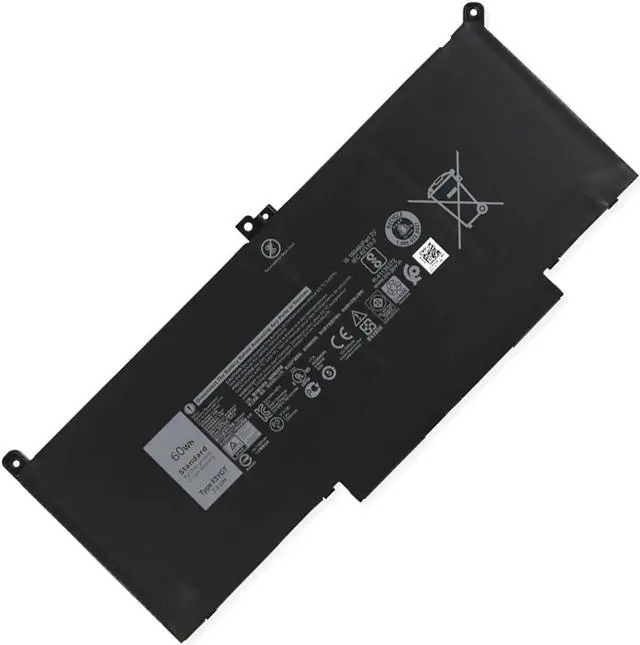
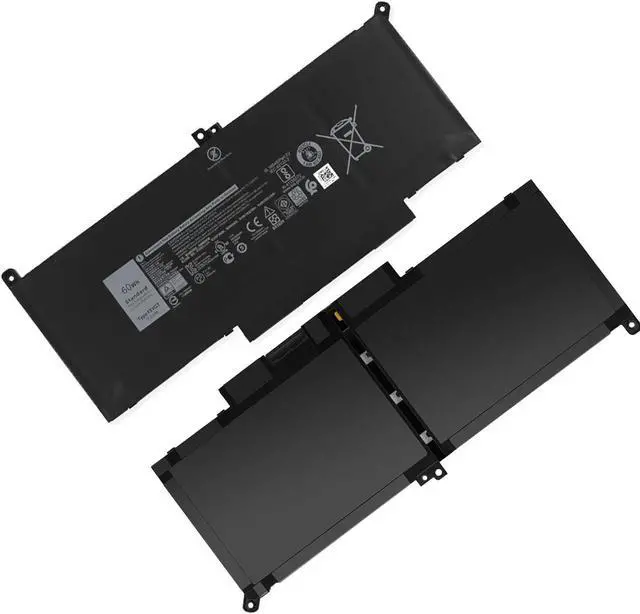
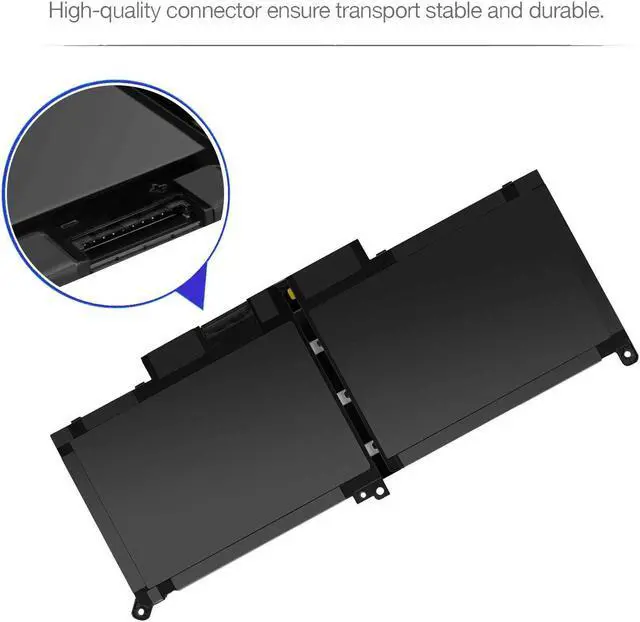
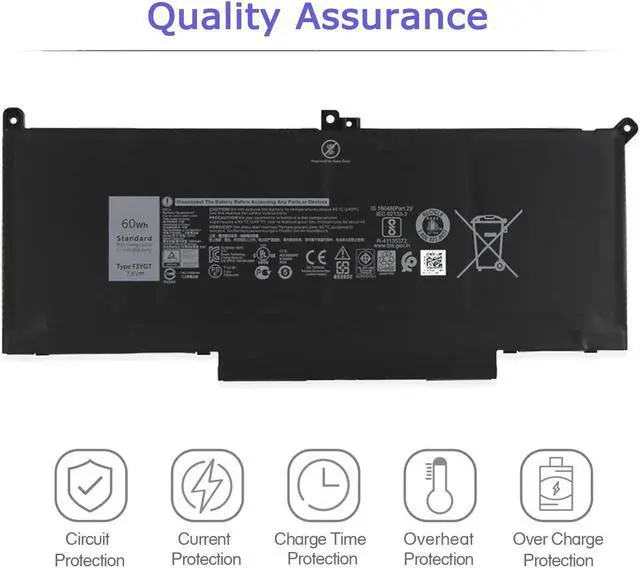
    Hecales F3YGT Lithium Polymer Laptop Battery for Dell Latitude 12/13/14 7000 Series - 7.6V 60Wh 4-Cell, Compatible with Models 7280, 7380, 7480, 7490 - F3YGT 0F3YGT DM3WC 0DM3WC DM6WC 2X39G KG7VF

    • High-performance Li-ion technology: The Hecales F3YGT Laptop Battery boasts advanced Li-ion technology, ensuring a high capacity of 60Wh. It delivers reliable power and performance for your Dell Latitude series, enabling seamless productivity throughout the day.
    • Extended lifespan with 500 recharge cycles: Designed to last, this 4-cell battery offers up to 500 recharge cycles, providing longevity and consistent power for your Dell Latitude 12, 13, and 14 7000 series laptops. Experience fewer replacements and more uptime.
    • Comprehensive compatibility: This battery is compatible with a wide range of Dell Latitude models, including the 7280, 7290, 7380, 7390, 7480, and 7490 series. It ensures a perfect fit and optimal performance, excluding the Dell Latitude 7390 2-in-1 Series.
    • Risk-free purchase with warranty: Benefit from a 30-day refund policy and a 12-month warranty, providing peace of mind and assurance in the quality and reliability of your Hecales F3YGT Laptop Battery purchase.
    +
    +
    Overview
    Specs
    Reviews
    image for this item
    image for this item

        Specification:

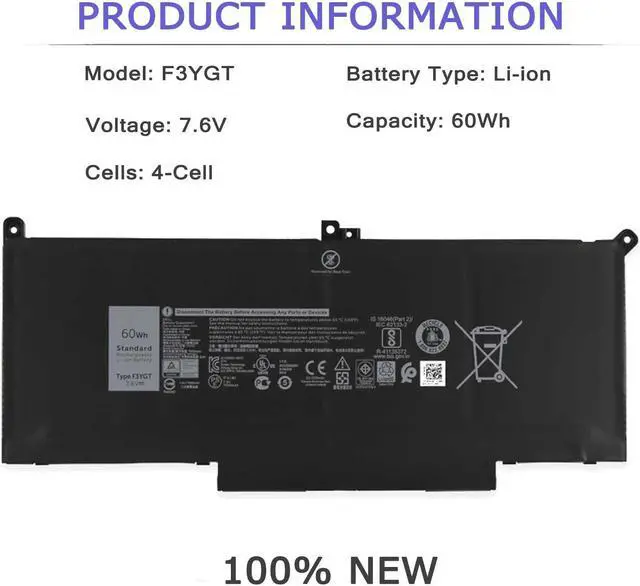
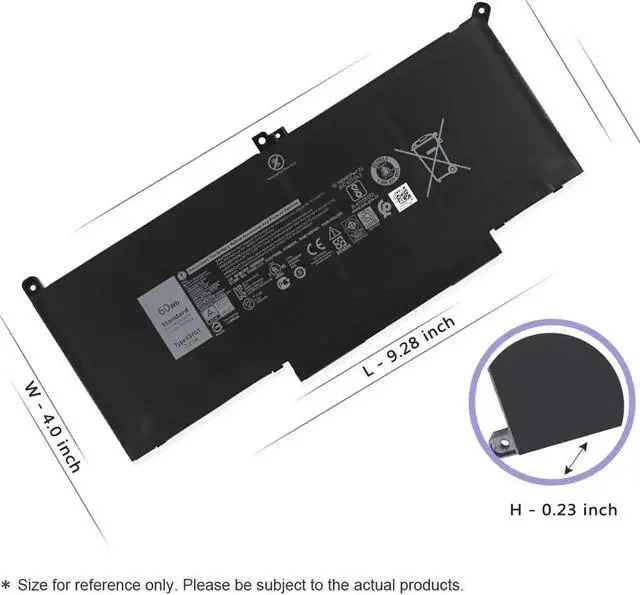
              Model: F3YGT, Battery Type: Lithium polymer, Cell: 4 Cells, Voltage: 7.6V, Capacity: 60Wh/7500mAh, Condition: 100% New from Manufacturer, Grade A Cell

              In order to avoid your buying mistakes, please check your original battery model before purchasing,or tell us the model of your laptop and let us give you the exact answer.


        Attention:

            F3YGT - (F3YGT/7.6V/60Wh/7500mAh/4Cells), DJ1J0 - (11.4V/42Wh/3Cells) and are not compatible.
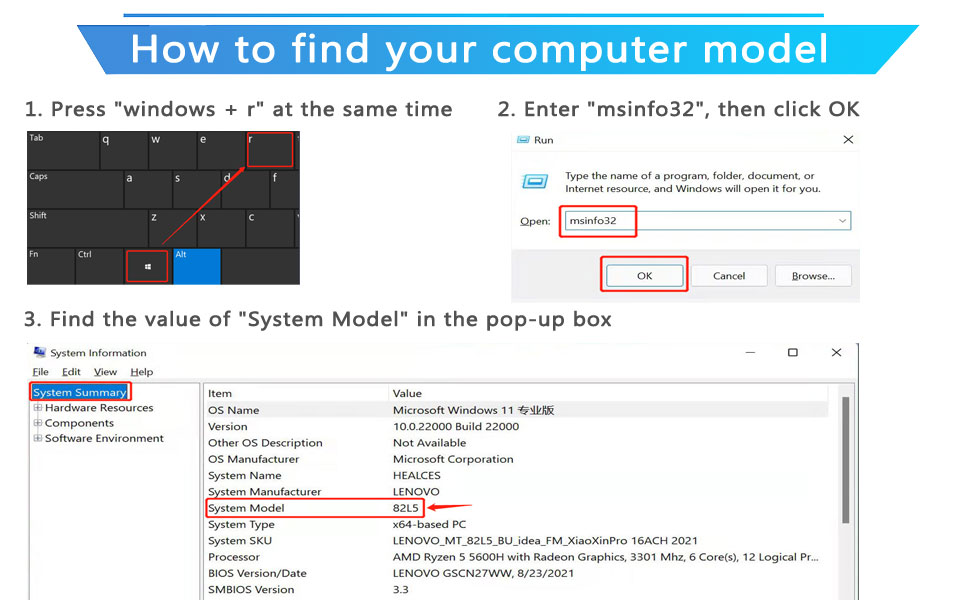
    image for this item
    • Compatible Part Number:

        F3YGT 0F3YGT DM3WC 0DM3WC DM6WC 2X39G MYJ96 KG7VF V4940 451-BBYE 453-BBCF


    • Compatible with HP Laptop Models:(Use "Ctrl"+"F" to find your laptop model)

        - DELL Latitude 12 7280 Series

        - DELL Latitude 12 7290 Series

        - DELL Latitude 13 7380 Series

        - DELL Latitude 13 7390 Series

        - DELL Latitude 14 7480 Series

        - DELL Latitude 14 7490 Series

        Latitude 7480 (00MG3), Latitude 7480 (KG9V9), Latitude 7480 (8CG05), Latitude (7480-CY4FG), Latitude (7480-D4CWR),Latitude 14 (7490-2N59D), Latitude 14 (7490-3Y29W), Latitude 14 (7490-0VKWY), Latitude 14 (7490-V7MCC), Latitude 14 (7490-NFV7X), Latitude 14 (7490-D0R43), Latitude 14 (7490-FK3WG), Latitude 14 (7490-NN5YD), Latitude 14 (7490-7CW12), Latitude 14 (7490-6PWF0)


    F3YGT Battery care instructions:

    1. Discharge the new battery use to 5%(not to 0%) and then charge to 95%, and cycle 3-4 times.

    2. Do not disassemble, crush or puncture. Do not dispose of in fire or water.

    3. After the battery is exhausted, please charge it in time. If it is not charged for a long time, the battery may be damaged.

    4. If the battery is not used for a long time and needs to be stored above 70%, the storage time should not exceed 3 months.

    5. If you use the charger frequently, please use the battery power regularly, and use it more than once a week.

    6. Please use the original charger or famous brand charger, inferior charger will affect the normal charging of the battery.

    7. Regularly clean the fan dust, increase the heat dissipation effect, reduce the power consumption, and effectively extend the battery life.

    8. When using the battery, care should be taken to prevent exposure and moisture.

    image for this item
    image for this item
    image for this item
    image for this item
    How to install a new battery?

    1. Unplug all external devices from the laptop, then remove your laptop back cover.

    2.Disconnect the old battery, remove the screw with a screwdriver and save it, remove the old battery, and press and hold the laptop's power button for about 10-15 seconds (In order to release the remaining power inside the laptop).

    3. Put the new battery into the battery slot, tighten the screws, and connect the cable.

    4. Connect the AC adapter and check if your machine can detect the battery again.

    Product Description:


    The Hecales F3YGT Laptop Battery is a reliable power solution for your Dell Latitude series laptops, designed to deliver consistent performance and longevity. This Li-ion battery boasts a capacity of 60Wh and operates at a voltage of 7.6V, featuring a robust 4-cell configuration. It is engineered to support up to 500 recharge cycles, ensuring extended usability and efficiency.


    Compatible with a wide range of models, including Dell Latitude 12 7000 series (7280, 7290), Dell Latitude 13 7000 series (7380, 7390), and Dell Latitude 14 7000 series (7480, 7490), this battery is a versatile replacement option. It is important to note that it is not compatible with the Dell Latitude 7390 2-in-1 Series. The battery also aligns with various part numbers such as F3YGT, DM3WC, and 451-BBYE, ensuring a perfect fit for your device.


    The Hecales F3YGT Battery is certified by both CE and FCC, guaranteeing safety and compliance with stringent environmental standards. This commitment to quality and security makes it a dependable choice for users seeking peace of mind. Additionally, the product comes with a 30-day refund policy and a 12-month warranty, reinforcing its reliability and the manufacturer's confidence in performance.


    With its sleek black design, the Hecales F3YGT Battery not only complements your device aesthetically but also enhances its functionality. Whether you need a replacement for a Dell 7280 battery, Dell 7480 battery, or Dell Latitude 7390 battery, this product is crafted to meet your needs efficiently. Choose the Hecales F3YGT Laptop Battery for a seamless power experience and dependable support for your computing tasks.

    Warranty & Returns

    Warranty, Returns, And Additional Information

    Warranty

    • Please contact the Seller directly for warranty information. Warranty information may also be found on the Manufacturer's website.
    • CONTACT

    Return Policies

    Manufacturer Contact Info

    LOADING...