

Your Browsing History
- Free 30-day Returns
$81.48


Meet Your Seller


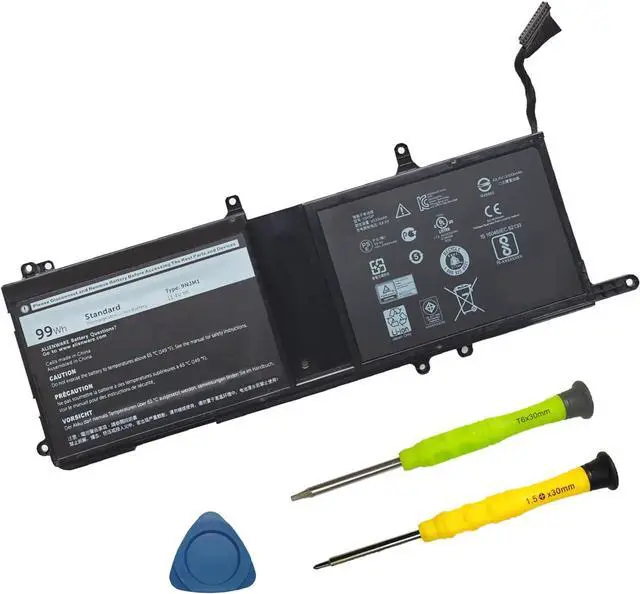
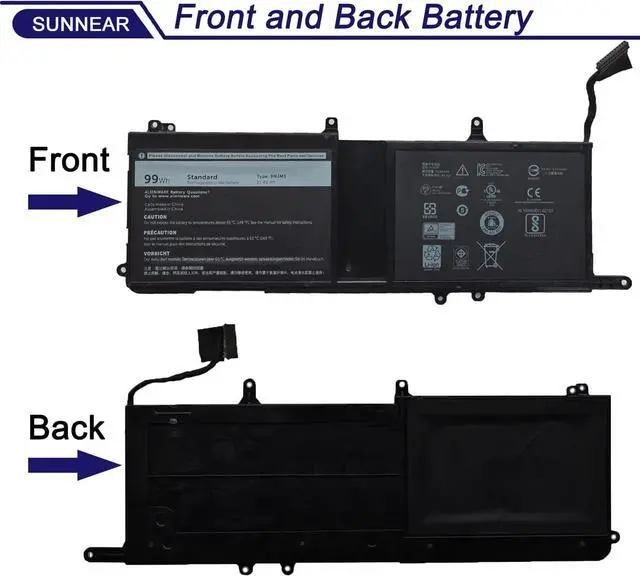


9NJM1 Laptop Battery for Dell Alienware 15 R3 R4 17 R4 R5 Series Dell ALW17C Series 0546FF 0HF250 44T2R HF250 MG2YH 0MG2YH, Dell P31E P69F Series 11.4V 3-Cell
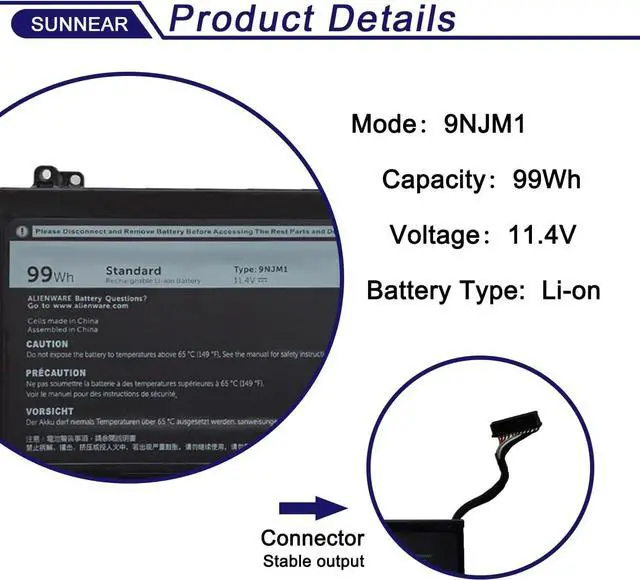
- SpecificationsModel: 9NJM1 Voltage: 11.4V Capacity: 99Wh/8820mAh Battery type: Li-ion. Battery life: Up to 501 recharge cycles over the life of the battery. Also comes with installation tools
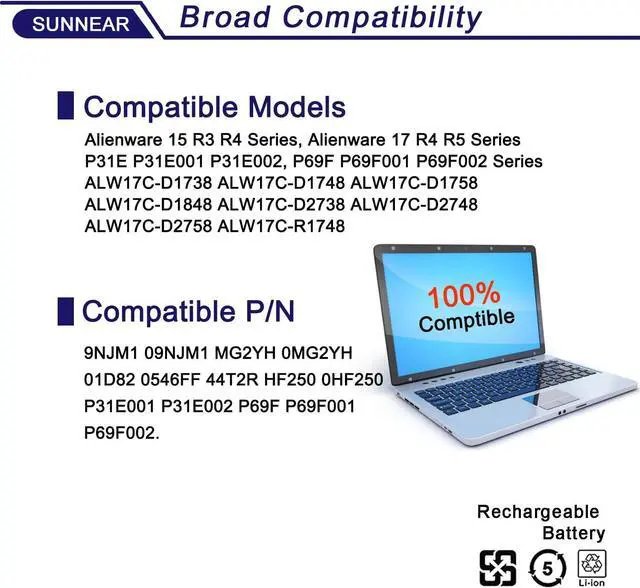
- Compatible Laptop/Notebook Models for Dell Alienware 15 R3 R4 Series, 17 R4 R5 Series Notebook, Dell P31E P69F Series(P31E001, P31E002, P69F, P69F001, P69F002 Series), Dell ALW17C Series. (Dell ALW17C-D1738 ALW17C-D1748 ALW17C-D1758 ALW17C-D1848 ALW17C-D2738 ALW17C-D2748 ALW17C-D2758 ALW17C-R1748 Series)
- Compatible Part Number 9NJM1 MG2YH 0MG2YH 01D82 HF250
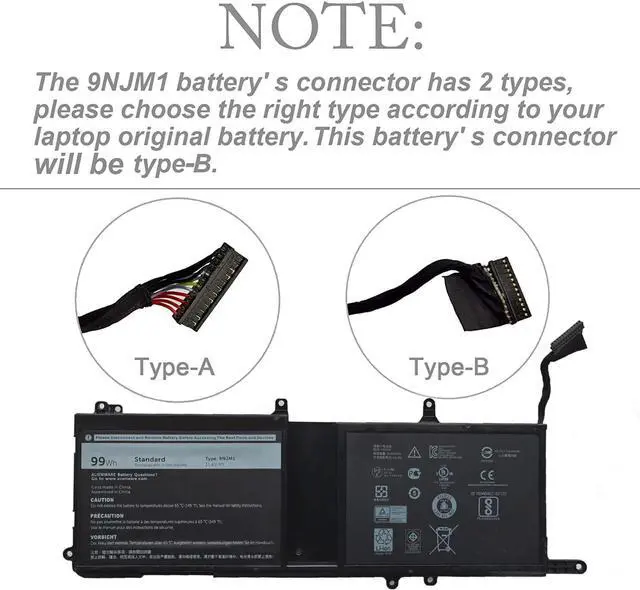
- Purchasing Note: Due to the complexity of laptop battery models, you may not be able to accurately determine the model you need to purchase,Please open the back cover of the laptop to confirm the original battery model number
- TipsIf the new battery is not recognized during the initial installation, please reinstall and check if the interface is fully connected. Discharge the new battery to 5% (not 0%), then charge and cycle 3-4
+
+
Overview
Specs
Reviews

Any questions? Our AI mode will help you find out quickly.
Try me now
SpecificationsModel: 9NJM1
Voltage: 11.4V
Capacity: 99Wh/8820mAh
Battery type: Li-ion.
Battery life: Up to 501 recharge cycles over the life of the battery. Also comes with installation tools
Compatible Laptop/Notebook Models for Dell Alienware 15 R3 R4 Series, 17 R4 R5 Series Notebook, Dell P31E P69F Series(P31E001, P31E002, P69F, P69F001, P69F002 Series), Dell ALW17C Series. (Dell ALW17C-D1738 ALW17C-D1748 ALW17C-D1758 ALW17C-D1848 ALW17C-D2738 ALW17C-D2748 ALW17C-D2758 ALW17C-R1748 Series)
Compatible Part Number 9NJM1 MG2YH 0MG2YH 01D82 HF250
Purchasing Note: Due to the complexity of laptop battery models, you may not be able to accurately determine the model you need to purchase, Please open the back cover of the laptop to confirm the original battery model number
TipsIf the new battery is not recognized during the initial installation, please reinstall and check if the interface is fully connected. Discharge the new battery to 5% (not 0%), then charge and cycle 3-4 times to wake up the new battery
Customer Service 24 x 7 email support. If you have any problem with battery, please Contact us - in YOUR ORDER options click the contact seller 30 days return and 12 months Warrant
Voltage: 11.4V
Capacity: 99Wh/8820mAh
Battery type: Li-ion.
Battery life: Up to 501 recharge cycles over the life of the battery. Also comes with installation tools
Compatible Laptop/Notebook Models for Dell Alienware 15 R3 R4 Series, 17 R4 R5 Series Notebook, Dell P31E P69F Series(P31E001, P31E002, P69F, P69F001, P69F002 Series), Dell ALW17C Series. (Dell ALW17C-D1738 ALW17C-D1748 ALW17C-D1758 ALW17C-D1848 ALW17C-D2738 ALW17C-D2748 ALW17C-D2758 ALW17C-R1748 Series)
Compatible Part Number 9NJM1 MG2YH 0MG2YH 01D82 HF250
Purchasing Note: Due to the complexity of laptop battery models, you may not be able to accurately determine the model you need to purchase, Please open the back cover of the laptop to confirm the original battery model number
TipsIf the new battery is not recognized during the initial installation, please reinstall and check if the interface is fully connected. Discharge the new battery to 5% (not 0%), then charge and cycle 3-4 times to wake up the new battery
Customer Service 24 x 7 email support. If you have any problem with battery, please Contact us - in YOUR ORDER options click the contact seller 30 days return and 12 months Warrant
Warranty & Returns
Warranty, Returns, And Additional Information
Warranty
- Please contact the Seller directly for warranty information. Warranty information may also be found on the Manufacturer's website.
- CONTACT
Return Policies
- Return for refund within: 30 days
- Return for replacement within: 30 days
- This item is covered by DianLan Return Policy
Manufacturer Contact Info
- For a directory of all our manufacturers, please click below.
- Manufacturers Directory
LOADING...