Your Browsing History
- Free 30-day Returns
$77.20
Meet Your Seller
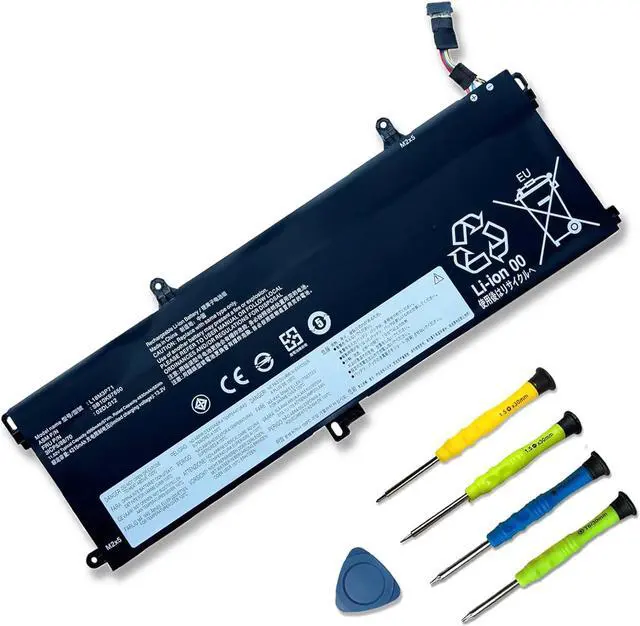
L18M3P71 SB10K97650 02LD012 11.52V 57Wh 4950mAh Laptop Battery Replacement for Lenovo ThinkPad T590s Series Notebook 02DL011 5B10W13913 5B10W13914
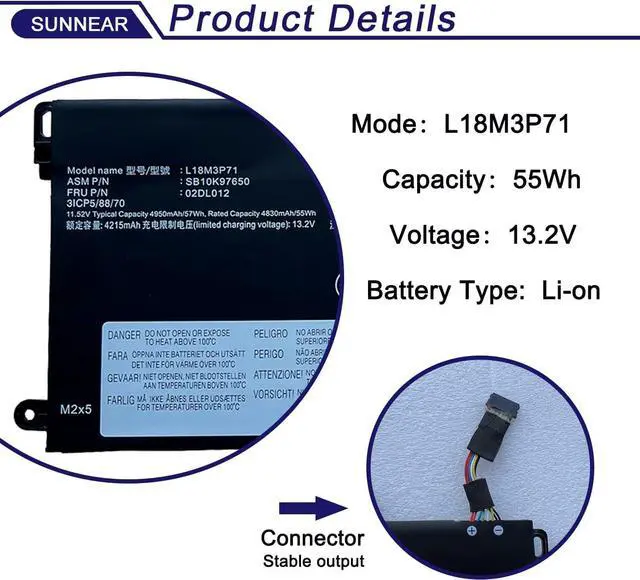
- SpecificationsModel: L18M3P71Voltage: 11.52V Capacity: 57Wh/4950mAh Battery type: Li-ion. Also comes with installation tools
- Compatible Part NumberL18M3P71 SB10K97650 02LD012 5B10W13913 5B10W13914 L18L3P71 SB10K97649 02DL011
+
+
Overview
Specs
Reviews
Any questions? Our AI beta will help you find out quickly.
Try me now
SpecificationsModel:
L18M3P71Voltage: 11.52V
Capacity: 57Wh/4950mAh
Battery type: Li-ion. Also comes with installation tools
Compatible Part NumberL18M3P71 SB10K97650 02LD012 5B10W13913 5B10W13914 L18L3P71 SB10K97649 02DL011
Compatible Laptop/Notebook ModelsLenovo ThinkPad T590, Lenovo ThinkPad T590 20N4, Lenovo ThinkPad T590 20N5 Series Notebook
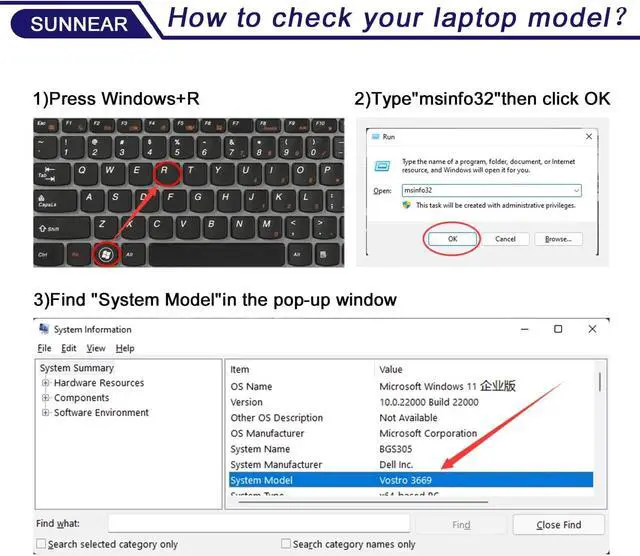
Purchasing Note: Due to the complexity of laptop battery models, you may not be able to accurately determine the model you need to purchase, Please open the back cover of the laptop to confirm the original battery model number
TipsIf the new battery is not recognized during the initial installation, please reinstall and check if the interface is fully connected. Discharge the new battery to 5% (not 0%), then charge and cycle 3-4 times to wake up the new battery
Customer Service 24 x 7 email support. If you have any problem with battery, please Contact us - in YOUR ORDER options click the contact seller

L18M3P71Voltage: 11.52V
Capacity: 57Wh/4950mAh
Battery type: Li-ion. Also comes with installation tools
Compatible Part NumberL18M3P71 SB10K97650 02LD012 5B10W13913 5B10W13914 L18L3P71 SB10K97649 02DL011
Compatible Laptop/Notebook ModelsLenovo ThinkPad T590, Lenovo ThinkPad T590 20N4, Lenovo ThinkPad T590 20N5 Series Notebook
Purchasing Note: Due to the complexity of laptop battery models, you may not be able to accurately determine the model you need to purchase, Please open the back cover of the laptop to confirm the original battery model number
TipsIf the new battery is not recognized during the initial installation, please reinstall and check if the interface is fully connected. Discharge the new battery to 5% (not 0%), then charge and cycle 3-4 times to wake up the new battery
Customer Service 24 x 7 email support. If you have any problem with battery, please Contact us - in YOUR ORDER options click the contact seller
Warranty & Returns
Warranty, Returns, And Additional Information
Warranty
- Please contact the Seller directly for warranty information. Warranty information may also be found on the Manufacturer's website.
- CONTACT
Return Policies
- Return for refund within: 30 days
- Return for replacement within: 30 days
- This item is covered by Nexus Drive Return Policy
Manufacturer Contact Info
- For a directory of all our manufacturers, please click below.
- Manufacturers Directory
LOADING...