

Your Browsing History
- $29.99
- Free 30-day Returns


Meet Your Seller



USB Power Cable Adapter for Fire TV Stick,Powers Streaming TV Sticks Directly from T V USB Port(Eliminates AC Adapter and Very Long Power Cable)
Limited time offer, ends 08/20 By YingLiYingMeiKeJi
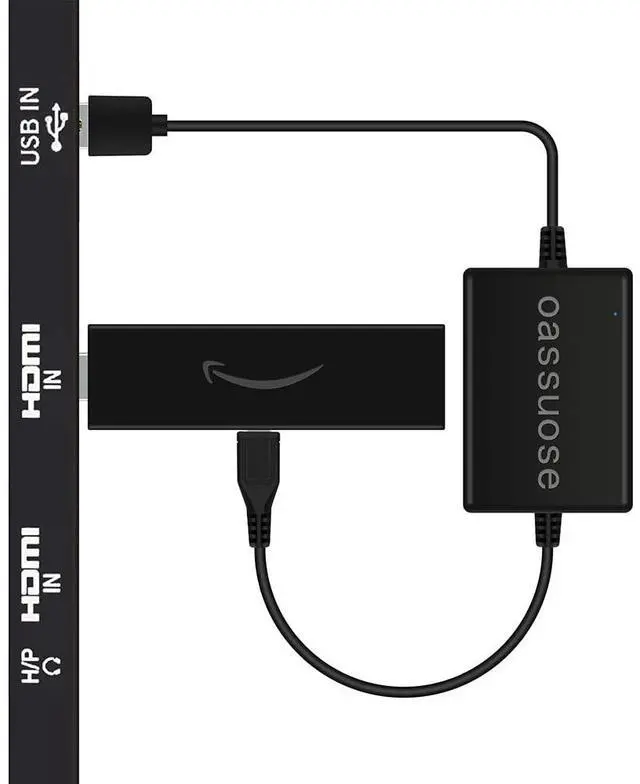
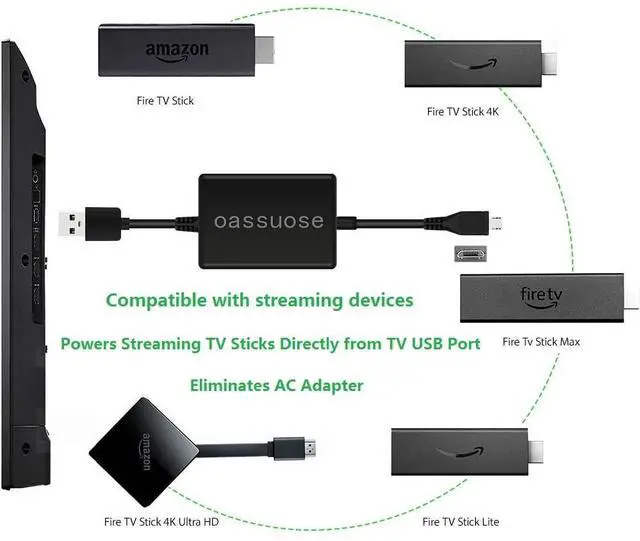
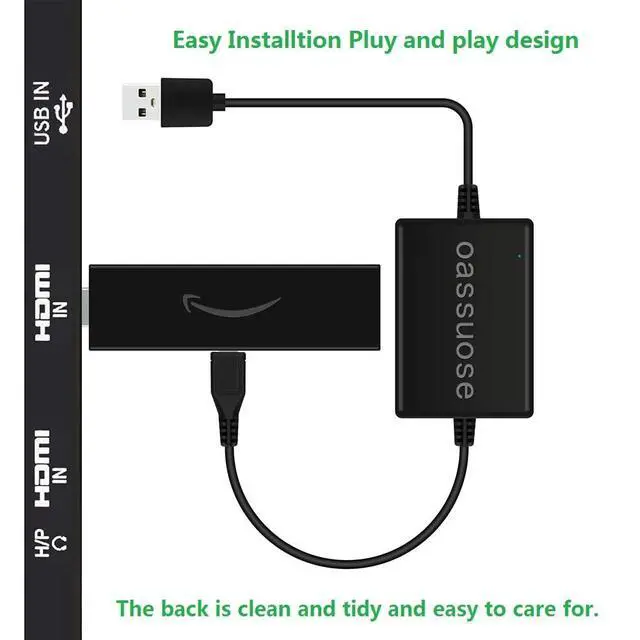
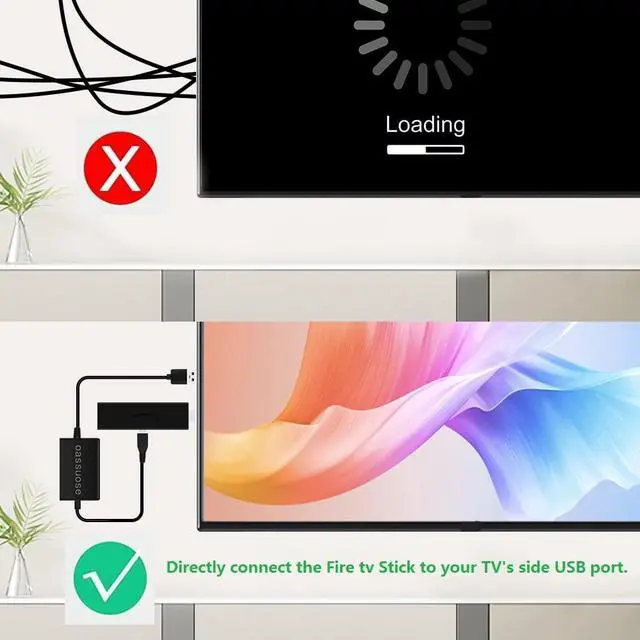
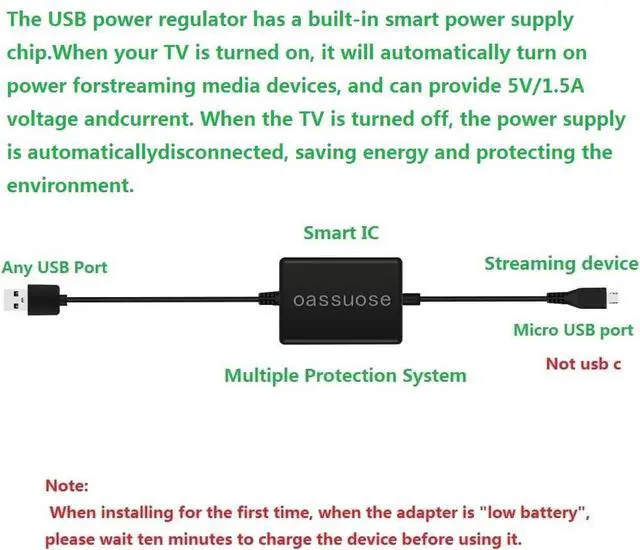
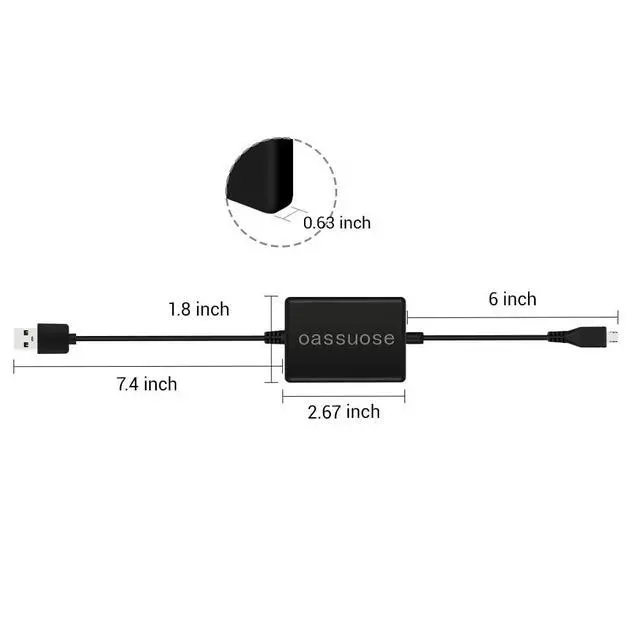
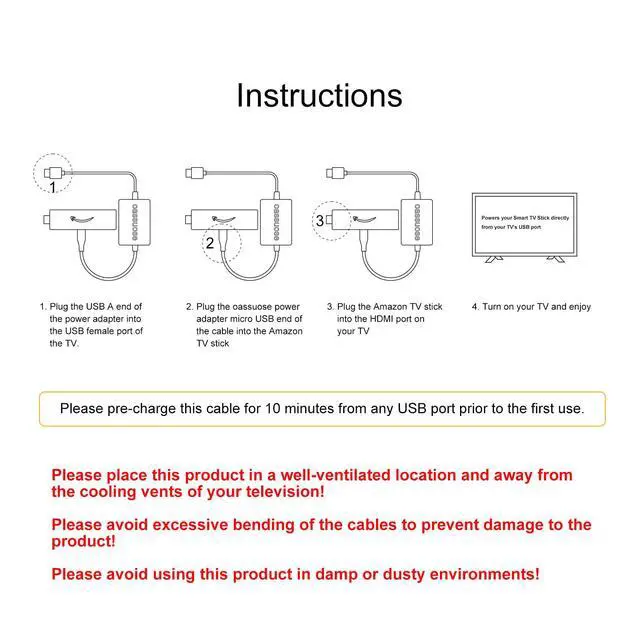
- Power the Fire TV Stick directly from your TV's USB port, removing the need for the AC adapter and lengthy power cable. Replacing the Fire Stick's original USB cable helps maintain a clean and tidy installation. (Note: The Fire TV Stick is not included.) Compatible with all streaming devices featuring a micro USB port, it works with every Fire Stick model (including the latest 4K, Max, and Lite versions), TV sticks, and similar streaming sticks. It is not compatible with the Fire TV Stick HD (2nd Gen, 2026). Installation is easy with plug-and-play operation; no drivers are required. Just connect the micro USB end to your Fire Stick and the USB A end to a USB port on your TV. This effectively resolves issues where some TVs fail to start or experience repeated restarts due to inadequate power supply. It incorporates a built-in 5V power conversion module with multiple protection circuits. The chip regulates the TV's USB voltage to deliver constant voltage and constant current output, ensuring stable performance for your streaming media stick. Electrical Specifications: 1. Input Requirements: Requires a 5V/1A output current from the TV's USB port, with a minimum power of 5 watts. 2. Applicable to smart TVs manufactured in 2020 or later that have sufficient USB port output power. Note: Please allow approximately ten minutes for the device to charge before initial setup and use. The device supplies power to the Fire Stick only when the TV is powered on. Power supply automatically c
+
+
Overview
Specs
Reviews

Any questions? Our AI mode will help you find out quickly.
Try me now
Power the Fire TV Stick directly from your TV's USB port, removing the need for the AC adapter and lengthy power cable. Replacing the Fire Stick's original USB cable helps maintain a clean and tidy installation. (Note: The Fire TV Stick is not included.) Compatible with all streaming devices featuring a micro USB port, it works with every Fire Stick model (including the latest 4K, Max, and Lite versions), TV sticks, and similar streaming sticks. It is not compatible with the Fire TV Stick HD (2nd Gen, 2026). Installation is easy with plug-and-play operation; no drivers are required. Just connect the micro USB end to your Fire Stick and the USB A end to a USB port on your TV. This effectively resolves issues where some TVs fail to start or experience repeated restarts due to inadequate power supply. It incorporates a built-in 5V power conversion module with multiple protection circuits. The chip regulates the TV's USB voltage to deliver constant voltage and constant current output, ensuring stable performance for your streaming media stick. Electrical Specifications: 1. Input Requirements: Requires a 5V/1A output current from the TV's USB port, with a minimum power of 5 watts. 2. Applicable to smart TVs manufactured in 2020 or later that have sufficient USB port output power. Note: Please allow approximately ten minutes for the device to charge before initial setup and use. The device supplies power to the Fire Stick only when the TV is powered on. Power supply automatically ceases when the TV is turned off. This device is powered exclusively through the TV's USB port; some TVs may not supply adequate power. If it fails to power on, attempt switching to a different USB port on the TV. It is not suitable for high-power or non-Fire Stick streaming devices. Avoid using it in humid or high-temperature environments. Important Safety Warning Must Read Before Use: This product contains a built-in energy storage component. To ensure safety, do not crush, puncture, or take apart the product, and keep it away from high-temperature areas (such as near heaters, in direct sunlight, or inside enclosed TV cabinets). Ensure the usage area has good ventilation
Warranty & Returns
Warranty, Returns, And Additional Information
Warranty
- Please contact the Seller directly for warranty information. Warranty information may also be found on the Manufacturer's website.
- CONTACT
Return Policies
- Return for refund within: 30 days
- Return for replacement within: 30 days
- This item is covered by YingLiYingMeiKeJi Return Policy
Manufacturer Contact Info
- For a directory of all our manufacturers, please click below.
- Manufacturers Directory
LOADING...