• $119.99
  • Free 30-day Returns
  • Sold by PurePick

    Shipped by PurePick

    Price alert
    Shop it at NeweggBusiness.

    Meet Your Seller

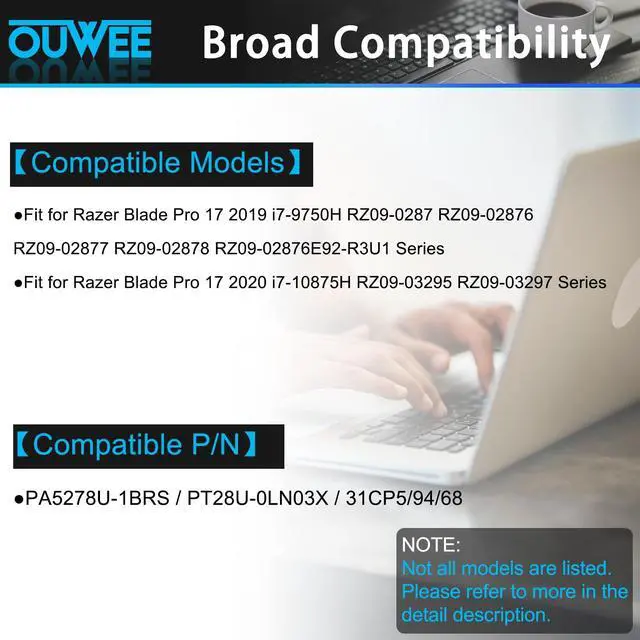
    RC30-0287 Laptop Battery Compatible with Razer Blade Pro 17 2019 2020 RZ09-0287 RZ09-02876 RZ09-02877 RZ09-02878 RZ09-02876E92-R3U1 RZ09-03295 RZ09-03297 Series 4ICP4/62/115 70.5Wh

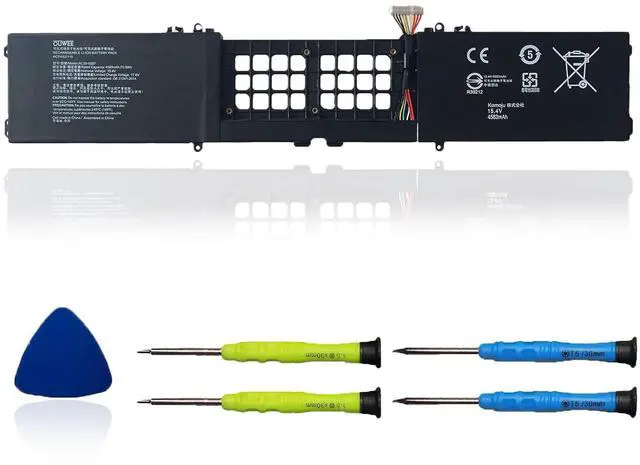
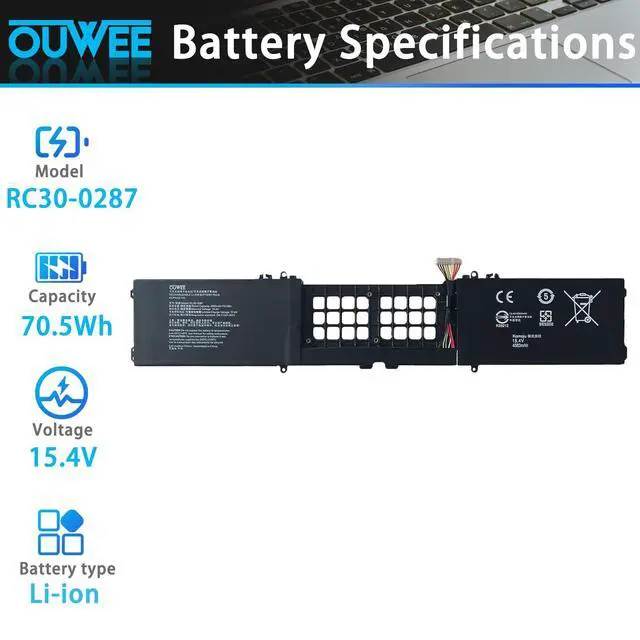
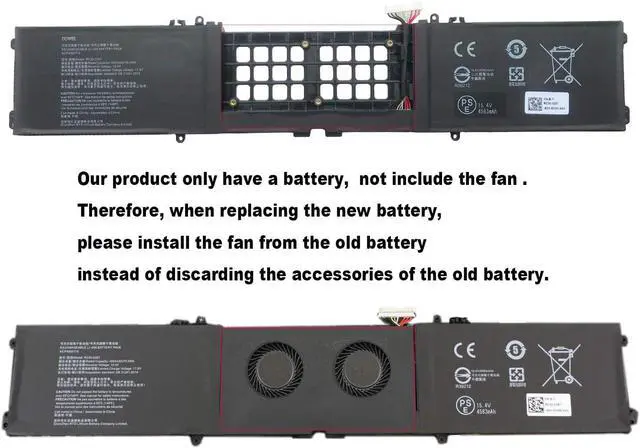
    • Battery type: Li-ion. Voltage: 15.4V. Capacity: 70.5Wh / 4583mAh. Compatible Part Number: RC30-0287 4ICP4/62/115. Note: This product contains the battery only and does not include the cooling fan. When installing the new battery, please move the fan from your original battery assembly. Replacement for Laptop: Fits the Razer Blade Pro 17 (models 2019, 2020) and the following series notebooks: RZ09-0287, RZ09-02876, RZ09-02877, RZ09-02878, RZ09-02876E92-R3U1, RZ09-03295, RZ09-03297. Connector: Please check the connector in the product pictures before purchase. Items from different makers may differ in size, cable length, and interface. Use Instructions: If the fresh battery is not detected during initial setup, reinstall it and make sure the interface is completely connected. To activate the new battery, drain it to about 5% (avoid fully discharging to 0%), then charge it fully. Repeat this charging process 3-4 times
    +
    +
    Overview
    Specs
    Reviews
    avatar

    Any questions? Our AI beta will help you find out quickly.

    Battery type: Li-ion. Voltage: 15.4V. Capacity: 70.5Wh / 4583mAh. Compatible Part Number: RC30-0287 4ICP4/62/115. Note: This product contains the battery only and does not include the cooling fan. When installing the new battery, please move the fan from your original battery assembly. Replacement for Laptop: Fits the Razer Blade Pro 17 (models 2019, 2020) and the following series notebooks: RZ09-0287, RZ09-02876, RZ09-02877, RZ09-02878, RZ09-02876E92-R3U1, RZ09-03295, RZ09-03297. Connector: Please check the connector in the product pictures before purchase. Items from different makers may differ in size, cable length, and interface. Use Instructions: If the fresh battery is not detected during initial setup, reinstall it and make sure the interface is completely connected. To activate the new battery, drain it to about 5% (avoid fully discharging to 0%), then charge it fully. Repeat this charging process 3-4 times

    Warranty & Returns

    Warranty, Returns, And Additional Information

    Warranty

    • Please contact the Seller directly for warranty information. Warranty information may also be found on the Manufacturer's website.
    • CONTACT

    Return Policies

    • Return for refund within: 30 days
    • Return for replacement within: 30 days
    • This item is covered by PurePick Return Policy

    Manufacturer Contact Info

    LOADING...