

Your Browsing History
- $109.99
- Free 30-day Returns

Meet Your Seller


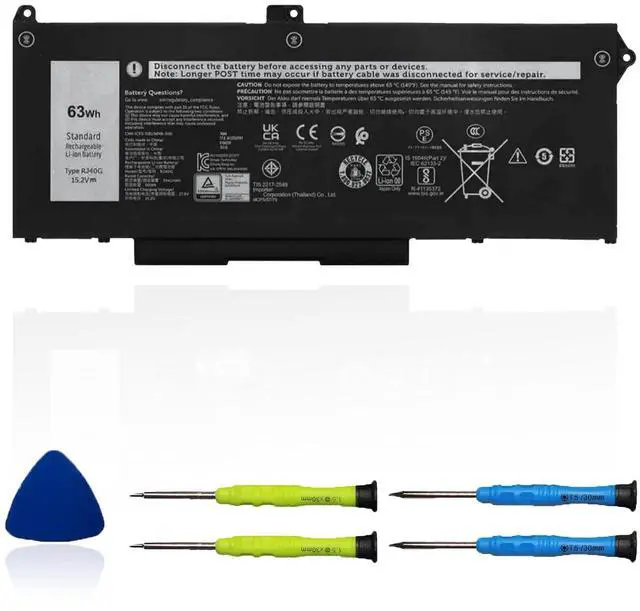

RJ40G 63Wh Laptop Battery Replacement for Dell Latitude 14 5420 Latitude 15 5520 Precision 15 3560 Series M033W P137G P104F P104F001 P104F002 075X16 1K2CF WY9DX 0WK3F1 0M3KCN 15.2V 3941mAh
Limited time offer, ends 09/14 By Fornierwoly
- Specifications: - RJ40G battery for Dell Latitude replacement. - Type: Li-ion. - Voltage: 15.2V. - Capacity: 63Wh, 3941mAh. - Color: Black. - Condition: Brand new. Fully compatible and highly stable: Fits for Dell Latitude 14 5420 series, Dell Latitude 15 5520 series, Dell Precision 15 3560 series, Dell P137G P137G001 series, and Dell P104F P104F001 P104F002 series. Replacement Battery Part Numbers: RJ40G, 01K2CF, 075X16, WY9DX, 0WK3F1, 0M3KCN, 005R42. Safe to Use: Certified by UL, CE, FCC, and RoHS for safety. Strict guidelines for compatibility and quality control ensure true capacity, stable current, low self-discharge, and environmental safety compliance. Advice: If the new battery is not recognized upon initial installation, reinstall it and verify the interface is fully connected. Next, discharge the battery to 5% (do not discharge to 0%). Then, charge it and perform 3 - 4 charge-discharge cycles to activate the new battery
+
+
Overview
Specs
Reviews

Any questions? Our AI mode will help you find out quickly.
Try me now
Specifications: - RJ40G battery for Dell Latitude replacement. - Type: Li-ion. - Voltage: 15.2V. - Capacity: 63Wh, 3941mAh. - Color: Black. - Condition: Brand new. Fully compatible and highly stable: Fits for Dell Latitude 14 5420 series, Dell Latitude 15 5520 series, Dell Precision 15 3560 series, Dell P137G P137G001 series, and Dell P104F P104F001 P104F002 series. Replacement Battery Part Numbers: RJ40G, 01K2CF, 075X16, WY9DX, 0WK3F1, 0M3KCN, 005R42. Safe to Use: Certified by UL, CE, FCC, and RoHS for safety. Strict guidelines for compatibility and quality control ensure true capacity, stable current, low self-discharge, and environmental safety compliance. Advice: If the new battery is not recognized upon initial installation, reinstall it and verify the interface is fully connected. Next, discharge the battery to 5% (do not discharge to 0%). Then, charge it and perform 3 - 4 charge-discharge cycles to activate the new battery
Warranty & Returns
Warranty, Returns, And Additional Information
Warranty
- Please contact the Seller directly for warranty information. Warranty information may also be found on the Manufacturer's website.
- CONTACT
Return Policies
- Return for refund within: 30 days
- Return for replacement within: 30 days
- This item is covered by Fornierwoly Return Policy
Manufacturer Contact Info
- For a directory of all our manufacturers, please click below.
- Manufacturers Directory
LOADING...