

Your Browsing History



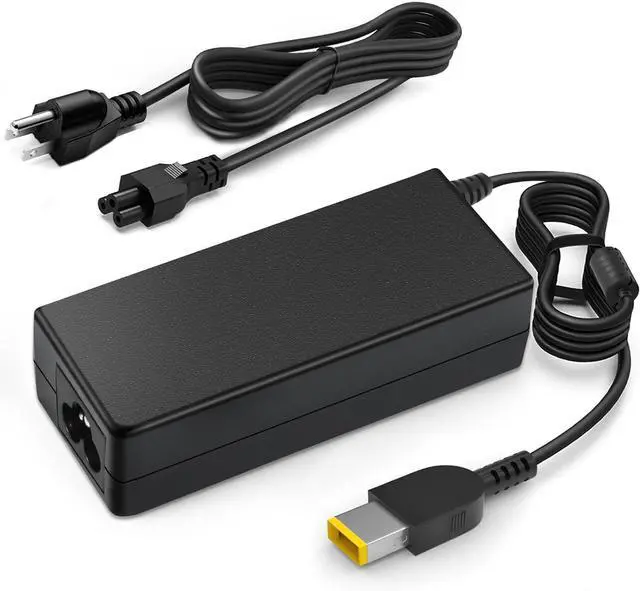


135W Power Cord for Lenovo ThinkPad Docking Station Yellow Tip | Stop dock blackouts! 135W pure power drives dual screens flawlessly. NOT a USB-C plug. Exact Yellow Square Tip ONLY
Limited time offer, ends 09/18 By WanJin World Shop
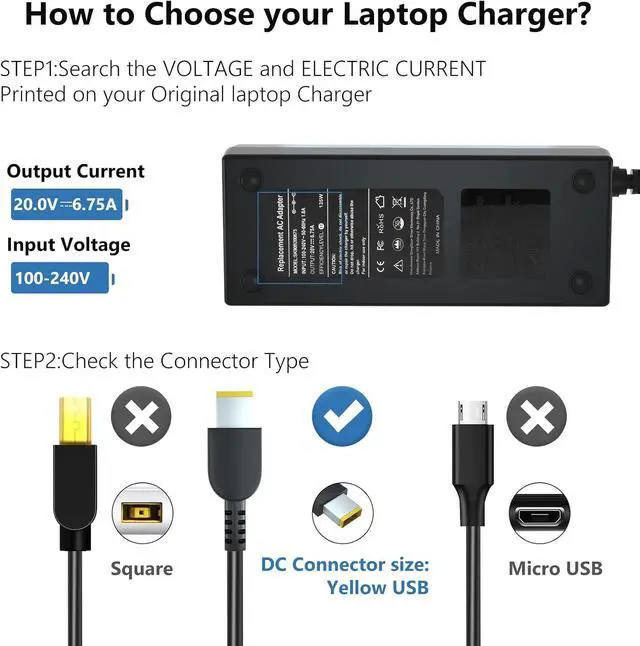
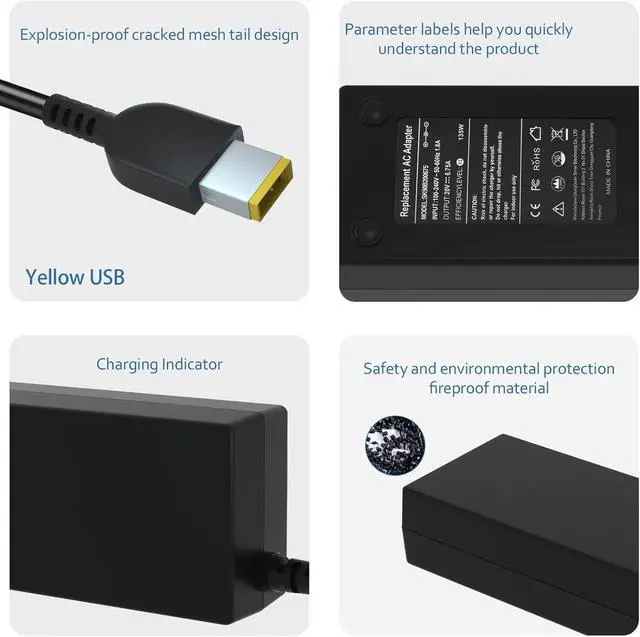
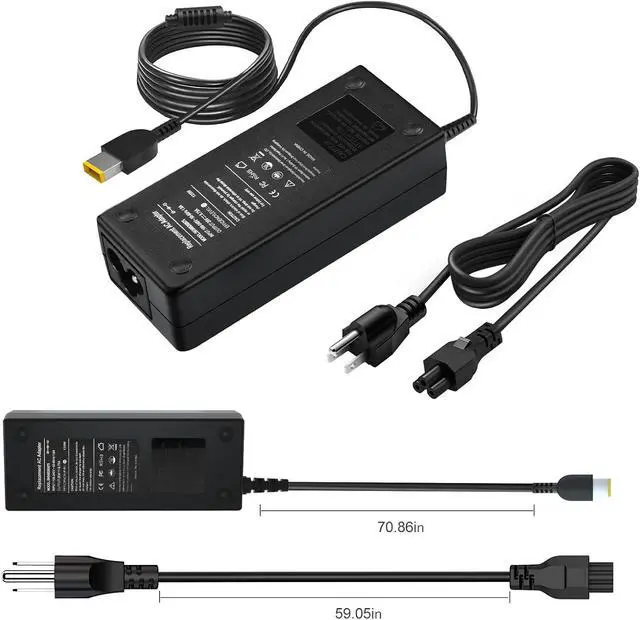
- [Visual Check: Exact Yellow Square Tip Only]. Please read before buying! Despite being used for a "USB-C Docking Station," the power input on the back of your Lenovo dock actually requires a classic YELLOW RECTANGULAR tip with a center pin. This heavy-duty charger will NOT plug into a standard USB-C port. Please visually verify your dock's power port matches our images to save your valuable time. [Unleash the 135W Full-Power Hub]. Are your dual 4K monitors randomly going black? Is your laptop warning you of "insufficient power"? Standard 90W adapters simply can't handle the heavy load of a complex docking station. Our 135W (20V 6.75A) powerhouse easily feeds your ThinkPad and all connected USB peripherals simultaneously, completely eliminating screen flickering, system errors, and performance throttling. [Ice-Cool Performance Under Heavy Load]. Running a multi-screen workstation demands serious energy, but your charger shouldn't double as a heater. By using this sturdy 135W adapter to drive your setup (even if your laptop only requires 65W), you achieve an effortless "big horse pulling a small cart" effect. It operates significantly cooler than maxed-out OEM chargers, actively helping to protect your expensive dock and laptop motherboard. [Zero-Downgrade Second Basecamp]. Stop crawling under your desk every morning to unplug your heavy power brick! Leave your original charger safely tucked away in your office cable management tray, and use this premium adapter to build a full
+
+
Overview
Specs
Reviews

Any questions? Our AI mode will help you find out quickly.
Try me now
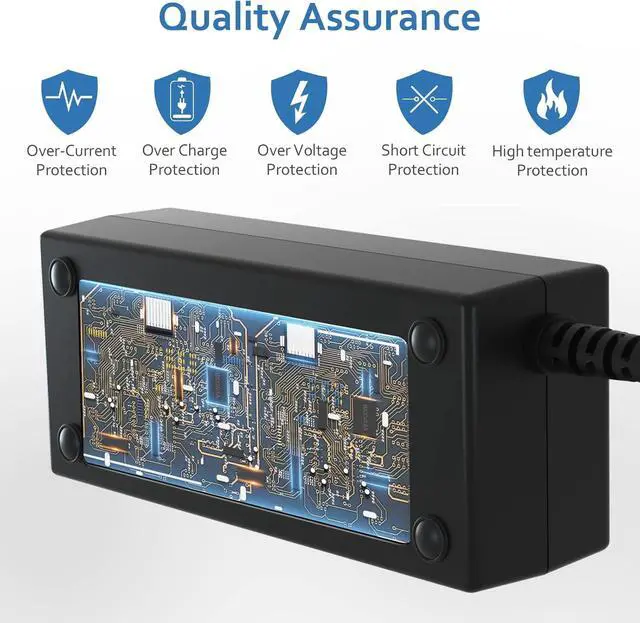
[Visual Check: Exact Yellow Square Tip Only]. Please read before buying! Despite being used for a "USB-C Docking Station," the power input on the back of your Lenovo dock actually requires a classic YELLOW RECTANGULAR tip with a center pin. This heavy-duty charger will NOT plug into a standard USB-C port. Please visually verify your dock's power port matches our images to save your valuable time. [Unleash the 135W Full-Power Hub]. Are your dual 4K monitors randomly going black? Is your laptop warning you of "insufficient power"? Standard 90W adapters simply can't handle the heavy load of a complex docking station. Our 135W (20V 6.75A) powerhouse easily feeds your ThinkPad and all connected USB peripherals simultaneously, completely eliminating screen flickering, system errors, and performance throttling. [Ice-Cool Performance Under Heavy Load]. Running a multi-screen workstation demands serious energy, but your charger shouldn't double as a heater. By using this sturdy 135W adapter to drive your setup (even if your laptop only requires 65W), you achieve an effortless "big horse pulling a small cart" effect. It operates significantly cooler than maxed-out OEM chargers, actively helping to protect your expensive dock and laptop motherboard. [Zero-Downgrade Second Basecamp]. Stop crawling under your desk every morning to unplug your heavy power brick! Leave your original charger safely tucked away in your office cable management tray, and use this premium adapter to build a fully-powered, zero-downgrade second workstation at home. Enjoy the exact same OEM-level reliability and fast-charging speeds without the daily commuting hassle. [Flawless Ecosystem Compatibility]. Engineered exclusively to provide rock-solid power for Lenovo ThinkPad Thunderbolt 3/4 Smart Docks, USB-C Universal Business Docks, and Ultra/Pro/Basic Docking Stations (requiring 135W or less). Built with an advanced intelligent IC chip, it automatically regulates voltage for seamless, error-free compatibility, ensuring your high-end desktop ecosystem stays safely charged 24/7
Warranty & Returns
Warranty, Returns, And Additional Information
Warranty
- Please contact the Seller directly for warranty information. Warranty information may also be found on the Manufacturer's website.
- CONTACT
Return Policies
- Return for refund within: 30 days
- Return for replacement within: 30 days
- This item is covered by WanJin World Shop Return Policy
Manufacturer Contact Info
- For a directory of all our manufacturers, please click below.
- Manufacturers Directory
LOADING...