• $71.27
  • Free 45-day Returns
  • Ships from China.
    Price alert
    Shop it at NeweggBusiness.

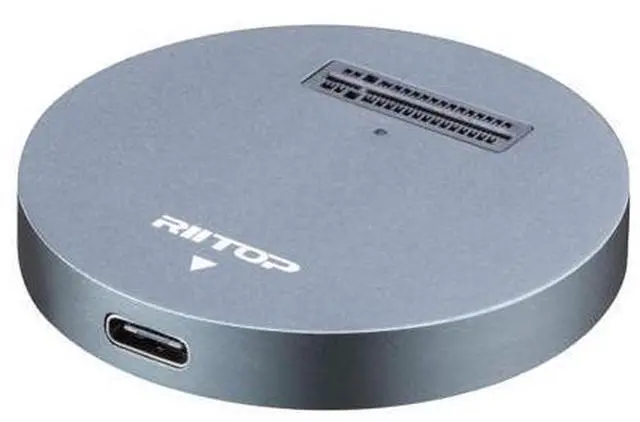
    NVMe to USB Docking Station, External M.2 PCI-e NVMe SSD to USB-C Reader Adapter for M.2 (M Key) SSD

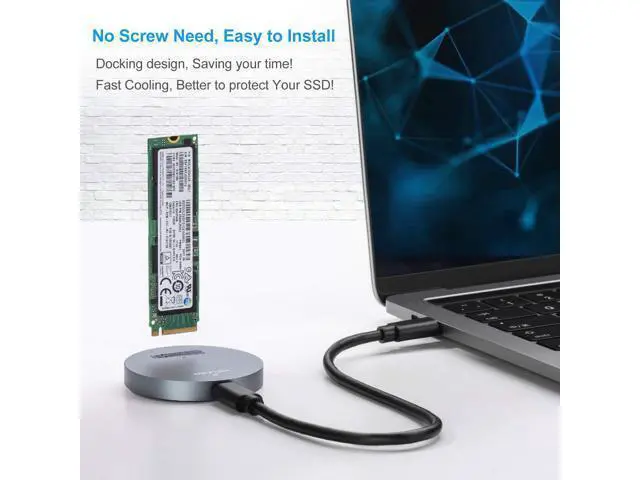
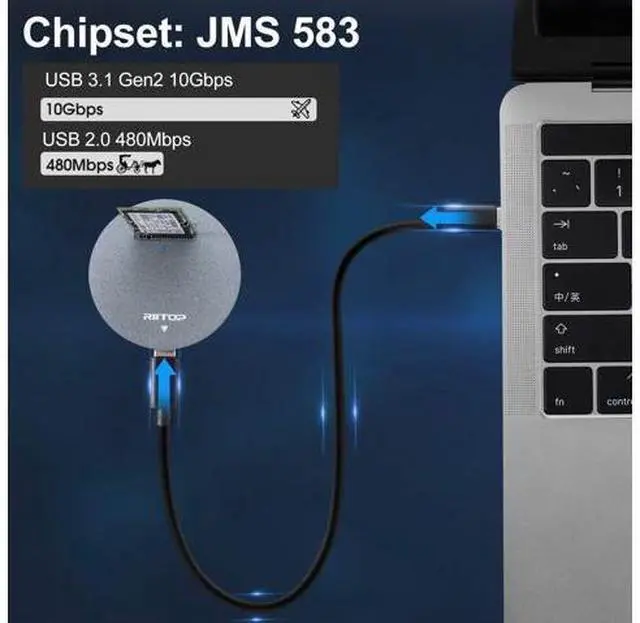
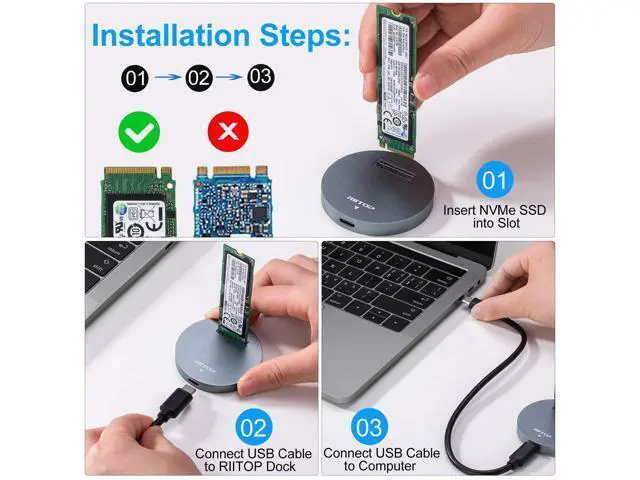
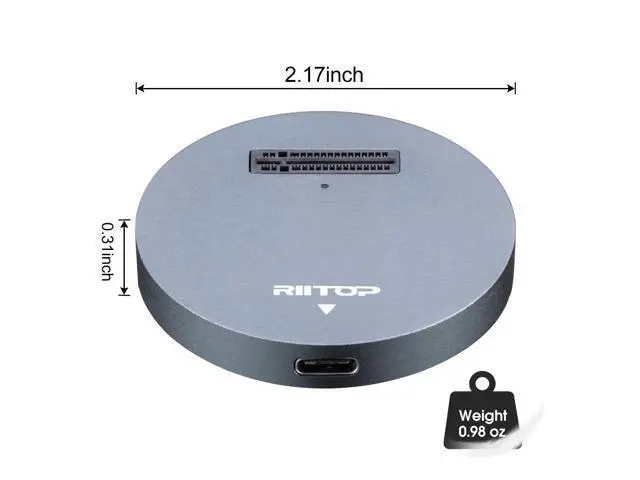
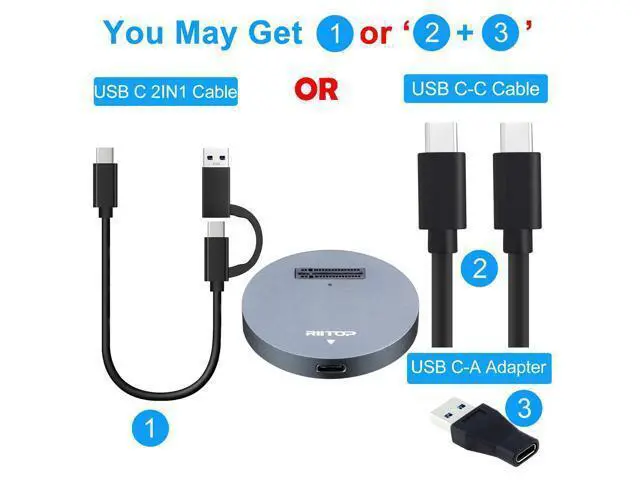
    • This RIITOP NVMe to USB Adapter is Designed for those who own Multiple NVMe M.2 SSDs that need to be frequently pluging and unpluging. No mounting screws need, simply insert the NVMe M.2 device and connect USB-C cable, you can start using it as external SSD immediately.; RIITOP NVMe to USB Docking Station Compatibility: Support most of M.2 PCI-e M key NVMe SSDs (Capacity 2TB), Compatible with Samsung 970 EVO /950Pro/ 960Evo/ XP941/ PM951/ PM961/ SM951/ SM962, WD Black NVMe SSD and so on. Only Support M.2 PCI-e Based M Key NVMe SSD; NVMe Dock Installation: 1. Insert NVMe SSD into Slot 2. Connect USB Cable to Computer; Please Note: 1. The Temperature of the entire Operating SSD may exceed 60 ° C. Please do not touch the SSD. 2. It can NOT support "Hot-Plugging". Please don't exchange the SSDs when connecting 3. DO NOT support PCI-e M Key AHCI SSD, SATA based B+M key or B Key SSD, Please check with the picture.; Package including: 1x M2 NVMe to USB Docking, 1x USB C to USB C Cable; 1x USB C to A Adapter ( Please Note: The USB C to A Adapter may be a single one, or join together with the cable)

    +
    +
    Overview
    Specs
    Reviews
    avatar

    Any questions? Our AI beta will help you find out quickly.

    This RIITOP NVMe to USB Adapter is Designed for those who own Multiple NVMe M. 2 SSDs that need to be frequently pluging and unpluging. No mounting screws need, simply insert the NVMe M. 2 device and connect USB-C cable, you can start using it as external SSD immediately.; RIITOP NVMe to
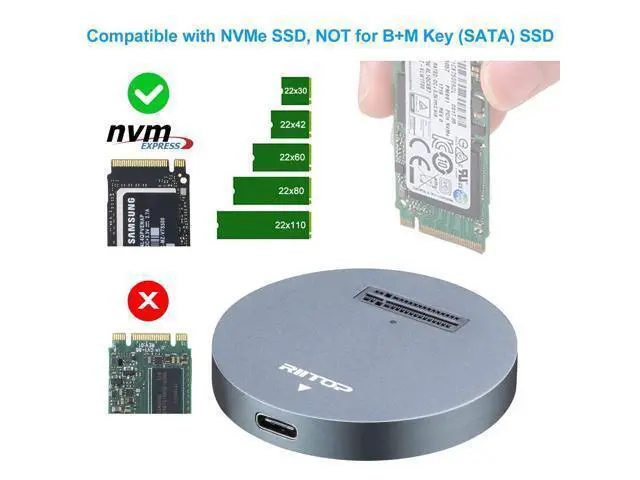
    USB Docking Station Compatibility: Support most of M. 2 PCI-e M key NVMe SSDs (Capacity 2TB), Compatible with Samsung 970 EVO /950Pro/ 960Evo/ XP941/ PM951/ PM961/ SM951/ SM962, WD Black NVMe SSD and so on. Only Support M. 2 PCI-e Based M Key NVMe SSD;
    NVMe Dock Installation: 1. Insert NVMe SSD into Slot 2. Connect USB Cable to Computer;
    Please Note: 1. The Temperature of the entire Operating SSD may exceed 60 ° C. Please do not touch the SSD. 2. It can NOT support "Hot-Plugging". Please don't exchange the SSDs when connecting 3. DO NOT support PCI-e M Key AHCI SSD, SATA based B+M key or B Key SSD, Please check with the picture.;
    Package including: 1x M2 NVMe to USB Docking, 1x USB C to USB C Cable; 1x USB C to A Adapter (
    Please Note: The USB C to A Adapter may be a single one, or join together with the cable)

    Warranty & Returns

    Warranty, Returns, And Additional Information

    Warranty

    • Please contact the Seller directly for warranty information. Warranty information may also be found on the Manufacturer's website.
    • CONTACT

    Return Policies

    Manufacturer Contact Info

    LOADING...