

Your Browsing History

Meet Your Seller

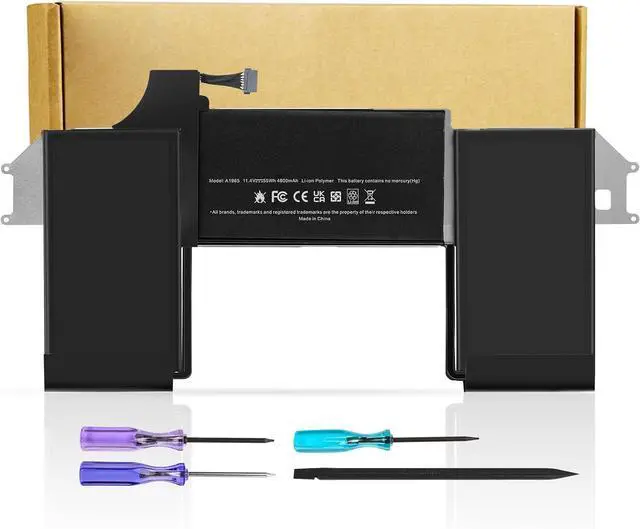
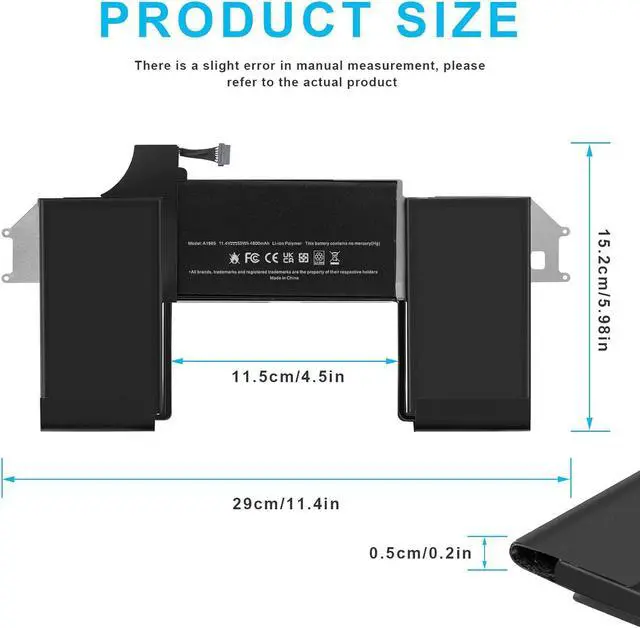


A1932 A2179 A1965 Battery Replacement for MacBook Air 13 inch Retina A1932 (Late 2018 2019) A2179 (Early 2020) EMC 3184 3302 MacBookAir8,1 8,2 9,1 MRE82LL/A MRE92LL/A MVFH2LL/A MVFM2LL/A MRE82B/A
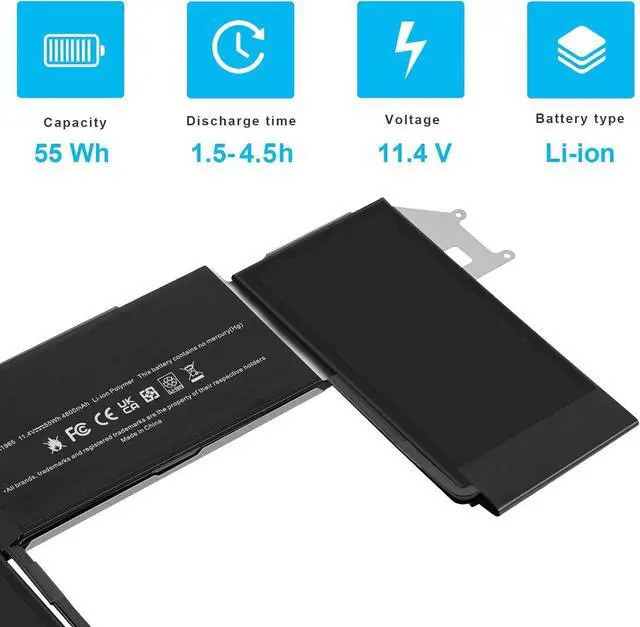
- Specifications:Model:A1965; Voltage:11.4V;Capacity:55Wh Cell:3Cells;100% brand new from manufacture. Grade A cells ensure fast charges and low power consumption.
- Compatible Part NumberA1965 020-02459 A1932(EMC 3184)A1965(3ICP4/63/119)A2179(EMC 3302)020-02455 661-11676.
- Compatible Laptop ModelsA1932 Battery For MacBook Air Retina 13 inch Late 2018 MRE82LLIA MRE82FN/A MRE92LLIA MRE92HN/A MREE2LL/A MREE2HN/A Mid 2019 A1932 MVFM2LLIA MVFM2X/A MVFH2LL/A MVFH2ZP/A MVH62LL/A MVH82LL/A
- Compatible Laptop ModelsA2179 Battery For MacBook Air Early 2020 MWTJ2LL/A MWTJ2B/A MVH22LL/A MVH22ZP/A
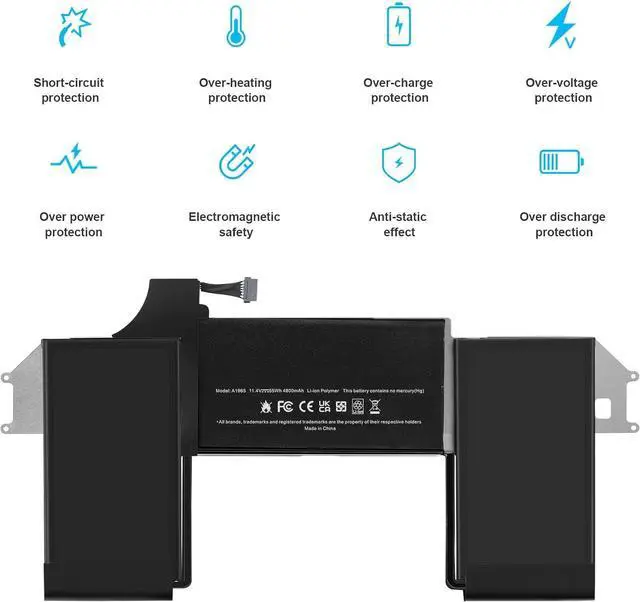
- Multiple Safety Protections: Our batteries feature multiple protections including Overcharge and Overdischarge Circuit Protection, Over-temperature , Our batteries are assembled with high-quality materials and boards to ensure fast charging.
- Support:Supported with 30 days Refund and 12 months Replacement.24h Email support.The Futurebatt brand provides friendly customer service.We are committed to pro
+
+
Overview
Specs
Reviews

Any questions? Our AI beta will help you find out quickly.
Try me now
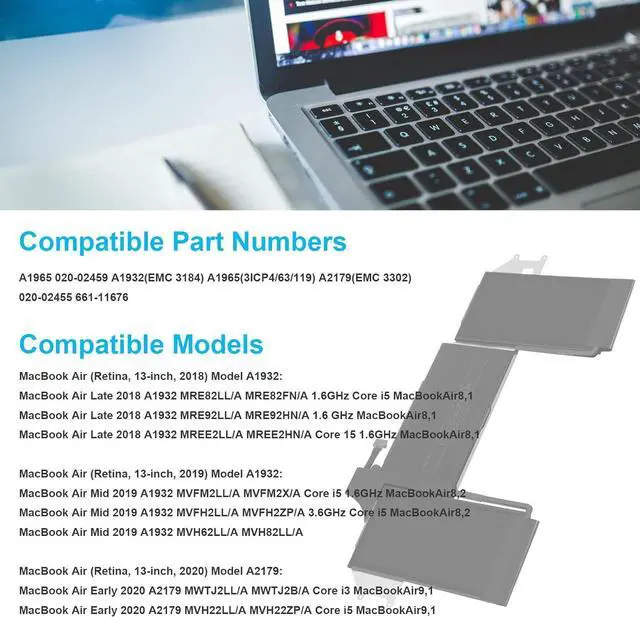
Compatible Part Number :
A1965, 020-02459 A1932(EMC 3184) A1965(3ICP4/63/119) A2179(EMC 3302) 020-02455 661-11676.
Compatible Laptop Models:
MacBook Air (Retina, 13-inch, 2018) Model A1932:
MacBook Air Late 2018 A1932 MRE82LL/A MRE82FN/A 1.6GHz Core i5 MacBookAir8,1
MacBook Air Late 2018 A1932 MRE92LL/A MRE92HN/A 1.6 GHz MacBookAir8,1
MacBook Air Late 2018 A1932 MREE2LL/A MREE2HN/A Core 15 1.6GHz MacBookAir8,1
MacBook Air Late 2018 A1932 MUQT2LL/A MUQU2LL/A
MacBook Air (Retina, 13-inch, 2019) Model A1932:
MacBook Air Mid 2019 A1932 MVFM2LL/A MVFM2X/A Core i5 1.6GHz MacBookAir8,2
MacBook Air Mid 2019 A1932 MVFH2LL/A MVFH2ZP/A 3.6GHz Core i5 MacBookAir8,2
MacBook Air Mid 2019 A1932 MVH62LL/A MVH82LL/A
MacBook Air (Retina, 13-inch, 2020) Model A2179:
MacBook Air Early 2020 A2179 MWTJ2LL/A MWTJ2B/A Core i3 MacBookAir9,1
MacBook Air Early 2020 A2179 BTO/CTO Core 17 MacBookAir9,1
MacBook Air Early 2020 A2179 MWTL2LL/A MWTL2ZP/A 1.1 GHz Core i3 MacBookAir9,1 and more.
1. You need to turn off the laptop and disconnect the power at the same time.
2. Disconnect the old battery from the motherboard to avoid unnecessary damage caused by disassembling the battery. Then unscrew the old battery and save it.
3. Take out the old battery, install the new battery on the battery box, tighten the screws, and connect the wires of the new battery.
Upgraded electric core technology, energy density increased by 30%, reduce losslessconsumption, 500+ times of bad circulation
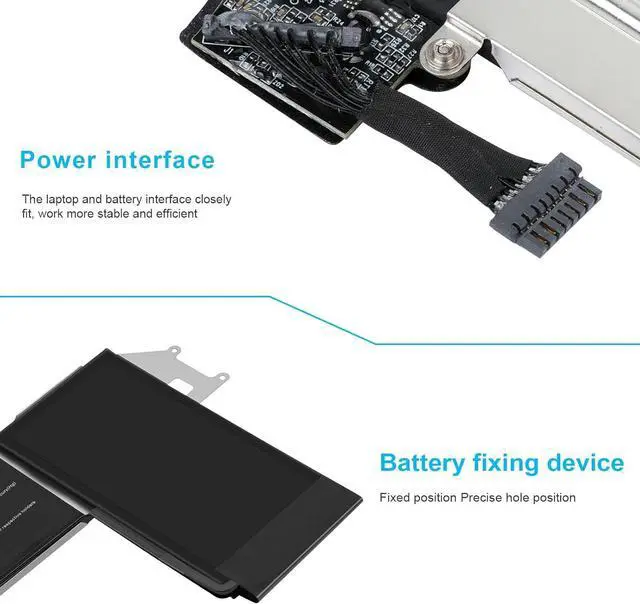
Attention to detail to achieve a tight fit with the computer How to install a new battery? Long battery life and durable construction Multi-protection materials for operation at temperatures from -10 to 35 degrees Celsius.
A1965, 020-02459 A1932(EMC 3184) A1965(3ICP4/63/119) A2179(EMC 3302) 020-02455 661-11676.
Compatible Laptop Models:
MacBook Air (Retina, 13-inch, 2018) Model A1932:
MacBook Air Late 2018 A1932 MRE82LL/A MRE82FN/A 1.6GHz Core i5 MacBookAir8,1
MacBook Air Late 2018 A1932 MRE92LL/A MRE92HN/A 1.6 GHz MacBookAir8,1
MacBook Air Late 2018 A1932 MREE2LL/A MREE2HN/A Core 15 1.6GHz MacBookAir8,1
MacBook Air Late 2018 A1932 MUQT2LL/A MUQU2LL/A
MacBook Air (Retina, 13-inch, 2019) Model A1932:
MacBook Air Mid 2019 A1932 MVFM2LL/A MVFM2X/A Core i5 1.6GHz MacBookAir8,2
MacBook Air Mid 2019 A1932 MVFH2LL/A MVFH2ZP/A 3.6GHz Core i5 MacBookAir8,2
MacBook Air Mid 2019 A1932 MVH62LL/A MVH82LL/A
MacBook Air (Retina, 13-inch, 2020) Model A2179:
MacBook Air Early 2020 A2179 MWTJ2LL/A MWTJ2B/A Core i3 MacBookAir9,1
MacBook Air Early 2020 A2179 BTO/CTO Core 17 MacBookAir9,1
MacBook Air Early 2020 A2179 MWTL2LL/A MWTL2ZP/A 1.1 GHz Core i3 MacBookAir9,1 and more.
1. You need to turn off the laptop and disconnect the power at the same time.
2. Disconnect the old battery from the motherboard to avoid unnecessary damage caused by disassembling the battery. Then unscrew the old battery and save it.
3. Take out the old battery, install the new battery on the battery box, tighten the screws, and connect the wires of the new battery.
Upgraded electric core technology, energy density increased by 30%, reduce losslessconsumption, 500+ times of bad circulation
Attention to detail to achieve a tight fit with the computer How to install a new battery? Long battery life and durable construction Multi-protection materials for operation at temperatures from -10 to 35 degrees Celsius.
Warranty & Returns
Warranty, Returns, And Additional Information
Warranty
- Please contact the Seller directly for warranty information. Warranty information may also be found on the Manufacturer's website.
- CONTACT
Return Policies
- Return for refund within: 45 days
- Return for replacement within: 45 days
- This item is covered by Xalvion E-Commerce Limited Return Policy
Manufacturer Contact Info
- For a directory of all our manufacturers, please click below.
- Manufacturers Directory
LOADING...