

Your Browsing History

Meet Your Seller

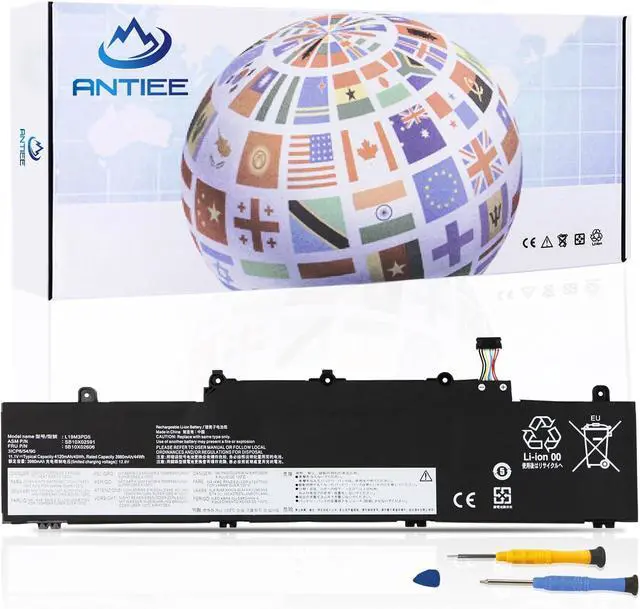
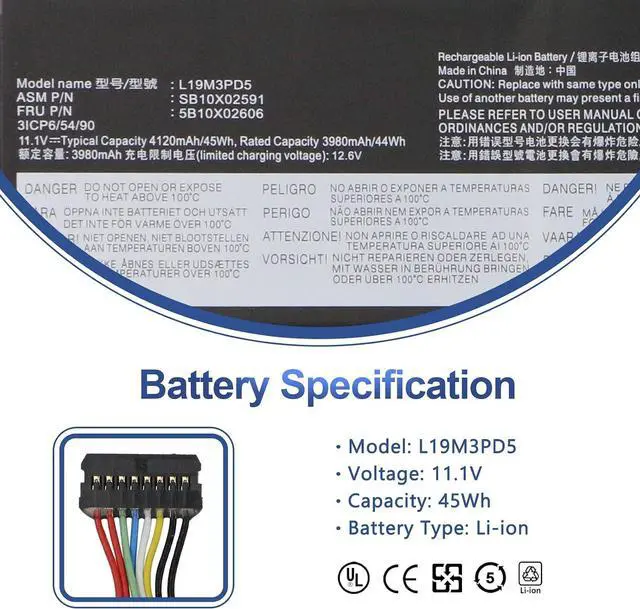
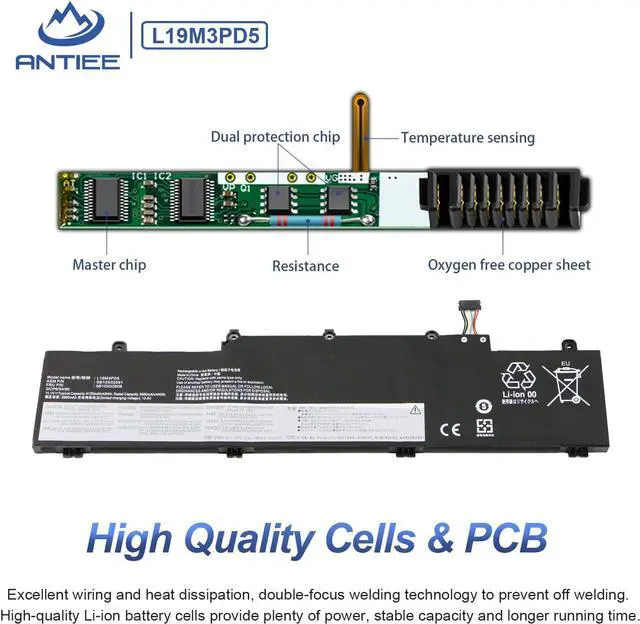
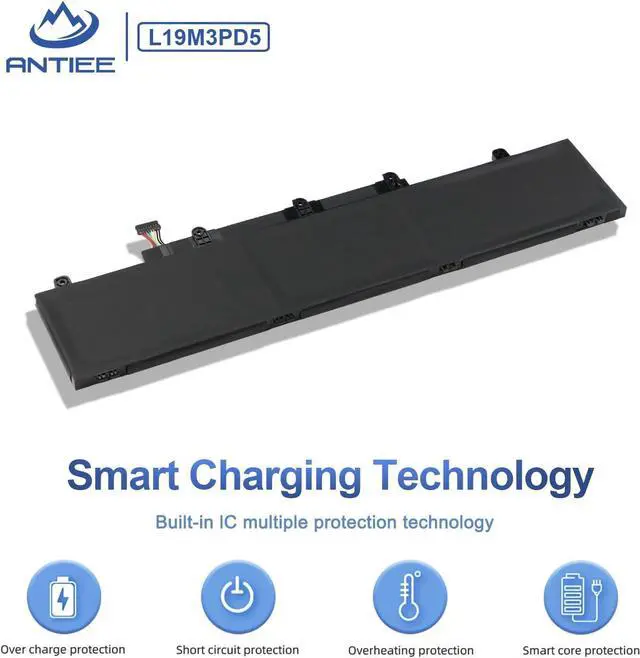
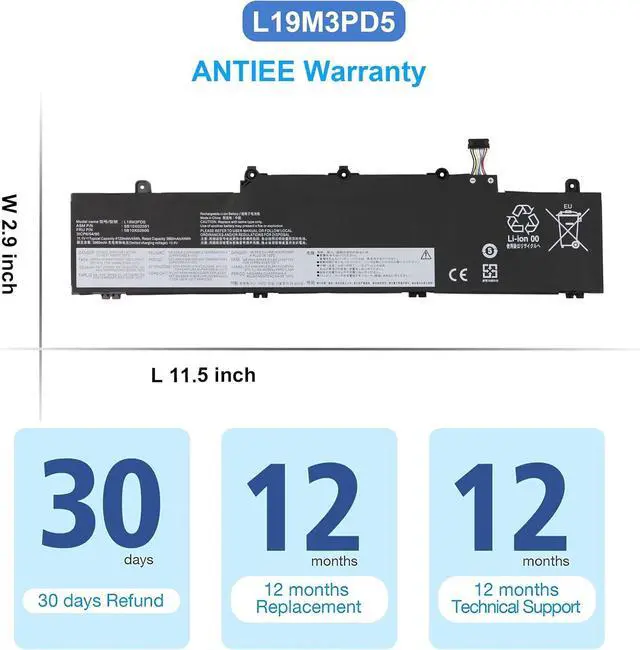


L19M3PD5 L19C3PD5 L19L3PD5 Laptop Battery Replacement for Lenovo ThinkPad E14 Gen 2 / E14 Gen 3 / E14 Gen 4 / E15 Gen 2 / E15 Gen 3 / E15 Gen 4 Series L20M3PD4 L20C3PD4 L20L3PD4 11.1V 45Wh 4120mAh
- SpecificationVoltage: 11.34V . Capacity: 45Wh 4000mAh. Battery Type: Li-Polymer. Condition: Brand new, from high quality materials, top circuit boards and smart chip.
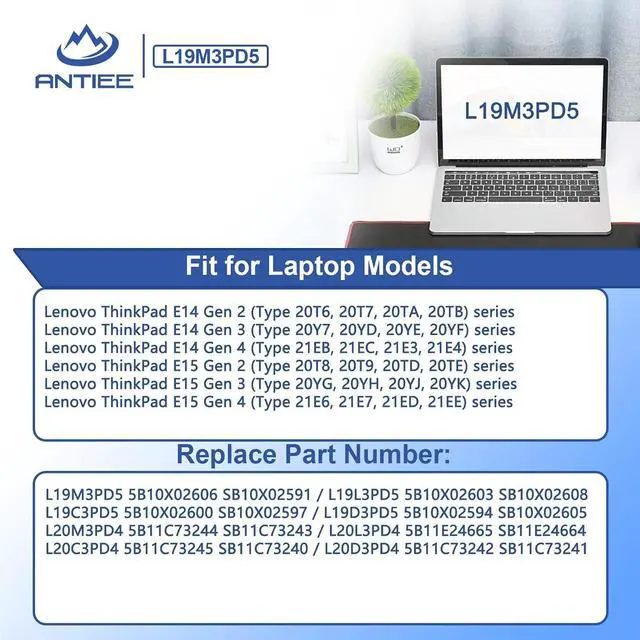
- Replace Part Number L19M3PD5 L19C3PD5 5B10X02600 SB10X02597 L19D3PD5 5B10X02594 SB10X02605 5B10X02606 SB10X02591 L19L3PD5 5B10X02603 SB10X02608 L20C3PD4 5B11C73245 SB11C73240 L20D3PD4 5B11C73242 SB11C73241 SB11E24664 L20M3PD4 5B11C73244 SB11C73243 L20L3PD4 5B11E24665.
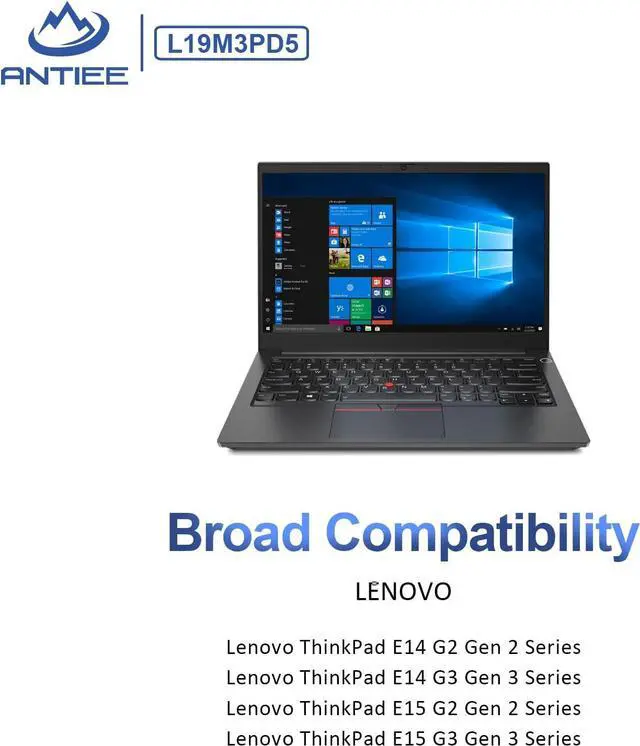
- Compatible Laptop ModelsFit for Lenovo ThinkPad E14 Gen 2 (Type 20T6, 20T7, 20TA, 20TB) series; for Lenovo ThinkPad E14 Gen 3 (Type 20Y7, 20YD, 20YE, 20YF) series; for Lenovo ThinkPad E14 Gen 4 (Type 21EB, 21EC, 21E3, 21E4) series; for Lenovo ThinkPad E15 Gen 2 (Type 20TD, 20T8, 20T9, 20TE) series; for Lenovo ThinkPad E15 Gen 3 (Type 20YG, 20YH, 20YJ, 20YK) series; for Lenovo ThinkPad E15 Gen 4 (Type 21E6, 21E7, 21ED, 21EE) series
- ANTIEE PromiseEach products has undergone rigorous testing to ensure the correct voltage, circuit protection, stable
+
+
Overview
Reviews

Any questions? Our AI beta will help you find out quickly.
Try me now
REPLACE PART NUMBER:
L19M3PD5 5B10X02606 SB10X02591 / L19L3PD5 5B10X02603 SB10X02608
L19C3PD5 5B10X02600 SB10X02597 / L19D3PD5 5B10X02594 SB10X02605
L20M3PD4 5B11C73244 SB11C73243 / L20L3PD4 5B11E24665 SB11E24664
L20C3PD4 5B11C73245 SB11C73240 / L20D3PD4 5B11C73242 SB11C73241
COMPATIBLE LAPTOP MODELS Lenovo ThinkPad E14 Gen 2 (Type 20T6, 20T7, 20TA, 20TB) series COMPATIBLE LAPTOP MODELS Lenovo ThinkPad E14 Gen 3 (Type 20Y7, 20YD, 20YE, 20YF) series COMPATIBLE LAPTOP MODELS Lenovo ThinkPad E14 Gen 4 (Type 21EB, 21EC, 21E3, 21E4) series COMPATIBLE LAPTOP MODELS Lenovo ThinkPad E15 Gen 2 (Type 20T8, 20T9, 20TD, 20TE) series COMPATIBLE LAPTOP MODELS Lenovo ThinkPad E15 Gen 3 (Type 20YG, 20YH, 20YJ, 20YK) series COMPATIBLE LAPTOP MODELS Lenovo ThinkPad E15 Gen 4 (Type 21E6, 21E7, 21ED, 21EE) series What do I need to be aware of when I receive a battery?
1.Check Model Numbers:Ensure the batterys model number (e.g. part number, serial number) matches your laptops specifications.2. Read Instructions:Follow the manufacturers guidelines for installing the battery.
How should I do if the battery is not recognised?
If it is not recognised, it is recommended to update the BIOS settings or please disconnecting the old battery, and holding down the power button for 20 seconds, then connect the new battery.
Battery Dies Suddenly at About 20%,How to Fix it?
1.Disconnect the power cord
2.Remove the battery
3.Hold down the power button for 30 seconds, then release for 30 sec and then hold down for another 30 sec
4.Plug in power, replace battery and power on laptop.
How to maintain my laptop battery if i dont use it for weeks or months?
1.Store at 4060% Charge.
2.Keep it in a cool, dry, dark place, away from moisture and metal objects.
3.If storing for over 3 months, charge the battery back to 4060% every 3 months to prevent deep discharge.
COMPATIBLE LAPTOP MODELS(use "Ctrl+F" to find your model quickly): What do I need to be aware of when I receive a battery?
How should I do if the battery is not recognised?
Battery Dies Suddenly at About 20%,How to Fix it?
How to maintain my laptop battery if i dont use it for weeks or months?
Warranty & Returns
Warranty, Returns, And Additional Information
Warranty
- Please contact the Seller directly for warranty information. Warranty information may also be found on the Manufacturer's website.
- CONTACT
Return Policies
- Return for refund within: 45 days
- Return for replacement within: 45 days
- This item is covered by Xalvion E-Commerce Limited Return Policy
Manufacturer Contact Info
- For a directory of all our manufacturers, please click below.
- Manufacturers Directory
LOADING...