

Your Browsing History

Meet Your Seller

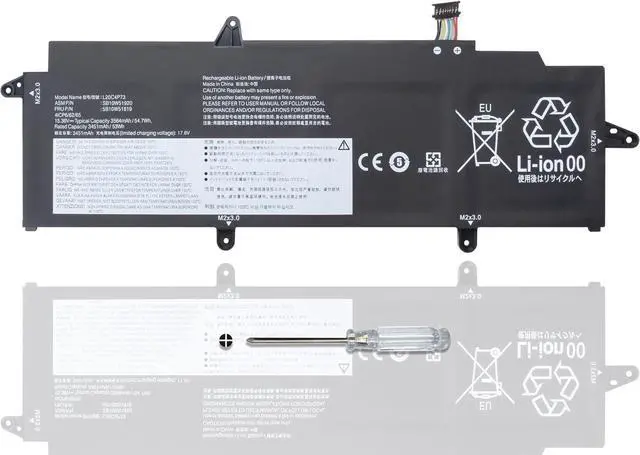
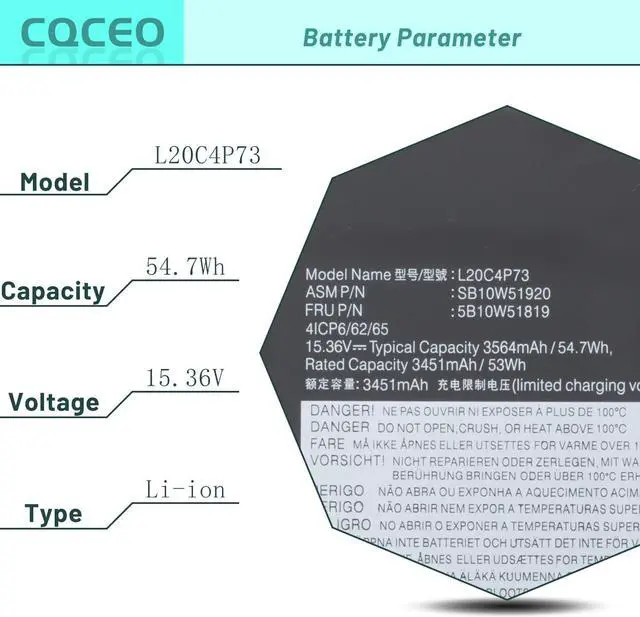
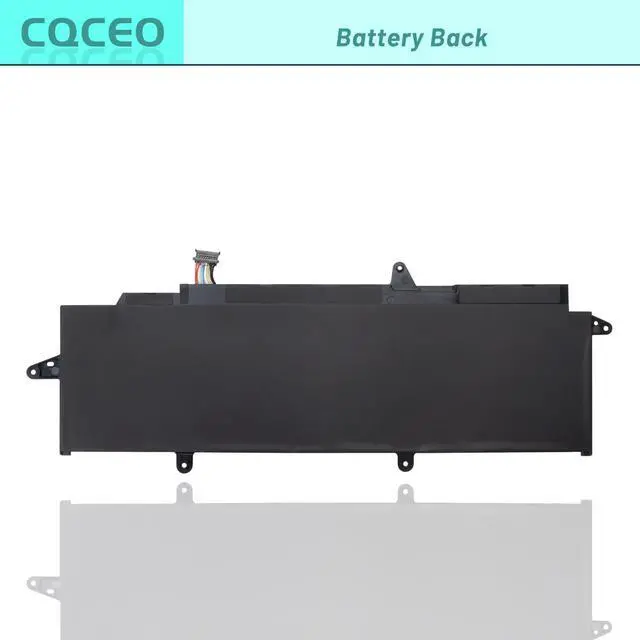




L20M4P73 L20C4P73 L20L4P73 L20D4P73 Laptop Battery for Lenovo ThinkPad X13 Gen 2 2021 Gen 3 2022 Series SB10W51921 SB10W51920 SB10W51919 SB10W51918 5B10W51819 5B10W51820 15.36V/54.7Wh/3564mAh/4-Cell
- Battery Condition: Brand New ; Voltage: 15.36V ; Capacity: 54.7Wh 3564mAh 4-Cell
- Replacement Part Number: L20C4P73 SB10W51920 5B10W51819 L20D4P73 SB10W51921 5B10W51820 L20L4P73 SB10W51918 5B10W51817 L20M4P73 SB10W51919 5B10W51818 L20M4P74 SB10W51922 5B10W51821 L20C3P72(11.52V/41Wh) SB10W51959 5B10W51858 L20D3P72(11.52V/41Wh) SB10W51960 5B10W51859
- Compatible Models: for Lenovo ThinkPad X13 Gen 2 (Type 20WK, 20WL) Series, for Lenovo ThinkPad X13 Gen 2 (Type 20XH, 20XJ) Series, for Lenovo ThinkPad X13 Gen 3 (Type 21BN, 21BQ) Series, for Lenovo ThinkPad X13 Gen 3 (Type 21CM, 21CN) Series
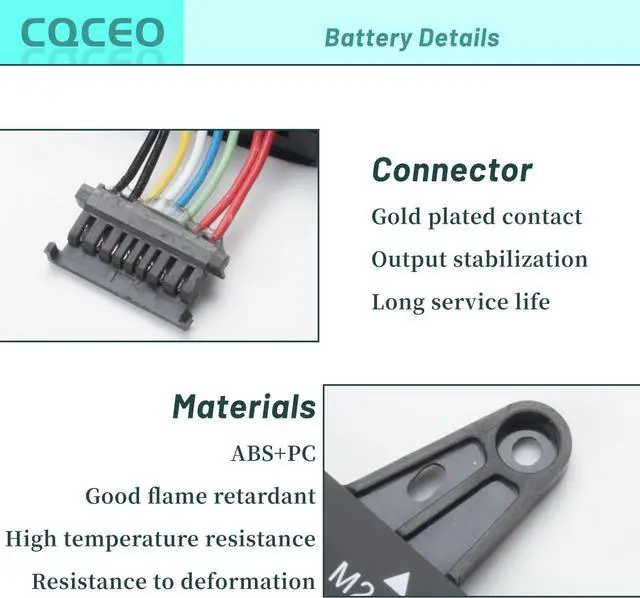
- Grade A cells mitigate the risk of battery leakage and maximize output stability. Built-in circuit protection, enhances safety of usage and extends battery life
- Note 1: In order to find the right model, please open the back case of your laptop and check the model number of your original battery.When using the new battery, discharge it to 5% (not 0%) and then charge it to 95%. Repeat this cycle 3-4 tim
+
+
Overview
Reviews

Any questions? Our AI beta will help you find out quickly.
Try me now
Specifications:
Voltage: 15.36V
Capacity: 54.7Wh/3564mAh/4-Cell
Battery Condition: Brand New
Color: black
Condition: 100% New from Manufacturer, Grade A Cell
Compatible Part Numbers:
L20C4P73 SB10W51920 5B10W51819
L20D4P73 SB10W51921 5B10W51820
L20L4P73 SB10W51918 5B10W51817
L20M4P73 SB10W51919 5B10W51818
L20M4P74 SB10W51922 5B10W51821
L20C3P72(11.52V/41Wh) SB10W51959 5B10W51858
L20D3P72(11.52V/41Wh) SB10W51960 5B10W51859.
Compatible Machine Models (Use "Ctrl+F to find your model quickly):
for Lenovo ThinkPad X13 Gen 2 (Type 20WK, 20WL) Series,
for Lenovo ThinkPad X13 Gen 2 (Type 20XH, 20XJ) Series,
for Lenovo ThinkPad X13 Gen 3 (Type 21BN, 21BQ) Series,
for Lenovo ThinkPad X13 Gen 3 (Type 21CM, 21CN) Series
ThinkPad X13 G2 20SX001UUS,
ThinkPad X13 G2 20T3S31Y00,
ThinkPad X13 G2 20W8001YAU,
ThinkPad X13 G2 20WK001MGE,
ThinkPad X13 G2 20WK001RGE,
ThinkPad X13 G2 20WK001XMX,
ThinkPad X13 G2 20WK001YPB,
ThinkPad X13 G2 20WK0022MX,
ThinkPad X13 G2 20WK0024GE,
ThinkPad X13 G2 20WK0029CK,
ThinkPad X13 G2 20WK002GIV,
ThinkPad X13 G2 20WK002JGE,
ThinkPad X13 G2 20WK002WAU,
ThinkPad X13 G2 20WK005LUS,
ThinkPad X13 G2 20WK005PUS,
ThinkPad X13 G2 20WK005RUS,
ThinkPad X13 G2 20WK006PZA,
ThinkPad X13 G2 20WK008UAU,
ThinkPad X13 G2 20WK008VAU,
ThinkPad X13 G2 20WK0092AU,
ThinkPad X13 G2 20WK0093AU,
ThinkPad X13 G2 20WK009CUS,
ThinkPad X13 G2 20WK009EUS,
ThinkPad X13 G2 20WK00A7GE,
ThinkPad X13 G2 20WK00AFPB,
ThinkPad X13 G2 20WK00AGMB,
ThinkPad X13 G2 20WK00AJGE,
ThinkPad X13 G2 20WK00AVUK,
ThinkPad X13 G2 20WK00BPTW,
ThinkPad X13 G2 20WKS00400,
ThinkPad X13 G2 20WKS00M00,
ThinkPad X13 G2 AMD 20XH001KGE.
How to use the battery correctly :
1. To prevent safety issues from transportation, all battery out off factory are charged 40-50%,(you can check from laptop Battery indicator icon). For initial using of the battery, please discharge it to 5%(not to 0%) and then charge to 100%, and cycle 3-4 times to activate the batterys maximum capacity.
2. Please recharge immediately when battery reduced to 15% level,when you use the battery. Or it will shorten the battery life and cause damages to the battery.
3. If the battery do not use for a long time, please keep the battery to charge to a minimum 50% electricity. Or, it will maybe cause unable to charge again.To maintain the best battery state,replacement battery needs to be fully discharge to 15% and recharge to 100% each 2 month.
4.Do not unplug the battery during charging , better to turn off the laptop when recharge the it.
5.If your laptop cant be charged or cannot be fully charged,there may be possibilities that the adapter does not compatible with the laptop or theres some damage with the adapter. Please switch off your laptop and try again or change to a correct adapter.
6.The battery usage time is related to factors such as the CPU processor speed, application, program, screen brightness, wireless device external ports, and battery life of the laptop, so the actual usage time of the battery may differ from that of the same model of battery.
Voltage: 15.36V
Capacity: 54.7Wh/3564mAh/4-Cell
Battery Condition: Brand New
Color: black
Condition: 100% New from Manufacturer, Grade A Cell
Compatible Part Numbers:
L20C4P73 SB10W51920 5B10W51819
L20D4P73 SB10W51921 5B10W51820
L20L4P73 SB10W51918 5B10W51817
L20M4P73 SB10W51919 5B10W51818
L20M4P74 SB10W51922 5B10W51821
L20C3P72(11.52V/41Wh) SB10W51959 5B10W51858
L20D3P72(11.52V/41Wh) SB10W51960 5B10W51859.
Compatible Machine Models (Use "Ctrl+F to find your model quickly):
for Lenovo ThinkPad X13 Gen 2 (Type 20WK, 20WL) Series,
for Lenovo ThinkPad X13 Gen 2 (Type 20XH, 20XJ) Series,
for Lenovo ThinkPad X13 Gen 3 (Type 21BN, 21BQ) Series,
for Lenovo ThinkPad X13 Gen 3 (Type 21CM, 21CN) Series
ThinkPad X13 G2 20SX001UUS,
ThinkPad X13 G2 20T3S31Y00,
ThinkPad X13 G2 20W8001YAU,
ThinkPad X13 G2 20WK001MGE,
ThinkPad X13 G2 20WK001RGE,
ThinkPad X13 G2 20WK001XMX,
ThinkPad X13 G2 20WK001YPB,
ThinkPad X13 G2 20WK0022MX,
ThinkPad X13 G2 20WK0024GE,
ThinkPad X13 G2 20WK0029CK,
ThinkPad X13 G2 20WK002GIV,
ThinkPad X13 G2 20WK002JGE,
ThinkPad X13 G2 20WK002WAU,
ThinkPad X13 G2 20WK005LUS,
ThinkPad X13 G2 20WK005PUS,
ThinkPad X13 G2 20WK005RUS,
ThinkPad X13 G2 20WK006PZA,
ThinkPad X13 G2 20WK008UAU,
ThinkPad X13 G2 20WK008VAU,
ThinkPad X13 G2 20WK0092AU,
ThinkPad X13 G2 20WK0093AU,
ThinkPad X13 G2 20WK009CUS,
ThinkPad X13 G2 20WK009EUS,
ThinkPad X13 G2 20WK00A7GE,
ThinkPad X13 G2 20WK00AFPB,
ThinkPad X13 G2 20WK00AGMB,
ThinkPad X13 G2 20WK00AJGE,
ThinkPad X13 G2 20WK00AVUK,
ThinkPad X13 G2 20WK00BPTW,
ThinkPad X13 G2 20WKS00400,
ThinkPad X13 G2 20WKS00M00,
ThinkPad X13 G2 AMD 20XH001KGE.
How to use the battery correctly :
1. To prevent safety issues from transportation, all battery out off factory are charged 40-50%,(you can check from laptop Battery indicator icon). For initial using of the battery, please discharge it to 5%(not to 0%) and then charge to 100%, and cycle 3-4 times to activate the batterys maximum capacity.
2. Please recharge immediately when battery reduced to 15% level,when you use the battery. Or it will shorten the battery life and cause damages to the battery.
3. If the battery do not use for a long time, please keep the battery to charge to a minimum 50% electricity. Or, it will maybe cause unable to charge again.To maintain the best battery state,replacement battery needs to be fully discharge to 15% and recharge to 100% each 2 month.
4.Do not unplug the battery during charging , better to turn off the laptop when recharge the it.
5.If your laptop cant be charged or cannot be fully charged,there may be possibilities that the adapter does not compatible with the laptop or theres some damage with the adapter. Please switch off your laptop and try again or change to a correct adapter.
6.The battery usage time is related to factors such as the CPU processor speed, application, program, screen brightness, wireless device external ports, and battery life of the laptop, so the actual usage time of the battery may differ from that of the same model of battery.
Warranty & Returns
Warranty, Returns, And Additional Information
Warranty
- Please contact the Seller directly for warranty information. Warranty information may also be found on the Manufacturer's website.
- CONTACT
Return Policies
- Return for refund within: 45 days
- Return for replacement within: 45 days
- This item is covered by Xalvion E-Commerce Limited Return Policy
Manufacturer Contact Info
- For a directory of all our manufacturers, please click below.
- Manufacturers Directory
LOADING...