

Your Browsing History

Meet Your Seller

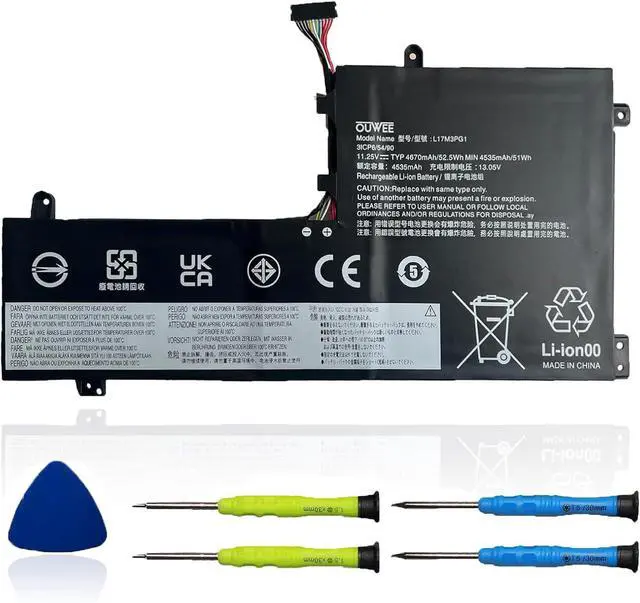



L17M3PG1 Laptop Battery Compatible with Lenovo Legion Y530-15ICH Y7000 2019 1050 Y7000-2019-PG0 Y540-15IRH-PG0 Y7000P Series Notebook L17L3PG1 L17M3PG3 L17C3PG1 11.25V 52.5Wh
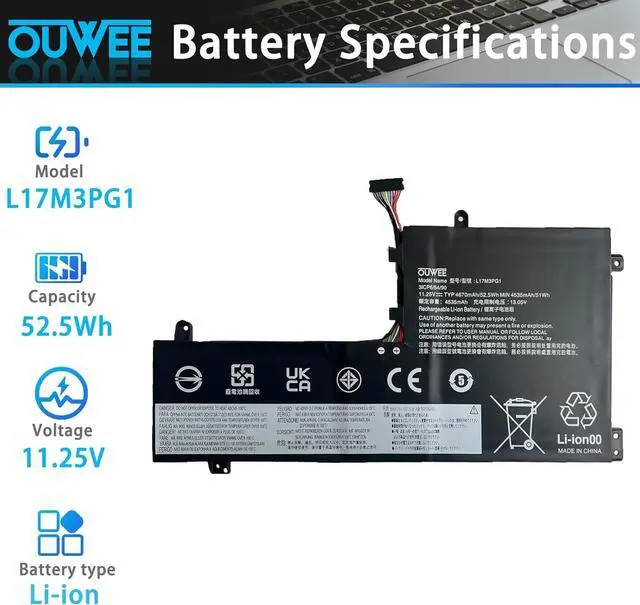
- Battery typeLi-ion. Voltage: 11.25V. Capacity: 52.5Wh 4670mAh .
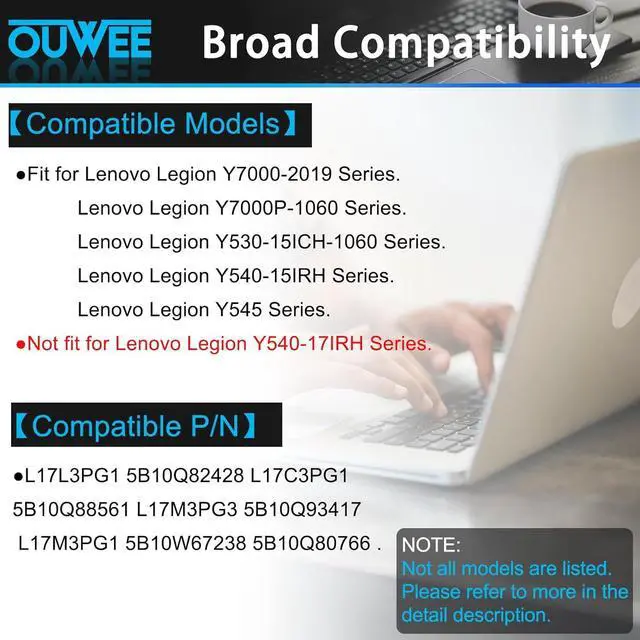
- Replacement For LaptopLenovo Legion Y545-PG0 Legion Y530-15ICH Y7000 2019 1050 Y7000-2019-PG0 Y540-15IRH-PG0 Y7000P Series Notebook .
- Compatible Part NumberL17L3PG1 5B10Q82428 L17C3PG1 5B10Q88561 L17M3PG3 5B10Q93417 L17M3PG1 5B10W67238 5B10Q80766 .
- CertificateAll OUWEE products are Certified by CE, FCC for safety. Strict guidelines for compatibility, and standards compliance for environment safety.
- OUWEE Worry-Free Warranty ServiceRest assured with 30 days money-back and 12 months Replacement,also get our friendly customer service.
+
+
Overview
Specs
Reviews

Any questions? Our AI beta will help you find out quickly.
Try me now
Model L17M3PG1 Capacity 52.5Wh Voltage 11.25V Type Li-ion Color Black Condition Brand New
Lenovo Legion Y530-15ICH Y530-15ICH-1060 81GT 81FV 81LB series;
Lenovo Legion Y540-15IRH Y540-15IRH-PG0 81SX 81RJ series;
Lenovo Legion Y545 Y545-PG0 81T2 81Q6 series / Lenovo Legion Y740-15IRH 81UF series;
Lenovo Legion Y740-15IRHG 81UH series / Lenovo Legion Y740-15ICHG 81HE series;
Lenovo Legion Y7000P Series / Lenovo Legion Y7000P 2019 Series.
(NOTE: Not fit for Y540-17IRH, namely not fit for 17.3 inch laptop modelThis battery do not fit for Lenovo Legion Y7000 2020 Series )
Replacement for Part Number:
L17L3PG15B10Q82428L17C3PG15B10Q88561L17M3PG35B10Q93417L17M3PG15B10W672385B10Q80766
Why your laptop can't detect the battery or display the battery level properly after installing the battery? It may be caused by a loose battery. Please check if the battery cable is installed correctly. It may be due to the damage of the conductive material caused by the laptop motherboard and the battery positive contact position, you can try to use the original battery to confirm. Check if the battery driver is normal, if not, please download the appropriate driver software to update.
When you receive a new battery, discharge the battery to 5% (not 0%), then charge it to 95% and cycle 3-4 times to wake up the new battery. It is important to fully discharge and recharge every other month to extend battery life. Do not leave the adapter connected for long periods of time when using the battery. It may damage the battery. Avoid human impact, disassembly, crushing or puncturing. Do not put it in fire or water.
100% True Capacity No falsely labeled capacity battery The internal integrated chip is designed to take your laptop to Over-Charge,Over-Current,Over-Voltage,Short-Circuit, Temperature Protection High Quality, fast charge and Long Lasting time. Top Batteries at Great value.
Product information Compatible Models (use "Ctrl+F to find your model quickly") Common Troubleshooting Methods Battery maintenance methods for optimal use Why should you choose OUWEE Batteries?
Lenovo Legion Y530-15ICH Y530-15ICH-1060 81GT 81FV 81LB series;
Lenovo Legion Y540-15IRH Y540-15IRH-PG0 81SX 81RJ series;
Lenovo Legion Y545 Y545-PG0 81T2 81Q6 series / Lenovo Legion Y740-15IRH 81UF series;
Lenovo Legion Y740-15IRHG 81UH series / Lenovo Legion Y740-15ICHG 81HE series;
Lenovo Legion Y7000P Series / Lenovo Legion Y7000P 2019 Series.
(NOTE: Not fit for Y540-17IRH, namely not fit for 17.3 inch laptop modelThis battery do not fit for Lenovo Legion Y7000 2020 Series )
Replacement for Part Number:
L17L3PG15B10Q82428L17C3PG15B10Q88561L17M3PG35B10Q93417L17M3PG15B10W672385B10Q80766
Why your laptop can't detect the battery or display the battery level properly after installing the battery? It may be caused by a loose battery. Please check if the battery cable is installed correctly. It may be due to the damage of the conductive material caused by the laptop motherboard and the battery positive contact position, you can try to use the original battery to confirm. Check if the battery driver is normal, if not, please download the appropriate driver software to update.
When you receive a new battery, discharge the battery to 5% (not 0%), then charge it to 95% and cycle 3-4 times to wake up the new battery. It is important to fully discharge and recharge every other month to extend battery life. Do not leave the adapter connected for long periods of time when using the battery. It may damage the battery. Avoid human impact, disassembly, crushing or puncturing. Do not put it in fire or water.
100% True Capacity No falsely labeled capacity battery The internal integrated chip is designed to take your laptop to Over-Charge,Over-Current,Over-Voltage,Short-Circuit, Temperature Protection High Quality, fast charge and Long Lasting time. Top Batteries at Great value.
Product information Compatible Models (use "Ctrl+F to find your model quickly") Common Troubleshooting Methods Battery maintenance methods for optimal use Why should you choose OUWEE Batteries?
Warranty & Returns
Warranty, Returns, And Additional Information
Warranty
- Please contact the Seller directly for warranty information. Warranty information may also be found on the Manufacturer's website.
- CONTACT
Return Policies
- Return for refund within: 45 days
- Return for replacement within: 45 days
- This item is covered by Xalvion E-Commerce Limited Return Policy
Manufacturer Contact Info
- For a directory of all our manufacturers, please click below.
- Manufacturers Directory
LOADING...