

Your Browsing History

Meet Your Seller

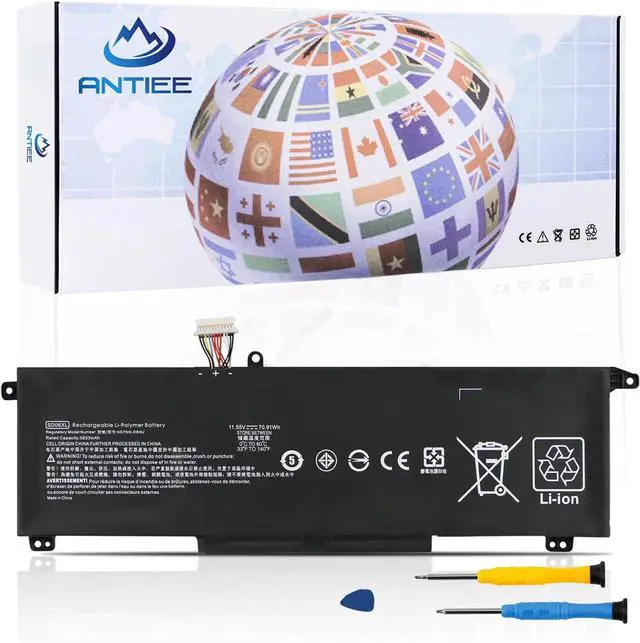
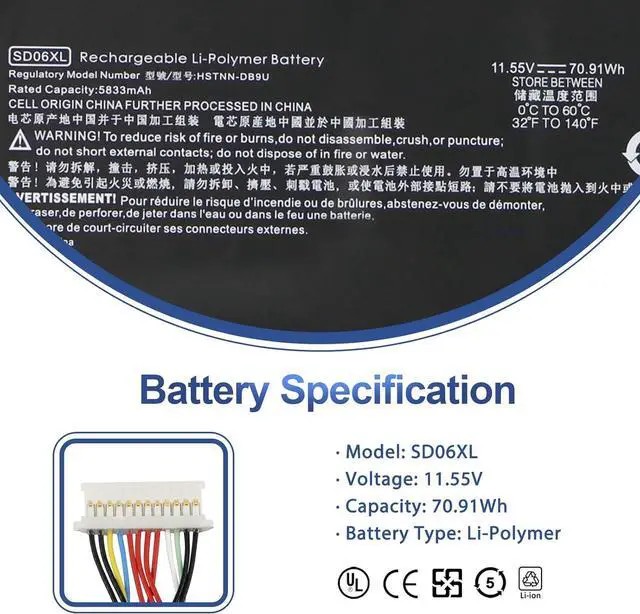
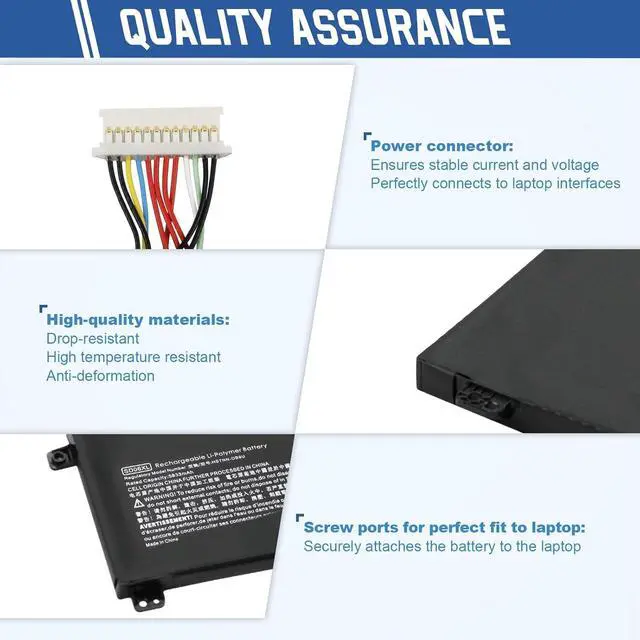
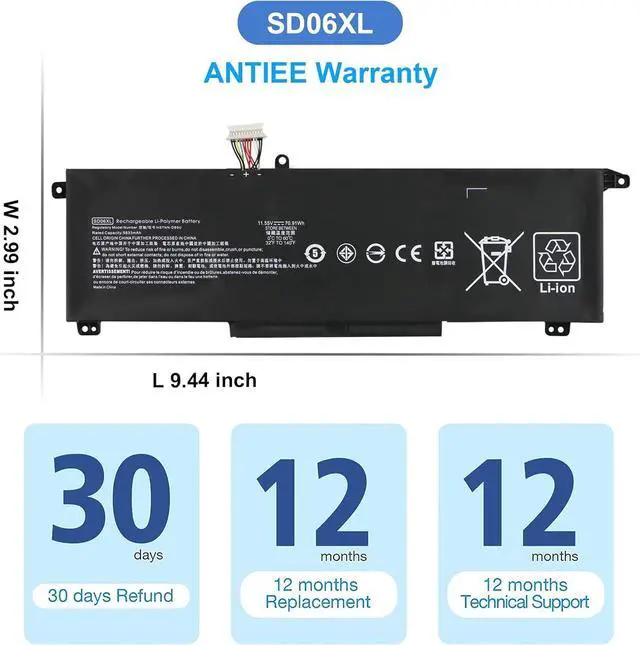


SD06XL L84392-005 Laptop Battery Replacement for HP Omen 15-EK 15-EN 15-EK0013DX 15-EN0023DX 15-EK1013DX 15-EK0XXX 15-EK1075CL 15-EN1075CL 15-EN0XXX L84392-006 L84356-2C1 SDO6XL 11.55V 70.91Wh
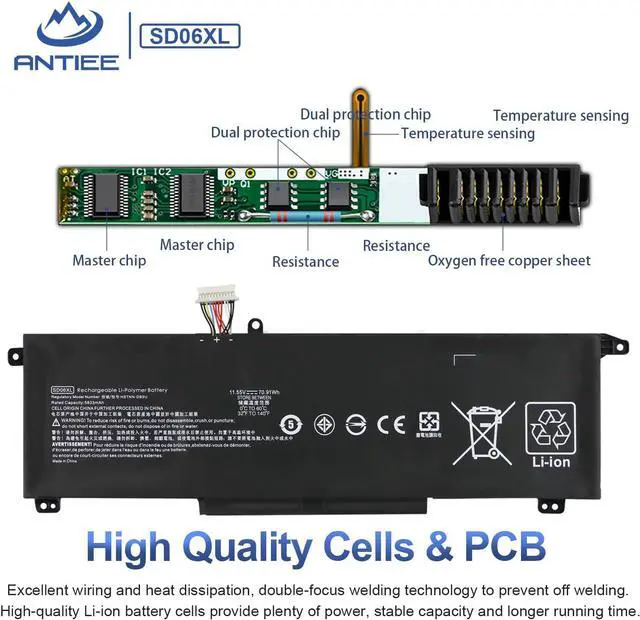
- Specification: Voltage: 11.55V. Capacity: 70.91Wh/5833mAh. Battery Type: Li-Polymer. Condition: Brand new, from durable materials, top circuit boards and smart chip
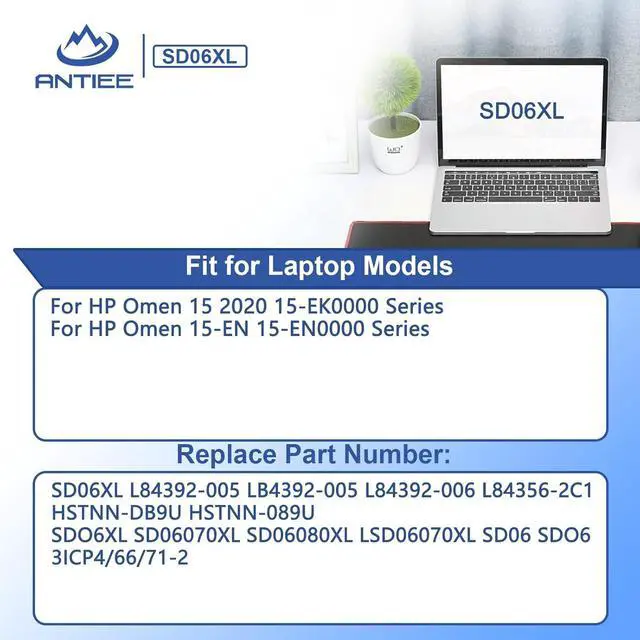
- Replace Part Number: Fit for SD06XL SDO6XL SD06070XL SD06080XL LSD06070XL SD06 SDO6 L84392-005 LB4392-005 L84392-006 HSTNN-DB9U L84356-2C1 HSTNN-089U 3ICP46671-2
- Compatible Models: Fit for HP Spectre X360 15T-DF100 15T-DF000 15-DF0002NA DF1010NA 15-DF0013DX DF0023DX DF0033DX DF0043DX DF1033DX DF1043DX 15-DF0068NR DF0069NR DF0070NR DF1040NR DF1045NR DF1047NR 15-DF0008CA DF0010CA DF1008CA DF1010CA DF1018CA DF1020CA 5-DF0000TX DF0001TX DF0002TX DF0003TX DF1001TX DF1002TX Series
- Compatible Models: Fit for HP Omen 15-EN Series:Omen 15-EN0002AX, Omen 15-EN0002LA, Omen 15-EN0007AX, Omen 15-EN0010CA, Omen 15-EN0013AX, Omen 15-EN0013DX, Omen 15-EN0014AX, Omen 15-EN0023AX, Omen 15-EN0029NR, Omen 15-EN0023DX, Omen 15-EN0024AX, Omen 15-EN0025AX, Omen 15-EN0026AX, Omen 15-EN0036AX, Omen 15-EN0036NR Series
- ANTIEE Promise: Each produ
+
+
Overview
Specs
Reviews

Any questions? Our AI beta will help you find out quickly.
Try me now
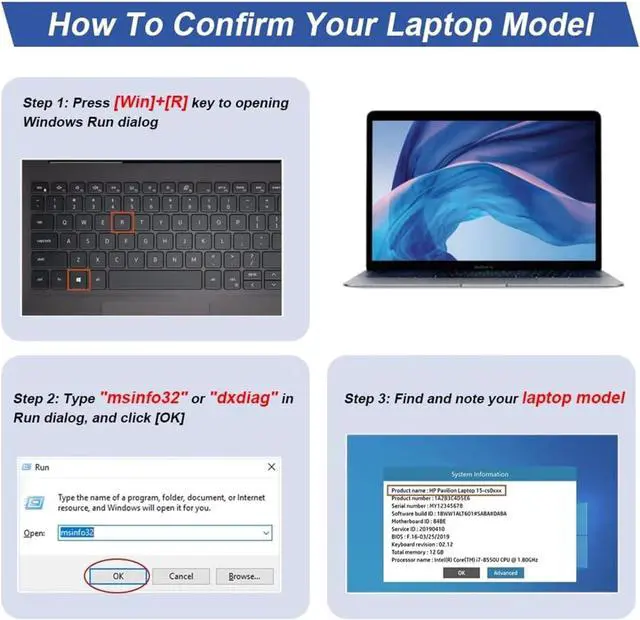
Find the Battery Model
Find the Laptop Model,press "Windows+R"
Find the Laptop Model,press "Windows+R"
Find "System Model" in the pop-up window
Compatible Part Numbers SD06XL / L84392-005 / LB4392-005 / L84392-006 / L84356-2C1 / HSTNN-DB9U / HSTNN-089U Compatible Part Numbers SDO6XL / SD06070XL / SD06080XL/ LSD06070XL / SD06 / SDO6 / 3ICP4/66/71-2 Compatible Models For HP Omen 15 2020 15-EK0000 Series: Compatible Models 15-EK0001TX, 15-EK0003NA, 15-EK0004TX, 15-EK0005LA, 15-EK0007LA, 15-EK0007TX, 15-EK0008CA, 15-EK0008LA, 15-EK0008TX, 15-EK0009TX, 15-EK0010TX, 15-EK0010CA, 15-EK0010LA, 15-EK0011TX, 15-EK0012TX, 15-EK0013TX, 15-EK0013DX, 15-EK0014TX, 15-EK0018TX, 15-EK0018CA, 15-EK0019TX, 15-EK0019NR, Compatible Models 15-EK0020CA, 15-EK0023TX, 15-EK0023DX, 15-EK0025TX, 15-EK0026NR, 15-EK0031TX, 15-EK0038TX, 15-EK0051TX, 15-EK0056TX, 15-EK0071NG, 15-EK0080TX, 15-EK0058TX, 15-EK0059TX, 15-EK0081TX, 15-EK0082TX, 15-EK0085TX, 15-EK0086TX, 15-EK0111TX, 15-EK0277NG, 15-EK0456NG, 15-EK1017TX, 15-EK1035TX Compatible Models For HP Omen 15-EN 15-EN0000 Series: Compatible Models 15-EN0002AX, 15-EN0002LA, 15-EN0007AX, 15-EN0010CA, 15-EN0014AX, 15-EN0013AX, 15-EN0013DX, 15-EN0023AX, 15-EN0023DX, 15-EN0024AX, 15-EN0025AX, 15-EN0026AX, 15-EN0029NR, 15-EN0036AX, 15-EN0036NR What do I need to be aware of when I receive a battery?
1.Check Model Numbers:Ensure the batterys model number (e.g. part number, serial number) matches your laptops specifications.2. Read Instructions:Follow the manufacturers guidelines for installing the battery.
How should I do if the battery is not recognised?
If it is not recognised, it is recommended to update the BIOS settings or please disconnecting the old battery, and holding down the power button for 20 seconds, then connect the new battery.
Battery Dies Suddenly at About 20%,How to Fix it?
1.Disconnect the power cord
2.Remove the battery
3.Hold down the power button for 30 seconds, then release for 30 sec and then hold down for another 30 sec
4.Plug in power, replace battery and power on laptop.
How to maintain my laptop battery if i dont use it for weeks or months?
1.Store at 4060% Charge.
2.Keep it in a cool, dry, dark place, away from moisture and metal objects.
3.If storing for over 3 months, charge the battery back to 4060% every 3 months to prevent deep discharge.
Compatible Models (Use "Ctrl+F to find your model quickly) What do I need to be aware of when I receive a battery?
How should I do if the battery is not recognised?
Battery Dies Suddenly at About 20%,How to Fix it?
How to maintain my laptop battery if i dont use it for weeks or months?
Warranty & Returns
Warranty, Returns, And Additional Information
Warranty
- Please contact the Seller directly for warranty information. Warranty information may also be found on the Manufacturer's website.
- CONTACT
Return Policies
- Return for refund within: 45 days
- Return for replacement within: 45 days
- This item is covered by Xalvion E-Commerce Limited Return Policy
Manufacturer Contact Info
- For a directory of all our manufacturers, please click below.
- Manufacturers Directory
LOADING...