

Your Browsing History

Meet Your Seller

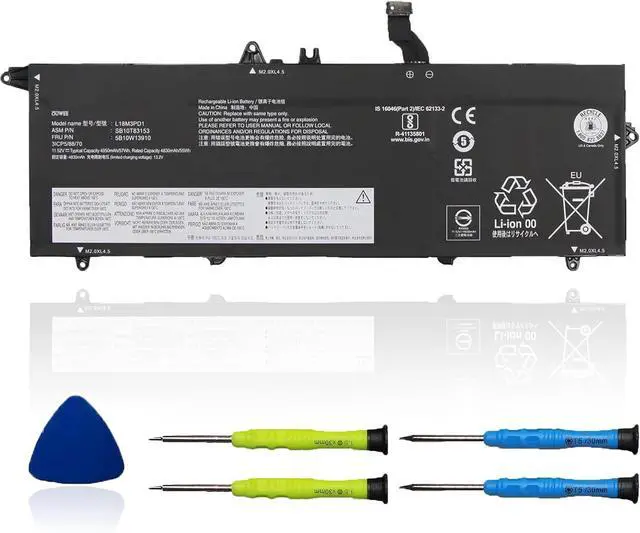



L18M3PD1 Laptop Battery Compatible with Lenovo ThinkPad T14S T490S T495S Series L18C3PD1 L18L3PD1 L18M3PD2 L18C3PD2 02DL013 02DL014 02DL015 02DL016 5B10W13909 SB10T83152 11.58V 57Wh 4922mAh
- Battery typeLi-ion. Voltage: 11.58V. Capacity: 57Wh 4922mAh .
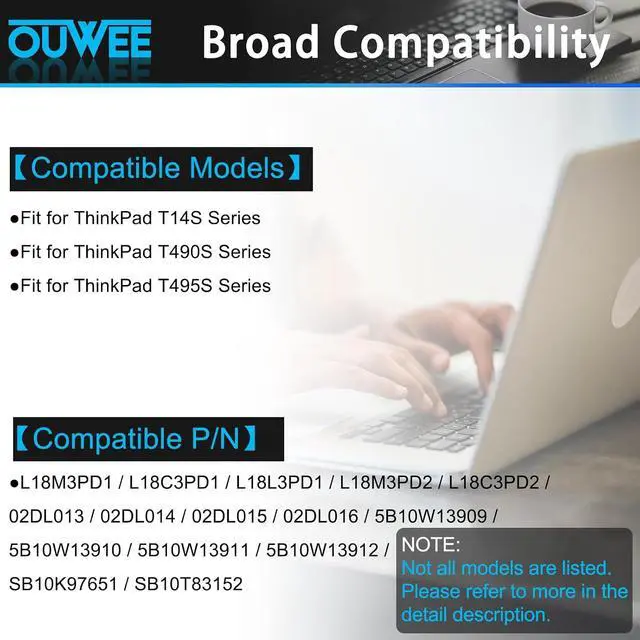
- Compatible Part NumberL18M3PD1 L18C3PD1 L18L3PD1 L18M3PD2 L18C3PD2 02DL013 02DL014 02DL015 02DL016 5B10W13909 5B10W13910 5B10W13911 5B10W13912 SB10K97651 SB10T83152 .
- Replacement For LaptopLenovo ThinkPad T14S T490S T495S Series Notebook.
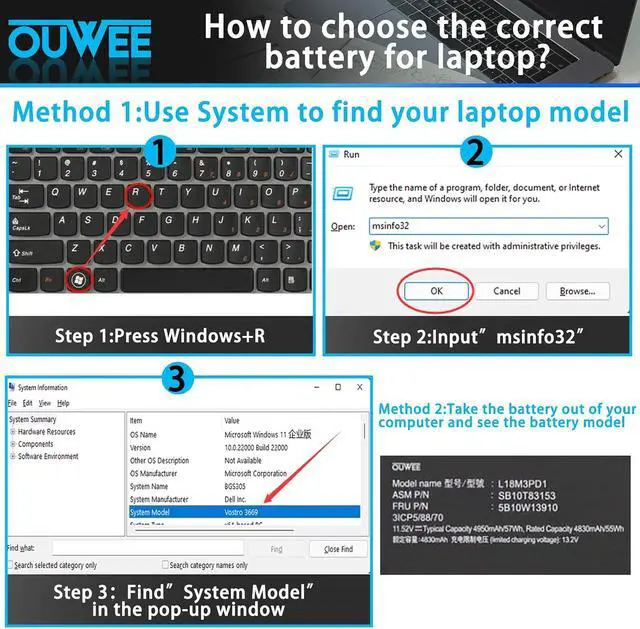
- ConnectorBefore placing your order,Please refer to the picture and check it.Because the products produced by different factories will have differences, such as size, cable length, interface, etc.
- Use SkillsIf the new battery is not recognized during the initial installation, please reinstall and check if the interface is fully connected.Discharge the new battery to 5% (not 0%), then charge and cycle 3-4 times to wake up the new battery.
+
+
Overview
Specs
Reviews

Any questions? Our AI beta will help you find out quickly.
Try me now
Model L18M3PD1 Capacity 57Wh Voltage 11.58V Type Li-ion Color Black Condition Brand New
Fit for ThinkPad T14S Series;
Fit for ThinkPad T490S Series;
Fit for ThinkPad T495S Series.
Replacement for Part Number:
L18M3PD1 / L18C3PD1 / L18L3PD1 / L18M3PD2 / L18C3PD2 / 02DL013 / 02DL014 / 02DL015 / 02DL016 / 5B10W13909 / 5B10W13910 / 5B10W13911 / 5B10W13912 / SB10K97651 / SB10T83152
Why isnt your laptop detecting the battery or showing the correct battery level after installation? This could happen if the battery isnt properly connected. Make sure the battery cable is securely attached. Another possible cause is damaged conductive material between the laptops motherboard and the batterys positive contacttry testing with the original battery to verify. Also, check if the battery driver is functioning correctly. If not, download and install the latest driver update.
When you receive a new battery, discharge the battery to 5% (not 0%), then charge it to 95% and cycle 3-4 times to wake up the new battery. It is important to fully discharge and recharge every other month to extend battery life. Do not leave the adapter connected for long periods of time when using the battery. It may damage the battery. Avoid human impact, disassembly, crushing or puncturing. Do not put it in fire or water.
100% True Capacity No falsely labeled capacity battery The internal integrated chip is designed to take your laptop to Over-Charge,Over-Current,Over-Voltage,Short-Circuit, Temperature Protection High Quality, fast charge and Long Lasting time. Top Batteries at Great value.
Product information Compatible Models (use "Ctrl+F to find your model quickly") Common Troubleshooting Methods Battery maintenance methods for optimal use Why should you choose OUWEE Batteries?
Fit for ThinkPad T14S Series;
Fit for ThinkPad T490S Series;
Fit for ThinkPad T495S Series.
Replacement for Part Number:
L18M3PD1 / L18C3PD1 / L18L3PD1 / L18M3PD2 / L18C3PD2 / 02DL013 / 02DL014 / 02DL015 / 02DL016 / 5B10W13909 / 5B10W13910 / 5B10W13911 / 5B10W13912 / SB10K97651 / SB10T83152
Why isnt your laptop detecting the battery or showing the correct battery level after installation? This could happen if the battery isnt properly connected. Make sure the battery cable is securely attached. Another possible cause is damaged conductive material between the laptops motherboard and the batterys positive contacttry testing with the original battery to verify. Also, check if the battery driver is functioning correctly. If not, download and install the latest driver update.
When you receive a new battery, discharge the battery to 5% (not 0%), then charge it to 95% and cycle 3-4 times to wake up the new battery. It is important to fully discharge and recharge every other month to extend battery life. Do not leave the adapter connected for long periods of time when using the battery. It may damage the battery. Avoid human impact, disassembly, crushing or puncturing. Do not put it in fire or water.
100% True Capacity No falsely labeled capacity battery The internal integrated chip is designed to take your laptop to Over-Charge,Over-Current,Over-Voltage,Short-Circuit, Temperature Protection High Quality, fast charge and Long Lasting time. Top Batteries at Great value.
Product information Compatible Models (use "Ctrl+F to find your model quickly") Common Troubleshooting Methods Battery maintenance methods for optimal use Why should you choose OUWEE Batteries?
Warranty & Returns
Warranty, Returns, And Additional Information
Warranty
- Please contact the Seller directly for warranty information. Warranty information may also be found on the Manufacturer's website.
- CONTACT
Return Policies
- Return for refund within: 45 days
- Return for replacement within: 45 days
- This item is covered by Xalvion E-Commerce Limited Return Policy
Manufacturer Contact Info
- For a directory of all our manufacturers, please click below.
- Manufacturers Directory
LOADING...