

Your Browsing History

Meet Your Seller

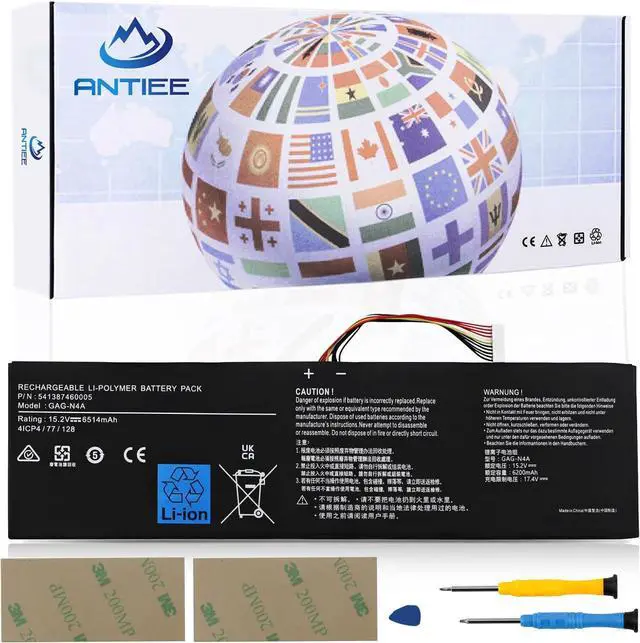
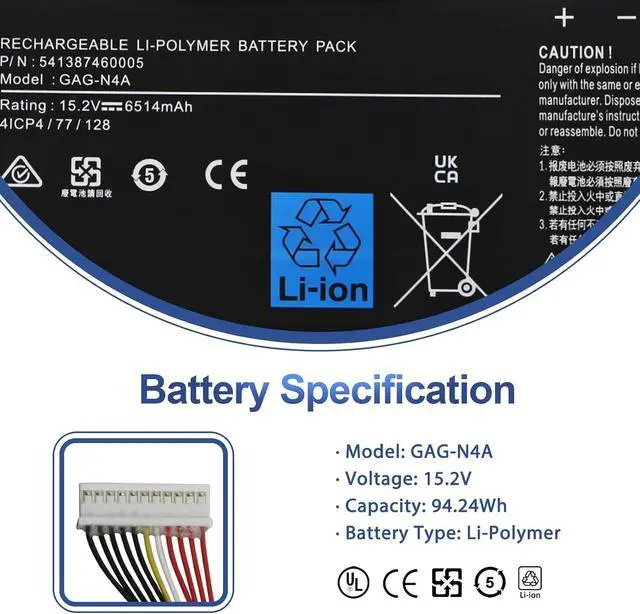
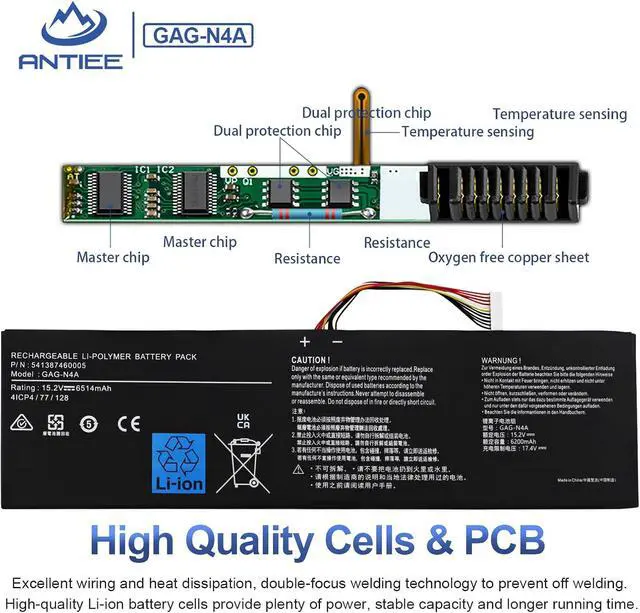
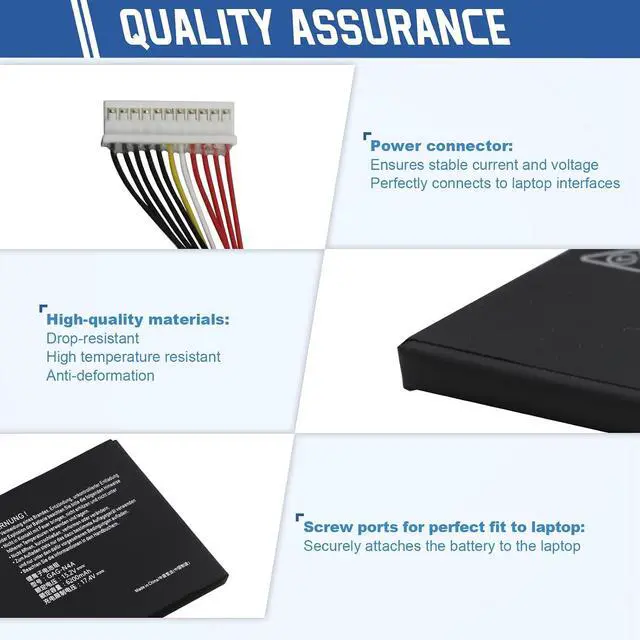
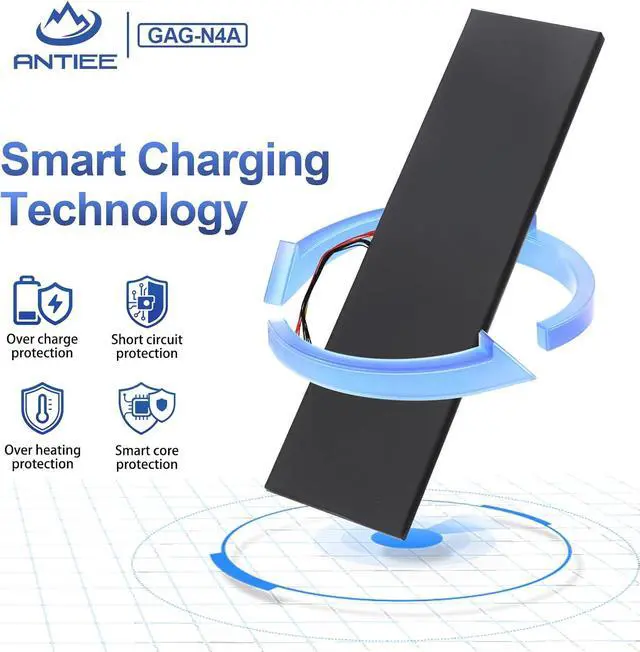
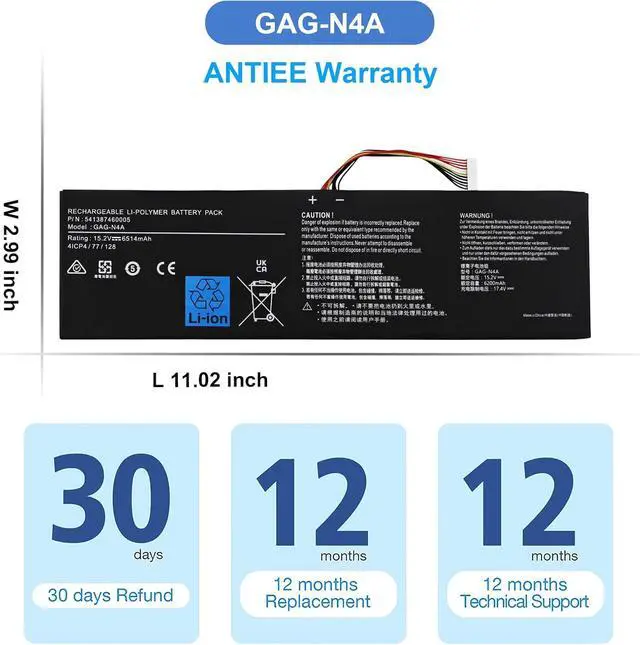


ANTIEE GAG-N4A 99Wh Laptop Battery Replacement for Gigabyte Aorus 15 XE5 15G KC XC 15P XD YD 17G YD 17H Aero 15 OLED XD 15 RP75 16 XE5 17 HDR YD Series 541387460005 15.2V 6514mAh
- Long-Lasting Runtime - Say goodbye to batteries that die after 2-3 months of use! Our high-density lithium-ion cells deliver consistent, factory-original capacity that lasts through your entire workday (up to 7+ hours for light use). No more scrambling for a charger during important meetings or lecture hallsthis battery maintains 80%+ capacity even after 500 charge cycles, outperforming generic alternatives that fade fast.
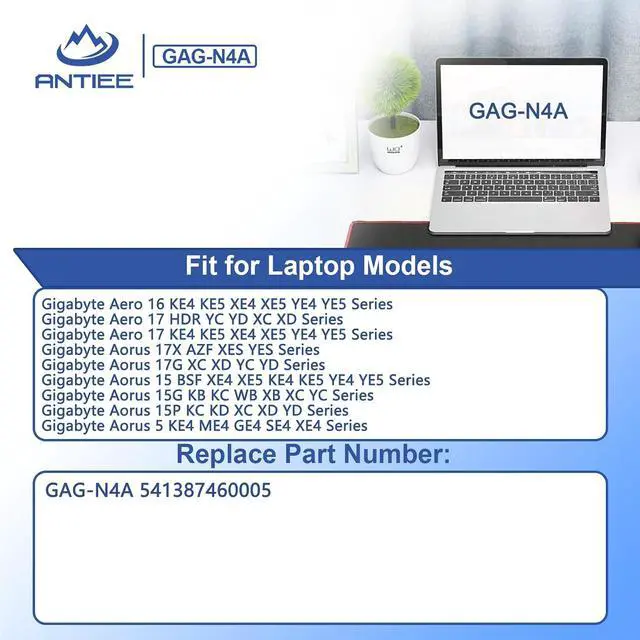
- Replace Part Number - Fit for GAG-N4A 541387460005 4ICP4/77/128
- Compatible Models - Fit for Gigabyte Aorus 15 XE5 Series; for Gigabyte Aorus 15G Series; Replacement for Gigabyte Aorus 15G KC Series; for Gigabyte Aorus 15G XC Series; for Gigabyte Aorus 15P Series; for Gigabyte Aorus 15P XC Series; for Gigabyte Aero 15 OLED XD Series; for Gigabyte Aorus 15P XD Series; for Gigabyte Aorus 15P YD Series; for Gigabyte Aorus 17G YD Series; for Gigabyte Aorus 17H Series; for Gigabyte Aero 16 XE5 Series; for Gigabyte Aero 17 HDR YD Series
- UL-Certified Safety - Zer
+
+
Overview
Specs
Reviews

Any questions? Our AI beta will help you find out quickly.
Try me now
GAG-N4A Battery
Professional Manufacturer - Specializing in various laptop batteries and all kinds of chargers.
Reliable for Users - Our products undergo strict quality control inspections before being sold.
Reliable for Users - If battery is defective within 1 year, we offer a free replacement.
Find the Battery Model
Find the Laptop Model,press "Windows+R"
Type "msinfo32" then click "Ok"
Find "System Model" in the pop-up window
Compatible Part Numbers GAG-N4A 541387460005 4ICP4/77/128 27S00-N4A01-G20S Compatible Laptop Models Gigabyte Aorus 15 XE5 Series Compatible Laptop Models Gigabyte Aorus 15X ASF Series; Compatible Laptop Models Gigabyte Aorus 15G KB / KC Series 15G KB-7AU1130MH, 15G KB-7FR1130MH, 15G KB-7TW2030MH, 15G KB-7UK1130MH, 15G KB-7US1130MH, 15G KB-7US2130MH, 15G KB-7ZA1130MH, 15G KB-8AU2130MH, 15G KB-8ES2130MH, 15G KB-8JP2130MH, 15G KB-8SG2130MH, 15G KB-8UK2130MH, 15G KB-8US2130MH, 15G KB 7ES1130MD, 15G KC-8TW2130AH, 15G KC-8US2130SH, 15G SB-7US1130MH, 15G WB-8US6130MH, 15G WB-8US6150MH, 15G XC 8ES2430SH, Compatible Laptop Models Gigabyte Aorus 15G XB / XC Series 15G XB-8AU6150MH, 15G XB-8DE6150M, 15G XB-8DE6150MH, 15G XB-8ES2130MH, 15G XB-8FR2130MH, 15G XB-8FR6150MH, 15G XB-8MY2130MP, 15G XB-8PH6150SH, 15G XB-8SE6150MH, 15G XB-8TW6150MH, 15G XB-8US2130MP, 15G XB-8US6150MH, 15G XB-8ZA6150MH, 15G XB 8UK2130MH, 15G XC-8AE2430SH, 15G XC-8AU2430SH, 15G XC-8DE2430SD, 15G XC-8DE2430SH, 15G XC-8EE2430SH, 15G XC-8FR2430, 15G XC-8FR2430SH, 15G XC-8JP2430SH, 15G XC-8MY2430SH, 15G XC-8PT2430SH, 15G XC-8RU2430SH, XC-8SG2430GH Compatible Laptop Models Gigabyte Aorus 15G YB / YC Series 15G YB-8AU2130MP, 15G YB-8DE2130MH, 15G YB-8DE2450SH, 15G YB-8ES2130MH, 15G YB-8FR6150MH, 15G YB-8JP2130MP, 15G YB-8SE6150MH, 15G YB-8UK2130MH, 15G YB-8US6150MH, 15G YB-9DE2430MP, 15G YB-9DE6450MP, 15G YB-9ES2430MP, 15G YB-9FR2430MP, 15G YB-9FR6450MP, 15G YB-9JP6450MP, 15G YB-9TW2430MP, 15G YB-9UK2430MP, 15G YB-9US2430MP, 15G YC-8AU2450SH, 15G YC-8DE2450SH, 15G YC-8EE2450SH, 15G YC-8FR2450SH, 15G YC-8JP2450SH, 15G YC-8RU2450SH, 15G YC-8TW2450AH, 8UK2450SH Compatible Laptop Models Gigabyte Aorus 15G WB Series 15G WB-7DE11B0MH, 15G WB-7DE2130SD, 15G WB-7US1130MH, 15G WB-7US2130MH, 15G WB-8AU21B0MH, 15G WB-8CN2130MH, 15G WB-8DE2130MD, 15G WB-8DE6150MH, 15G WB-8ES2130MH, 15G WB-8ES2130MHI7, 15G WB-8FR6150MH, 15G WB-8NL6150MH, 15G WB-8UK2130MH, 15G WB-8US2130MH, Compatible Laptop Models Gigabyte Aorus 15P XC / XD / YD Series 15P YD-24-W10, 15P YD-73AU224SH, 15P YD-73EE244SH, 15P YD-73FR244SH, 15P YD-73JP224SH, 15P YD-73S1224GH, 15P YD-73TH224GH, 15P YD-74ES244SH, 15P YD-74TW244GH, 15P YD-74US244SH, 15P YD 74NE244SH Compatible Laptop Models Gigabyte Aorus 17G YD Series Compatible Laptop Models Gigabyte Aorus 17H Series Compatible Laptop Models Gigabyte Aorus 17 XE4 Series Compatible Laptop Models Gigabyte Aorus 17X AZF Series Compatible Laptop Models Gigabyte Aero 15 OLED XD Series Compatible Laptop Models Gigabyte Aero 16 XE5 Series Compatible Laptop Models Gigabyte Aero 17 HDR YD Series What do I need to be aware of when I receive a battery?
1.Check Model Numbers:Ensure the batterys model number (e.g. part number, serial number) matches your laptops specifications.2. Read Instructions:Follow the manufacturers guidelines for installing the battery.
How should I do if the battery is not recognised?
If it is not recognised, it is recommended to update the BIOS settings or please disconnecting the old battery, and holding down the power button for 20 seconds, then connect the new battery.
Battery Dies Suddenly at About 20%,How to Fix it?
1.Disconnect the power cord
2.Remove the battery
3.Hold down the power button for 30 seconds, then release for 30 sec and then hold down for another 30 sec
4.Plug in power, replace battery and power on laptop.
How to maintain my laptop battery if i dont use it for weeks or months
Warranty & Returns
Warranty, Returns, And Additional Information
Warranty
- Please contact the Seller directly for warranty information. Warranty information may also be found on the Manufacturer's website.
- CONTACT
Return Policies
- Return for refund within: 45 days
- Return for replacement within: 45 days
- This item is covered by Xalvion E-Commerce Limited Return Policy
Manufacturer Contact Info
- For a directory of all our manufacturers, please click below.
- Manufacturers Directory
LOADING...