• $245.99
  • Free 45-day Returns
  • Price alert
    Shop it at NeweggBusiness.

    C41N2305 Laptop Battery Replacement for ASUS Vivobook Pro 15 OLED N6506 N6506MJ N6506MU N6506MV N6506CU Series 0B200-04490000 15.48V/75Wh/4845mAh/4-Cell

    • Battery Condition: Brand New; Voltage: 15.48V; Capacity: 75Wh/4845mAh
    • Replacement Part Number: C41N2305 0B200-04490000
    • Compatible Models: for ASUS Vivobook Pro 15 OLED N6506 series; for ASUS Vivobook Pro 15 OLED N6506MJ series; for ASUS Vivobook Pro 15 OLED N6506MU series; for ASUS Vivobook Pro 15 OLED N6506MV series; for ASUS VivoBook Pro 15 OLED N6506CU series
    • Safe to Use: built-in over-charge, over-discharge, over-voltage, over-current, and over-heating protection. Battery life varies based on settings, usage & temperature. Lower power consumption IC Design & High capacity circulatory function, perfect replace your original batteries
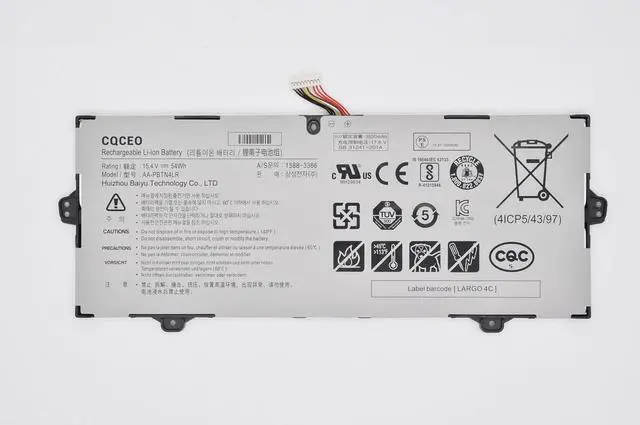
    • Important note: We suggest that you turn on your laptop and check and confirm the original battery model and appearance. Then, compare it with our battery images to ensure that this is the one you need
    • Tips: If the new battery is not recognized during the initial installation, please reinstall and check if the interface is fully connected. Dischar
    +
    +
    Overview
    Specs
    Reviews
    avatar

    Any questions? Our AI beta will help you find out quickly.

    Battery Condition: Brand New; Voltage: 15.48V; Capacity: 75Wh/4845mAh
    Replacement Part Number: C41N2305 0B200-04490000
    Compatible Models: for ASUS Vivobook Pro 15 OLED N6506 series; for ASUS Vivobook Pro 15 OLED N6506MJ series; for ASUS Vivobook Pro 15 OLED N6506MU series; for ASUS Vivobook Pro 15 OLED N6506MV series; for ASUS VivoBook Pro 15 OLED N6506CU series
    Safe to Use: built-in over-charge, over-discharge, over-voltage, over-current, and over-heating protection. Battery life varies based on settings, usage & temperature. Lower power consumption IC Design & High capacity circulatory function, perfect replace your original batteries
    Important note: We suggest that you turn on your laptop and check and confirm the original battery model and appearance. Then, compare it with our battery images to ensure that this is the one you need
    Tips: If the new battery is not recognized during the initial installation, please reinstall and check if the interface is fully connected. Discharge the new battery to 10% (not 0%), then charge and cycle 3-4 times to wake up the new battery


    Warranty & Returns

    Warranty, Returns, And Additional Information

    Warranty

    • Please contact the Seller directly for warranty information. Warranty information may also be found on the Manufacturer's website.
    • CONTACT

    Return Policies

    Manufacturer Contact Info

    LOADING...