

Your Browsing History

Meet Your Seller

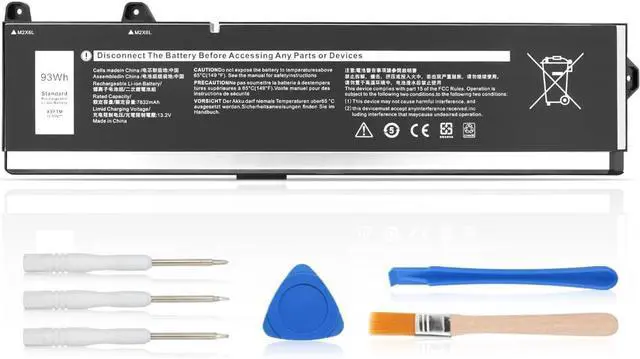

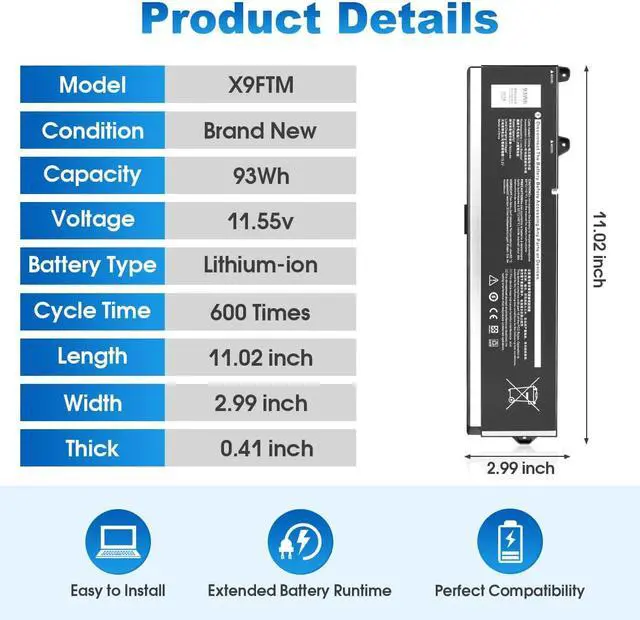




93Wh X9FTM Laptop Battery for Replacement for Dell Precision 7670 7770 7680 7780 Mobile Workstation P114F P114F001 P114F002 P115F P115F001 P115F002 Series 5JMD8 965V4 05JMD8 0965V4 0X9FTM
- Specifications: Model: X9FTM; Voltage:11.55V; Capacity: 93Wh 7650mAh
- Perfect Fit: For Dell Precision 7670 7680 7770 7780 Series
- Precise Battery Model Compatibility: X9FTM 0X9FTM 965V4 0965V4 5JMD8 05JMD8 RCVVT 0NWDC0 0X26RT
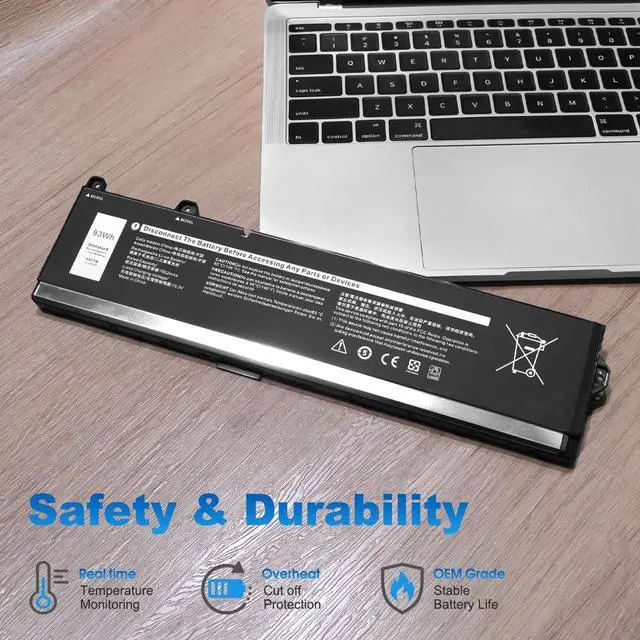
- Multi-layered Safety Protection: Features an upgraded smart control chip, providing multi-layered protection against overcharging,short circuits and overheating. Our advanced circuit design prevents battery swelling and ensures stable voltage output, thereby protecting your device's internal components
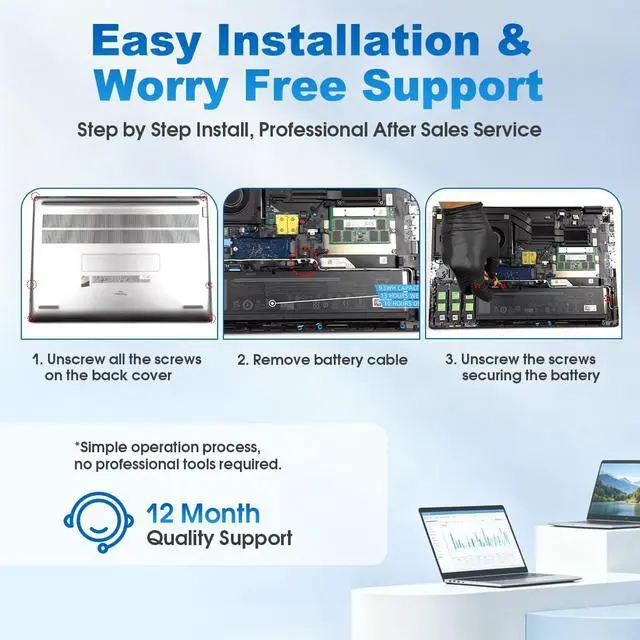
- Reliable Long-term Support: Your purchase is backed by our year-long technical support and a commitment to quality. Includes a professional tool kit for easy installation. Should you encounter any issues with your battery, our team provides timely solutions to ensure your satisfaction
+
+
Overview
Specs
Reviews

Any questions? Our AI beta will help you find out quickly.
Try me now
Compatible Part Numbers:
X9FTM 0X9FTM 965V4 0965V4 5JMD8 05JMD8 RCVVT 0NWDC0 0X26RT
Compatible Model Numbers:
Dell Precision 7670 Series
Dell Precision 7680 Series
Dell Precision 7770 Series
Dell Precision 7780 Series
Battery Care Instructions
First-time use Drain the new battery completely, then charge it fully. Repeat this 3 times to activate maximum capacity.
Normal charging After activation, just charge normally.
Dont leave the battery in the charger for too long.
Long-term storage If not using for a while, keep the battery at about 50% charge. Recharge it once a month to prevent damage.
Using external power If you always use the device plugged in, remove the battery. This reduces heat and extends battery life.
Avoid bad chargers Only use good quality chargers. Cheap ones can damage the battery.
Keep safe Do not disassemble, hit, or drop the battery. Keep it away from water, heat, and children.
Storage temperature Best kept at 20°C ± 5°C (68°F ± 9°F). Avoid humid or hot places. Battery life Lithium batteries last about 500800 charge cycles. They are consumable and will gradually hold less charge over time.
X9FTM 0X9FTM 965V4 0965V4 5JMD8 05JMD8 RCVVT 0NWDC0 0X26RT
Compatible Model Numbers:
Dell Precision 7670 Series
Dell Precision 7680 Series
Dell Precision 7770 Series
Dell Precision 7780 Series
Battery Care Instructions
First-time use Drain the new battery completely, then charge it fully. Repeat this 3 times to activate maximum capacity.
Normal charging After activation, just charge normally.
Dont leave the battery in the charger for too long.
Long-term storage If not using for a while, keep the battery at about 50% charge. Recharge it once a month to prevent damage.
Using external power If you always use the device plugged in, remove the battery. This reduces heat and extends battery life.
Avoid bad chargers Only use good quality chargers. Cheap ones can damage the battery.
Keep safe Do not disassemble, hit, or drop the battery. Keep it away from water, heat, and children.
Storage temperature Best kept at 20°C ± 5°C (68°F ± 9°F). Avoid humid or hot places. Battery life Lithium batteries last about 500800 charge cycles. They are consumable and will gradually hold less charge over time.
Warranty & Returns
Warranty, Returns, And Additional Information
Warranty
- Please contact the Seller directly for warranty information. Warranty information may also be found on the Manufacturer's website.
- CONTACT
Return Policies
- Return for refund within: 45 days
- Return for replacement within: 45 days
- This item is covered by Xalvion E-Commerce Limited Return Policy
Manufacturer Contact Info
- For a directory of all our manufacturers, please click below.
- Manufacturers Directory
LOADING...