

Your Browsing History

Meet Your Seller

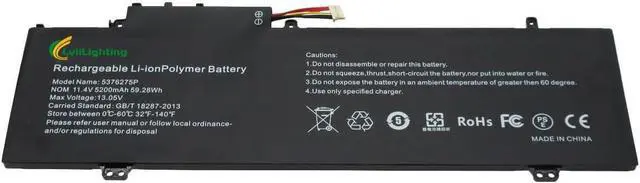
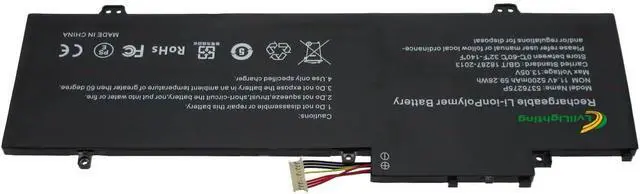
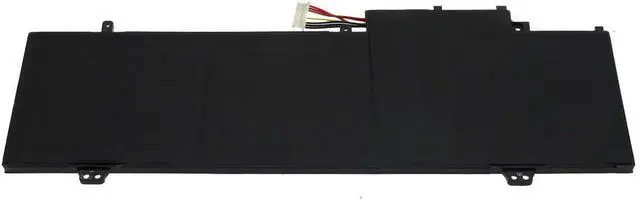
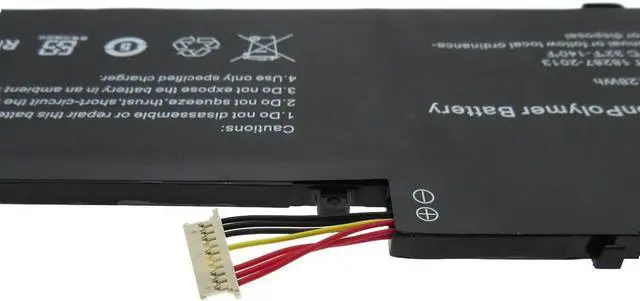
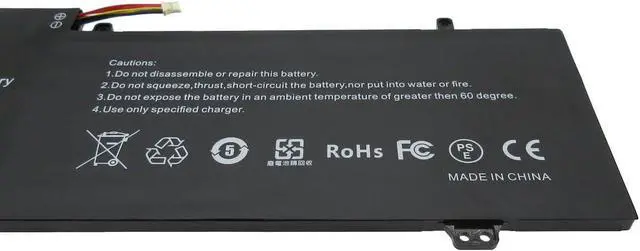
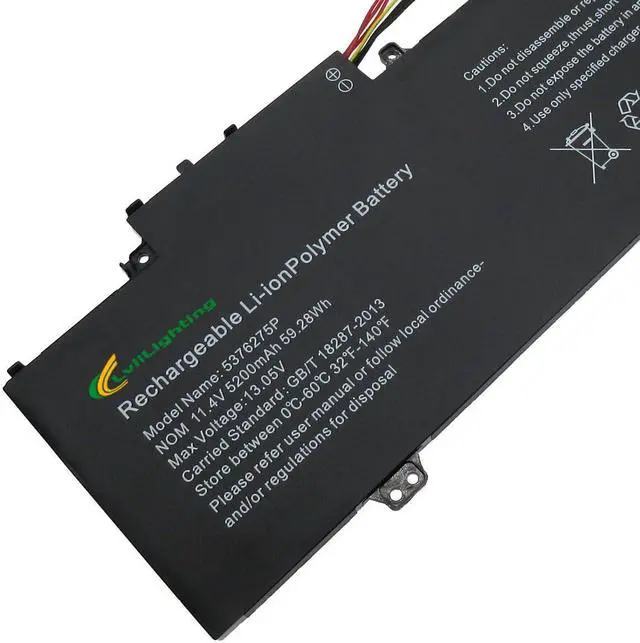


5376275P Laptop Battery NV-459067-3S u559068pv-3s1p 549567-3S1P Replacement for Gateway Computer GWNR51516-GR GWTN156-7BL GWTN141-10BL GWTN156-1BL Gwnr71517-bl 11.4V5200mAh/59.28Wh
- Battery Type: Li-ion, Voltage:11.4V. Capacity: 5200mAh (52.5W), Cells: 3-cell, Color: Black, Condition:New, Battery life: New from Manufacturer. Up to 500 recharge cycles over the life of the battery
- Compatible with part models:NV-509067-3S, 5376275P, U559068PV-3S1P, NV-549067-3S,549567-3s1p
- Fit for Laptop Models: GATEWAY GWNR51516-GR, GWNR71517, GWNR71517-BK, GWNR71517-BL, GWR71517, GWR71517-BL, GWTN 156-4, GWTN1 56-4BK, GWTN1 56-5BL, GWTN1 56-9RG, GWTN141-1, GWTN141-10, GWTN141-10BK, GWTN141-10BL, GWTN141-10GR, GWTN141-10RG., GWTN141-10SL, GWTN141-1BK, GWTN141-1BL, GWTN141-1GR, GWTN141-1PR, GWTN141-2, GWTN141-2BK, GWTN141-2BL, GWTN141-2GR, GWTN141-2PR, It is very important to check your old battery with connection carefully before ordering
- Each products has undergone rigorous testing to ensure the correct voltage, circuit protection, stable current, low self-discharge.
- NotePlease open the back cover of the laptop before ordering and make sure that the original battery model is
+
+
Overview
Specs
Reviews

Any questions? Our AI beta will help you find out quickly.
Try me now
LvliLighting provides travel accessories during your trip. such as batteries for laptop and luggage straps to free your hands. It can ensure that you are never out of power no matter where you are. Whether you are spending business trip, attending commercial meeting, or working during the camping outside , it is the perfect companion for your computer.
Model: NV-549067-3S 5376275P
Voltage: 11.4V
Capacity: 5200mAh/59.28Wh
Battery Type: Rechargeable Lithium-ion Battery
Color: BLACK
Compatible Part Number:
NV-509067-3S, 5376275P, U559068PV-3S1P, NV-549067-3S
Fit Machine Models:
For GATEWAY GWNC31514, GWNC31514-bk, GWNC31514-BL, GWNR51516-GR, GWNR71517, GWNR71517-BK, GWNR71517-BL, GWR71517, GWR71517-BL, GWTN 156-4, GWTN1 56-4BK, GWTN1 56-5BL, GWTN1 56-9RG, GWTN141-1, GWTN141-10, GWTN141-10BK, GWTN141-10BL, GWTN141-10GR, GWTN141-10RG., GWTN141-10SL, GWTN141-1BK, GWTN141-1BL, GWTN141-1GR, GWTN141-1PR, GWTN141-2, GWTN141-2BK, GWTN141-2BL, GWTN141-2GR, GWTN141-2PR, GWTN141-3, GWTN141-3BK, GWTN141-3BL, GWTN141-4, GWTN141-4bk, GWTN141-4bl, GWTN141-4GR, GWTN141-4RG, GWTN141-5, gwtn141-5bk, GWTN141-5BL, GWTN141-5GR, GWTN141-5PR, GWTN141-6, GWTN141-6BK, GWTN141-6BL, GWTN141-6GR, GWTN141-6PR, GWTN156 11, GWTN156 11GR, GWTN156 11MC, GWTN156 12, GWTN156 2, GWTN156 2BK, GWTN156 3, GWTN156 3BK, GWTN156 9, GWTN156 TLKA, GWTN156-1, GWTN156-11BK, GWTN156-11Bl, GWTN156-12BK, GWTN156-12BL, GWTN156-12GR, GWTN156-12RD, GWTN156-1BK, GWTN156-1BL, GWTN156-1GR, GWTN156-4BL, GWTN156-4GR, GWTN156-4PR, GWTN156-5, GWTN156-5BK, GWTN156-5GR, GWTN156-5PR, GWTN156-7, GWTN156-7BK, GWTN156-7BL, GWTN156-7GR, GWTN156-7PR, GWTN156-9BK, GWTN156-9BL, GWTN156-9GR, GWTN156-9SL, Nv5930, NV5937U, nv59c, NV59C26u, NV59C27u, NV59C28
Grade A cell ensure fast charges and low power consumption; Built-in circuit protection ensures both safety and reliability.
Use your laptop model name to find the replacement battery. Check your specific laptop model name by pressing [Win] + [R] key and entering [msinfo32] or [dxdiag]. Click OK to find your system model.
Our batteries come in a sturdy cardboard & an anti-static bag wrapped in synthetic foam, to ensure your replaceable battery arrives safely
Please disconnect all connectors of the laptop, remove the old battery, press and hold the power switch of the laptop for 20 to 30 seconds 3-5 times to remove static electricity. Then clean the new battery interface and install it on the computer. make sure the battery connector is free and close it well to the laptop. After turning on the device, there will be a battery icon displayed in the lower right corner of the screen. Move the mouse to the battery icon, and the battery level will be displayed. that means the battery is installed successfully.
About LvliLighting 5376275P battery for GATEWAY nv59c GWTN141-2 Safety Charging Confirm the battery is suitable for your laptop Secure Packaging New battery installation tips:
Model: NV-549067-3S 5376275P
Voltage: 11.4V
Capacity: 5200mAh/59.28Wh
Battery Type: Rechargeable Lithium-ion Battery
Color: BLACK
Compatible Part Number:
NV-509067-3S, 5376275P, U559068PV-3S1P, NV-549067-3S
Fit Machine Models:
For GATEWAY GWNC31514, GWNC31514-bk, GWNC31514-BL, GWNR51516-GR, GWNR71517, GWNR71517-BK, GWNR71517-BL, GWR71517, GWR71517-BL, GWTN 156-4, GWTN1 56-4BK, GWTN1 56-5BL, GWTN1 56-9RG, GWTN141-1, GWTN141-10, GWTN141-10BK, GWTN141-10BL, GWTN141-10GR, GWTN141-10RG., GWTN141-10SL, GWTN141-1BK, GWTN141-1BL, GWTN141-1GR, GWTN141-1PR, GWTN141-2, GWTN141-2BK, GWTN141-2BL, GWTN141-2GR, GWTN141-2PR, GWTN141-3, GWTN141-3BK, GWTN141-3BL, GWTN141-4, GWTN141-4bk, GWTN141-4bl, GWTN141-4GR, GWTN141-4RG, GWTN141-5, gwtn141-5bk, GWTN141-5BL, GWTN141-5GR, GWTN141-5PR, GWTN141-6, GWTN141-6BK, GWTN141-6BL, GWTN141-6GR, GWTN141-6PR, GWTN156 11, GWTN156 11GR, GWTN156 11MC, GWTN156 12, GWTN156 2, GWTN156 2BK, GWTN156 3, GWTN156 3BK, GWTN156 9, GWTN156 TLKA, GWTN156-1, GWTN156-11BK, GWTN156-11Bl, GWTN156-12BK, GWTN156-12BL, GWTN156-12GR, GWTN156-12RD, GWTN156-1BK, GWTN156-1BL, GWTN156-1GR, GWTN156-4BL, GWTN156-4GR, GWTN156-4PR, GWTN156-5, GWTN156-5BK, GWTN156-5GR, GWTN156-5PR, GWTN156-7, GWTN156-7BK, GWTN156-7BL, GWTN156-7GR, GWTN156-7PR, GWTN156-9BK, GWTN156-9BL, GWTN156-9GR, GWTN156-9SL, Nv5930, NV5937U, nv59c, NV59C26u, NV59C27u, NV59C28
Grade A cell ensure fast charges and low power consumption; Built-in circuit protection ensures both safety and reliability.
Use your laptop model name to find the replacement battery. Check your specific laptop model name by pressing [Win] + [R] key and entering [msinfo32] or [dxdiag]. Click OK to find your system model.
Our batteries come in a sturdy cardboard & an anti-static bag wrapped in synthetic foam, to ensure your replaceable battery arrives safely
Please disconnect all connectors of the laptop, remove the old battery, press and hold the power switch of the laptop for 20 to 30 seconds 3-5 times to remove static electricity. Then clean the new battery interface and install it on the computer. make sure the battery connector is free and close it well to the laptop. After turning on the device, there will be a battery icon displayed in the lower right corner of the screen. Move the mouse to the battery icon, and the battery level will be displayed. that means the battery is installed successfully.
About LvliLighting 5376275P battery for GATEWAY nv59c GWTN141-2 Safety Charging Confirm the battery is suitable for your laptop Secure Packaging New battery installation tips:
Warranty & Returns
Warranty, Returns, And Additional Information
Warranty
- Please contact the Seller directly for warranty information. Warranty information may also be found on the Manufacturer's website.
- CONTACT
Return Policies
- Return for refund within: 45 days
- Return for replacement within: 45 days
- This item is covered by Xalvion E-Commerce Limited Return Policy
Manufacturer Contact Info
- For a directory of all our manufacturers, please click below.
- Manufacturers Directory
LOADING...