




 here!
here!
I’m your shopping assistant for PC builds, upgrades, and everything tech.
Got questions? Ask away!
Start a conversation
here!
I’m your shopping assistant for PC builds, upgrades, and everything tech.
Got questions? Ask away!
Start a conversation
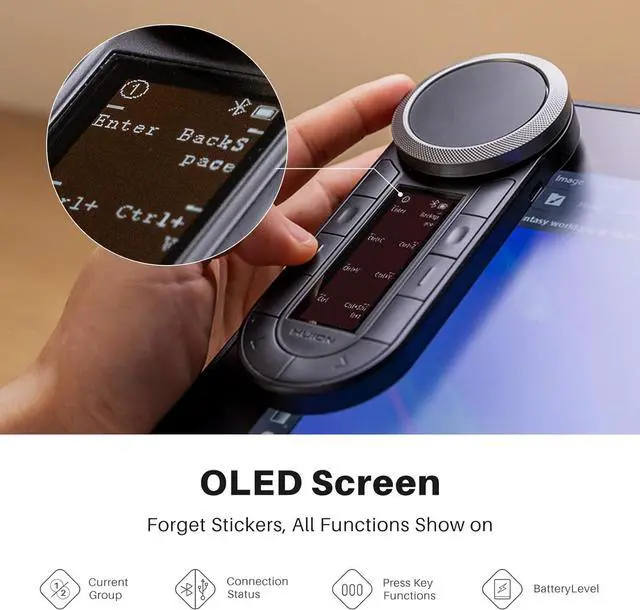



Any questions? Ask CelesteSM will help you find out quickly.

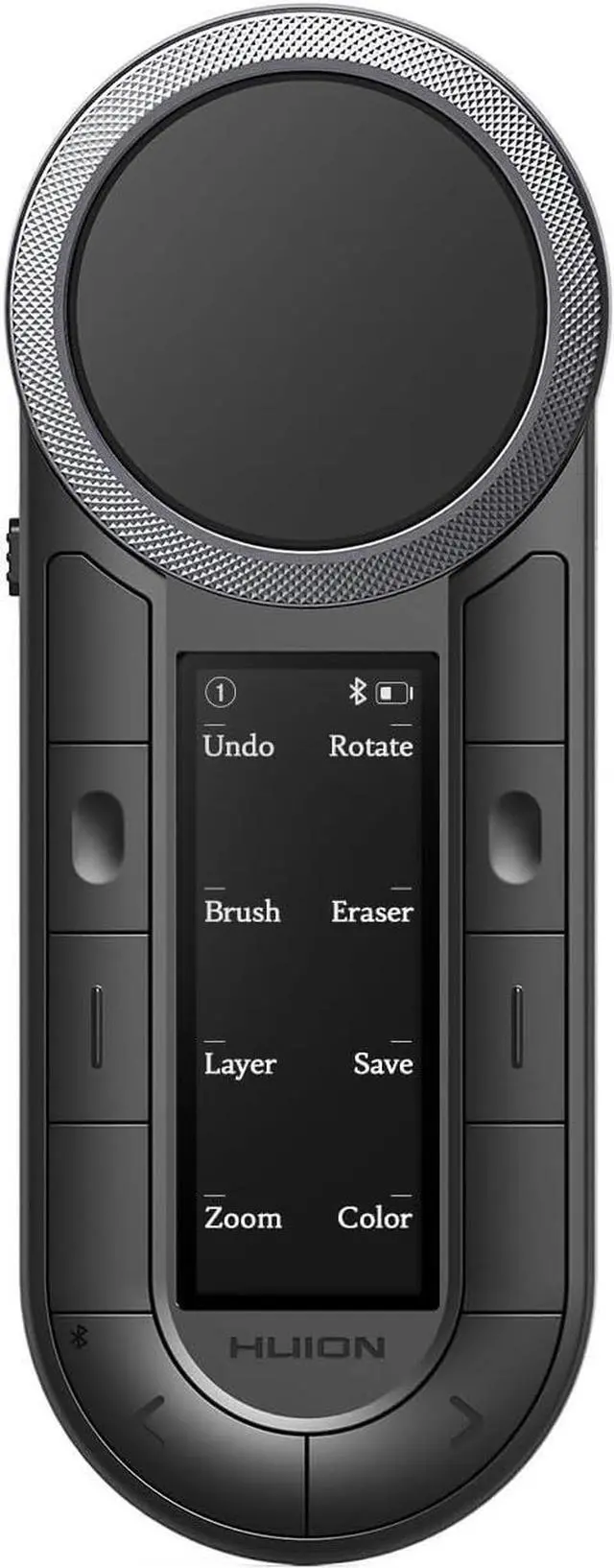
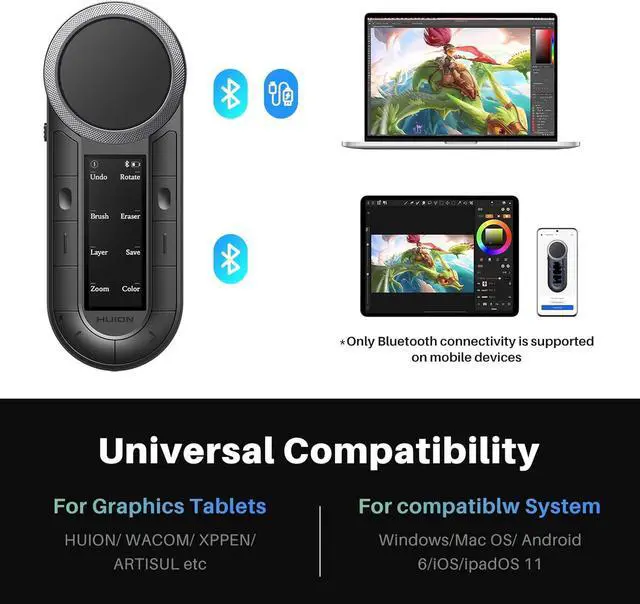
The bluetooth keypad is work with MAC, Windows and mobile device. It can work with other brands' art tablets, also work with Surface Pro, laptops, etc

It is compatible with almost any creative software like PS, Lightroom, Illustrator, Final Cut Pro X, Premiere Pro, Clip Studio Paint, SAI, etc.

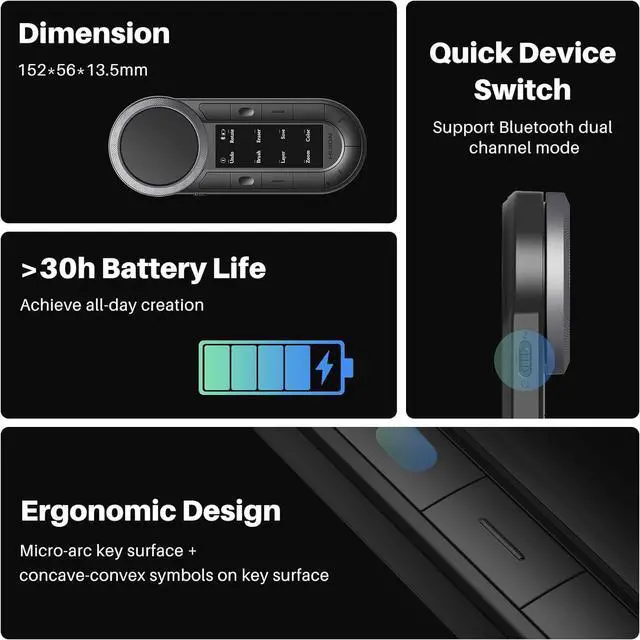
Continuous working up to 30 hours; mini keypad will enter sleep mode after 15 minutes of inactivity, standby time up to 152 hours

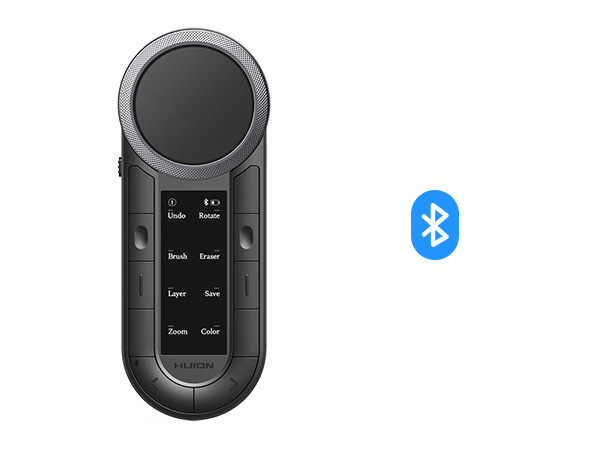
The macro pad body weights around 100g and features a flat bottom surface design for a comfortable grip.

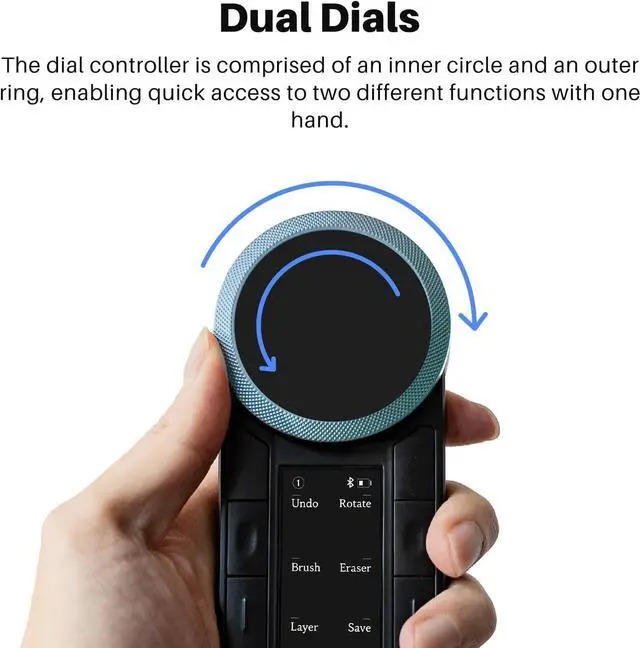
You can easily control brush or undo each line of drawing step-by-step with the keypad. And all these control can be done with just one hand. Enhance your drawing efficiency in a more intuitive way.

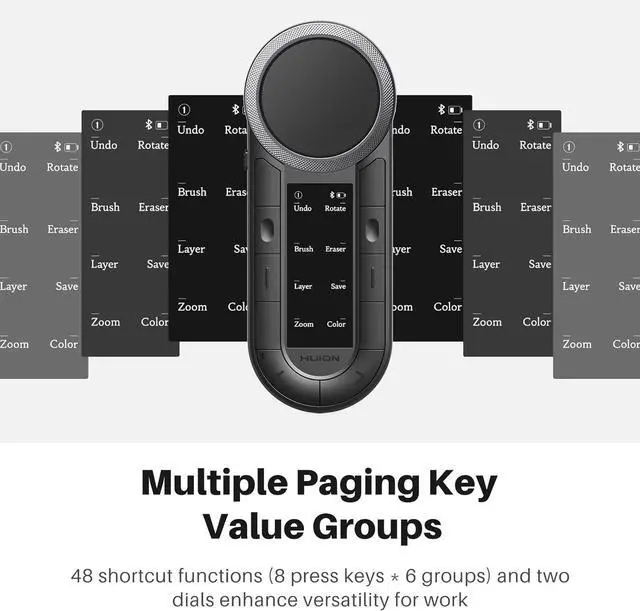
The dial function and 48 customized keys make time-line control, trimming, editing video frame-by-frame like a breeze within a fingers reach and you don’t need any finger contortions to press them.

Customized keys and dials boost speed with quick access to various tools (extrude, scale). They minimize menus, enhance precision, and optimize workflow—essential for professional modeling speed.

6 Groups Keys in Excel boost efficiency by quick formatting, formula entry, etc. They minimize mouse use, speed up calculations, Also can use it for media playing switch app, browse website.
|
|
OLED Screen |
|
2xBluetooth5.0/Wired |
Connectivity |
Bluetooth5.0/Wired |
Dual Dials |
Programmable Dial |
One Dial |
48 Keys |
Customized Keys |
18 Keys |
All Keys |
Anti-ghosting Keys |
5 Keys |
Mac, Windows, Mobile |
OS Support |
Mac, Windows |
3.8 OZ |
Net Weight (Ounce) |
4 OZ |
|
|
OLED Screen |
|
2xBluetooth5.0/Wired |
Connectivity |
2.4G Wireless/Wired |
Dual Dials |
Programmable Dial |
One Dial |
48 Keys |
Customized Keys |
18 Keys |
All Keys |
Anti-ghosting Keys |
None |
Mac, Windows, Mobile |
OS Support |
Mac, Windows |
3.8 OZ |
Net Weight (Ounce) |
4 OZ |
What's the system requirement?
The programmable keypad is work with Windows, macOS, Android 8.0 or later and iOS 13 or later. You can use the default functions of Keydial without a driver.
How can I customize the Keys and dials?
For PC, please download the new version of the Huion driver V20, which supports setting group names, key values, and usage angles. For custom shortcut keys on mobile phones and tablets, please download the Huion Keydial app.
How many Bluetooth devices can the macropad connect to at the same time? Does it support Bluetooth forced pairing?
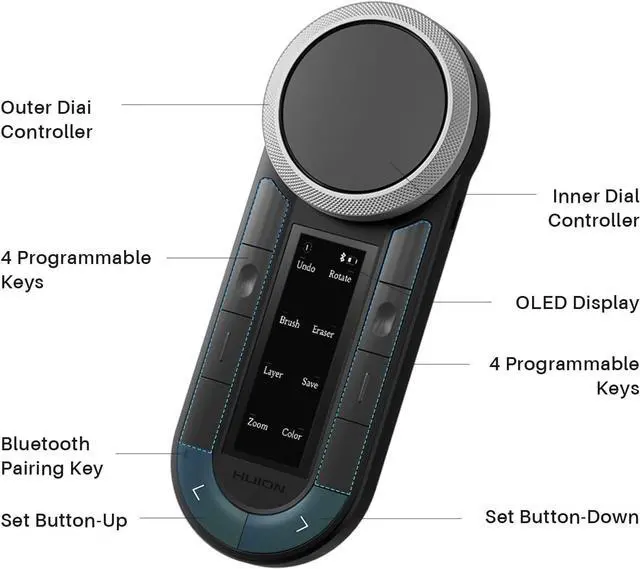
K40 features dual Bluetooth channels, allowing simultaneous connections to two wireless devices. Switch between devices with a simple click of the side key. Press the U-shaped "up" button for 3seconds to achieve the Bluetooth forced pairing function.
Can the macro pad be used at multiple angles?
Yes, you can adjust the four usage angles (0°, 90°, 180°, 270°) via the driver. This feature is very friendly to left and right hands.
Does this programmable keyboard support using multiple keys inputs?
Yes, the Huion Keydial remote is upgraded to support anti-ghosting.


Founded in 2011, Huion has always been dedicated to providing high-quality pen tablets, pen displays, and pen computers to creative users.
And our products not only help artists, designers, and animators to create fantastic digital masterpieces, but also bring digital ink solutions to many people around the world, changing the way they create, learn and work.
We believe the world is in your hands.




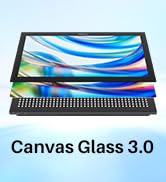
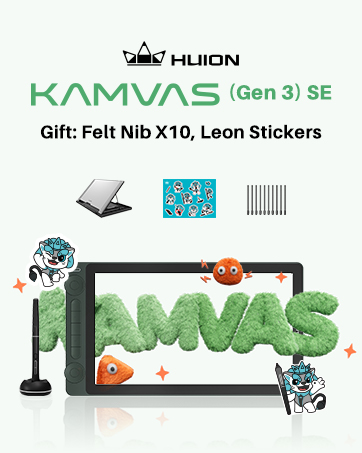
New release-Kamvas 13 (Gen 3) Special Edition







The bluetooth keypad is work with MAC, Windows and mobile device. It can work with other brands' art tablets, also work with Surface Pro, laptops, etc
It is compatible with almost any creative software like PS, Lightroom, Illustrator, Final Cut Pro X, Premiere Pro, Clip Studio Paint, SAI, etc.
Continuous working up to 30 hours; mini keypad will enter sleep mode after 15 minutes of inactivity, standby time up to 152 hours
The macro pad body weights around 100g and features a flat bottom surface design for a comfortable grip.


You can easily control brush or undo each line of drawing step-by-step with the keypad. And all these control can be done with just one hand. Enhance your drawing efficiency in a more intuitive way.
The dial function and 48 customized keys make time-line control, trimming, editing video frame-by-frame like a breeze within a fingers reach and you don’t need any finger contortions to press them.
Customized keys and dials boost speed with quick access to various tools (extrude, scale). They minimize menus, enhance precision, and optimize workflow—essential for professional modeling speed.
6 Groups Keys in Excel boost efficiency by quick formatting, formula entry, etc. They minimize mouse use, speed up calculations, Also can use it for media playing switch app, browse website.
OLED Screen |
|
Connectivity |
2xBluetooth5.0/Wired |
Programmable Dial |
Dual Dials |
Customized Keys |
48 Keys |
Anti-ghosting Keys |
All Keys |
OS Support |
Mac, Windows, Mobile |
Net Weight (Ounce) |
3.8 OZ |

OLED Screen |
|
Connectivity |
Bluetooth5.0/Wired |
Programmable Dial |
One Dial |
Customized Keys |
18 Keys |
Anti-ghosting Keys |
5 Keys |
OS Support |
Mac, Windows |
Net Weight (Ounce) |
4 OZ |

OLED Screen |
|
Connectivity |
2.4G Wireless/Wired |
Programmable Dial |
One Dial |
Customized Keys |
18 Keys |
Anti-ghosting Keys |
None |
OS Support |
Mac, Windows |
Net Weight (Ounce) |
4 OZ |
What's the system requirement?
The programmable keypad is work with Windows, macOS, Android 8.0 or later and iOS 13 or later. You can use the default functions of Keydial without a driver.
How can I customize the Keys and dials?
For PC, please download the new version of the Huion driver V20, which supports setting group names, key values, and usage angles. For custom shortcut keys on mobile phones and tablets, please download the Huion Keydial app.
How many Bluetooth devices can the macropad connect to at the same time? Does it support Bluetooth forced pairing?
K40 features dual Bluetooth channels, allowing simultaneous connections to two wireless devices. Switch between devices with a simple click of the side key. Press the U-shaped "up" button for 3seconds to achieve the Bluetooth forced pairing function.
Can the macro pad be used at multiple angles?
Yes, you can adjust the four usage angles (0°, 90°, 180°, 270°) via the driver. This feature is very friendly to left and right hands.
Does this programmable keyboard support using multiple keys inputs?
Yes, the Huion Keydial remote is upgraded to support anti-ghosting.
Founded in 2011, Huion has always been dedicated to providing high-quality pen tablets, pen displays, and pen computers to creative users.
And our products not only help artists, designers, and animators to create fantastic digital masterpieces, but also bring digital ink solutions to many people around the world, changing the way they create, learn and work.
We believe the world is in your hands.
New release-Kamvas 13 (Gen 3) Special Edition


