

Your Browsing History
Most customers receive within 7-9 days.

Meet Your Seller


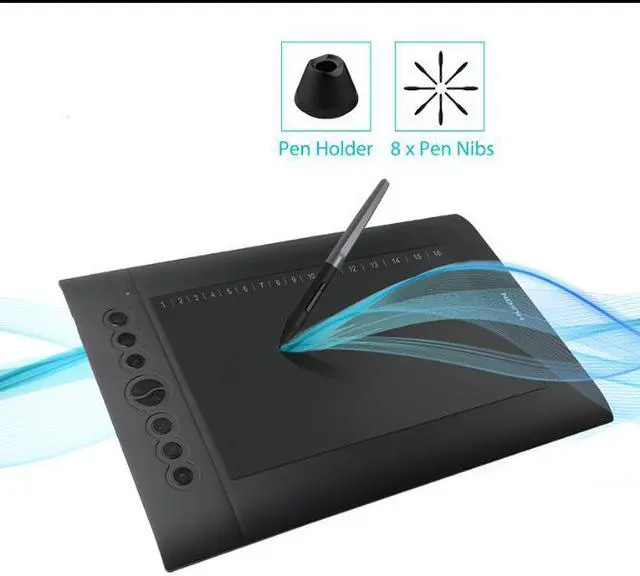


H610 Pro V2 Graphic Drawing Tablet Android Supported Pen Tablet Tilt Function Battery-Free Stylus 8192 Pen Pressure with 8 Express Keys
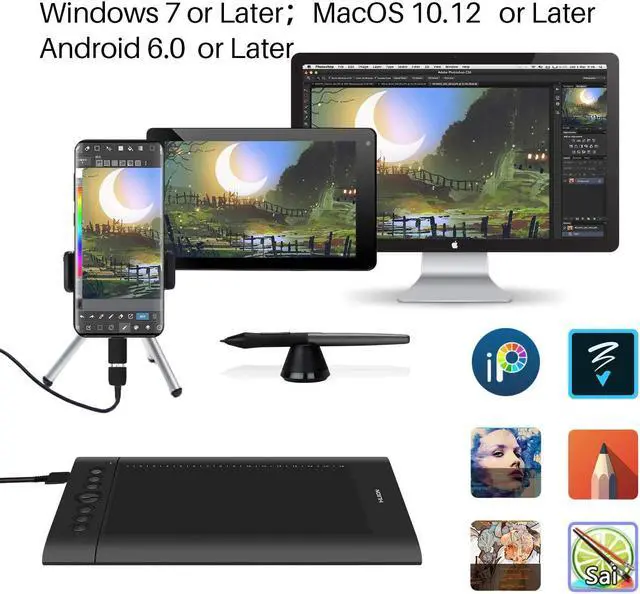
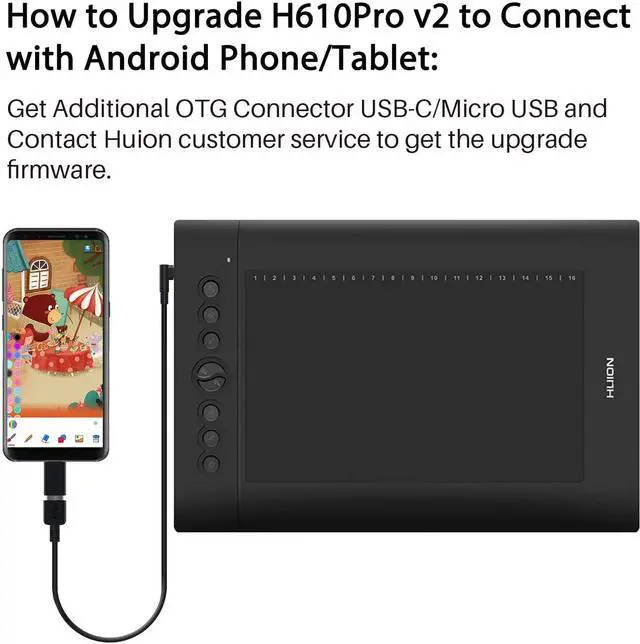
- OS Android 6.0 Supported -You can easily connect your phone to the tablet with the OTG connector after firmware UPDATED; ONLY mobile phone and tablet powered by Android 6.0 or above are supported, while iPhone and iPad are NOT at the moment. NOTE: The cursor will not show up in SAMSUNG at present, except SAMSUNG Note Series. If you are not sure whether the product is compatible with your Phone or if you meet any problems, please contact us.
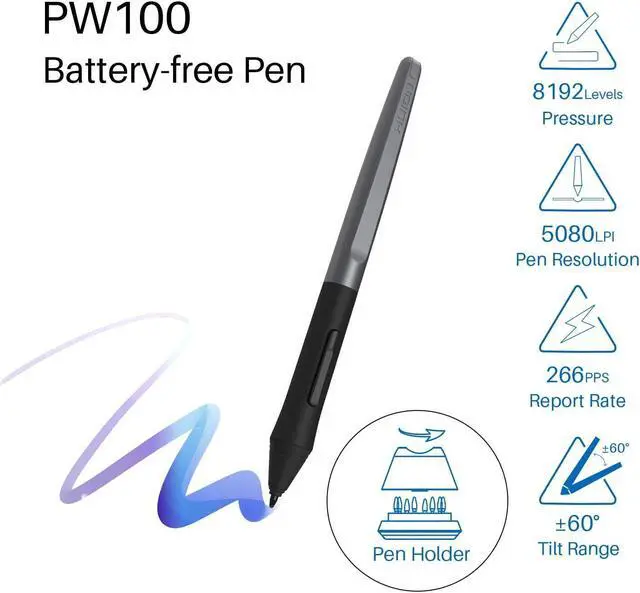
- Innovative Tilt Control System - Provide you better pressure detection and accurate cursor positioning with different angles, restore the true feeling of painting.
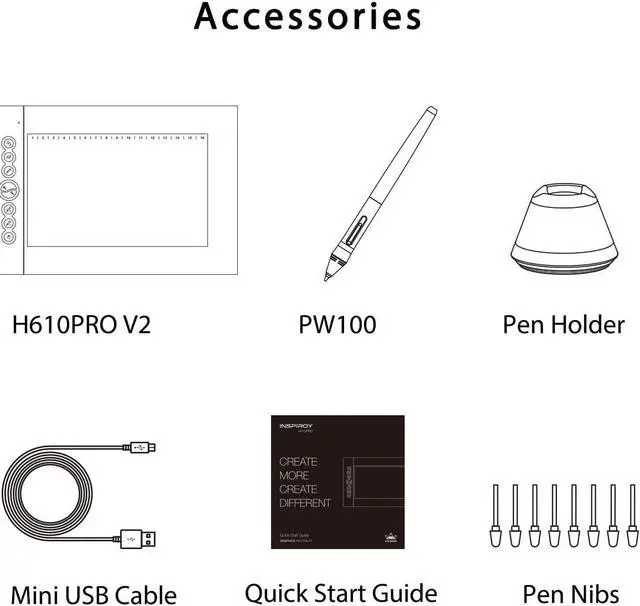
- 8192 Levels of Pressure Sensitivity - Outfitted with Huion's latest battery-free stylus PW100 of 10mm reading heights; 5080LPI in resolution and 233RPS in reading rates, which offers more accurate and natural drawing experience.
- Customizable Shortcut Keys - 8 Customized Press Keys + 16 Customized Soft Keys, all customizable and easy to set up; With the two pen buttons, you can set it to t
Overview
Specs
Reviews

Any questions? Our AI mode will help you find out quickly.
Try me now
WARM TIPS:
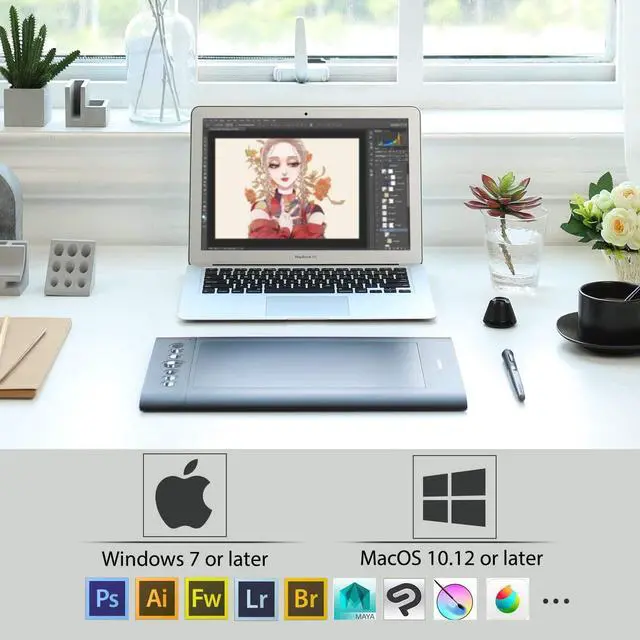
1. H610 Pro V2 is not a stand alone product!
H610 Pro V2 must be connected to a computer or Android Devices to use.
2. Connection
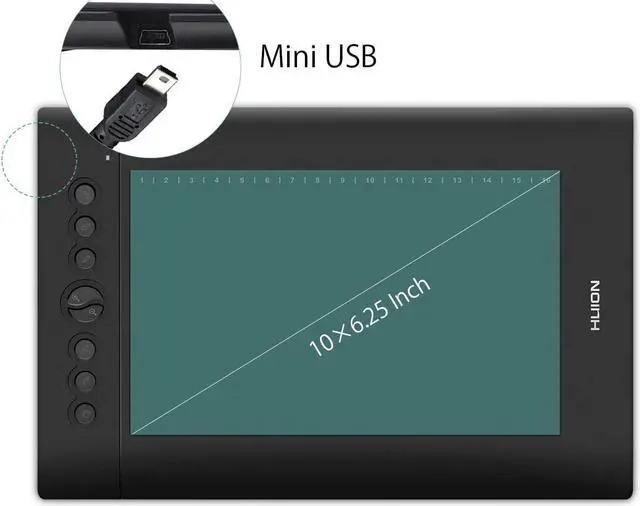
Please make sure completely plug USB cable into the tablet. When you need to connect the tablet to mobile phone, please use the OTG adapter and operate following to the user manual.
3. Driver Download and Installation
Driver Download: Our driver will be regularly updated, so please go to Huion official web to download the newest driver, and install it on your computer.
3.1 For Windows Users:
Please make sure there is no other brands driver on computer and close all drawing program before installation. (IMPORTANT) Please run as administrator when installing the driver.
3.2 For Mac Mojave (10.14), Catalina (10.15) Users:
Our driver is compatible with Mac OS Mojave (10.14) and Catalina (10.15), please install the newest released driver on your computer and add the "HuionTablet" and "TabletDriverAgent" into the whitelist first after installed the driver.
4. Tech Support
If you have any problems with the H610 Pro V2, please check the Quick Guide and search Huion online to find a way to ask us for further assistance, we are always ready to help you!
Reminder:
The Samsung Note series can display the cursor after setting, other series will not. The cursor will not show up in following models:
Nexus 6 /Google
Galaxy S6 /Samsung
Galaxy S7 edge /Samsung
Galaxy S7 /Samsung
Galaxy Tab S2 /Samsung
Galaxy S8 /Samsung
Galaxy S9 /Samsung
Galaxy S10, S10e /Samsung
1. H610 Pro V2 is not a stand alone product!
H610 Pro V2 must be connected to a computer or Android Devices to use.
2. Connection
Please make sure completely plug USB cable into the tablet. When you need to connect the tablet to mobile phone, please use the OTG adapter and operate following to the user manual.
3. Driver Download and Installation
Driver Download: Our driver will be regularly updated, so please go to Huion official web to download the newest driver, and install it on your computer.
3.1 For Windows Users:
Please make sure there is no other brands driver on computer and close all drawing program before installation. (IMPORTANT) Please run as administrator when installing the driver.
3.2 For Mac Mojave (10.14), Catalina (10.15) Users:
Our driver is compatible with Mac OS Mojave (10.14) and Catalina (10.15), please install the newest released driver on your computer and add the "HuionTablet" and "TabletDriverAgent" into the whitelist first after installed the driver.
4. Tech Support
If you have any problems with the H610 Pro V2, please check the Quick Guide and search Huion online to find a way to ask us for further assistance, we are always ready to help you!
Reminder:
The Samsung Note series can display the cursor after setting, other series will not. The cursor will not show up in following models:
Nexus 6 /Google
Galaxy S6 /Samsung
Galaxy S7 edge /Samsung
Galaxy S7 /Samsung
Galaxy Tab S2 /Samsung
Galaxy S8 /Samsung
Galaxy S9 /Samsung
Galaxy S10, S10e /Samsung
Warranty & Returns
Warranty, Returns, And Additional Information
Warranty
- Please contact the Seller directly for warranty information. Warranty information may also be found on the Manufacturer's website.
- CONTACT
Return Policies
- Return for refund within: 30 days
- Return for replacement within: 30 days
- This item is covered by Easydealshop Return Policy
Manufacturer Contact Info
- For a directory of all our manufacturers, please click below.
- Manufacturers Directory
LOADING...