• $107.97
  • Free 30-day Returns
  • Ships from China.
    Price alert
    Shop it at NeweggBusiness.

    Meet Your Seller

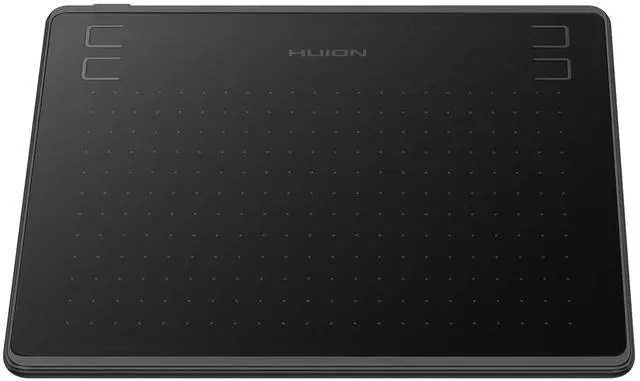
    HS64 OSU Drawing Tablet 16384 Pen Pressure

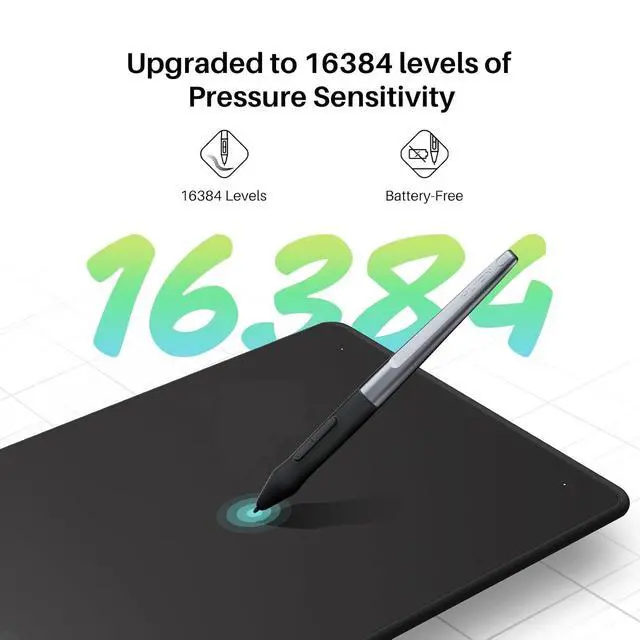
    • [16384 Pen Pressure] Upgraded to 16384 levels of pressure sensitivity, the stylus provides you with ultimate precision and control. With no charging needed, the battery-free stylus makes it easy for beginners to create. The side buttons of the pen help you switch between pen and eraser instantly.
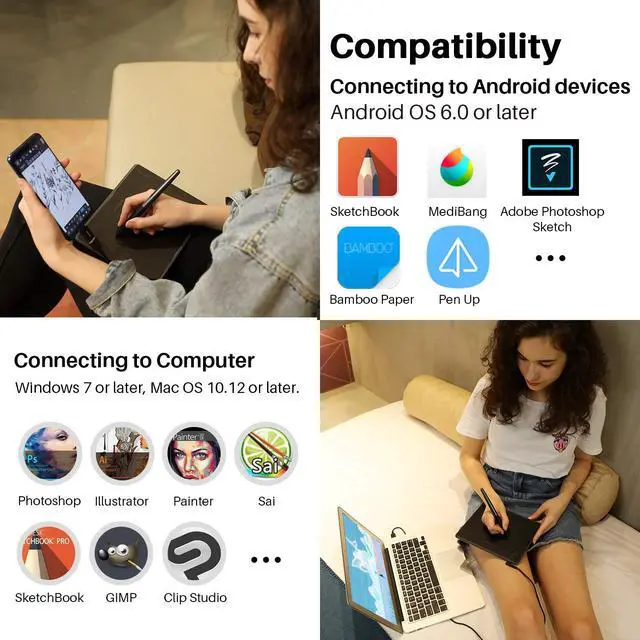
    • [Easy to Use] This pen tablet is perfect for kids and beginners for drawing, animation, photo-editing or design work in most programs including Adobe Photoshop, paint tool sai, illustrator, corel draw, corel painter, sketchbook, manga studio, clip studio paint and more
    • [Perfect Mouse Replacement] No need to install a driver, HS64 drawing pad with responsive stylus can replace the computer mouse and keyboard to enhance your workflow
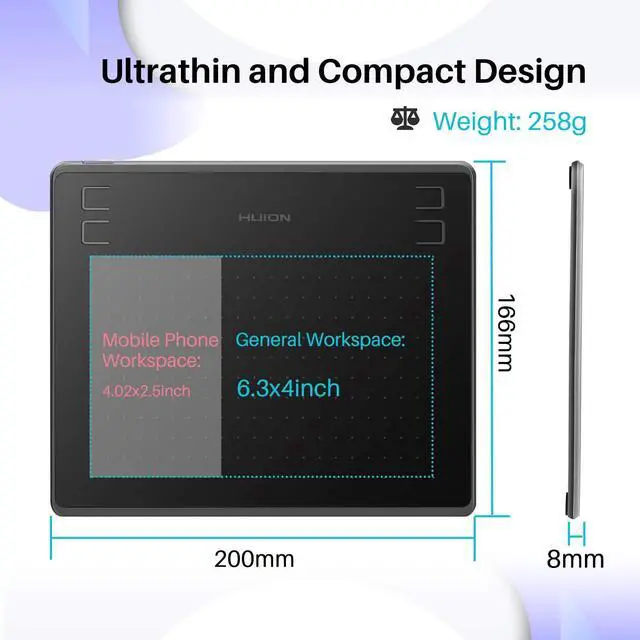
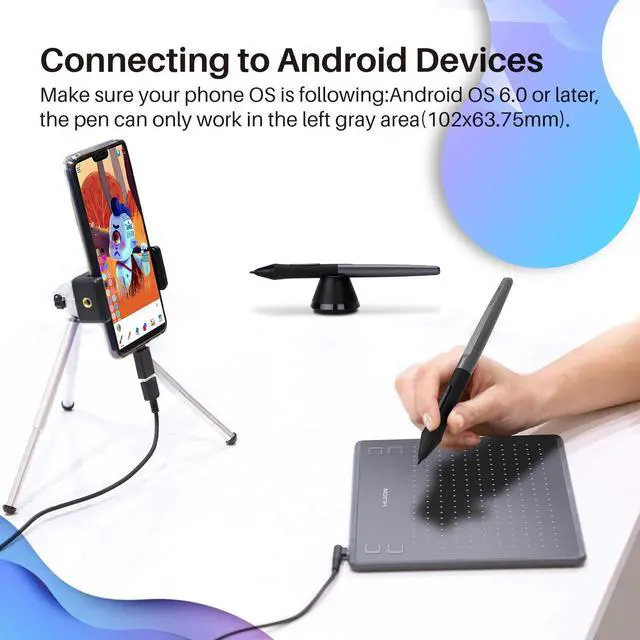
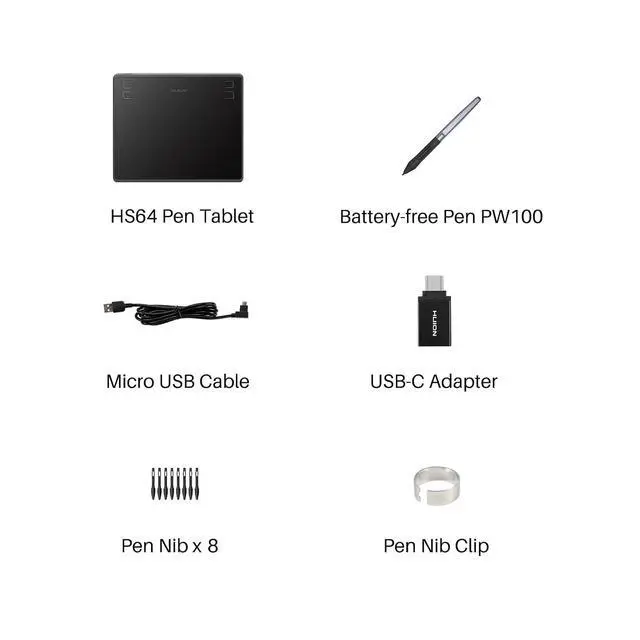
    • [Support Linux/Mac/Windows/Android] Not only compatible with Linux(Ubuntu), Mac and Windows, Huion HS64 also supports Android 6.0 or later via an included OTG adapter to turn your phones into a digital drawing canvas
    • [Online Teaching] It is easier for teachers and students to edit, diagram, and annotate with a drawing pen on whiteboard in Zoom, Team and Xsplit while streaming or broadcasting
    • [Online Working] It is also compatible with Word, Powerpoint, OneNote and more for taking notes, signing documents, jotting down ideas while in web conferencing or remote working
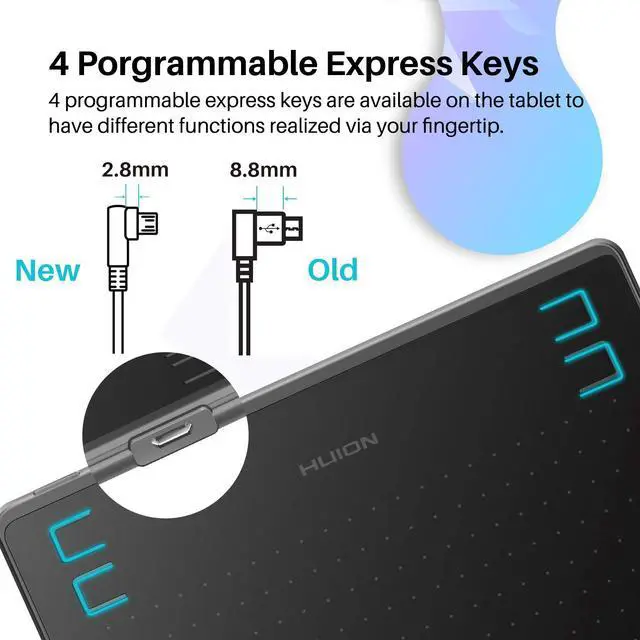
    • [4 Customizable Press Keys] Set up the 4 programmable express keys to any shortcut combination you prefer in Huion driver and optimize your workflow

    +
    +
    Overview
    Specs
    Reviews
    avatar

    Any questions? Our AI mode will help you find out quickly.

    [16384 Pen Pressure] Upgraded to 16384 levels of pressure sensitivity, the stylus provides you with ultimate precision and control. With no charging needed, the battery-free stylus makes it easy for beginners to create. The side buttons of the pen help you switch between pen and eraser instantly.
    [Easy to Use] This pen tablet is perfect for kids and beginners for drawing, animation, photo-editing or design work in most programs including Adobe Photoshop, paint tool sai, illustrator, corel draw, corel painter, sketchbook, manga studio, clip studio paint and more
    [Perfect Mouse Replacement] No need to install a driver, HS64 drawing pad with responsive stylus can replace the computer mouse and keyboard to enhance your workflow
    [Support Linux/Mac/Windows/Android] Not only compatible with Linux (Ubuntu), Mac and Windows, Huion HS64 also supports Android 6.0 or later via an included OTG adapter to turn your phones into a digital drawing canvas
    [Online Teaching] It is easier for teachers and students to edit, diagram, and annotate with a drawing pen on whiteboard in Zoom, Team and Xsplit while streaming or broadcasting
    [Online Working] It is also compatible with Word, Powerpoint, OneNote and more for taking notes, signing documents, jotting down ideas while in web conferencing or remote working
    [4 Customizable Press Keys] Set up the 4 programmable express keys to any shortcut combination you prefer in Huion driver and optimize your workflow

    Warranty & Returns

    Warranty, Returns, And Additional Information

    Warranty

    • Please contact the Seller directly for warranty information. Warranty information may also be found on the Manufacturer's website.
    • CONTACT

    Return Policies

    • Return for refund within: 30 days
    • Return for replacement within: 30 days
    • This item is covered by BRIGHTOR Return Policy

    Manufacturer Contact Info

    LOADING...