



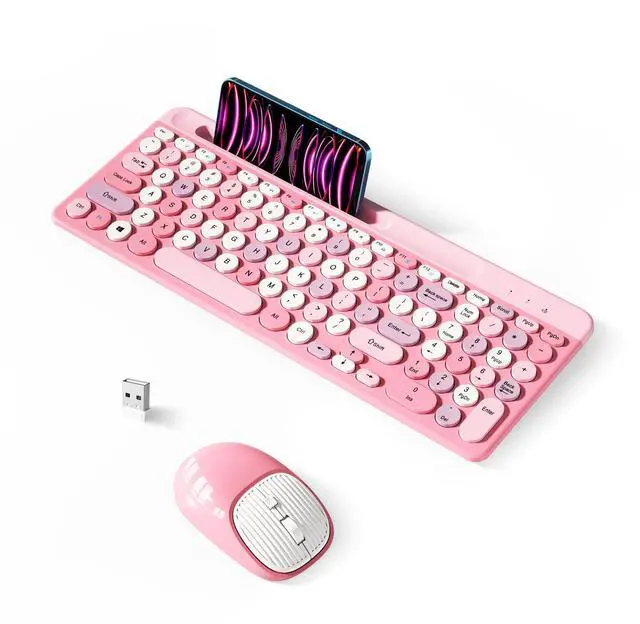
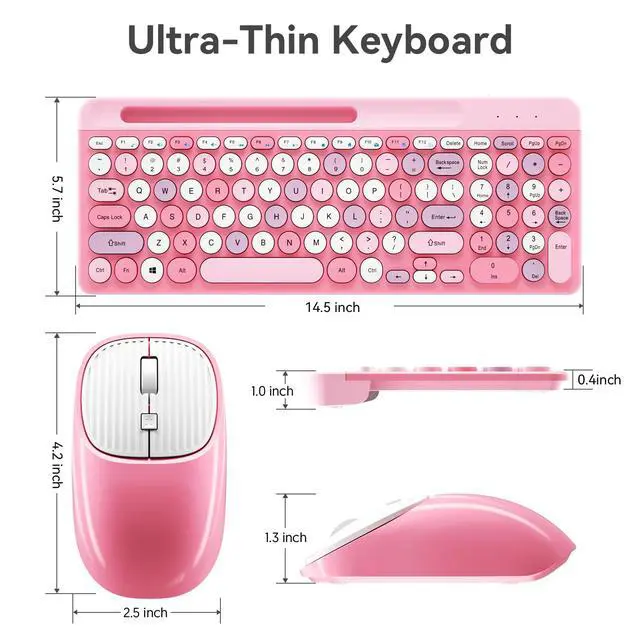


Xisoguu is professional in providing Colorful Keyboard and Mouse Combo. We take advantage of our experienced quality control and supply chain to bring you “Quality products that exceed end-user expectations.
1.2.4 GHz wireless technology delivers a reliable connection with up to a 10M range;
2.Works with your PC, desktop computer, laptop or notebook. Compatible with Windows XP / Vista / 7 / 8 /10 operating systems;
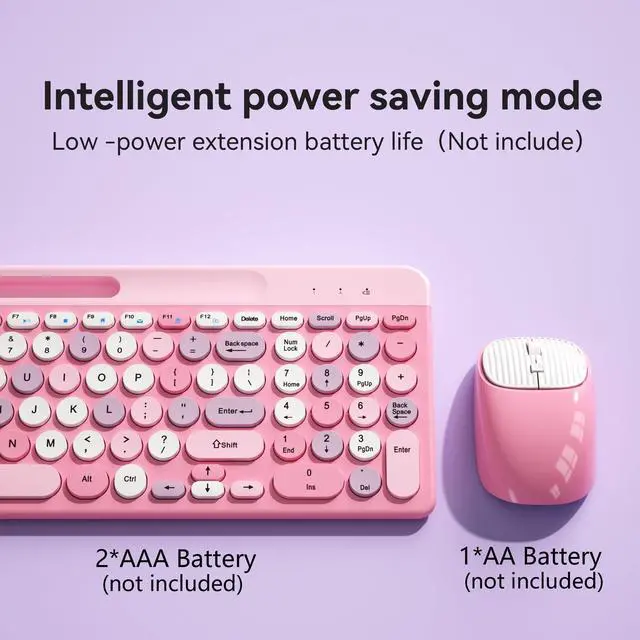
3.Auto sleep/wake smart keyboard and mouse and conserves the battery life without the hassle of changing batteries;
4.Features 12 multimedia hotkeys for instant access to the Internet, email, play/pause, and volume so you can easily check out your favorite sites;
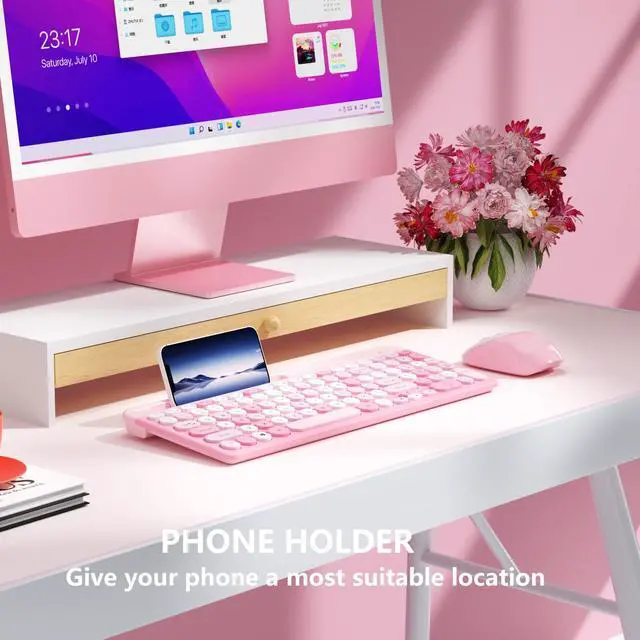
5.Wireless keyboard is ergonomically designed with phone holder and anti-slide pads.

Q:The keyboard or mouse response is delayed, how can I fix it?
A: Low batteries may be the cause. Please replace them with fully charged batteries. Use the device within a 5-meter radius. If the issue persists, please contact the XISOGUU support team immediately. We can resolve your issue more quickly and efficiently, avoiding unnecessary inconvenience.
Q:Is there only one USB receiver? Where can I find it?
A:YES, the wireless keyboard and mouse share ONE USB receiver, it is stored on the back of the mouse next to the battery compartment.
Q: Does it include a USB-C receiver?
A: No, it does not include a USB-C receiver.
Q:Does it come with batteries?
A:Not included, the battery needs to be purchased by the buyer, the keyboard requires 2 AAA batteries, the mouse requires 1AAA or 1AA battery.
Q: Do the keyboard and mouse have on/off switches?
A: The keyboard and mouse both have on/off switches. The keyboard switch is on the side of the keyboard, and the mouse switch is on the bottom of the mouse.
Q:Why doesn't the keyboard respond when the batteries are installed?
A:1. Confirm that the batteries have power.
2. When installing the batteries, please follow the positive and negative polarity instructions.
Q: What to do if the keys are stuck or frozen while typing?
A: There are no obvious obstructions between the keyboard/mouse and the computer.

2.4 GHz wireless
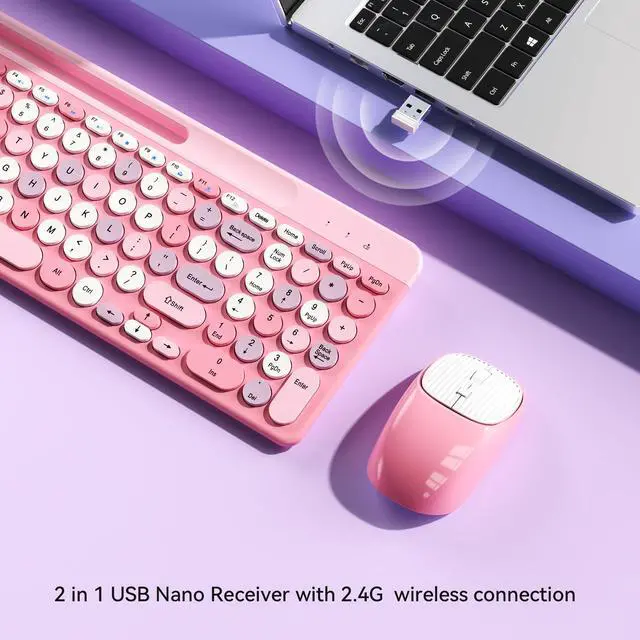
One 2.4 GHz USB receiver can connect both the keyboard and mouse, can also be used separately, plug & play, no need to download any software. 2.4 GHz wireless provides a powerful and reliable connection up to 33 feet(10m) without any delays.(Wireless USB receiver is at the bottom of the mouse). No Delay, No Dropout.

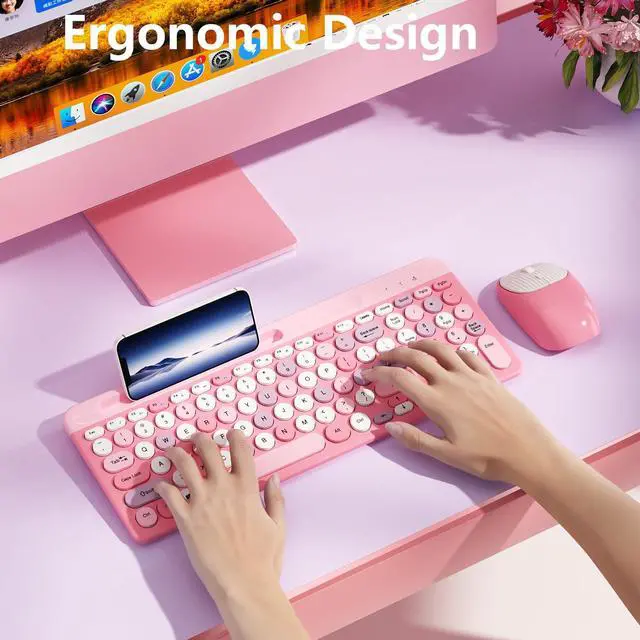
Ergonomic Design
The round key keyboard has a gentle slope that helps to ease the strain on your wrists and the muscles in your arm. Compact and wireless, this mouse is designed to be equally comfortable for both left and right hands thanks to the contoured shape that follows the natural curve of your hand.

Where to Find USB Receiver
The wireless receiver is at the bottom of the mouse.(The keyboard mouse shares a USB receiver.)

PLEASE NOTE 2-in-1 USB Receiver: The keyboard and mouse ONLY require ONE USB receiver, and NO need to use two USB receivers.
How to use the Keyboard and Mouse Set:
Take out the USB receiver, insert it into the USB port of the PC or laptop, then plug 1 AAA battery into the keyboard, 1 AA battery into the mouse, wait a few seconds, you can start using it.
Note:
1. Batteries are not included.
2. The receiver is on the bottom of the mouse.
Package:
1 * Wireless Keyboard
1 * Wireless Mouse
1 * USB Receiver (stored in mouse)
1 * User Manual
Xisoguu is professional in providing Colorful Keyboard and Mouse Combo. We take advantage of our experienced quality control and supply chain to bring you “Quality products that exceed end-user expectations.
1.2.4 GHz wireless technology delivers a reliable connection with up to a 10M range;
2.Works with your PC, desktop computer, laptop or notebook. Compatible with Windows XP / Vista / 7 / 8 /10 operating systems;
3.Auto sleep/wake smart keyboard and mouse and conserves the battery life without the hassle of changing batteries;
4.Features 12 multimedia hotkeys for instant access to the Internet, email, play/pause, and volume so you can easily check out your favorite sites;
5.Wireless keyboard is ergonomically designed with phone holder and anti-slide pads.
Q:The keyboard or mouse response is delayed, how can I fix it?
A: Low batteries may be the cause. Please replace them with fully charged batteries. Use the device within a 5-meter radius. If the issue persists, please contact the XISOGUU support team immediately. We can resolve your issue more quickly and efficiently, avoiding unnecessary inconvenience.
Q:Is there only one USB receiver? Where can I find it?
A:YES, the wireless keyboard and mouse share ONE USB receiver, it is stored on the back of the mouse next to the battery compartment.
Q: Does it include a USB-C receiver?
A: No, it does not include a USB-C receiver.
Q:Does it come with batteries?
A:Not included, the battery needs to be purchased by the buyer, the keyboard requires 2 AAA batteries, the mouse requires 1AAA or 1AA battery.
Q: Do the keyboard and mouse have on/off switches?
A: The keyboard and mouse both have on/off switches. The keyboard switch is on the side of the keyboard, and the mouse switch is on the bottom of the mouse.
Q:Why doesn't the keyboard respond when the batteries are installed?
A:1. Confirm that the batteries have power.
2. When installing the batteries, please follow the positive and negative polarity instructions.
Q: What to do if the keys are stuck or frozen while typing?
A: There are no obvious obstructions between the keyboard/mouse and the computer.
2.4 GHz wireless
One 2.4 GHz USB receiver can connect both the keyboard and mouse, can also be used separately, plug & play, no need to download any software. 2.4 GHz wireless provides a powerful and reliable connection up to 33 feet(10m) without any delays.(Wireless USB receiver is at the bottom of the mouse). No Delay, No Dropout.
Ergonomic Design
The round key keyboard has a gentle slope that helps to ease the strain on your wrists and the muscles in your arm. Compact and wireless, this mouse is designed to be equally comfortable for both left and right hands thanks to the contoured shape that follows the natural curve of your hand.
Where to Find USB Receiver
The wireless receiver is at the bottom of the mouse.(The keyboard mouse shares a USB receiver.)
PLEASE NOTE 2-in-1 USB Receiver: The keyboard and mouse ONLY require ONE USB receiver, and NO need to use two USB receivers.
How to use the Keyboard and Mouse Set:
Take out the USB receiver, insert it into the USB port of the PC or laptop, then plug 1 AAA battery into the keyboard, 1 AA battery into the mouse, wait a few seconds, you can start using it.
Note:
1. Batteries are not included.
2. The receiver is on the bottom of the mouse.
Package:
1 * Wireless Keyboard
1 * Wireless Mouse
1 * USB Receiver (stored in mouse)
1 * User Manual