






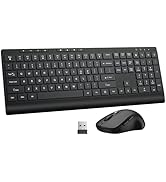
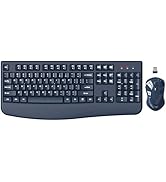
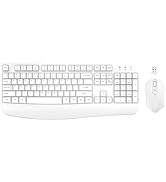


EDJO
EDJO is a professional computer peripheral equipment manufacturer with more than 15 years of history, with a development team and a factory. We are committed to the development and production of wireless keyboards, wireless mice, gaming mechanical keyboards and other computer peripheral products. We used to only sell wholesale in offline stores, and now we are starting to sell online. Choose EDJO products, you will find that it is worthwhile and you will love with this brand.
Wireless Keyboard With Comfortable Palm Rest
Protect Your Wrist From Injury
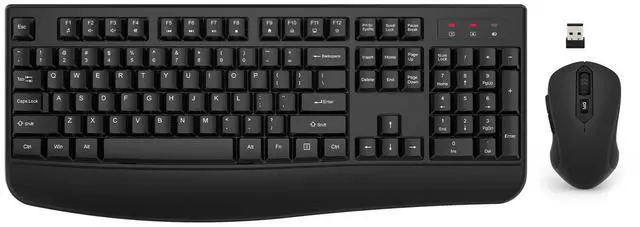
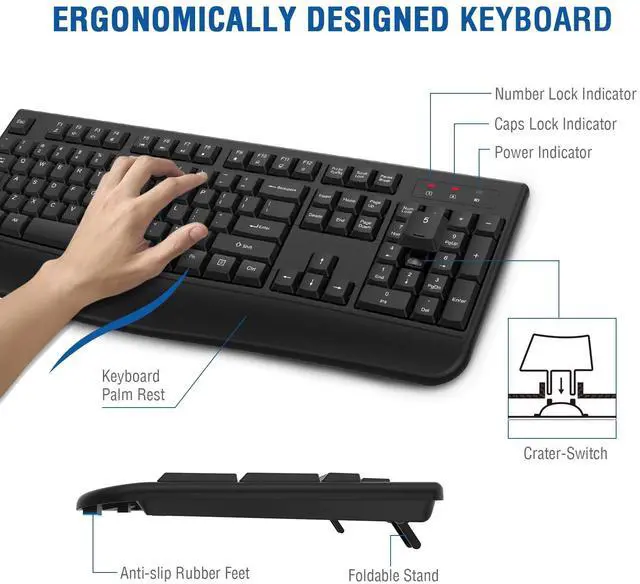
The keyboard with palm rest is designed to protect your wrist from injury during long-term typing. If you are a person who uses the keyboard for a long time, you should undoubtedly choose this Intergrated palm rest keyboard to protect your wrist.
The bottom of the keyboard are also equipped with a foldable feet, so that you can adjust the most comfortable angle for typing.
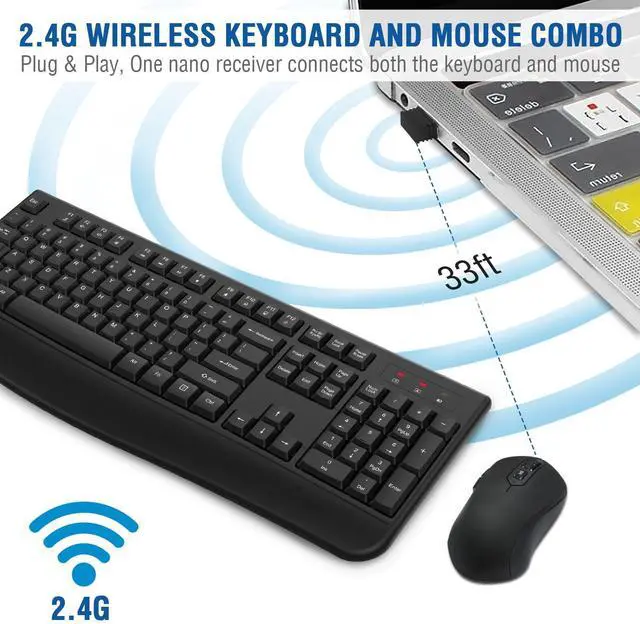
- The keyboard and mouse share a single USB receiver, so it won't occupy an extra USB slot.
- Quiet Crater-switch
- Spill-resistant Design
- The Optical Mouse With 3 Adjustable DPI(800/1200/1600)

2 in 1 USB Receiver
The wireless keyboard and mouse share a single USB, without taking up more USB ports.
Note: Keyboard and mouse can also be used separately.

12 Multimedia Shortcuts
EDJO wireless keyboard has 12 multimedia shortcuts that can easily to instant access music, volume, browser, email, etc.

Quiet Crater-switch
This wireless keyboard with crater-switch design and anti-oxidation Sealed membrane, greatly extend the life of the keyboard.

Storage Location of The USB Receiver
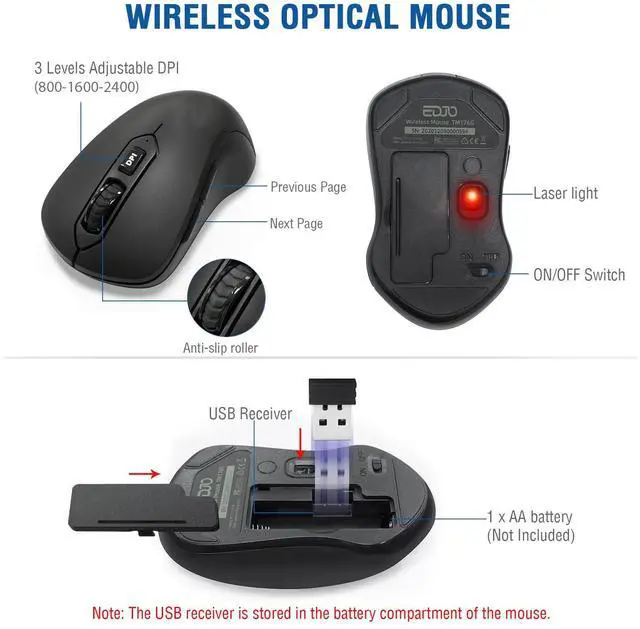
The USB receiver is stored in the mouse battery compartment, you can find it when you open the keyboard battery cover.

3 Adjustable DPI(800/1600/2400)
The mouse has 3 DPI(800/1600/2400) for you to choose, you can choose your favorite cursor movement speed by adjusting the DPI.

Wireless Keyboard Indicator
There are Number Lock indicator/ Caps Lock indicator/ Power indicator in the upper right corner of the keyboard, let you know the working status of the keyboard at any time

IMPORTANT NOTE
- Copy Shortcut Buttons Combination in Mac System: Win + C
- Paste Shortcut Buttons Combination in Mac System: Win + V
- Copy Shortcut Buttons Combination in Windows and others System: Ctrl + C
- Paste Shortcut Buttons Combination in Windows and others System: Ctrl + V
Wireless Keyboard With Comfortable Palm Rest
EDJO
EDJO is a professional computer peripheral equipment manufacturer with more than 15 years of history, with a development team and a factory. We are committed to the development and production of wireless keyboards, wireless mice, gaming mechanical keyboards and other computer peripheral products. We used to only sell wholesale in offline stores, and now we are starting to sell online. Choose EDJO products, you will find that it is worthwhile and you will love with this brand.
Protect Your Wrist From Injury
The keyboard with palm rest is designed to protect your wrist from injury during long-term typing. If you are a person who uses the keyboard for a long time, you should undoubtedly choose this Intergrated palm rest keyboard to protect your wrist.
The bottom of the keyboard are also equipped with a foldable feet, so that you can adjust the most comfortable angle for typing.
- The keyboard and mouse share a single USB receiver, so it won't occupy an extra USB slot.
- Quiet Crater-switch
- Spill-resistant Design
- The Optical Mouse With 3 Adjustable DPI(800/1200/1600)
2 in 1 USB Receiver
The wireless keyboard and mouse share a single USB, without taking up more USB ports.
Note: Keyboard and mouse can also be used separately.
12 Multimedia Shortcuts
EDJO wireless keyboard has 12 multimedia shortcuts that can easily to instant access music, volume, browser, email, etc.
Quiet Crater-switch
This wireless keyboard with crater-switch design and anti-oxidation Sealed membrane, greatly extend the life of the keyboard.
Storage Location of The USB Receiver
The USB receiver is stored in the mouse battery compartment, you can find it when you open the keyboard battery cover.
3 Adjustable DPI(800/1600/2400)
The mouse has 3 DPI(800/1600/2400) for you to choose, you can choose your favorite cursor movement speed by adjusting the DPI.
Wireless Keyboard Indicator
There are Number Lock indicator/ Caps Lock indicator/ Power indicator in the upper right corner of the keyboard, let you know the working status of the keyboard at any time
IMPORTANT NOTE
- Copy Shortcut Buttons Combination in Mac System: Win + C
- Paste Shortcut Buttons Combination in Mac System: Win + V
- Copy Shortcut Buttons Combination in Windows and others System: Ctrl + C
- Paste Shortcut Buttons Combination in Windows and others System: Ctrl + V
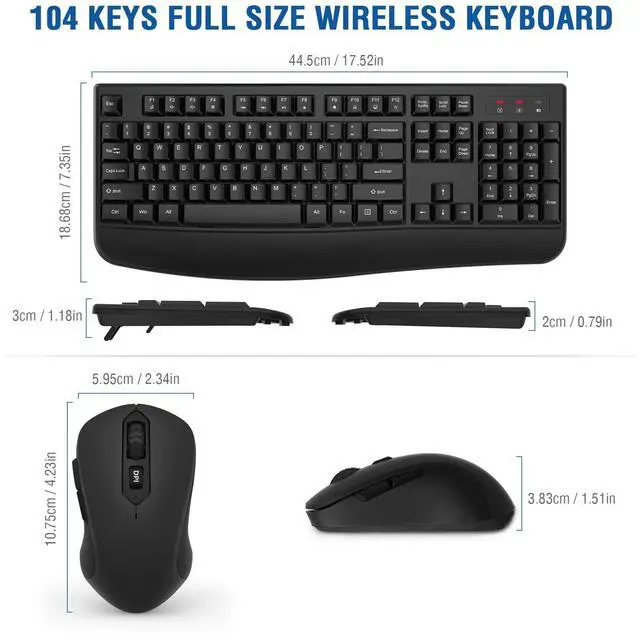
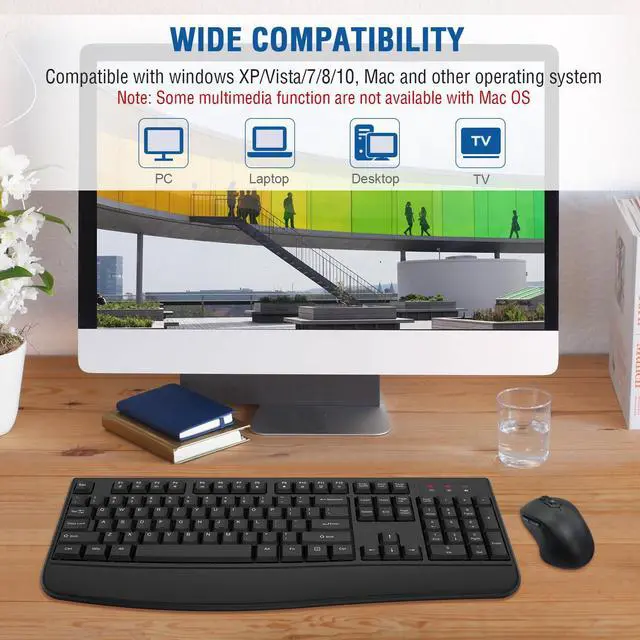
Wirless Keyboard Mouse combo