


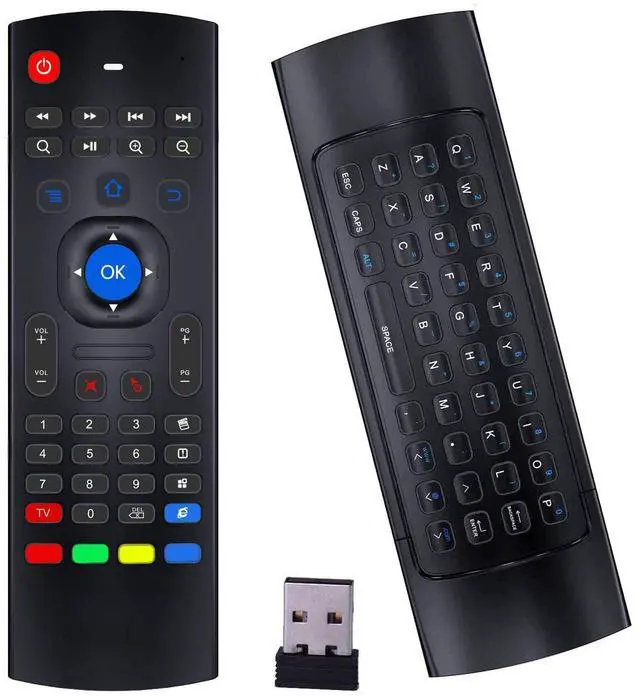
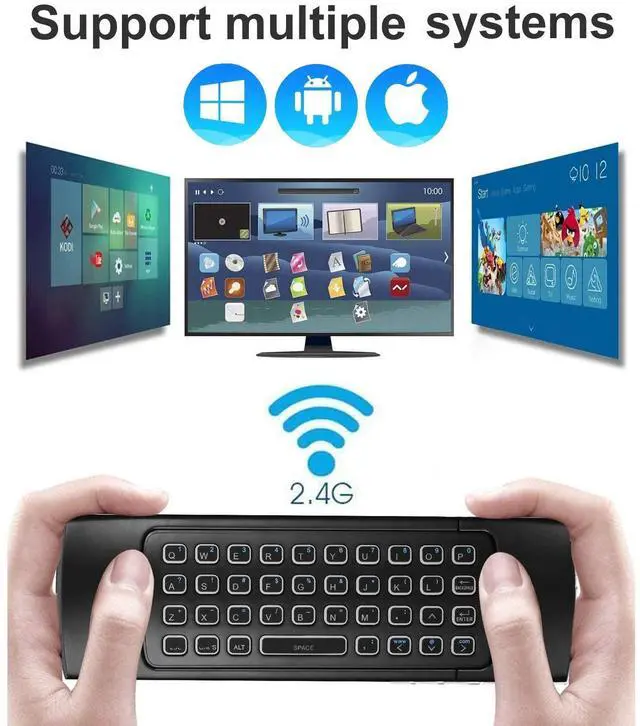
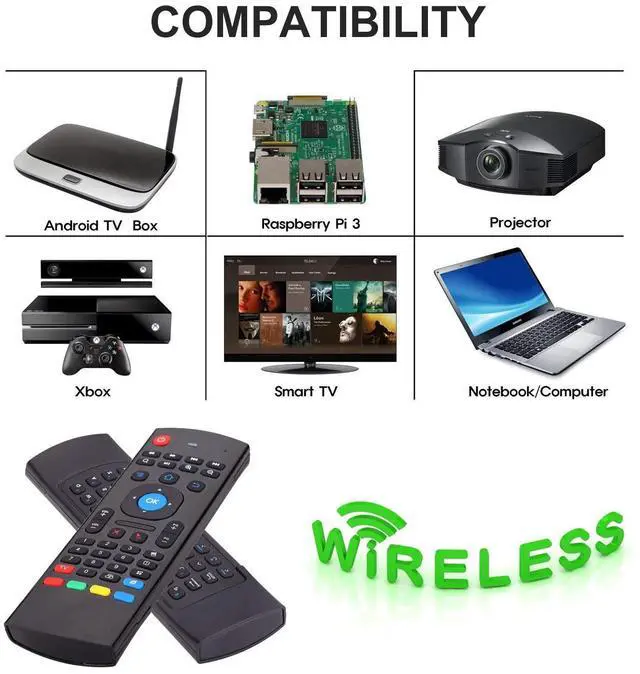


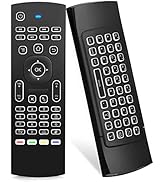
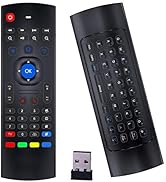
Rock&Rown MX3 air mouse remote is designed to work as air mouse, remote control and wireless keyboard. It is widely compatible with all kinds of Android TV Box,Smart TV, Projector,HTPC, PC Pad,Xbox, PS3, Raspberry Pi.
System Support:
1. Google/ Android OS
2. Mac OS
3. Linux OS
4. Windows
Technical Specification:
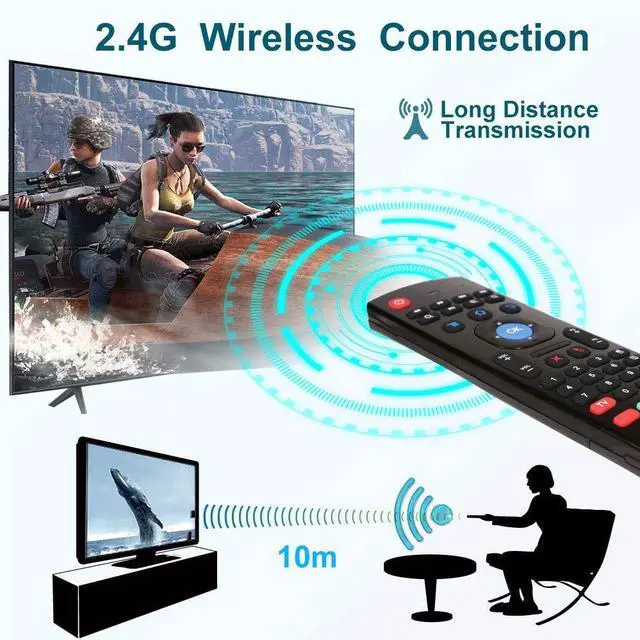
1) Transmission and control: 2.4 G RF wireless radio-frequency technique
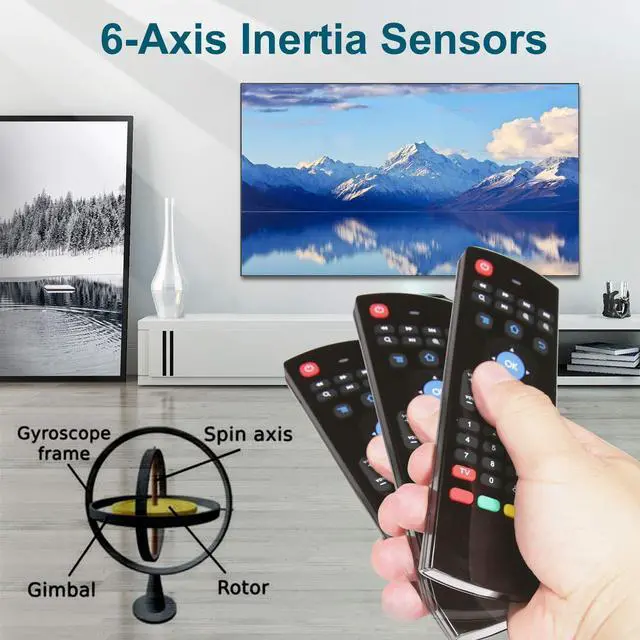
2) Sensor: 3-Gyro + 3-Gsensor
3) The key number:81 keys
4) Control distance: 10m
5) Battery Type: AAA*2 (Not included in the product package)
6) Working Power: Less than 10mA in the work condition
7) Material: Plastic and silicone
8) Size: 172*52*19mm
9) Weight: About 100g
Special Attention:
1-Rock&Rown MX3 air mouse remote can not use directly for Fire TV and Fire TV Stick since it does not have the USB port,it must need OTG Cable adaptor to use together.
2-MX3 air mouse remote can not turn on/off your TV/TV BOX, unless it learned the POWER key code from your original TV/ TV box. Please double check this information.

IR Learning Instructions:
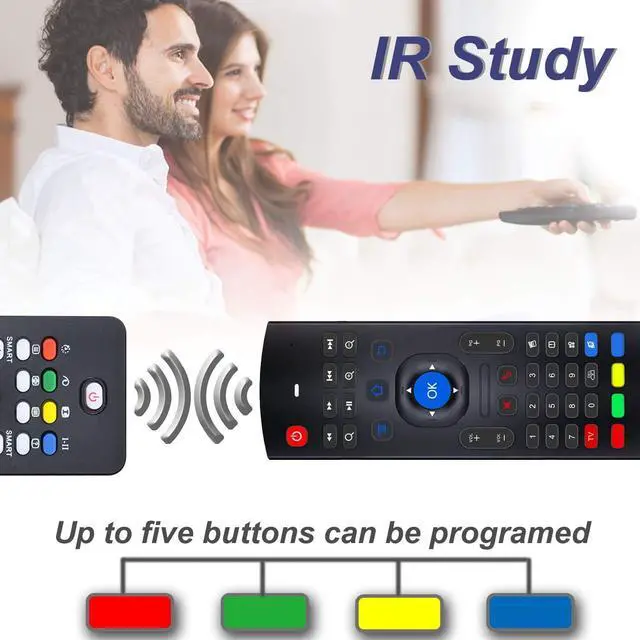
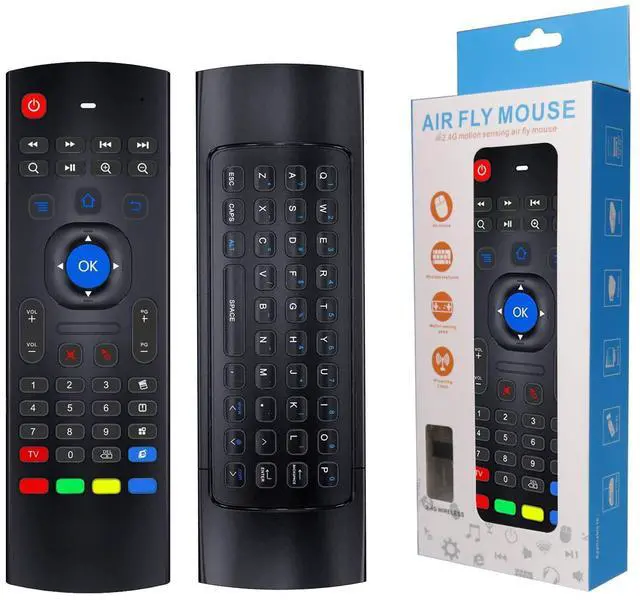
Rock&Rown Air Mouse Remote MX3 has 5 IR learning keys that can be programmed to learn some basic functions of TV remote, which are the POWER and 4 color buttons at the bottom of MX3 air mouse.
1-Point the head(Infrared emitter) of MX3 and TV remote to each other, and make sure the distance between them is less than 0.1 feet.
2- Press and hold the red TV button on the MX3 for 3-5 seconds, red LED indicator will flash very fast, then release the red TV button, red LED indicator will become to flash slowly. It means air mouse remote enters into IR learning mode.
3-Press the key from TV remote which you want the MX3 to learn until the red LED indicator on the MX3 keeps lighting on.
4-Press the POWER or one of the 4 color buttons on MX3. Red LED indicator will be flashing slowly again, which means learning succeed.
5-Press red TV button on the MX3 to exit IR learning mode.And you can continue start from step 1 to revise or start a new key learning.

* Rock&Rown Air Mouse Remote has widely used on all kinds of android tv box, smart tv,projector, game player,PC,Xbox,Raspberry Pi,etc.

*Rock&Rown air mouse remote MX3 has Six Axis Gyroscope, it supports the motion sensor function, you can move the cursor by swinging the remote.

* Air Mouse Remote with Mini Keyboard , it is easy for you to type and search on your android tv box/ smart tv.

*Up to 10 Meters controlling distance,2.4G wireless connection, plug and play, no need to install any drive. it is also directionless, no need to point to TV during using it.

*MX3 needs 2 AAA battery. Not included in the package.

*Packing List:
1* Air Mouse Remote MX3
1* USB Receiving Dongle
1* User Manual


Our Concept:
Rock&Rown is dedicated to enhancing everyday experiences by introducing unique, exciting, and innovative products that bring joy and convenience to our customers' lives. We are passionate about what we do, and we strive to create a community where our customers feel like friends and family.
Who We Are?
Rock&Rown is a dynamic and innovative brand founded by a group of young engineers and designers who firmly believe that great ideas have the power to transform lives. Our mission is to introduce unique and exciting products that enhance everyday living and building a community where our customers are treated like friends and family.
What We Believe?
To make a positive impact on the lives of our customers through good products and services. Our dedication to this vision has been the cornerstone of our brand, guiding us in every step of our journey as we continue to grow and evolve.
Rock&Rown
Rock&Rown MX3 air mouse remote is designed to work as air mouse, remote control and wireless keyboard. It is widely compatible with all kinds of Android TV Box,Smart TV, Projector,HTPC, PC Pad,Xbox, PS3, Raspberry Pi.
System Support:
1. Google/ Android OS
2. Mac OS
3. Linux OS
4. Windows
Technical Specification:
1) Transmission and control: 2.4 G RF wireless radio-frequency technique
2) Sensor: 3-Gyro + 3-Gsensor
3) The key number:81 keys
4) Control distance: 10m
5) Battery Type: AAA*2 (Not included in the product package)
6) Working Power: Less than 10mA in the work condition
7) Material: Plastic and silicone
8) Size: 172*52*19mm
9) Weight: About 100g
Special Attention:
1-Rock&Rown MX3 air mouse remote can not use directly for Fire TV and Fire TV Stick since it does not have the USB port,it must need OTG Cable adaptor to use together.
2-MX3 air mouse remote can not turn on/off your TV/TV BOX, unless it learned the POWER key code from your original TV/ TV box. Please double check this information.
IR Learning Instructions:
Rock&Rown Air Mouse Remote MX3 has 5 IR learning keys that can be programmed to learn some basic functions of TV remote, which are the POWER and 4 color buttons at the bottom of MX3 air mouse.
1-Point the head(Infrared emitter) of MX3 and TV remote to each other, and make sure the distance between them is less than 0.1 feet.
2- Press and hold the red TV button on the MX3 for 3-5 seconds, red LED indicator will flash very fast, then release the red TV button, red LED indicator will become to flash slowly. It means air mouse remote enters into IR learning mode.
3-Press the key from TV remote which you want the MX3 to learn until the red LED indicator on the MX3 keeps lighting on.
4-Press the POWER or one of the 4 color buttons on MX3. Red LED indicator will be flashing slowly again, which means learning succeed.
5-Press red TV button on the MX3 to exit IR learning mode.And you can continue start from step 1 to revise or start a new key learning.
* Rock&Rown Air Mouse Remote has widely used on all kinds of android tv box, smart tv,projector, game player,PC,Xbox,Raspberry Pi,etc.
*Rock&Rown air mouse remote MX3 has Six Axis Gyroscope, it supports the motion sensor function, you can move the cursor by swinging the remote.
* Air Mouse Remote with Mini Keyboard , it is easy for you to type and search on your android tv box/ smart tv.
*Up to 10 Meters controlling distance,2.4G wireless connection, plug and play, no need to install any drive. it is also directionless, no need to point to TV during using it.
*MX3 needs 2 AAA battery. Not included in the package.
*Packing List:
1* Air Mouse Remote MX3
1* USB Receiving Dongle
1* User Manual
Our Concept:
Rock&Rown is dedicated to enhancing everyday experiences by introducing unique, exciting, and innovative products that bring joy and convenience to our customers' lives. We are passionate about what we do, and we strive to create a community where our customers feel like friends and family.
Who We Are?
Rock&Rown is a dynamic and innovative brand founded by a group of young engineers and designers who firmly believe that great ideas have the power to transform lives. Our mission is to introduce unique and exciting products that enhance everyday living and building a community where our customers are treated like friends and family.
What We Believe?
To make a positive impact on the lives of our customers through good products and services. Our dedication to this vision has been the cornerstone of our brand, guiding us in every step of our journey as we continue to grow and evolve.
Rock&Rown