

Your Browsing History

Meet Your Seller

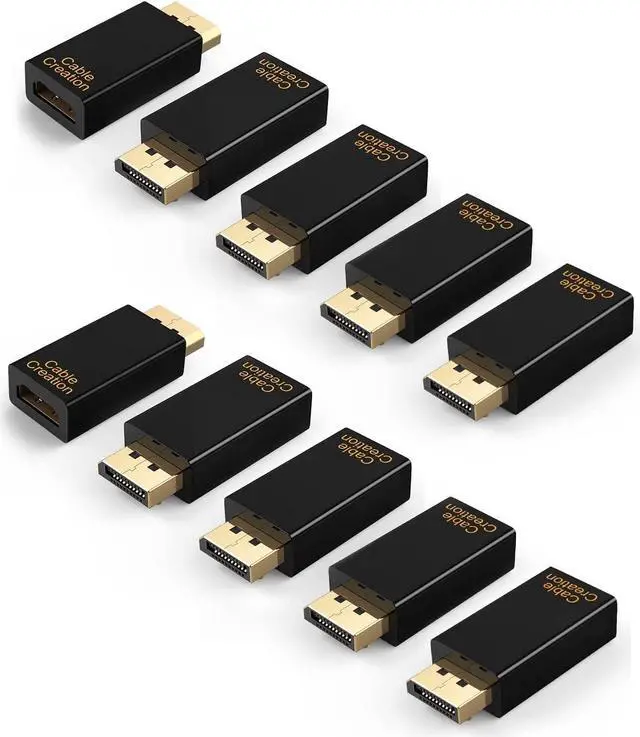


CableCreation Active DisplayPort to HDMI Adapter 10 Pack, 1080P Gold Plated
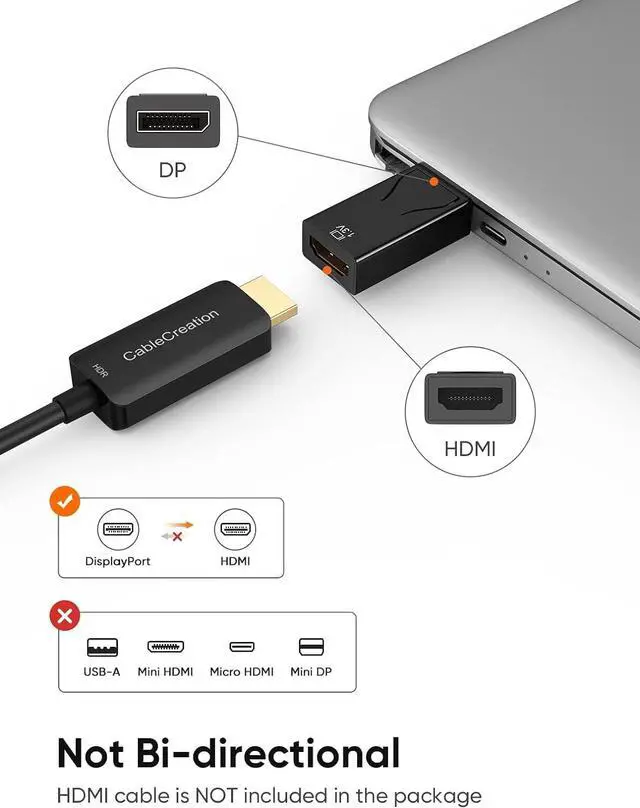
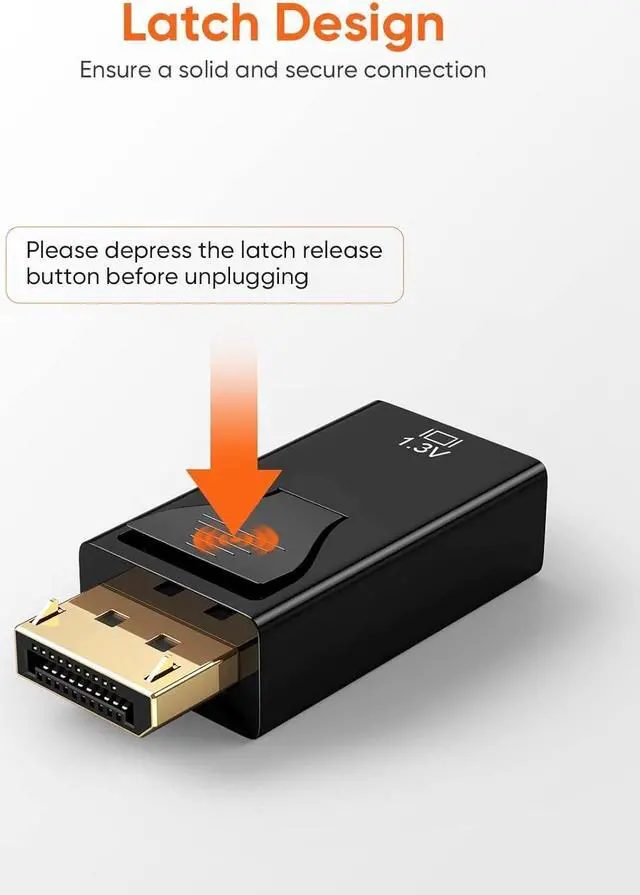
- DisplayPort Male to HDMI Female Adapter: High quality made to transmits both audio and video from computer with Displayport to monitor, HDTV, or projector with HDMI. An HDMI cable is required (sold separately)
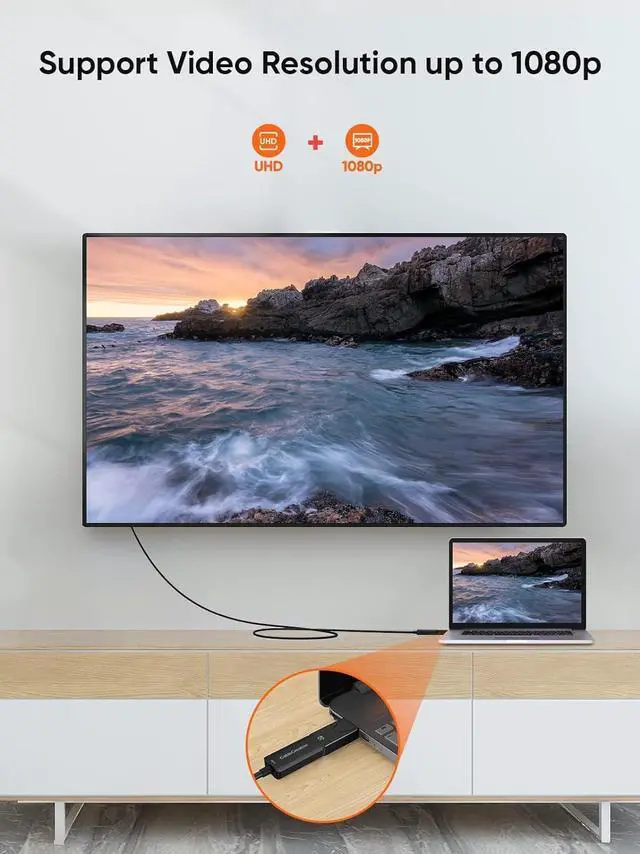
- 1080P@60Hz High Resolution: The active DisplayPort to HDMI Adapter supports displayport input and HDMI 1.3v output, transmits video from computer or tablet to HDMI monitor display, support resolution up to 1080P@60Hz (Full HD)
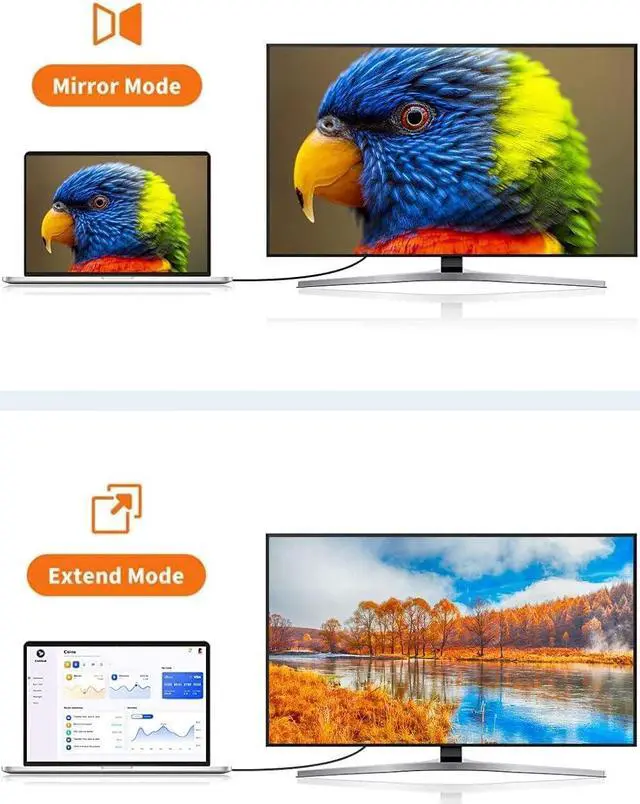
- Mirror & Extend Mode: The HDMI Displayport Adapter supports mirror and extend dual mode. Under mirror mode, you can watch movies or play games on a big screen; under extend mode, you can work and play at the same time with 2 screens showing different content
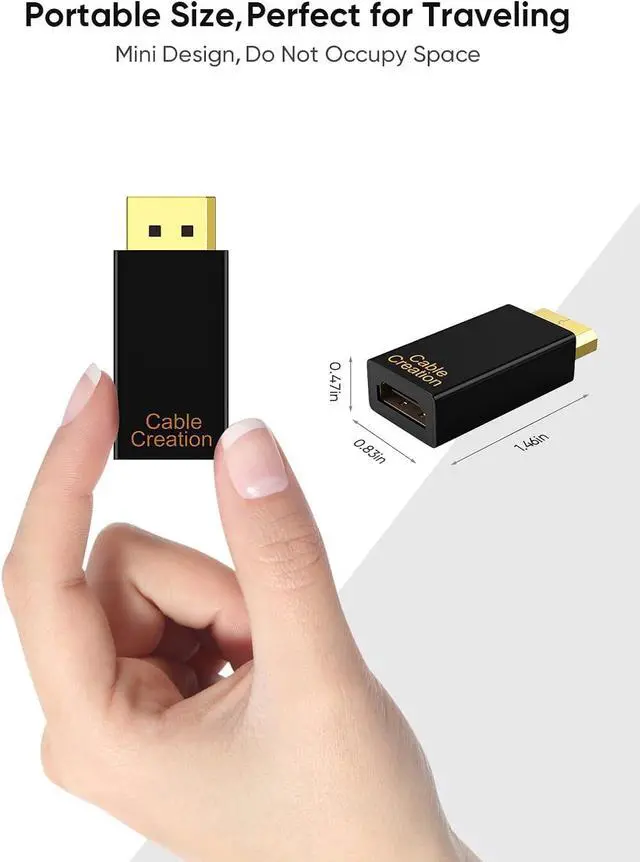
- Gold-plated Connector: Provide durability and improve the signal transmission, low profile dongle design, light weight and compact to carry
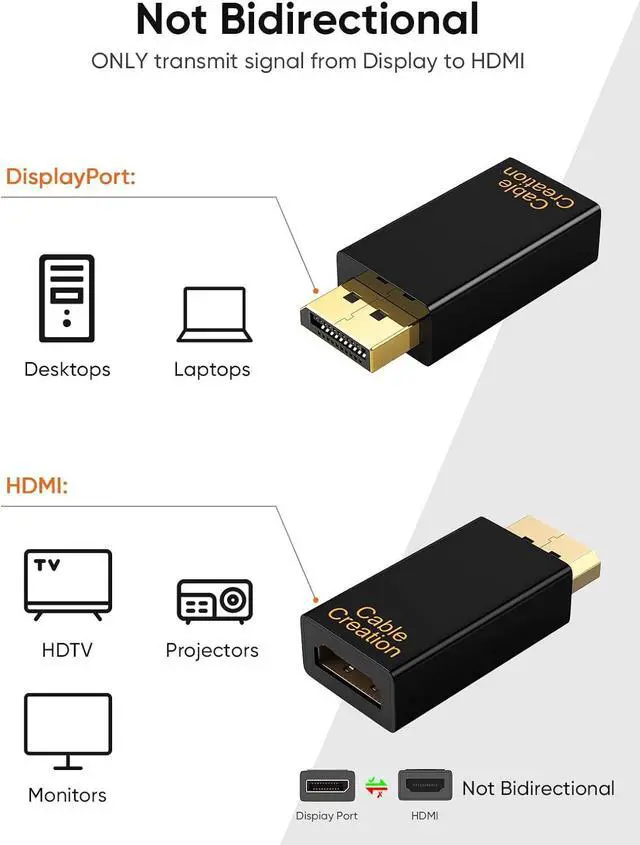
- Unidirectional: The Display Port to HDMI adapter only transfer signal from DisplayPort source to HDMI display, can Not connect from an HDMI PC to a DP display.
+
+
Overview
Specs
Reviews

Any questions? Our AI mode will help you find out quickly.
Try me now
This DP to HDMI adapter for monitor can support 1080P@60Hz Full HD video resolution.
Kindly NOTE: this adapter only stream audio and video from DisplayPort source side to HDMI display side, can Not connect from an HDMI PC to a DP display.
1080P 60HZ This DisplayPort to HDMI Converter enables you to connect a computer/laptop with DisplayPort interface to an HDMI-equipped display, monitor, projector by a HDMI cable (sold separately). From small screen to large screen, its a good choice to share ideas with your partners or enjoy a better visual feast with your family.
Extend mode--work and play at the same time
HDMI Portt: Monitor/HDTV/projector
1Mirror & Extend Mode2Uni-Directional3Widely Compatible A small product but big function that can be used in living room, office or classroom.
Read Before You Buy
It's not for the monitor with DisplayPort input, it's a uni-directional adapter. It will NOT work if your video source is HDMI and monitor is with DisplayPort input. Another solution, hDMI to DisplayPort with external power input is required.
What is the difference between a passive and active DisplayPort converter?
When you convert video from a source that uses DisplayPort or Mini DisplayPort to DVI or HDMI (for example, a computer to a monitor), you will need to consider the difference between passive and active adapters.
If the source supports dual-mode DisplayPort (also known as DP++), then you can use a passive adapter because the source can perform the conversion. If the source does not support DP++, then you need to use an active converter, which includes additional chips to perform the conversion.
Passive Adapters
Passive adapters are less expensive since they do not need to include additional chips. A quick way to check whether you can use a passive adapter is to see if the DisplayPort or Mini DisplayPort source has the DP++ symbol above it. The symbol is a D with a P inside of it, with two + signs to the left, one on top of the other.
Active Adapters
Active adapters use additional chips to make the conversion inside the adapter, regardless of whether the source supports DP++. This means that active adapters are more expensive than passive adapters.
If you want to use multiple monitors with the same computer, you should use an active adapter because some video cards cannot run the maximum number of monitors while using DP++. This is especially true if the computer has more than one DisplayPort or Mini DisplayPort connection. Check with your video card manufacturer to confirm which type of adapter you need for the setup that you would like to run.
7 in 1 USB C Multiport Hub
USB A to C Android Auto Cable
16FT Link Cable for VR Gaming
7 in 1 Multiport Hub
Extends a single USB-C port or Thunderbolt 3 port of your PC/ laptop/ to 7 ports
High-quality Materials
Great USB A to C cable for Android Auto
16FT Link Cable USB to USB C
Compatible with Quest 2 enjoy your Virtual World Gaming
Female Port
4K@60Hz HDMI/1Gbps Ethernet/5Gbps Data USB C/USB 3.0 *2/SD/TF Cards Reader
USB 3.2 10Gbps Data Transfer
You can transfer HD movies or songs in seconds with your USB C SSD
Good Choice
5Gbps High Speed Data, also keep VR Headset charging while playing
See More Support 1080P 60Hz video output CableCreation Male Displayport to Female HDMI Adapter Displayport Male to HDMI Female Adapter Display port to HDMI Adapter PERFECT WITH:
Kindly NOTE: this adapter only stream audio and video from DisplayPort source side to HDMI display side, can Not connect from an HDMI PC to a DP display.
1080P 60HZ This DisplayPort to HDMI Converter enables you to connect a computer/laptop with DisplayPort interface to an HDMI-equipped display, monitor, projector by a HDMI cable (sold separately). From small screen to large screen, its a good choice to share ideas with your partners or enjoy a better visual feast with your family.
Extend mode--work and play at the same time
HDMI Portt: Monitor/HDTV/projector
1Mirror & Extend Mode2Uni-Directional3Widely Compatible A small product but big function that can be used in living room, office or classroom.
Read Before You Buy
It's not for the monitor with DisplayPort input, it's a uni-directional adapter. It will NOT work if your video source is HDMI and monitor is with DisplayPort input. Another solution, hDMI to DisplayPort with external power input is required.
What is the difference between a passive and active DisplayPort converter?
When you convert video from a source that uses DisplayPort or Mini DisplayPort to DVI or HDMI (for example, a computer to a monitor), you will need to consider the difference between passive and active adapters.
If the source supports dual-mode DisplayPort (also known as DP++), then you can use a passive adapter because the source can perform the conversion. If the source does not support DP++, then you need to use an active converter, which includes additional chips to perform the conversion.
Passive Adapters
Passive adapters are less expensive since they do not need to include additional chips. A quick way to check whether you can use a passive adapter is to see if the DisplayPort or Mini DisplayPort source has the DP++ symbol above it. The symbol is a D with a P inside of it, with two + signs to the left, one on top of the other.
Active Adapters
Active adapters use additional chips to make the conversion inside the adapter, regardless of whether the source supports DP++. This means that active adapters are more expensive than passive adapters.
If you want to use multiple monitors with the same computer, you should use an active adapter because some video cards cannot run the maximum number of monitors while using DP++. This is especially true if the computer has more than one DisplayPort or Mini DisplayPort connection. Check with your video card manufacturer to confirm which type of adapter you need for the setup that you would like to run.
7 in 1 USB C Multiport Hub
USB A to C Android Auto Cable
16FT Link Cable for VR Gaming
7 in 1 Multiport Hub
Extends a single USB-C port or Thunderbolt 3 port of your PC/ laptop/ to 7 ports
High-quality Materials
Great USB A to C cable for Android Auto
16FT Link Cable USB to USB C
Compatible with Quest 2 enjoy your Virtual World Gaming
Female Port
4K@60Hz HDMI/1Gbps Ethernet/5Gbps Data USB C/USB 3.0 *2/SD/TF Cards Reader
USB 3.2 10Gbps Data Transfer
You can transfer HD movies or songs in seconds with your USB C SSD
Good Choice
5Gbps High Speed Data, also keep VR Headset charging while playing
See More Support 1080P 60Hz video output CableCreation Male Displayport to Female HDMI Adapter Displayport Male to HDMI Female Adapter Display port to HDMI Adapter PERFECT WITH:
Warranty & Returns
Warranty, Returns, And Additional Information
Warranty
- Please contact the Seller directly for warranty information. Warranty information may also be found on the Manufacturer's website.
- CONTACT
Return Policies
- Return for refund within: 30 days
- Return for replacement within: 30 days
- This item is covered by PartsPro Store Return Policy
Manufacturer Contact Info
- For a directory of all our manufacturers, please click below.
- Manufacturers Directory
LOADING...