Your Browsing History
Meet Your Seller
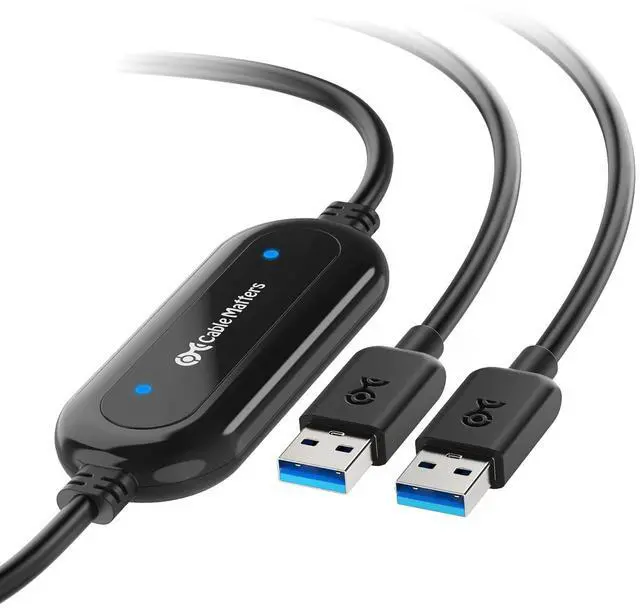
Cable Matters USB 3.0 Data Transfer Cable PC to PC for Windows, USB Transfer Cable, 6.6 ft, Easy Computer Sync Software Key Included, Works with Windows 11/10/8/7/Vista/XP, PCMover, Software Required
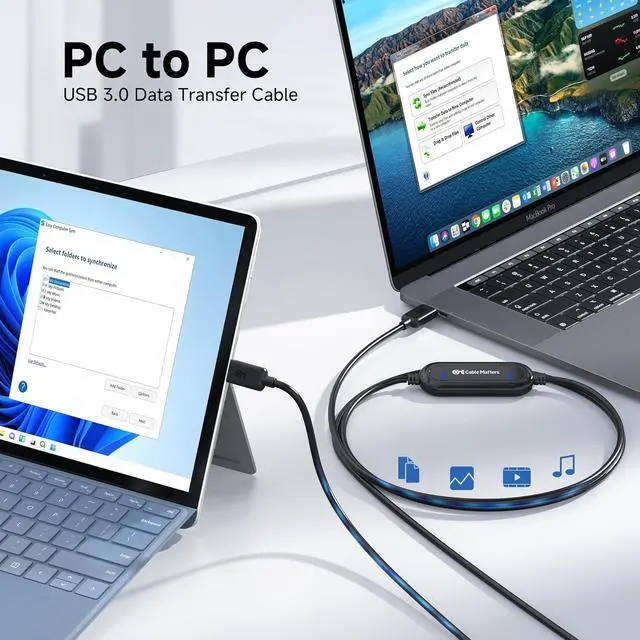
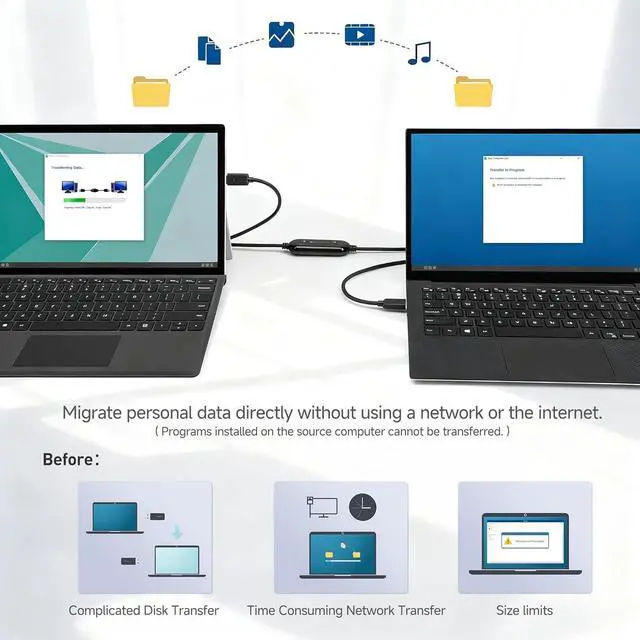
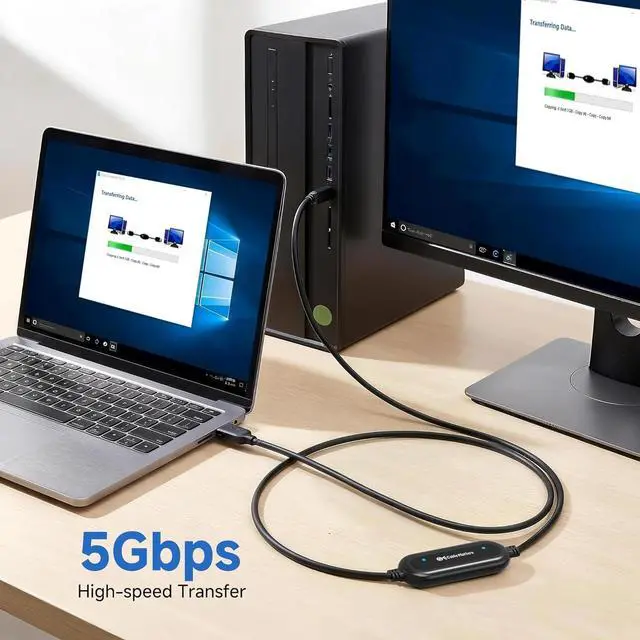
- Ideal for PC Migration: Powerful USB data transfer cable for moving files and folders from your old computer to your new computer, no matter Windows-to-Windows, Windows-to-Mac, or Mac-to-Mac. No need for any cloud storage, network sharing, or external hard drive. Simple Old-to-New with this cable and the correct software
- USB 3.0 File Bridge Performance: This USB 3.0 cable supports data transfer speeds up to 5Gbps. Faster file migration than USB 2.0 or cloud uploads when used with compatible USB 3.0 ports. *NOTE: File and folder transfer only, NOT for apps or system; Actual transfer speed depends on both computers, storage drive speed, file size, software mode, and system performance
- *Important Software-Required NOTE: This USB 3.0 data transfer cable is Software Required, NOT Plug-and-Play. Install the included transfer software with this USB data cable (PClinq5 or Easy Computer Sync) on both computers first, then connect the cable to both PCs for use. NOT a plug-and-play USB cable o
+
+
Overview
Specs
Reviews
Any questions? Our AI beta will help you find out quickly.
Try me now
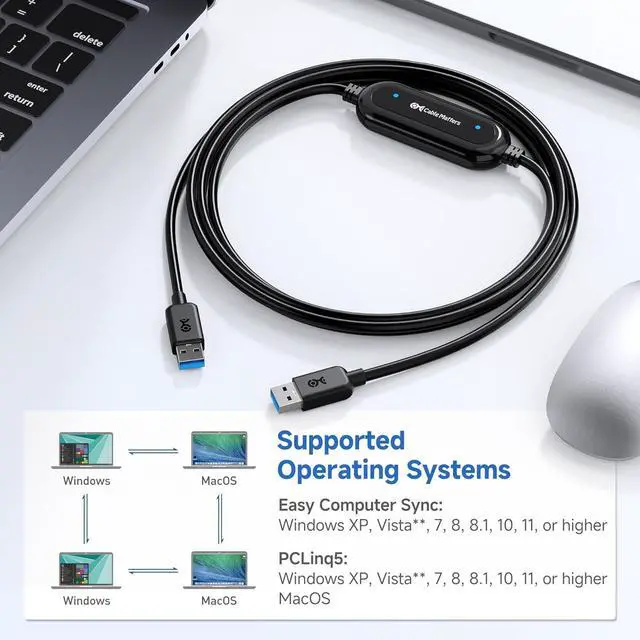
PCLinq5: For both Windows and macOS transfers. Recommended for Windows-to-Mac, Mac-to-Windows, and Mac-to-Mac transfer. No registration code needed
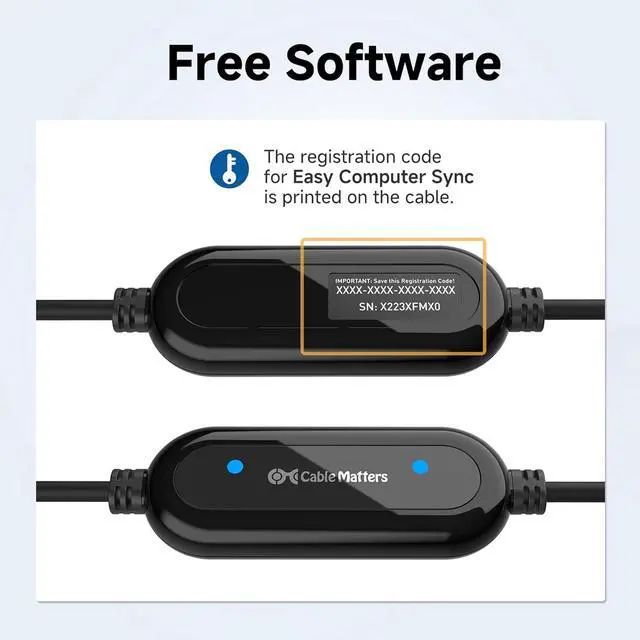
Easy Computer Sync: For Windows-to-Windows transfer only, but with more features such as drag-and-drop file transfer and remote computer control. Need registration code; code printed on the cable.
Sepcific Designed for Files and Folders:
What can be transferred: Transfer files and folders such as documents, photos, videos, music, and project folders from one computer to another.
What can not be transferred: Installed programs, apps, licenses, operating systems, and full system images cannot be directly transferred via this cable.
Why doesnt the cable work when I plug it in?
This is a USB bridge transfer cable, not a regular USB cable. Please install and open PClinq5 or Easy Computer Sync on both computers first, then connect the cable for use.
Where can I download the software and get the registration code?
Download the software from the link in the manual. 1# PClinq5 for Windows and Mac. Needs no code. 2# Easy Computer Sync is Windows-only and uses the registration code printed on the cable. NO need to purchase another code for continued use.
Why Easy Computer Sync prompt only a 30-day trial? / Do I need to pay for Easy Computer Sync?
The Bravura Easy Computer Sync software is fully licensed with the registration code printed on your cable. Just ignore the prompt and no need to purchase another code for continued use.
Can I transfer installed programs to my new computer?
No. This cable transfers files and folders only, such as documents, photos, videos, and music. Installed apps, licenses, operating systems, and full system images must be reinstalled or migrated separately.
Why cant I get 5Gbps with this cable? / Why is the transfer speed slower than expected?
Speed depends on both computers, USB port type, storage drive speed, file size, file type, software mode, and system load. For best results, use USB 3.0 or higher ports and connect directly, not through a hub or dock.
Peace of Mind Data Transfer Between PC and Mac Sorgenfreier Datentransfer zwischen PC und Mac Why doesnt the cable work when I plug it in?
Where can I download the software and get the registration code?
Why Easy Computer Sync prompt only a 30-day trial? / Do I need to pay for Easy Computer Sync?
Can I transfer installed programs to my new computer?
Why cant I get 5Gbps with this cable? / Why is the transfer speed slower than expected?

Easy Computer Sync: For Windows-to-Windows transfer only, but with more features such as drag-and-drop file transfer and remote computer control. Need registration code; code printed on the cable.
Sepcific Designed for Files and Folders:
What can be transferred: Transfer files and folders such as documents, photos, videos, music, and project folders from one computer to another.
What can not be transferred: Installed programs, apps, licenses, operating systems, and full system images cannot be directly transferred via this cable.
Why doesnt the cable work when I plug it in?
This is a USB bridge transfer cable, not a regular USB cable. Please install and open PClinq5 or Easy Computer Sync on both computers first, then connect the cable for use.
Where can I download the software and get the registration code?
Download the software from the link in the manual. 1# PClinq5 for Windows and Mac. Needs no code. 2# Easy Computer Sync is Windows-only and uses the registration code printed on the cable. NO need to purchase another code for continued use.
Why Easy Computer Sync prompt only a 30-day trial? / Do I need to pay for Easy Computer Sync?
The Bravura Easy Computer Sync software is fully licensed with the registration code printed on your cable. Just ignore the prompt and no need to purchase another code for continued use.
Can I transfer installed programs to my new computer?
No. This cable transfers files and folders only, such as documents, photos, videos, and music. Installed apps, licenses, operating systems, and full system images must be reinstalled or migrated separately.
Why cant I get 5Gbps with this cable? / Why is the transfer speed slower than expected?
Speed depends on both computers, USB port type, storage drive speed, file size, file type, software mode, and system load. For best results, use USB 3.0 or higher ports and connect directly, not through a hub or dock.
Peace of Mind Data Transfer Between PC and Mac Sorgenfreier Datentransfer zwischen PC und Mac Why doesnt the cable work when I plug it in?
Where can I download the software and get the registration code?
Why Easy Computer Sync prompt only a 30-day trial? / Do I need to pay for Easy Computer Sync?
Can I transfer installed programs to my new computer?
Why cant I get 5Gbps with this cable? / Why is the transfer speed slower than expected?
Warranty & Returns
Warranty, Returns, And Additional Information
Warranty
- Please contact the Seller directly for warranty information. Warranty information may also be found on the Manufacturer's website.
- CONTACT
Return Policies
- Return for refund within: 30 days
- Return for replacement within: 30 days
- This item is covered by PrimeVolt’Shop Return Policy
Manufacturer Contact Info
- For a directory of all our manufacturers, please click below.
- Manufacturers Directory
LOADING...