

Your Browsing History

Meet Your Seller

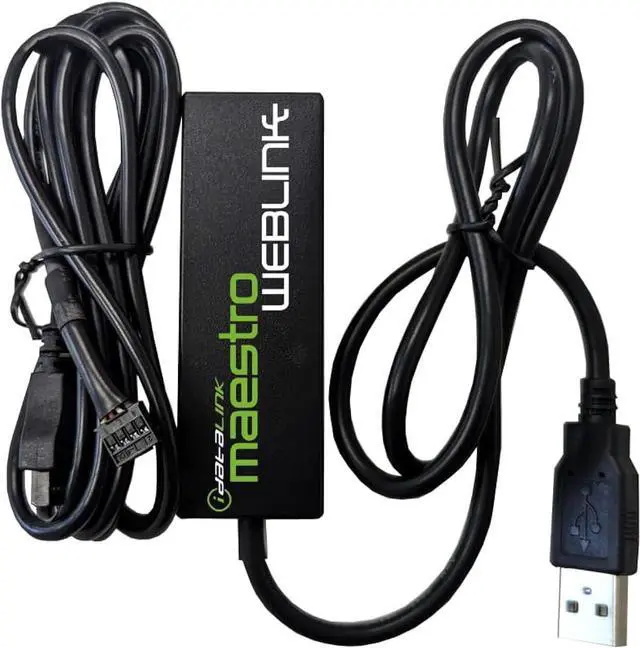
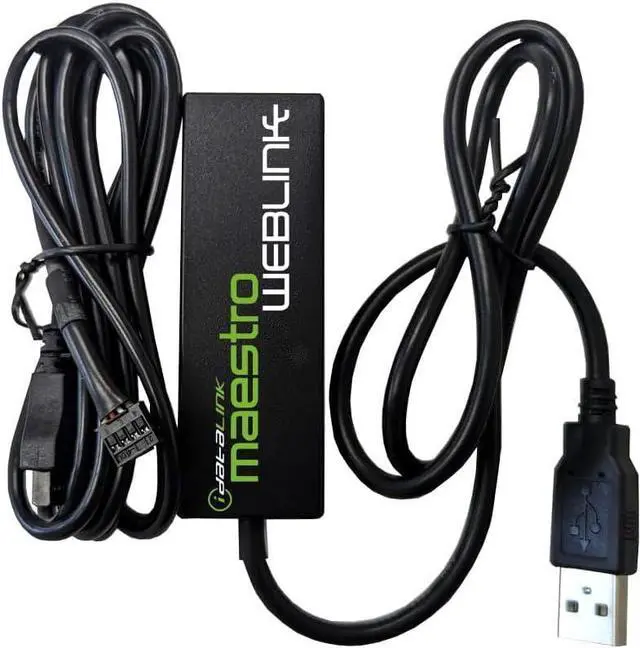
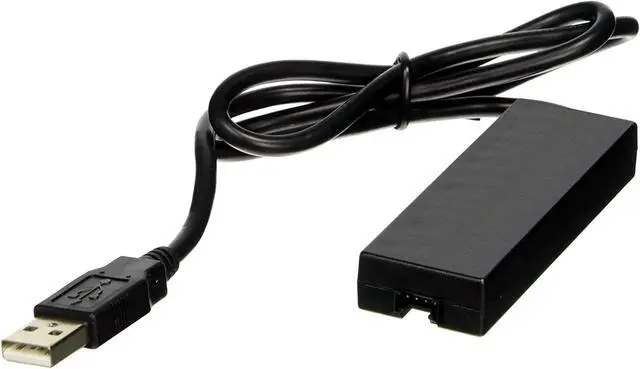
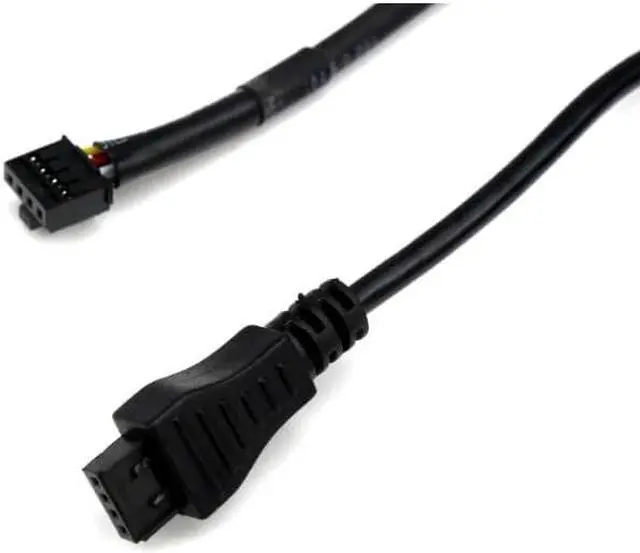
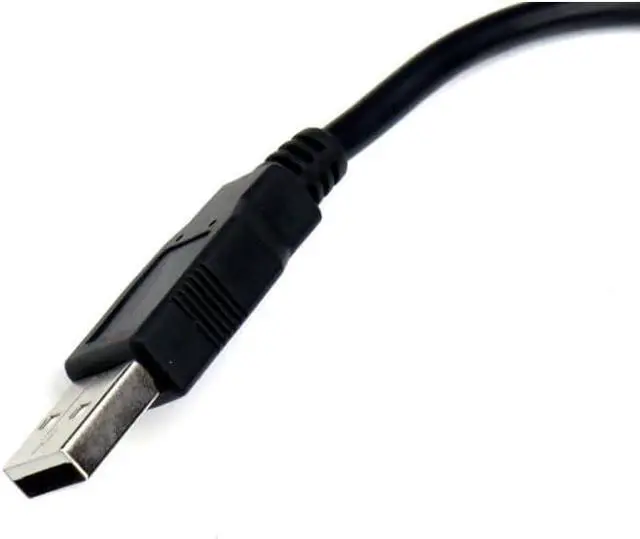


Idatalink ADS-USB Weblink Updater Computer Cable USB Interface for Use with Bypass Modules and Remote Start Systems.
- Weblink Updater USB interface. Connects all our modules to your PC or Mac for online firmware programming with Weblink Desktop.
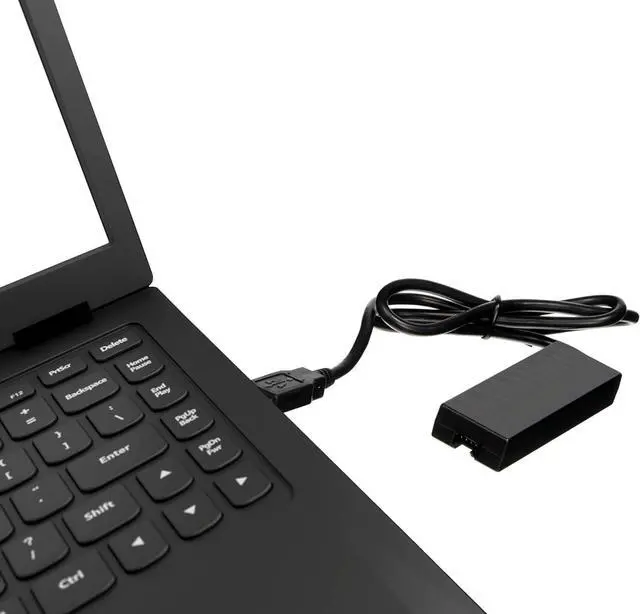
- This Idatalink ADS-USB Weblink updater Interface hardware and cable is required to connect your computer USB port to the iDatalink module.
- This device permits software download and is compatible with all iDatalink products. This device permits software download and is compatible with all iDatalink products. ** Also compatible with FlashLogic, Auto Page, PAC & Prestige Code Alarm products.
- Weblink Desktop updater hardware and cable is required to connectyour computer USB port to the iDatalink module.(Free Download on Idatalink Website.)
- What is "Weblink Desktop" Software? The Weblink Desktop application allows you to flash all iDatalink, IDatastart and iDatalink Maestro products on a PC or Mac desktop computer with an internet connection without using a web browser. To begin flashing, simply download the Weblink Desktop application, connect your device t
+
+
Overview
Specs
Reviews

Any questions? Our AI mode will help you find out quickly.
Try me now
Idatalink ADS-USB Weblink Updater Computer Cable USB Interface for Use with Bypass Modules and Remote Start Systems.
Weblink Updater USB interface. Connects all our modules to your PC or Mac for online firmware programming with Weblink Desktop.
This Idatalink ADS-USB Weblink updater Interface hardware and cable is required to connect your computer USB port to the iDatalink module.
This device permits software download and is compatible with all iDatalink products. This device permits software download and is compatible with all iDatalink products.
Weblink Desktop updater hardware and cable is required to connect your computer USB port to the iDatalink module.
Idatalink ADS-USB Interface is compatible with following brand Remote Start Systems:
Compustar
Firstech
Autopage
Flashlogic
-
Flashing/Programming via PC or Mac USB: The Weblink Desktop application allows you to flash all Idatalink, Idatastart and Idatalink Maestro products on a PC or Mac desktop computer with an internet connection without using a web browser. To begin flashing, simply download the Weblink Desktop application, create an account, connect your device to a computer using the Idatalink ADS-USB Weblink USB Interface cable (sold separately), log into your Weblink account and follow the programming steps.
(Download "Weblink" Desktop Software (Free) on Idatalink website. Click on "Weblink" located under the "Support" menu tab. Idatalink ADS-USB is required for this and sold separately.)
** Professional installation is highly recommended.
SYSTEM REQUIREMENTS:
PC or Mac
USB port version 2.0 or 3.0
4GB RAM or more
200 MB available space on HD
Internet connection required
Languages supported: English
Installation language support: English and French
A new way to experience Weblink programming from your PC or Mac desktop computer without using a web browser. To get started, connect your compatible ADS product, choose a project, log in and follow the programming steps. Install guides as well as available wiring information and videos will be provided once flashing is complete.
Note: When using an Idatalink "BLADE" Bypass a Compustar Remote Start Module is Required.
"Blade-AL" Compatible Compustar Control Modules:
CM-900X, CM-X, CM7000-AS, CM7200-S, CM900-AS, CM900-S
A new way to experience Weblink programming from your PC or Mac desktop computer without using a web browser. To get started, connect your compatible ADS product, choose a project, log in and follow the programming steps. Install guides as well as available wiring information and videos will be provided once flashing is complete.
Note: When using an Idatalink "BLADE" Bypass a Compustar Remote Start Module is Required.
"Blade-AL" Compatible Compustar Control Modules:
CM-900X
CM-X
CM7000-AS
CM7200-S
CM900-AS
CM900-S
** Professional installation is highly recommended.
See More Idatalink ADS-USB Weblink Updater Computer Cable USB Interface for Use with Bypass Modules and Remote Start Systems This device permits software download and is compatible with all iDatalink products. (Download "Weblink" Desktop Software on Idatalink website. Click on "Weblink" located under the "Support" menu tab.) What is "Weblink Desktop" Software?
Weblink Updater USB interface. Connects all our modules to your PC or Mac for online firmware programming with Weblink Desktop.
This Idatalink ADS-USB Weblink updater Interface hardware and cable is required to connect your computer USB port to the iDatalink module.
This device permits software download and is compatible with all iDatalink products. This device permits software download and is compatible with all iDatalink products.
Weblink Desktop updater hardware and cable is required to connect your computer USB port to the iDatalink module.
Idatalink ADS-USB Interface is compatible with following brand Remote Start Systems:
Compustar
Firstech
Autopage
Flashlogic
-
Flashing/Programming via PC or Mac USB: The Weblink Desktop application allows you to flash all Idatalink, Idatastart and Idatalink Maestro products on a PC or Mac desktop computer with an internet connection without using a web browser. To begin flashing, simply download the Weblink Desktop application, create an account, connect your device to a computer using the Idatalink ADS-USB Weblink USB Interface cable (sold separately), log into your Weblink account and follow the programming steps.
(Download "Weblink" Desktop Software (Free) on Idatalink website. Click on "Weblink" located under the "Support" menu tab. Idatalink ADS-USB is required for this and sold separately.)
** Professional installation is highly recommended.
SYSTEM REQUIREMENTS:
PC or Mac
USB port version 2.0 or 3.0
4GB RAM or more
200 MB available space on HD
Internet connection required
Languages supported: English
Installation language support: English and French
A new way to experience Weblink programming from your PC or Mac desktop computer without using a web browser. To get started, connect your compatible ADS product, choose a project, log in and follow the programming steps. Install guides as well as available wiring information and videos will be provided once flashing is complete.
Note: When using an Idatalink "BLADE" Bypass a Compustar Remote Start Module is Required.
"Blade-AL" Compatible Compustar Control Modules:
CM-900X, CM-X, CM7000-AS, CM7200-S, CM900-AS, CM900-S
A new way to experience Weblink programming from your PC or Mac desktop computer without using a web browser. To get started, connect your compatible ADS product, choose a project, log in and follow the programming steps. Install guides as well as available wiring information and videos will be provided once flashing is complete.
Note: When using an Idatalink "BLADE" Bypass a Compustar Remote Start Module is Required.
"Blade-AL" Compatible Compustar Control Modules:
CM-900X
CM-X
CM7000-AS
CM7200-S
CM900-AS
CM900-S
** Professional installation is highly recommended.
See More Idatalink ADS-USB Weblink Updater Computer Cable USB Interface for Use with Bypass Modules and Remote Start Systems This device permits software download and is compatible with all iDatalink products. (Download "Weblink" Desktop Software on Idatalink website. Click on "Weblink" located under the "Support" menu tab.) What is "Weblink Desktop" Software?
Warranty & Returns
Warranty, Returns, And Additional Information
Warranty
- Please contact the Seller directly for warranty information. Warranty information may also be found on the Manufacturer's website.
- CONTACT
Return Policies
- Return for refund within: 30 days
- Return for replacement within: 30 days
- This item is covered by FluffyNest Return Policy
Manufacturer Contact Info
- For a directory of all our manufacturers, please click below.
- Manufacturers Directory
LOADING...