Your Browsing History
Meet Your Seller
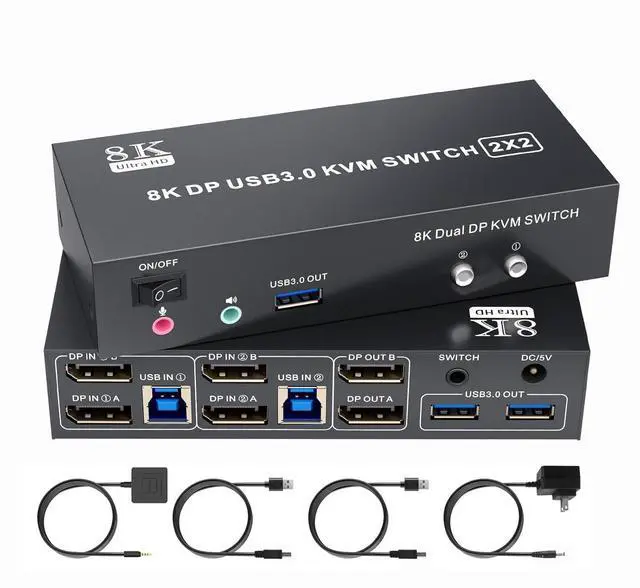
8K Displayport KVM Switch 2 Monitors 2 Computers 4K@144Hz USB3.0
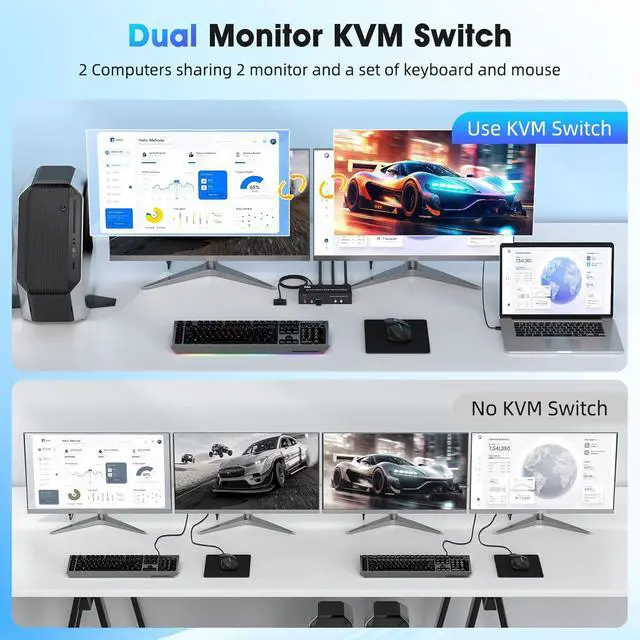
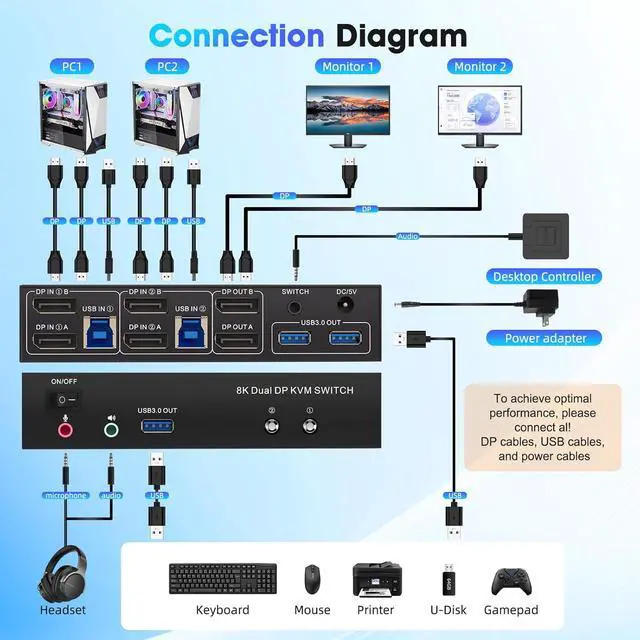
- KVM Switch 2 Monitors 2 Computers:Dual monitor kvm switch displayport allows you to control two computers or other signal source,and share 2 monitor and 3 USB devices.KVM switch dp 1.4 support extended and copy mode.DP 1 and DP 2 ports on the kvm switch must be connected to the same computer.(Note:requires 2 DP ports for each connected computer and make sure your PC or laptop supports multiple monitors)
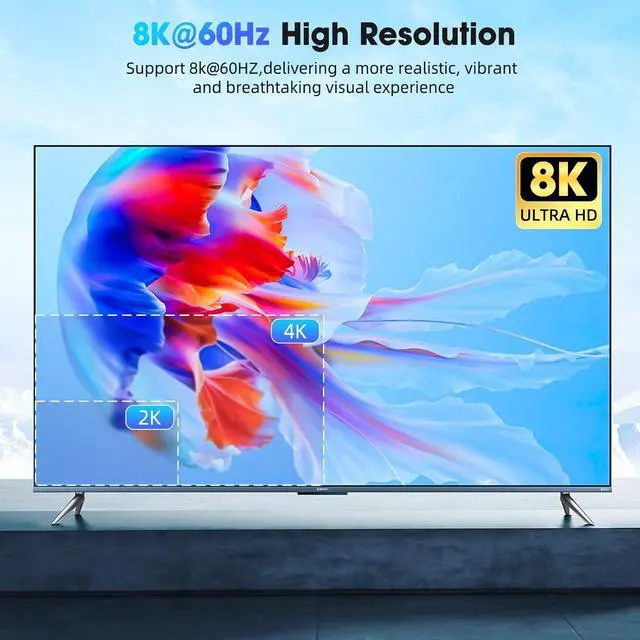
- Ultra HD 8K@60Hz:The dp kvm switch support max resolution up to 7680x4320@60Hz( 4K@120Hz) and is backward compatible with DP 1.2.Immerse yourself in the world of crystal-clear images,Brings you realistic visual enjoyment.Note: The final resolution also depends on the graphics card, monitor, cables and adapters. (DP cable not included)
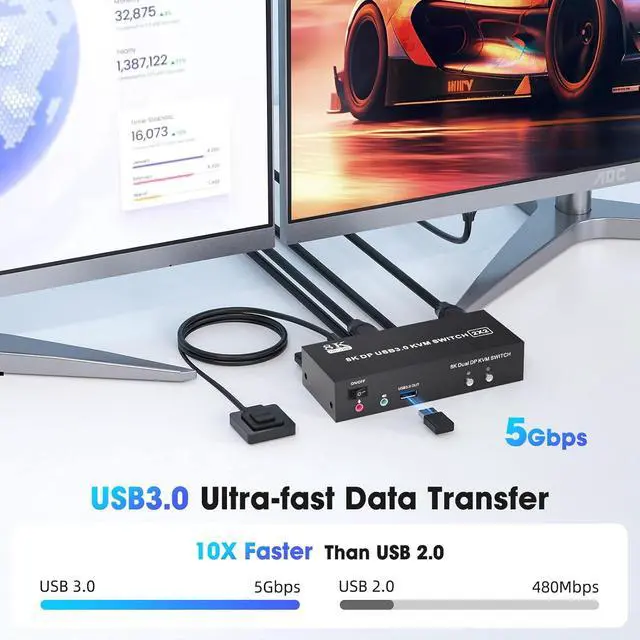
- Displayport KVM Switch 2 Port:The Dual displayport kvm switch has four USB 3.0 ports,supports video bandwidth up to 48Gbps, data transfer rates up to 5Gbps, which is 10 times faster than USB 2.0 ports.which can recognize keyboard, mouse, printer and oth
+
+
Overview
Specs
Reviews
Any questions? Our AI mode will help you find out quickly.
Try me now
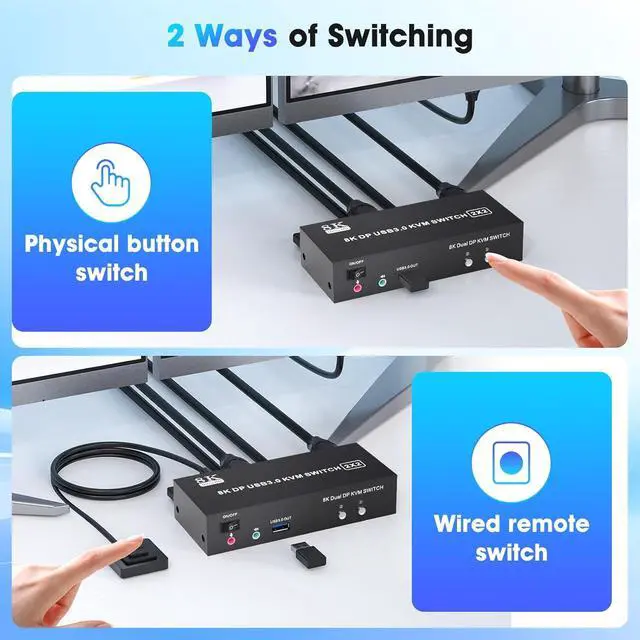
1USB3.02Connection Diagram3Connection Diagram18K@60Hz2Extended & Mirroe Mode32 Ways of Switching4Supported Res1Packing List 2Conference Room3Office Setup4Home Entertainment Why is only one monitor displaying the screen?
1.Please check if each computer supports multi-display output, and set the display mode to "Extend" or "Duplicate" in the system display settings.
2.Ensure each computer is properly connected to the KVM switch with 2 dp cables and 1 USB-B cable.
Why aren't the keyboard and mouse working?
This issue usually occurs because the USB-B cable between the computer and the switch is not properly connected. If you're using a mechanical keyboard, there may be compatibility issues
Do I need to install any drivers?
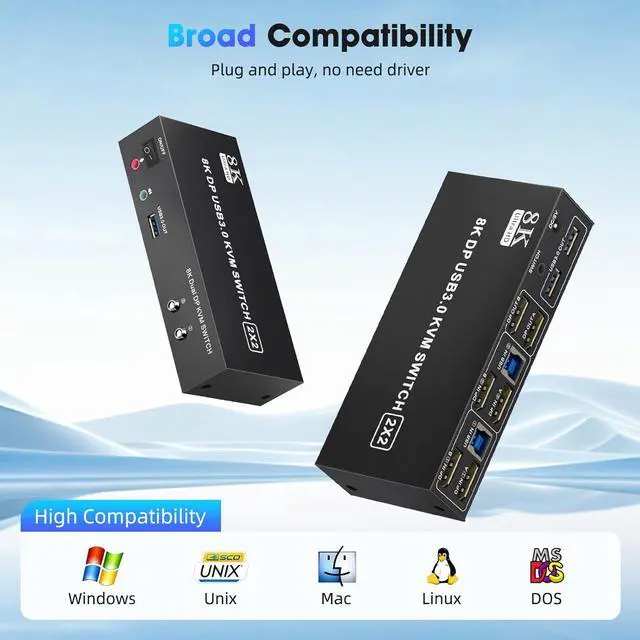
No driver installation required, plug and play.
What should I do when the KVM fails to display my Windows PC content correctly?
1. Please make sure the KVM iscorrectly (6 dp1.4 cables + 2 USB-B cables + 1 Power Adapter to be connected at the same time).
2. If you encounter problems during use, please contact service support for assistance.
What operating systems are supported?
It is compatible with Windows 10/8/7/XP, Linux, Mac, and more.
Why is only one monitor displaying the screen?
Why aren't the keyboard and mouse working?
Do I need to install any drivers?
What should I do when the KVM fails to display my Windows PC content correctly?
What operating systems are supported?

1.Please check if each computer supports multi-display output, and set the display mode to "Extend" or "Duplicate" in the system display settings.
2.Ensure each computer is properly connected to the KVM switch with 2 dp cables and 1 USB-B cable.
Why aren't the keyboard and mouse working?
This issue usually occurs because the USB-B cable between the computer and the switch is not properly connected. If you're using a mechanical keyboard, there may be compatibility issues
Do I need to install any drivers?
No driver installation required, plug and play.
What should I do when the KVM fails to display my Windows PC content correctly?
1. Please make sure the KVM iscorrectly (6 dp1.4 cables + 2 USB-B cables + 1 Power Adapter to be connected at the same time).
2. If you encounter problems during use, please contact service support for assistance.
What operating systems are supported?
It is compatible with Windows 10/8/7/XP, Linux, Mac, and more.
Why is only one monitor displaying the screen?
Why aren't the keyboard and mouse working?
Do I need to install any drivers?
What should I do when the KVM fails to display my Windows PC content correctly?
What operating systems are supported?
Warranty & Returns
Warranty, Returns, And Additional Information
Warranty
- Please contact the Seller directly for warranty information. Warranty information may also be found on the Manufacturer's website.
- CONTACT
Return Policies
- Return for refund within: 30 days
- Return for replacement within: 30 days
- This item is covered by PartsPro Store Return Policy
Manufacturer Contact Info
- For a directory of all our manufacturers, please click below.
- Manufacturers Directory
LOADING...