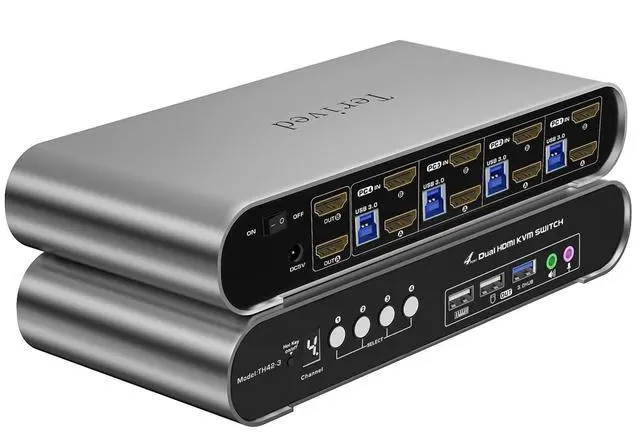
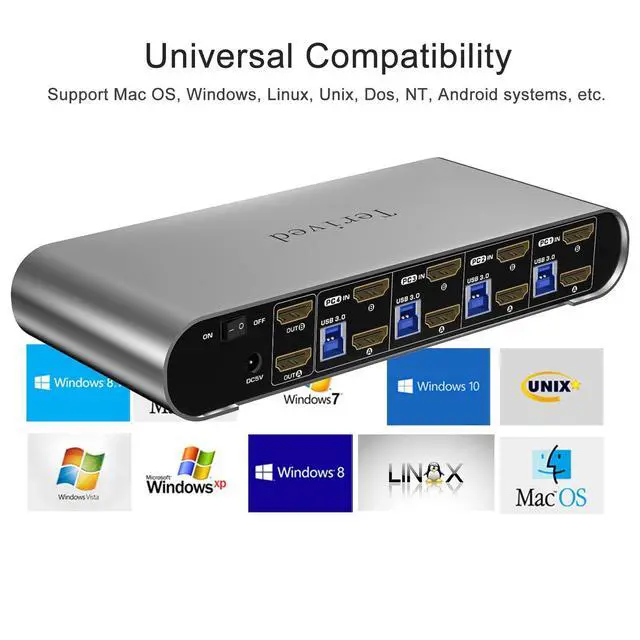
Attention: Please plug in all the cables included in the box; the four USB cables are for the front KVM USB ports. If you don't plug into your computers, your keyboard and mouse will not work.
Aluminum Alloy Shell - We use high-quality aluminum alloy to provide our customers with an excellent premium look, great drop resistance, lightweight design, strong build, and robust corrosion resistance.
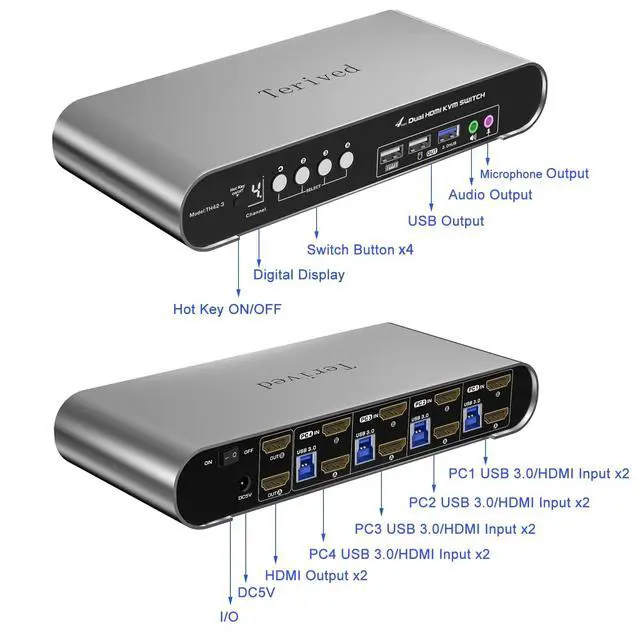
Digital Display- KVM Switch 4 port with a digital display which lets you easy to see the current channel even in the dark investment
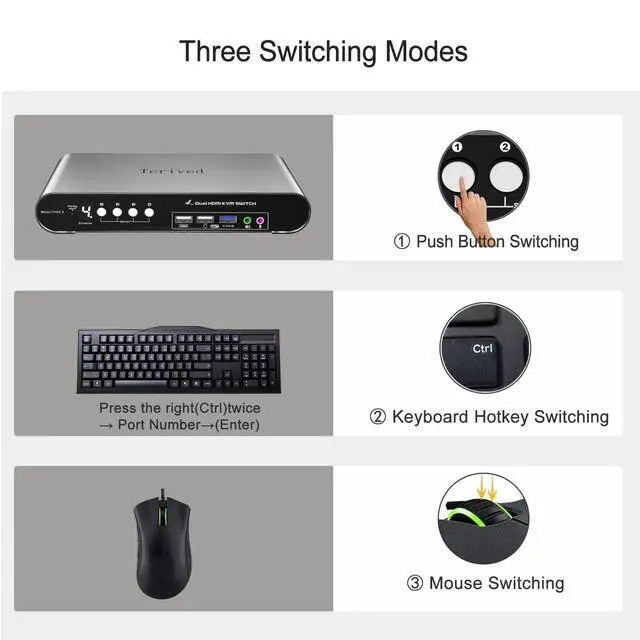
Hotkey - Tired of a manual button switch? This product gives you a convenient way to switch, including keyboard hotkeys switch, mouse wheel switch
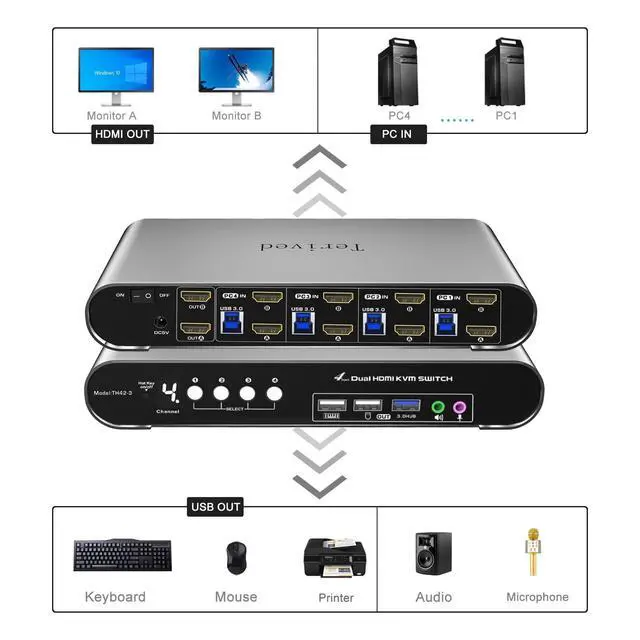
Four computers dual HDMI monitor - Controls 4 HDMI interfaced computers or other applicable devices using one keyboard, a mouse, two monitors with audio & microphone, and USB 3.0 HUB port
HDMI Switch 4K - Supported resolutions: 480i, 480p, 720p, 1080i, 1080p, 2K@144Hz, 4K@60Hz RGB 4:4:4 HDR10, HDMI 2.0 compatible.Auto-Scan, auto-detection, auto EDID. Hot plug & play and HDCP. Multi-platform: support Windows 11/10/7/2000/XP/Vista, Linux, and Mac
Attention: If the switch's hotkey function conflicts with your keyboard's software which is rare, consider turning off the hotkey by using the front manual hotkey on/off button or switching to another keyboard. To disable the keyboard hotkey alone, press right [CTRL], right [CTRL], [K], [Enter]. You can then switch back to your first keyboard and still use the mouse wheel hotkey.
For audio, please select [USB Audio device] as the sound output option and then connect your speakers or headphones to the audio port.
For adapters and converters: We recommend using high-quality converters and adapters, such as the Warky 4K DisplayPort to HDMI Cable (compatible in 3.3 FT or 6 FT lengths). For other suggestions, please visit our website at Terived.
Supported resolutions: 480i, 480p, 720p, 1080i, 1080p, 2K@144Hz, 4K@60Hz RGB 4:4:4 HDR10
This bright digital display shows the current channel and the hotkey's on/off states. Not more guessing, unlike a common green led light, you can clearly see it even in the dark investment
Keyboard shortcut: press the right [CTRL] key twice, then press [1, 2, 3, or 4], followed by [Enter] to choose a computer.
Mouse switching: double-click the scroll wheel, then click the [left mouse button] or [right mouse button]. The left mouse button will cycle through the computers in descending order (4, 3, 2, 1), while the right mouse button will cycle in ascending order.
This HDMI switcher comes with a 3.5mm audio and microphone slot on the front panel.
No drive is needed; plug in all the cables and a power adapter, follow the user manual's instructions, and you are ready to go.
Aluminum alloy is an excellent non-toxic material that provides a premium look and excellent drop resistance, lightweight, has great heat dissipation, and has robust corrosion resistance.
Multi-platform: support Windows 10/7/2000/XP/Vista, Linux, and Mac
It supports Auto-EDID, which prevents the pop-up windows from moving around and changing their size. For example, your software is full-screen. Without EDID, after switching between computers, it might change its size to window mode and move to the place that you don't want it to be.
Power off your computers and monitors
connect four computers to the KVM switch with HDMI cables and USB (Type A to B) cables.
connect your HDMI monitors to the KVM switch with your HDMI cable
connect the 5V power supply to the KVM switch
Power on the KVM switch (the on/off switch located on the back of the KVM switch), then computers and monitors
connect your USB devices to the KVM switch
To set up your audio for a headphone or speaker, open your sound setting and choose [ Speakers(USB Audio Device) ] as the sound output
To disable the 'beep' sound when switching between computers, right [CTRL] + right [CT





 here!
here!