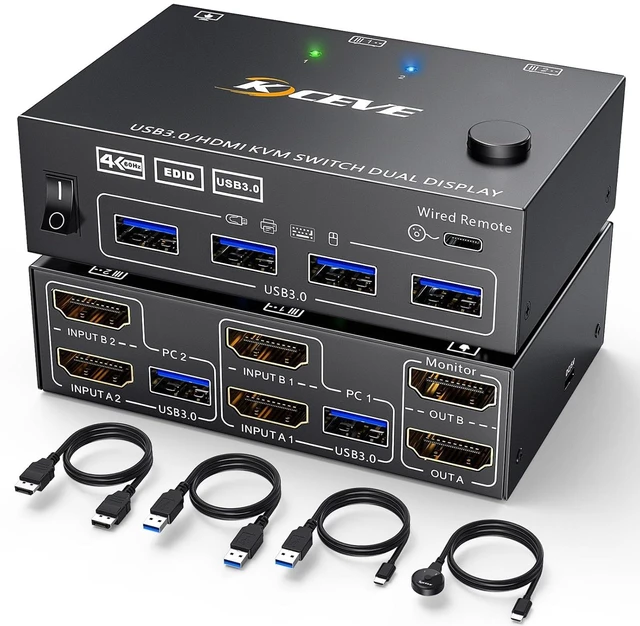
Product name: KVM HDMI USB 3.0 Switch for 2 computer 2 monitors
Material: Metal shell
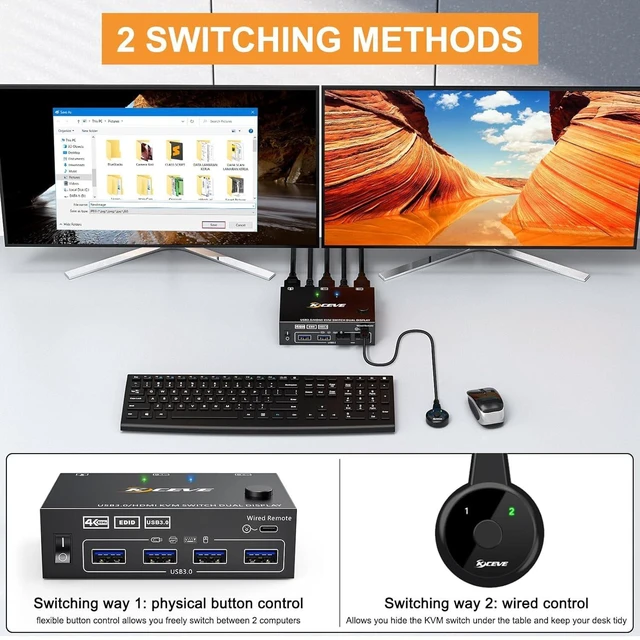
Control way: physical button and wired control
Keyboard hotkey switch way: Not supported
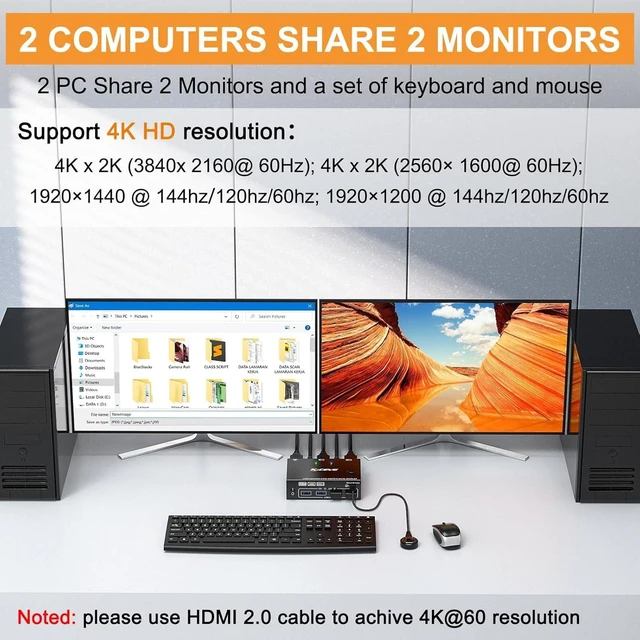
Resolution range: Up to 4K@60Hz
Support wired or wireless keyboard and mouse
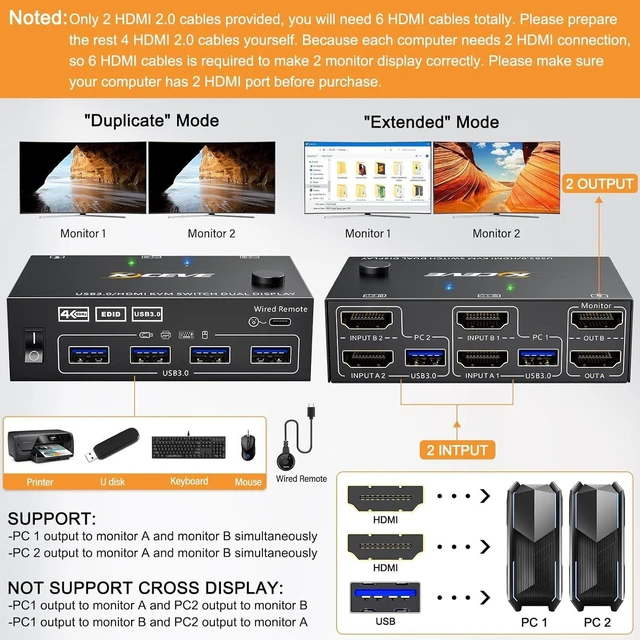
Each computer needs 2 HDMI ports, please make sure your computer with 2 HDMI ports before purchasing.
This USB 3.0 version dual monitor KVM switch is for 2 computers share 2 monitors, keyboard, mouse and USB devices. Please connect all cables to make 2 display work properly.
Two HDMI inputs used for HDMI devices, such as computer, laptop, TV box, DVD, PS5/4, etc. Please note if PS console connected, the mouse and keyboard con't control the game via KVM switch.
Upgraded USB 3.0 version ensure data transfer more faster and stable, it's a great solution to solve many USB device disconnected issue during use.
Power suppy is not required for normal USB device, but if USB recognition is unstable, we recommend connect a external power adapter to provide enough power. (power adapter is not provided)
Bluetooth mouse and keyboard will be exist delay for few seconds, we not recommend use Bluetooth mouse and keyboard.
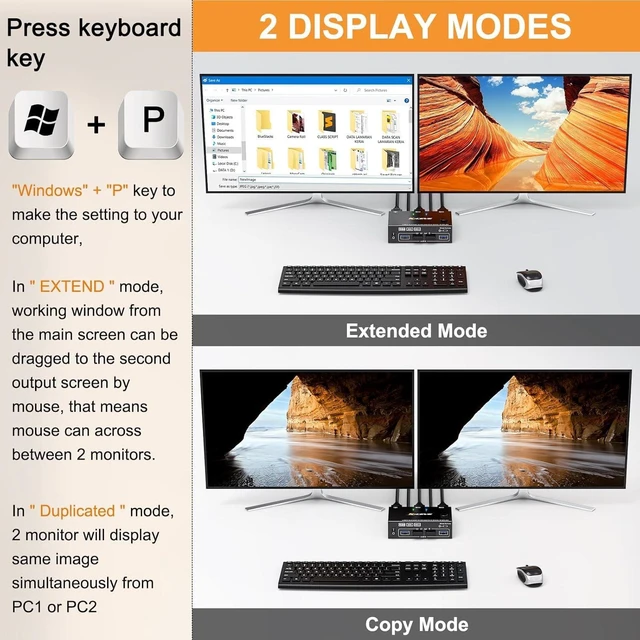
In COPY mode, 2 output monitors will output same image from PC1 or PC2.
In EXTEND mode, the working window from main screen can be dragged to seond output monitor. You can have the mouse across between 2 monitors.
SUPPORT: 4K x 2K (3840x 2160@ 60Hz); 4K x 2K (2560x 1600@ 60Hz); 4K x 2K (2048x 1536@ 60Hz); 2560x1440 @ 60hz; 1920x1440 @ 60hz; 1920x1200 @ 60hz
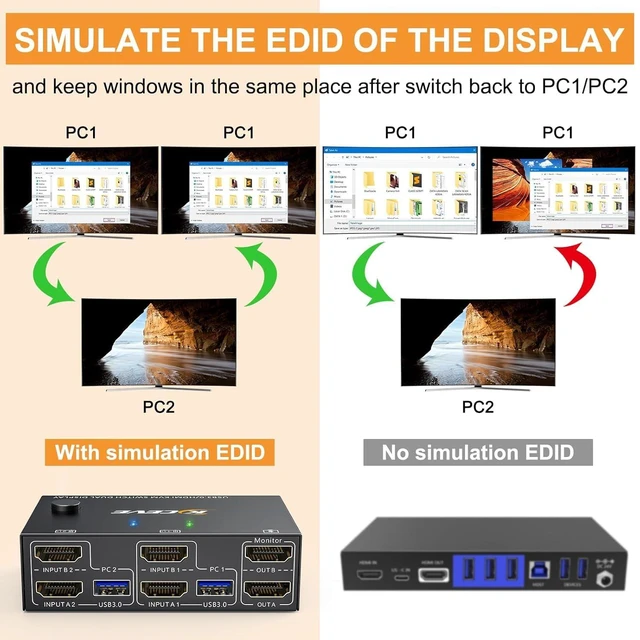
USB 3.0 KVM Switch with EDID emulators in each input port, keep computers always having correct display information when switch back.
For most KVM switch on the market are not support EDID locking sreen function, its not very convenient sometimes.
Physical button control
Wired control
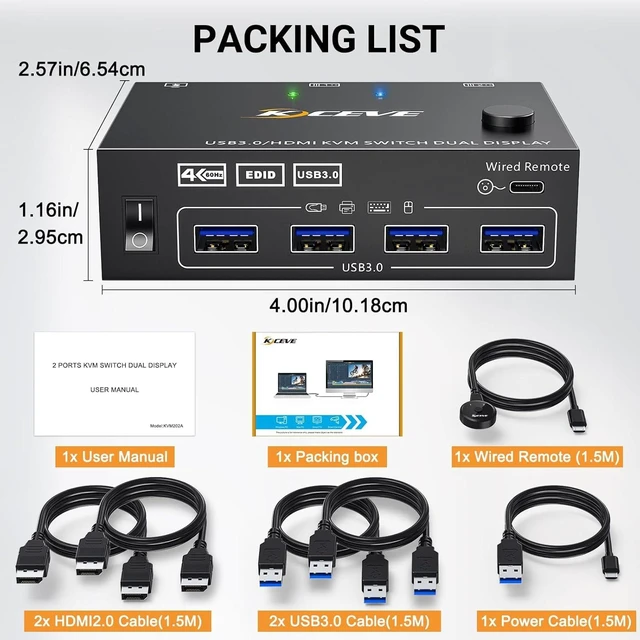
Blue light shows PC1 working status
Green light shows PC2 working status
External power supply is not required for normal USB device.
DC5V power cable and power adapter not included. Please use your own Android USB cable to provide power if USB devices status shows unstable.
USB 3.0 version KVM HDMI switch for 2 computers 2 monitors Easy set up for HDMI devices, 2 HDMI ports are requird for your each computer Support 2 display modes Enjoy HD quality display, support follow resolution USB 3.0 KVM Switch with EDID emulators in each input port Support 2 switching ways Physical button control Wired control DC5V port for power supply





 here!
here!