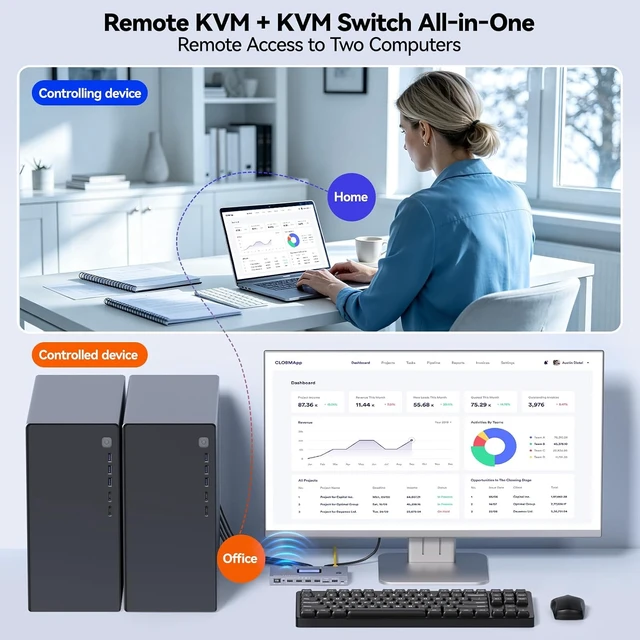
Remote IP KVM Switch 2 Computers This 2 ports IP KVM switch enables remote access to 2 controlled computers via Internet. You can switch between 2 hosts and operate keyboard and mouse remotely,no extra software or drivers required. Ideal for remote work, IT management, industrial applications and disaster recovery.
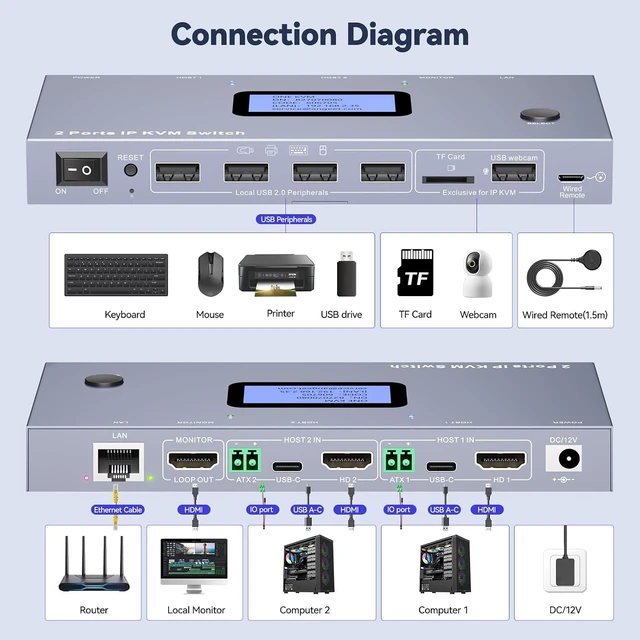
Easy Setup Simply connect HDMI, USB and Dupont cable between the IP KVM switch and 2 controlled computers, plug Ethernet into the remote KVM switch, and remote control is available via Web or APP(ONE KVM). Note: Requires 12V power adapter, Non-PoE.
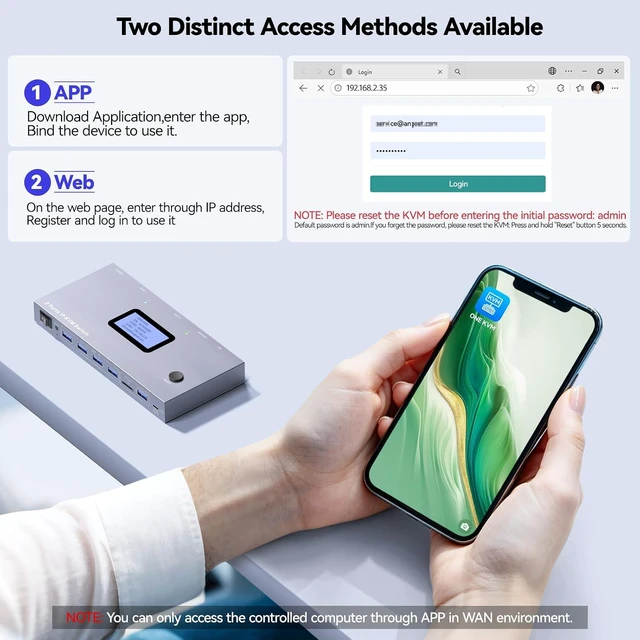
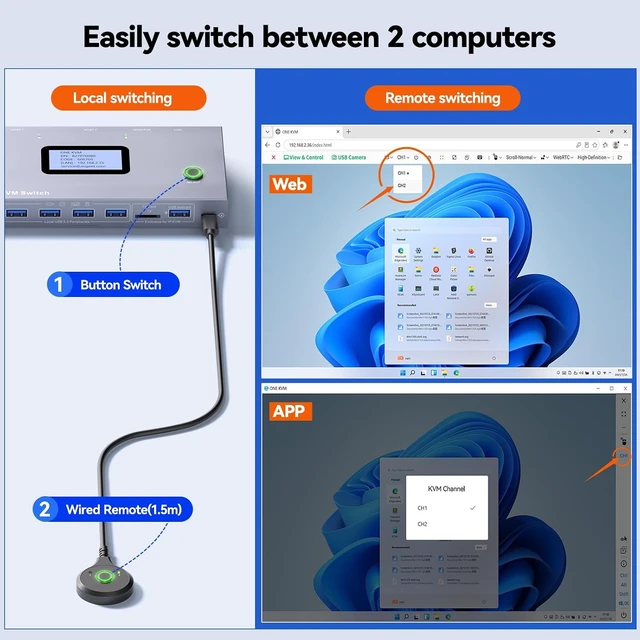
Web Login and APP You can remotely access target hosts via Web or APP (ONE KVM). Download the APP after logging into the network KVM switch through your web browser. Note: APP works for both LAN and WAN; web access is available on LAN only.
Auto IP Acquisition & Display This 2 computers HDMI IP KVM Switch comes with an LCD screen to show the acquired IP address and other information,you can locate it without logging into your router or DHCP server. Enter the IP in the browsers address bar to log into the 2 ports IP KVM switch,if the default password fails to work, reset and reboot the IPKVM.
Switch Between Target PCs Perform local switching between 2 PCs via physical button or wired remote. You can also remotely switch the two computers via APP or Web, simply select CH1/CH2 on the control interface.
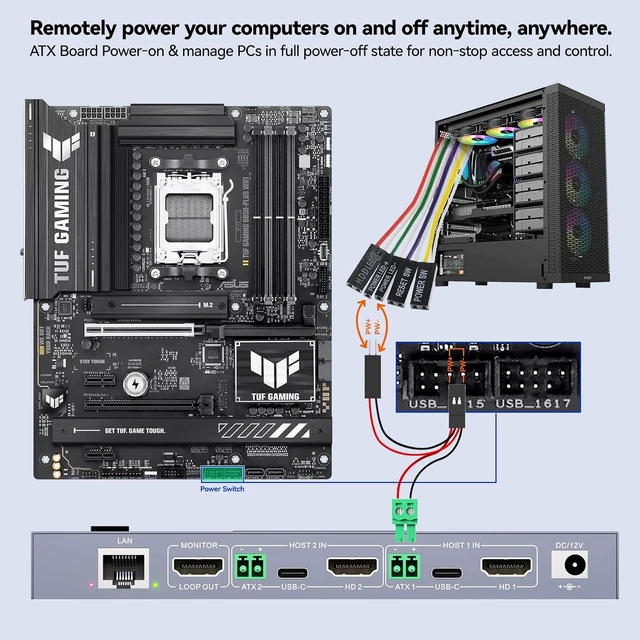
Remote Power On/OffConnect the included Dupont cable between the motherboard F_PANEL header and the ATX port on the IP KVM, then you can remotely power on/off your computer. (Desktop PCs only)
Built-in ZeroTier This IP KVM Integrated ZeroTier for Secure P2P Remote Access,Realize seamless cross-network KVM control without tedious port forwarding or VPN configuration, ideal for remote work, IT management and multi-location device monitoring.
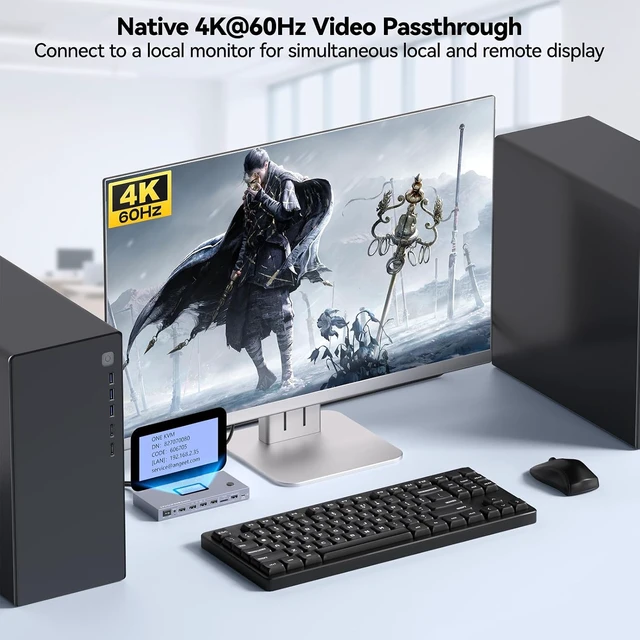
Upgrade for More Features Install OS Via BIOS, ANGEET remote KVM supports local monitor keyboard and mouse loop-out,TF storage,File Editing & File Transfer, USB camera, and one-click wake-up of controlled computers.
4K Resolution & Audio Support Supports 3840x2160@60Hz resolution and <60ms delay. Synchronized audio, During the journey, you can use your iPad to play video sources from your home computer, as wonderful as sitting on the sofa at home.
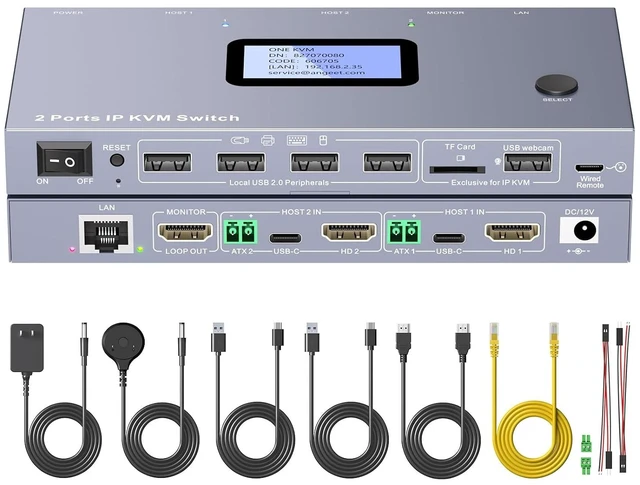
Multi-functional Hardware SolutionThis hardware-based KVM solution adopts H.264 hardware encoding for remote KVM control over the Internet. It supports static IP configuration, custom cloud server setup and online firmware upgrade. 1 year warr-anty,PACKAGING LIST: IP KVM switch, 2 * USB cable, 1 * HDMI cable, 1 * 12V power adapter, 2 * DuPont cable, 2 * Phoenix terminal, 1 * Ethernet cable, 1 * wired remote, user manual.





 here!
here!