Your Browsing History
Meet Your Seller
USB Charger Station, USB 3.0 KVM Switch for Two Displayport Monitors
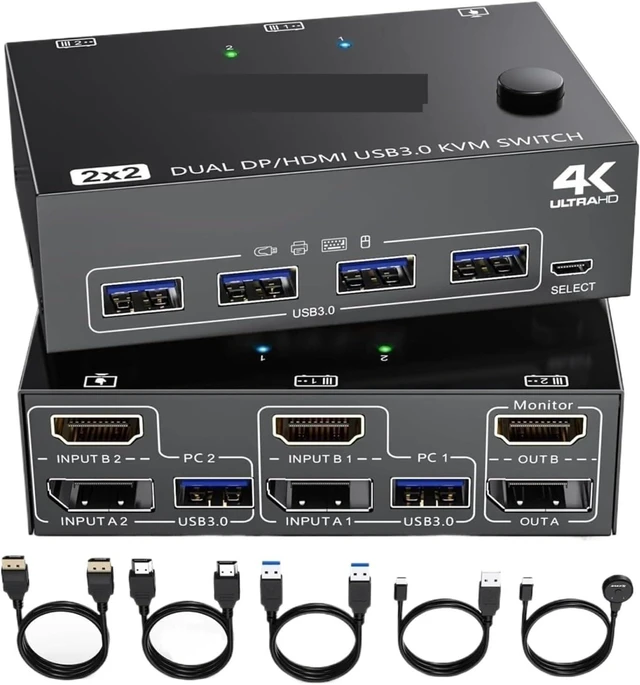
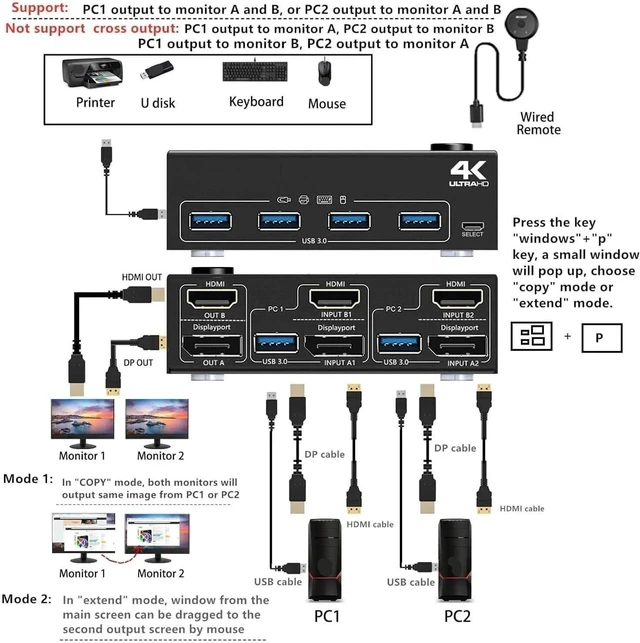
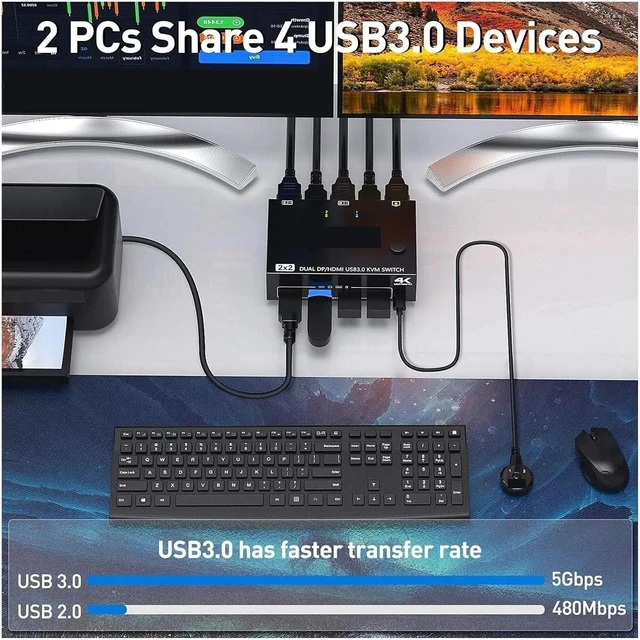
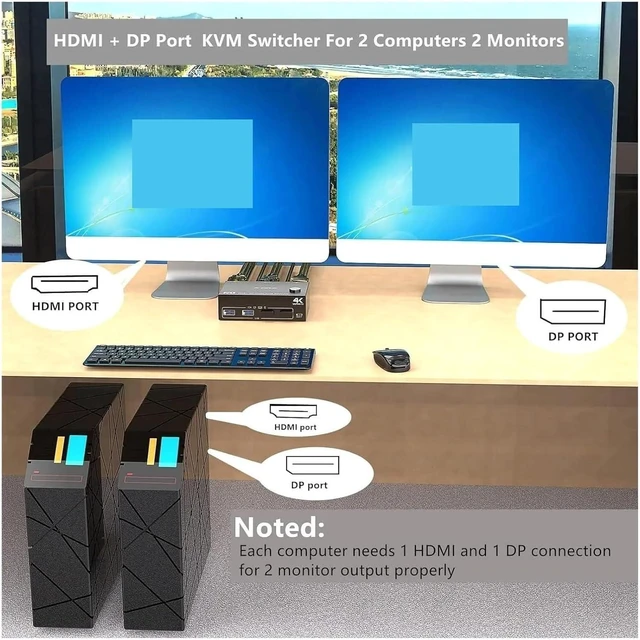
- Dual Monitor Support via and DisplayPort: This KVM switch allows two computers to share a keyboard, mouse and two monitors. It supports both DisplayPort, offering versatility for different configurations and ensuring a multi-device experience
- Extended View and Copy Mode: In copy mode, the content on the main screen can be mirrored to the second output screen, while in extended mode, you can drag windows from the main screen to the secondary monitor, improving the efficiency of multitasking and workflow
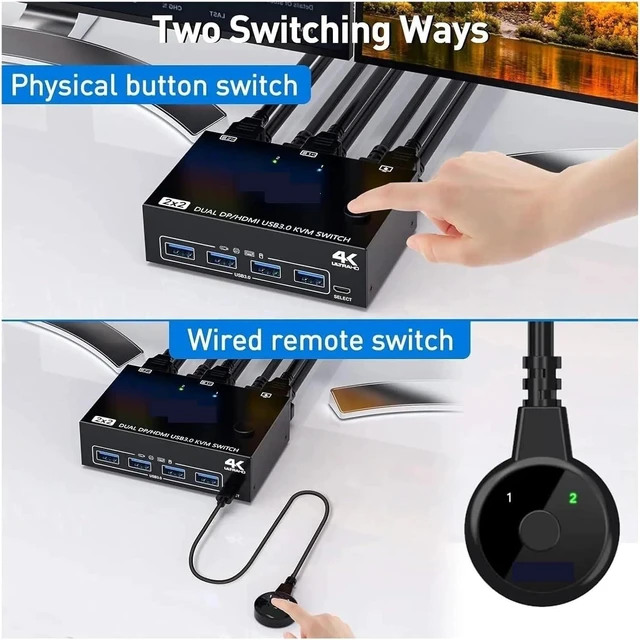
- Two Switching Methods: The KVM switch offers both physical button and wired control options, providing flexibility in switching between computers. Choose the mode that best suits your workflow and enjoy smooth transitions between devices
- Dual or Multi-Display System Compatibility: For optimal performance, this KVM switch requires computers to support dual or multi-display setups. Allows you to run two systems using two separate monitors, for greater productivity
- Versatile Input and
+
+
Overview
Specs
Reviews
Any questions? Our AI mode will help you find out quickly.
Try me now
Dual Monitor Support via and DisplayPort: This KVM switch allows two computers to share a keyboard, mouse and two monitors. It supports both DisplayPort, offering versatility for different configurations and ensuring a multi-device experience
Extended View and Copy Mode: In copy mode, the content on the main screen can be mirrored to the second output screen, while in extended mode, you can drag windows from the main screen to the secondary monitor, improving the efficiency of multitasking and workflow
Two Switching Methods: The KVM switch offers both physical button and wired control options, providing flexibility in switching between computers. Choose the mode that best suits your workflow and enjoy smooth transitions between devices
Dual or Multi-Display System Compatibility: For optimal performance, this KVM switch requires computers to support dual or multi-display setups. Allows you to run two systems using two separate monitors, for greater productivity
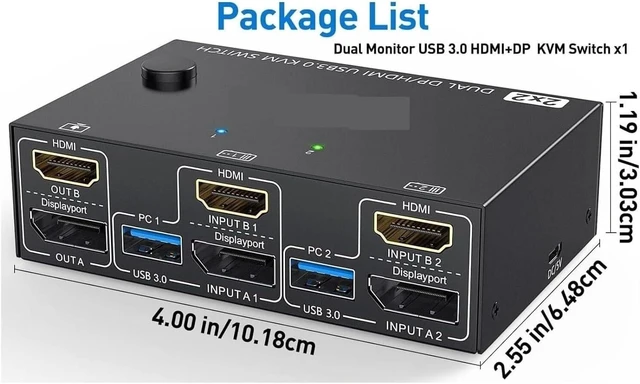
Versatile Input and Output Connections: Equipped with USB, and other connection options, this KVM switch supports a wide range of devices, making it suitable for various uses, such as digital photography, video editing, and general data processing tasks

Extended View and Copy Mode: In copy mode, the content on the main screen can be mirrored to the second output screen, while in extended mode, you can drag windows from the main screen to the secondary monitor, improving the efficiency of multitasking and workflow
Two Switching Methods: The KVM switch offers both physical button and wired control options, providing flexibility in switching between computers. Choose the mode that best suits your workflow and enjoy smooth transitions between devices
Dual or Multi-Display System Compatibility: For optimal performance, this KVM switch requires computers to support dual or multi-display setups. Allows you to run two systems using two separate monitors, for greater productivity
Versatile Input and Output Connections: Equipped with USB, and other connection options, this KVM switch supports a wide range of devices, making it suitable for various uses, such as digital photography, video editing, and general data processing tasks
Warranty & Returns
Warranty, Returns, And Additional Information
Warranty
- Please contact the Seller directly for warranty information. Warranty information may also be found on the Manufacturer's website.
- CONTACT
Return Policies
- Return for refund within: 30 days
- Return for replacement within: 30 days
- This item is covered by PartsPro Store Return Policy
Manufacturer Contact Info
- For a directory of all our manufacturers, please click below.
- Manufacturers Directory
LOADING...