Your Browsing History
Meet Your Seller
16 Port HDMI KVM Switch USB 3.0 4K 60Hz Rackmount with EDID Emulator Hotkey RS232 LAN IR Remote IP Control Auto Scan 16X1
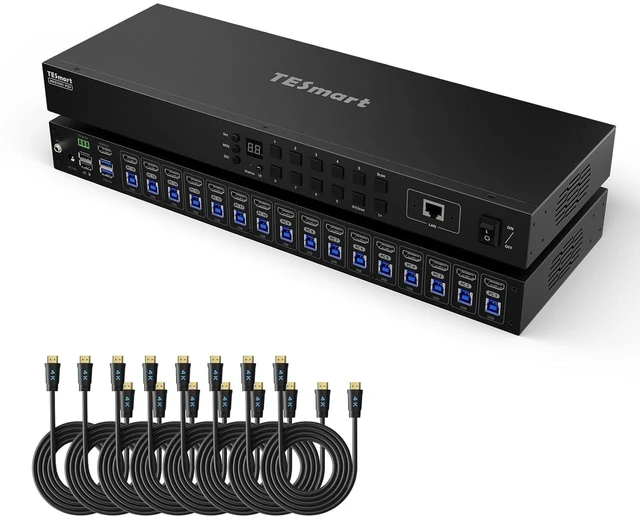
- This 16-port KVM switch supports 4K resolution at 60Hz, providing clear video output for multiple connected devices. It features a model number 16X1 and includes eight 5-foot cables for immediate setup.
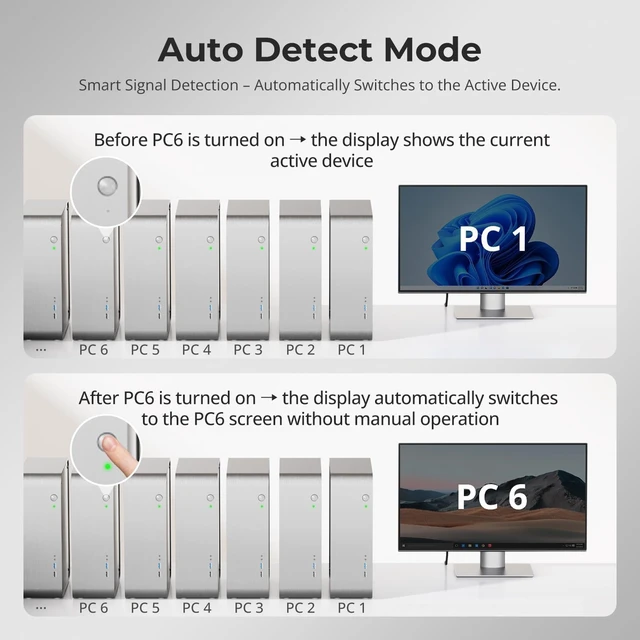
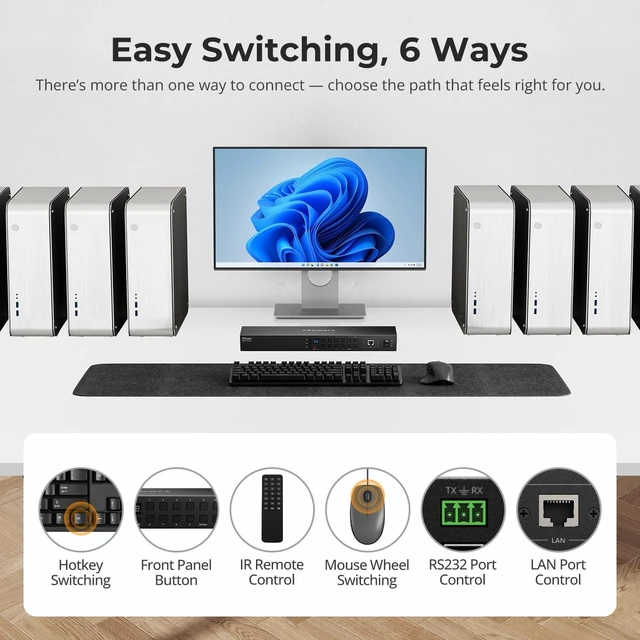
- The device offers versatile control options including hotkey switching, RS232 serial connection, LAN port for network management, and IR remote for convenient operation. An auto-scan function cycles through connected inputs automatically.
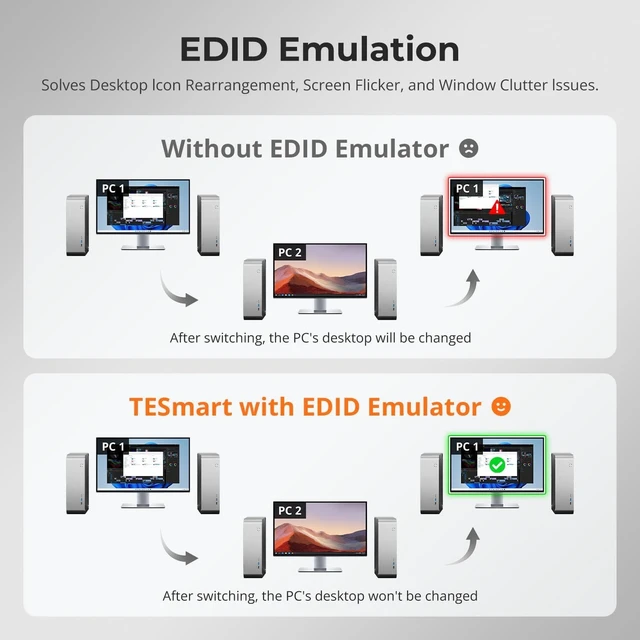
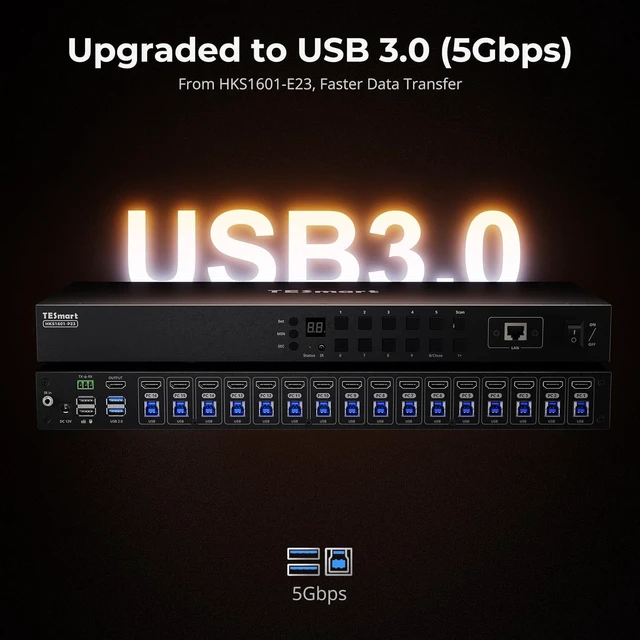
- Built with a rackmount design for enterprise environments, it includes an EDID emulator to maintain consistent display settings across all connected computers and monitors. USB 3.0 ports ensure fast data transfer speeds.
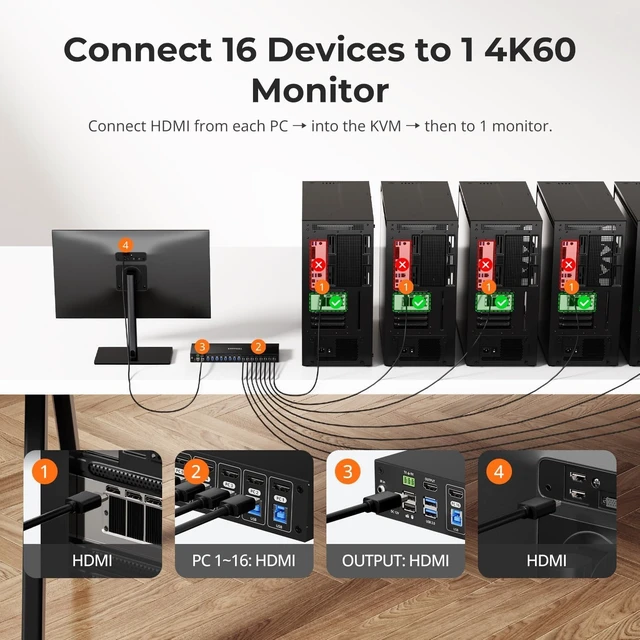
- Compatible with various computers and monitors, this switch allows centralized control of up to 16 systems from a single keyboard, video monitor, and mouse setup. It supports IP control for remote access over networks.
- Constructed from durable materials for reliable performance in professional settings, it is suitable for data cen
+
+
Overview
Specs
Reviews
Any questions? Our AI mode will help you find out quickly.
Try me now
1EDID Emulation24K@60Hz3K&M Compatibility1Button/Hotkey/IR Switch2Pass-Through Mode3Seamless Switching1Eco Lock Mode-Display Off2Hot Plug & Auto Detect3Auto Scan Mode116× HDMI Input Ports2Package ListIs there a slight delay when switching to PC1?
Keyboard and mouse switch seamlessly, while video switching completes within 23 secondstypically under 1 second in lab tests. Actual time may vary by cable quality, port oxidation, or transmission distance.
Does this 16 port KVM switch support both Mac and Windows?
Yes. It supports macOS, Windows, Linux, and Unix systems, and also works with devices like PS5 and Nintendo Switch. Video and USB switching is OS-independent, making it ideal for cross-platform setups.
Can the KVM Switch be controlled via computer software?
Yes. Input source switching can be performed using the official control software (Windows). In addition, we provide a control protocol document, allowing users to use third-party software or develop their own control tools based on the protocol.
How is EDID handled? Will my monitors flicker?
No. HKS1601-P23 features TESmarts advanced EDID emulation technology. This ensures resolutions and window layouts stay stable, preventing screen resets or window repositioning on KVMs without EDID.
Can I use the KVM right out of the box, and are cables included?
Yes, it is plug-and-play with no drivers required. We provides 16 HDMI 2.0 cables, and 16 USB A-B cable. Monitor HDMI cables are not included to reduce waste, as monitors typically come with cables.
Streamline Your Workflow Find the TESmart KVM Solution for Your SetupAdd to CartAdd to CartAdd to CartAdd to CartAdd to CartCustomer Reviews3.1 out of 5 stars35.0 out of 5 stars15.0 out of 5 stars25.0 out of 5 stars13.2 out of 5 stars4Price$599.99$599.99$989.99$989.99$399.99$399.99$639.99$639.99$399.99$399.99Connected Devices16 Computers16 Computers16 Computers8 Computers8 ComputersComputer Ports16× HDMI16× HDMI16× HDMI8× HDMI8× HDMIVideo Resolution4K@60Hz, 2K@144Hz, 1080P@240Hz8K60Hz,4K144/165Hz,1080P@240Hz4K@30Hz8K60Hz,4K144/165Hz,1080P@240Hz4K@60Hz, 2K@144Hz, 1080P@240HzDisplay SetupSingle MonitorSingle MonitorSingle MonitorSingle MonitorSingle MonitorShared USB Devices2x USB3.0, 2×USB1.12x USB3.0, 2×USB1.12x USB 2.0, 2×USB1.12x USB3.0, 2×USB1.12x USB3.0, 2×USB1.1ControlButton/IR/Hotkeys/Mouse WheelButton/IR/Hotkeys/Mouse WheelButton/IR/Hotkeys/Mouse WheelButton/IR/Hotkeys/Mouse WheelButton/IR/Hotkeys/Mouse WheelRS232&LAN Port ControlSupported Supported Supported Supported Supported Auto Scan &Auto Detect ModeSupported Supported Supported Supported Supported EDID EmulationEco Lock Mode (Display Off)Supported Supported Supported Supported Supported Rack-Mountable DesignYes (2× Rack-ears included)Yes (2× Rack-ears included)Yes (2× Rack-ears included)Yes (2× Rack-ears included)Yes (2× Rack-ears included)Included Cables16×HDMI 2.0, 16× USB cables16×HDMI2.1, 16×USB cables16×HDMI1.4, 16×USB cables8×HDMI2.1 cables, 8×USB cables8×HDMI2.0 cables, 8×USB cables

Keyboard and mouse switch seamlessly, while video switching completes within 23 secondstypically under 1 second in lab tests. Actual time may vary by cable quality, port oxidation, or transmission distance.
Does this 16 port KVM switch support both Mac and Windows?
Yes. It supports macOS, Windows, Linux, and Unix systems, and also works with devices like PS5 and Nintendo Switch. Video and USB switching is OS-independent, making it ideal for cross-platform setups.
Can the KVM Switch be controlled via computer software?
Yes. Input source switching can be performed using the official control software (Windows). In addition, we provide a control protocol document, allowing users to use third-party software or develop their own control tools based on the protocol.
How is EDID handled? Will my monitors flicker?
No. HKS1601-P23 features TESmarts advanced EDID emulation technology. This ensures resolutions and window layouts stay stable, preventing screen resets or window repositioning on KVMs without EDID.
Can I use the KVM right out of the box, and are cables included?
Yes, it is plug-and-play with no drivers required. We provides 16 HDMI 2.0 cables, and 16 USB A-B cable. Monitor HDMI cables are not included to reduce waste, as monitors typically come with cables.
Streamline Your Workflow Find the TESmart KVM Solution for Your SetupAdd to CartAdd to CartAdd to CartAdd to CartAdd to CartCustomer Reviews3.1 out of 5 stars35.0 out of 5 stars15.0 out of 5 stars25.0 out of 5 stars13.2 out of 5 stars4Price$599.99$599.99$989.99$989.99$399.99$399.99$639.99$639.99$399.99$399.99Connected Devices16 Computers16 Computers16 Computers8 Computers8 ComputersComputer Ports16× HDMI16× HDMI16× HDMI8× HDMI8× HDMIVideo Resolution4K@60Hz, 2K@144Hz, 1080P@240Hz8K60Hz,4K144/165Hz,1080P@240Hz4K@30Hz8K60Hz,4K144/165Hz,1080P@240Hz4K@60Hz, 2K@144Hz, 1080P@240HzDisplay SetupSingle MonitorSingle MonitorSingle MonitorSingle MonitorSingle MonitorShared USB Devices2x USB3.0, 2×USB1.12x USB3.0, 2×USB1.12x USB 2.0, 2×USB1.12x USB3.0, 2×USB1.12x USB3.0, 2×USB1.1ControlButton/IR/Hotkeys/Mouse WheelButton/IR/Hotkeys/Mouse WheelButton/IR/Hotkeys/Mouse WheelButton/IR/Hotkeys/Mouse WheelButton/IR/Hotkeys/Mouse WheelRS232&LAN Port ControlSupported Supported Supported Supported Supported Auto Scan &Auto Detect ModeSupported Supported Supported Supported Supported EDID EmulationEco Lock Mode (Display Off)Supported Supported Supported Supported Supported Rack-Mountable DesignYes (2× Rack-ears included)Yes (2× Rack-ears included)Yes (2× Rack-ears included)Yes (2× Rack-ears included)Yes (2× Rack-ears included)Included Cables16×HDMI 2.0, 16× USB cables16×HDMI2.1, 16×USB cables16×HDMI1.4, 16×USB cables8×HDMI2.1 cables, 8×USB cables8×HDMI2.0 cables, 8×USB cables
Warranty & Returns
Warranty, Returns, And Additional Information
Warranty
- Please contact the Seller directly for warranty information. Warranty information may also be found on the Manufacturer's website.
- CONTACT
Return Policies
- Return for refund within: 30 days
- Return for replacement within: 30 days
- This item is covered by PartsPro Store Return Policy
Manufacturer Contact Info
- For a directory of all our manufacturers, please click below.
- Manufacturers Directory
LOADING...