Your Browsing History
Meet Your Seller
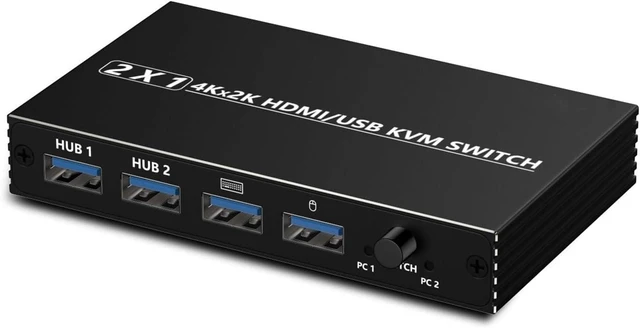
USB Charger Station, High-Definition HD KVM HDMI Switcher, Shared USB Converter/Distributor
- High definition HDMI KVM switch for sharing keyboard, mouse, and USB devices between 2 computers
- Supports 4K at 60Hz video resolution for clear display output on connected monitors
- USB 2.0 connectivity for external devices including printers, flash drives, and scanners
- Built in switch button plus external cable connected desktop button for convenient control
- Compatible with mice, keyboards, and various USB devices for complete workstation sharing
+
+
Overview
Specs
Reviews
Any questions? Our AI mode will help you find out quickly.
Try me now
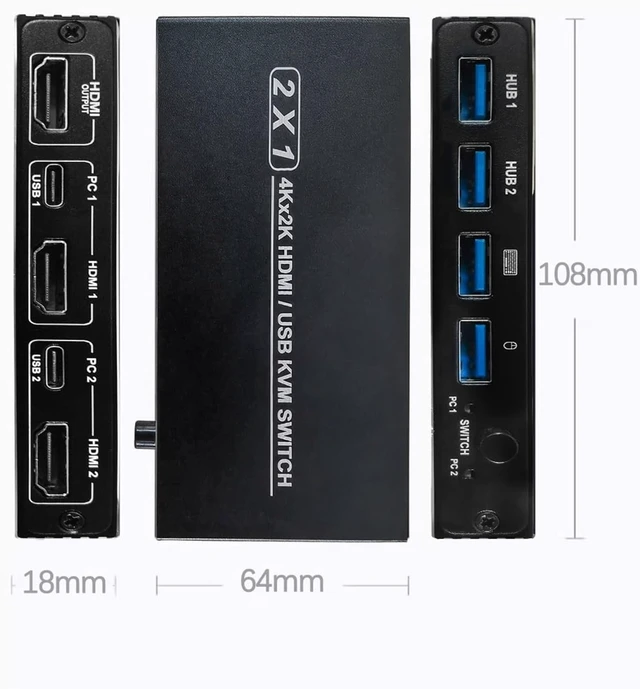
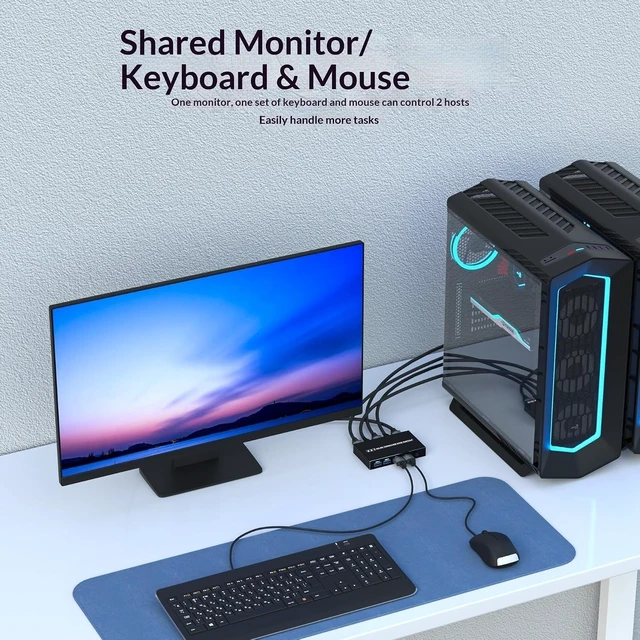
KVM is a KVM switch that allows you to switch between two PCs using a single keyboard and mouse, a single monitor, and two USB ports (for external USB devices). HDMI supports up to 4K/60Hz, and the USB standard is USB 2.0 (480Mbps), backward compatible with USB 1.1. The product features a built-in switch button and also supports an external cable-connected desktop button for user convenience.
Compatible Devices
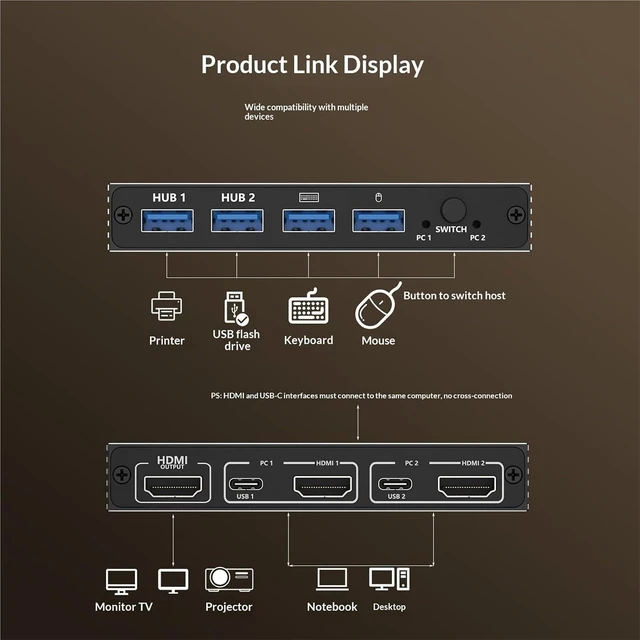
Various HDMI devices, including mice, keyboards, USB flash drives, printers, all-in-one printers, scanners, and other USB-compatible devices.
Product Features
USB 2.0 (480Mbps) high-speed data transfer, suitable for connecting mice, keyboards, etc.
Select either of the two HDMI input sources as the output.
HDMI supports 4K/30Hz.
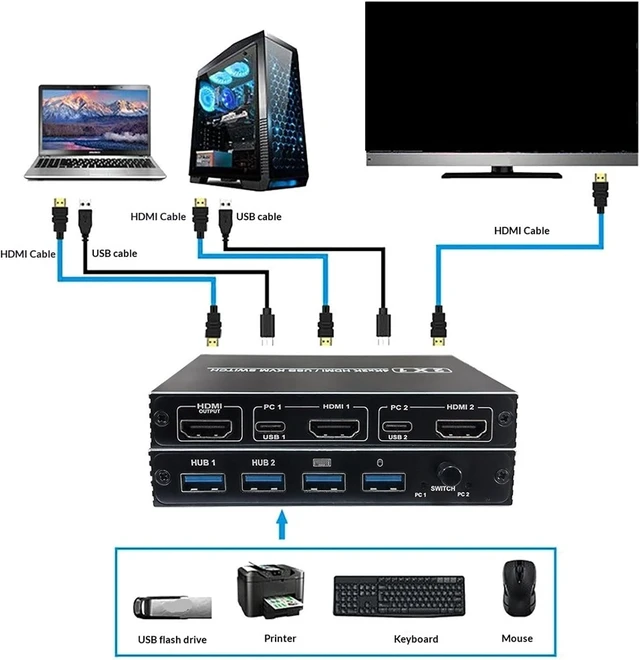
Note: Connect both the HDMI and USB ports on PC1 to PC1, and connect both the HDMI and USB ports on PC2 to PC2. Do not cross-connect; for example, connecting the HDMI port on PC1 to PC1 and the USB port to PC2 will cause the product to malfunction.

Compatible Devices
Various HDMI devices, including mice, keyboards, USB flash drives, printers, all-in-one printers, scanners, and other USB-compatible devices.
Product Features
USB 2.0 (480Mbps) high-speed data transfer, suitable for connecting mice, keyboards, etc.
Select either of the two HDMI input sources as the output.
HDMI supports 4K/30Hz.
Note: Connect both the HDMI and USB ports on PC1 to PC1, and connect both the HDMI and USB ports on PC2 to PC2. Do not cross-connect; for example, connecting the HDMI port on PC1 to PC1 and the USB port to PC2 will cause the product to malfunction.
Warranty & Returns
Warranty, Returns, And Additional Information
Warranty
- Please contact the Seller directly for warranty information. Warranty information may also be found on the Manufacturer's website.
- CONTACT
Return Policies
- Return for refund within: 30 days
- Return for replacement within: 30 days
- This item is covered by PartsPro Store Return Policy
Manufacturer Contact Info
- For a directory of all our manufacturers, please click below.
- Manufacturers Directory
LOADING...