We're keeping up with the times, drawing inspiration from the youth to make our products fashionable. Yet, we remain stubborn, like an old man forging each product meticulously with a hammer. We prioritize the user's feelings and experiences, refusing to compromise on quality.
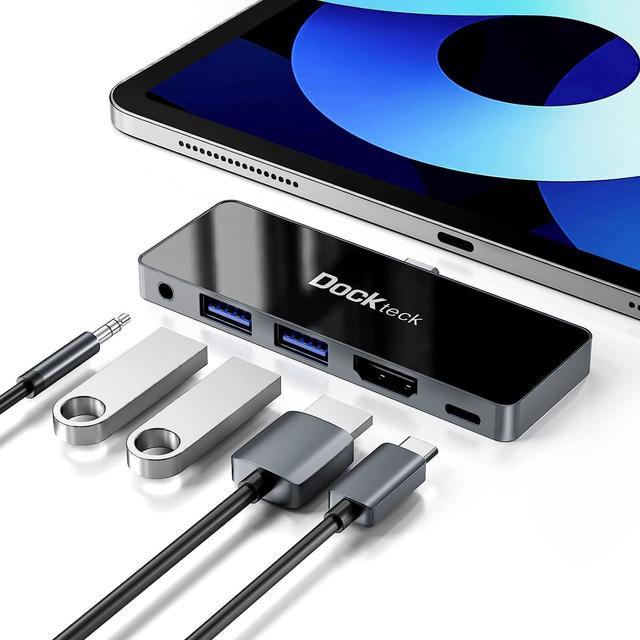
A small yet powerful iPad Pro hub expands the single Type-C port on your iPad Pro & Air, providing the ports you need. The aluminum housing and mirrored acrylic panel give the multiport adapter a seamless look, making it appear as a natural extension of your iPad Pro or iPad Air.
NOTE:
DOES NOT SUPPORTS 2017 & earlier iPad models
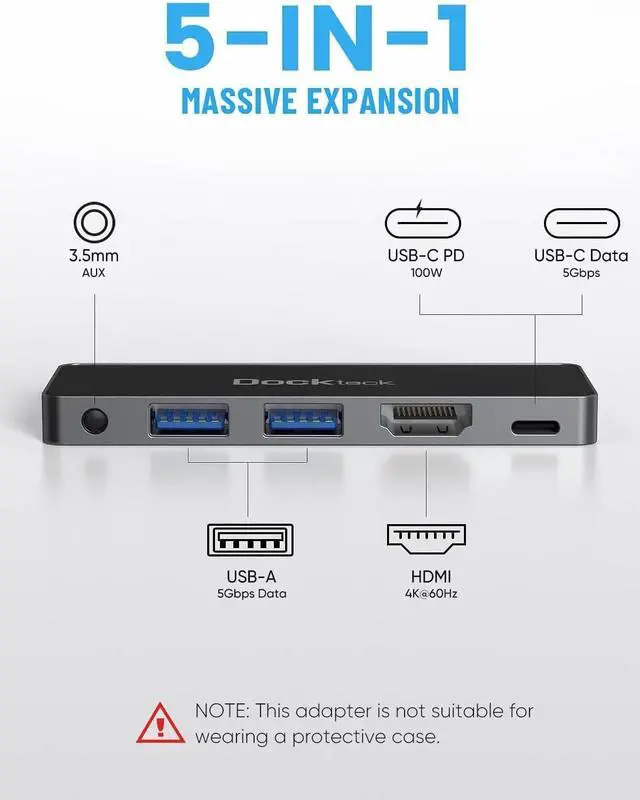
IT IS NOT COMPATIBLE WITH AN IPAD CASE.
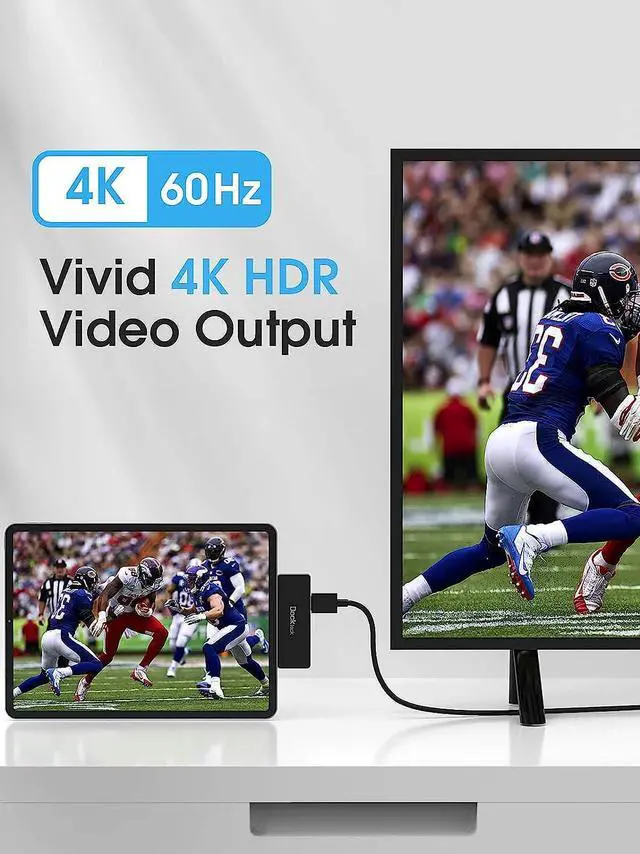
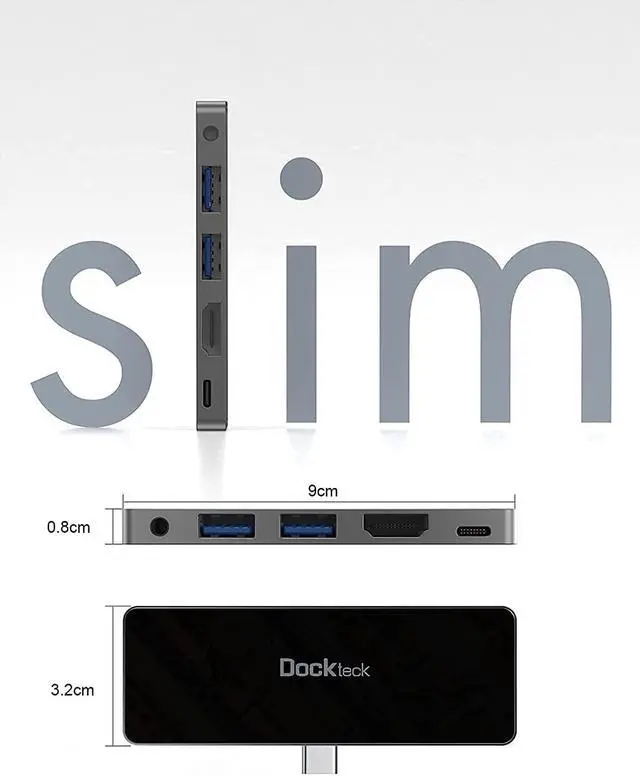
1 x HDMI: Up to 4K @ 60Hz
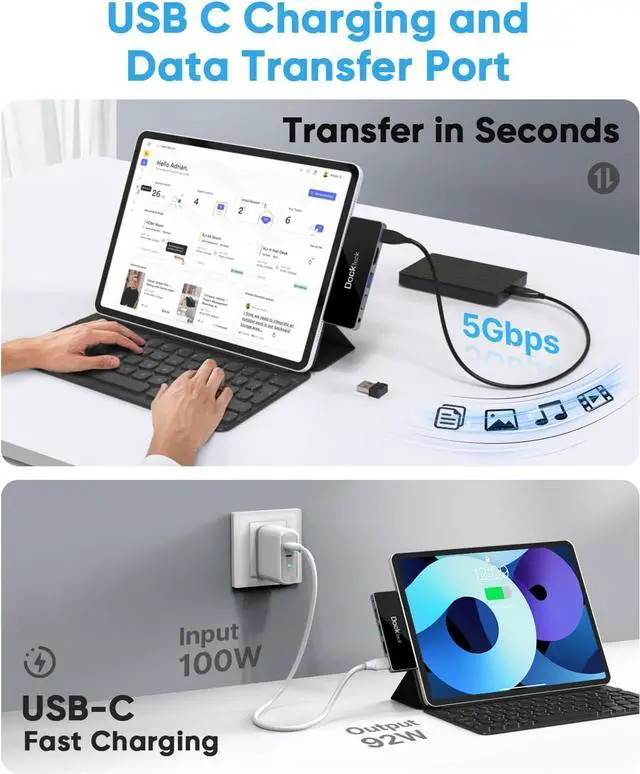
1 x USB-C Port: Support 100W PD & 5Gbps Data Transfer
2 x USB 3.0: Up to 5 Gbps 5V 1.6A
1 x 3.5mm Audio Jack
The HDMI connection supports a maximum resolution of 4K@60Hz and HDR in mirror or extension mode. Before using, please make sure your Type-C device supports DP ALT mode
The PD-IN port does not support data transmission, and the actual output power can reach up to 85W.
The Type-C connection also supports data transfer speeds of up to 5 Gbps when connected to a Type-C device, allowing you to transfer a full HD film in just a few seconds. This saves you more time for the important things.
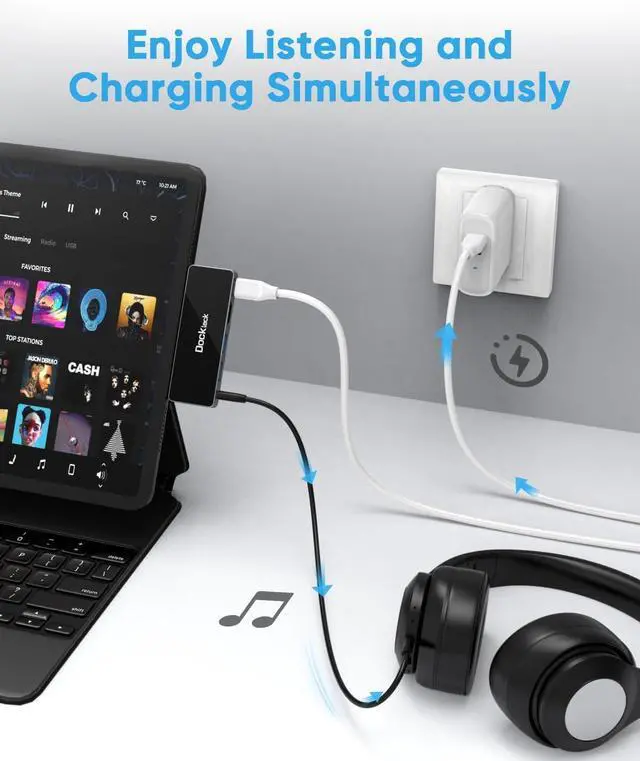
The 3.5mm jack on this iPad Pro Hub allows you to connect speakers or a headset, providing an additional port for enjoying high-quality and private audio in public.
No additional drivers or installations are required; simply connect the USB C Hub directly to your devices. It is equipped with 2 USB 3.0 ports (up to 5Gbps) for seamless gaming and file transfers.
This iPad docking station features a mirrored surface made of acrylic and a space-gray aluminum housing, which facilitates efficient heat dissipation. The form-fitting design ensures easy portability, allowing you to conveniently carry it with your iPad.
Friendly Reminders:
It is not compatible with an iPad case.
For users of the Apple MacBook Air 2020 model running macOS 10.15.5, please be aware of a bug that causes HDMI and USB interruptions, affecting many USB-C hubs. To resolve this issue, please check for updates and install macOS 10.15.6 if necessary.
Please note that achieving 4K @ 60Hz requires a laptop with enabled DisplayPort 1.4 and 8K capabilities. If your laptop has DisplayPort 1.2, it can only achieve a maximum of 4K @ 30Hz.
Frequently Asked Questions about iPad adapters:
Q1. What devices can be compatible with?
For iPad Pro 12.9 inch: 2022 6th generation, 2021 5th generation, 2020 4th generation, 2018 3th generation;
For iPad Pro 11 inch: 2022 4th generation, 2021 3th generation, 2020 2th generation, 2018 1th generation;
For iPad Mini: 2022 6th generation; For iPad: 2022 10th generation;
For iPad Air: 2022 5th generation, 2020 4th generation;
For Samsung: Samsung Galaxy Tab S8 Ultra/S8+/S8/S7+/S7/S6
Q2: How can I charge my iPad Pro?
To charge your iPad Pro at full speed, please connect a USB-C PD charger with a minimum power output of 38W using a USB-C to USB-C cable to the USB-C port of the iPad C adapter.
Q3: What is the audio output priority when both HDMI and 3.5mm audio ports are connected?
If external devices are connected to this iPad Pro C adapter before the iPad Pro, when both HDMI and the 3.5mm jack are connected simultaneously, the audio output will be through the 3.5mm audio port.
If the iPad Pro is connected to this iPad Pro C hub before the external devices, when both HDMI and the 3.5mm jack are connected simultaneously, the audio output will be through the last connected port. In this situation:
To output sound through the 3.5mm jack, please unplug and plug in the 3.5mm jack again.
To output sound through the HDMI port, please unplug and reconnect the HDMI cable.
Q4: Does the USB 3.0 port support charging?
The USB port is primarily





 here!
here!