• $73.99
  • Free 30-day Returns
  • Shipped by PartsPro Store

    Price alert
    Shop it at NeweggBusiness.

    Meet Your Seller

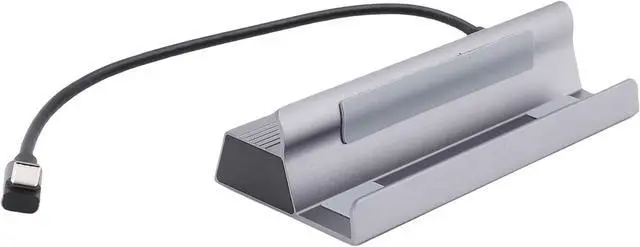
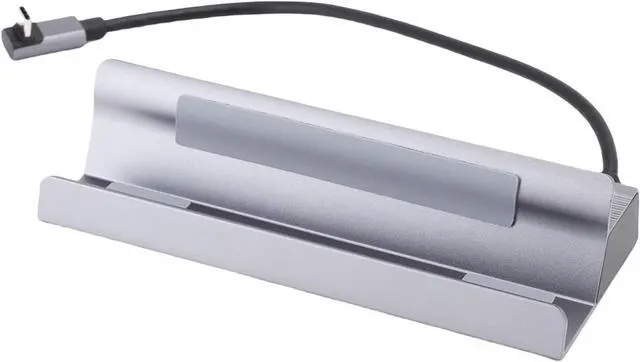
    banapoy 6 in 1 USB C Docking Station Seamless Connectivity 4K120Hz HD Output for Gaming and Presentations

    • [MAXIMUM VERSATILITY] Enjoy seamless connectivity with 6 in 1 USB hub, no more switching ports needed
    • [CLEAR HD OUTPUT] HD multimedia interface 4K120Hz ensures crisp images for gaming, movies, and presentations
    • [RAPID CHARGING SUPPORT] Up to 100W power delivery allows quick charging without slowing data transfer
    • [FAST NETWORK CONNECTION] RJ45 port offers speeds of up to 1000Mbps, great for online gaming and large file transfers
    • [STURDY DESIGN] Aluminum alloy shell for durability, fits in your workspace and easy to carry for on the go professionals
    +
    +
    Overview
    Specs
    Reviews
    avatar

    Any questions? Our AI mode will help you find out quickly.

    1. [MAXIMUM VERSATILITY] Enjoy seamless connectivity with 6 in 1 USB hub, no more switching ports needed
    2. [CLEAR HD OUTPUT] HD multimedia interface 4K120Hz ensures crisp images for gaming, movies, and presentations
    3. [RAPID CHARGING SUPPORT] Up to 100W power delivery allows quick charging without slowing data transfer
    4. [FAST NETWORK CONNECTION] RJ45 port offers speeds of up to 1000Mbps, great for online gaming and large file transfers
    5. [STURDY DESIGN] Aluminum alloy shell for durability, fits in your workspace and easy to carry for on the go professionals
    Spec:
    Item Type: USB C Docking Station
    Material: Metal, Aluminum Alloy Shell
    Input Interface: Type C
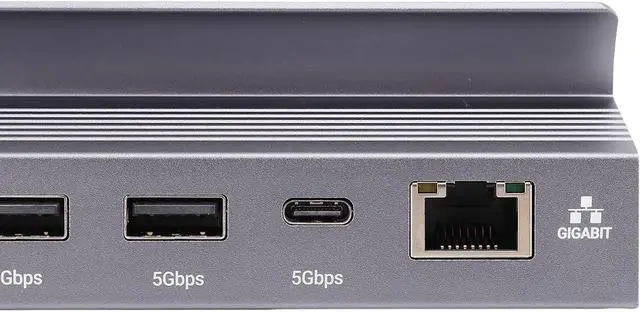
    USB3.0: 5Gbps
    Type C: 5Gbps
    HD Multimedia Interface: 4K120Hz
    PD: 100W (Maximum)
    RJ45: 1000Mbps
    Compatible systems: for , for OS X, for Linux
    How to Use:
    Basic connection, plug and play
    PackageList:
    1 x USB C Docking Station
    Note:
    1. Regularly clean the interface of the docking station to avoid poor contacting caused by dust.
    2. Avoid frequent plugging and unplugging to reduce interface wear.
    3. When not in use for a long time, disconnect the power supply and connecting wires.

    Warranty & Returns

    Warranty, Returns, And Additional Information

    Warranty

    • Please contact the Seller directly for warranty information. Warranty information may also be found on the Manufacturer's website.
    • CONTACT

    Return Policies

    Manufacturer Contact Info

    LOADING...