

Your Browsing History

Meet Your Seller

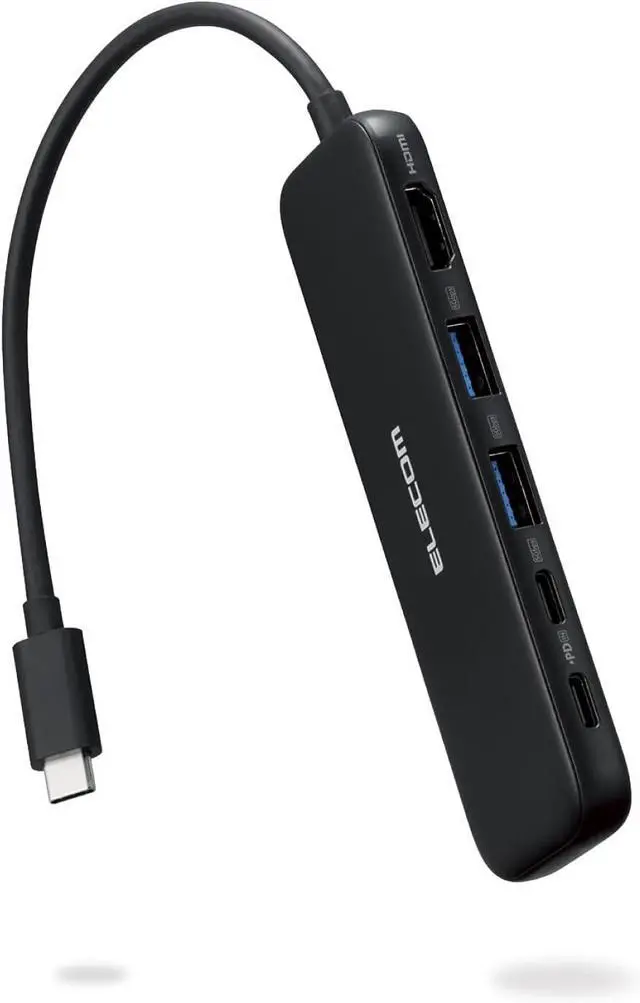


Elecom DST-W01 USB-C Hub Docking Station 5in1 100W PD Support HDMI 4K30Hz High Speed Data Transfer 5Gbps Black
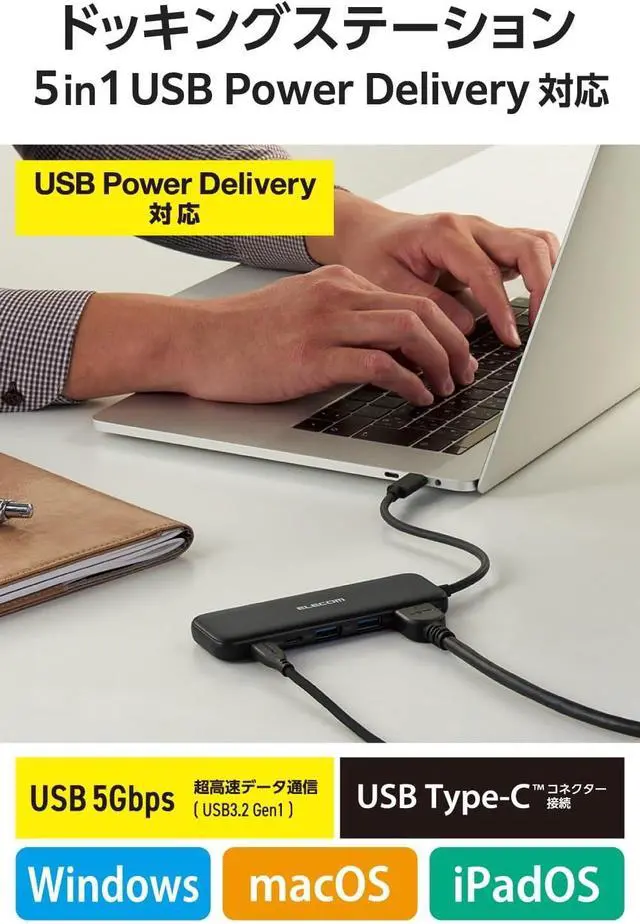
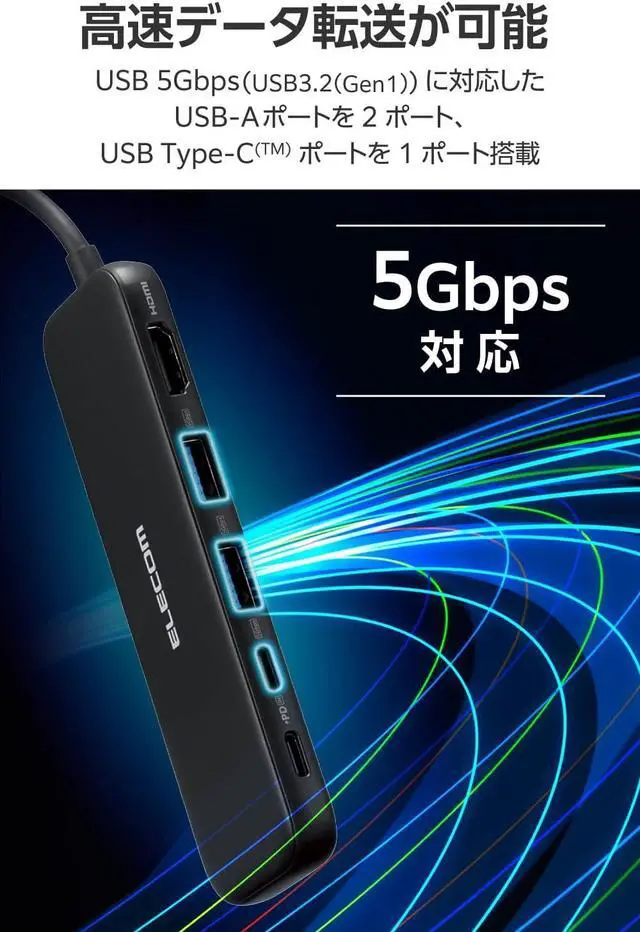
- Docking station with USB Type-C (TM) port compatible with USB 5Gbps (USB3.2 (Gen1) Supports USB Power Delivery to power your laptop, allowing you to connect all of the necessary peripherals to a computer with a USB Type-C connector in one cable
- A single cable connects your computer with a USB Type-C (TM) connector
- USB 5Gbps (Gen1) supports USB 5 Gbps (Gen1) for ultra-fast data transfer up to 5 Gbps
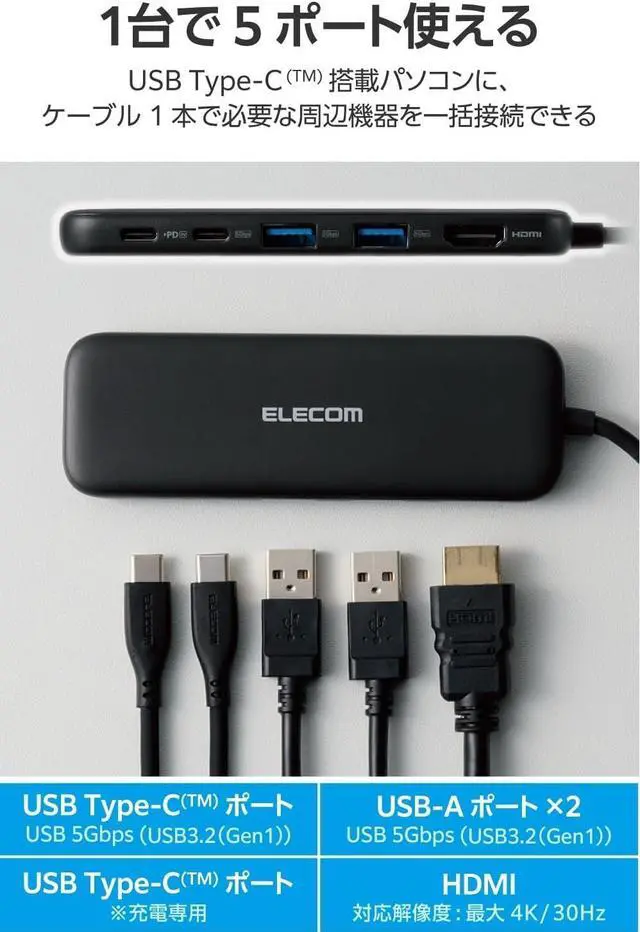
- 1 USB Type-C (TM) port compatible with USB 5Gbps (USB3.2 (Gen1)
- For data transmission only, video output is not supported
+
+
Overview
Specs
Reviews

Any questions? Our AI mode will help you find out quickly.
Try me now
Specifications:
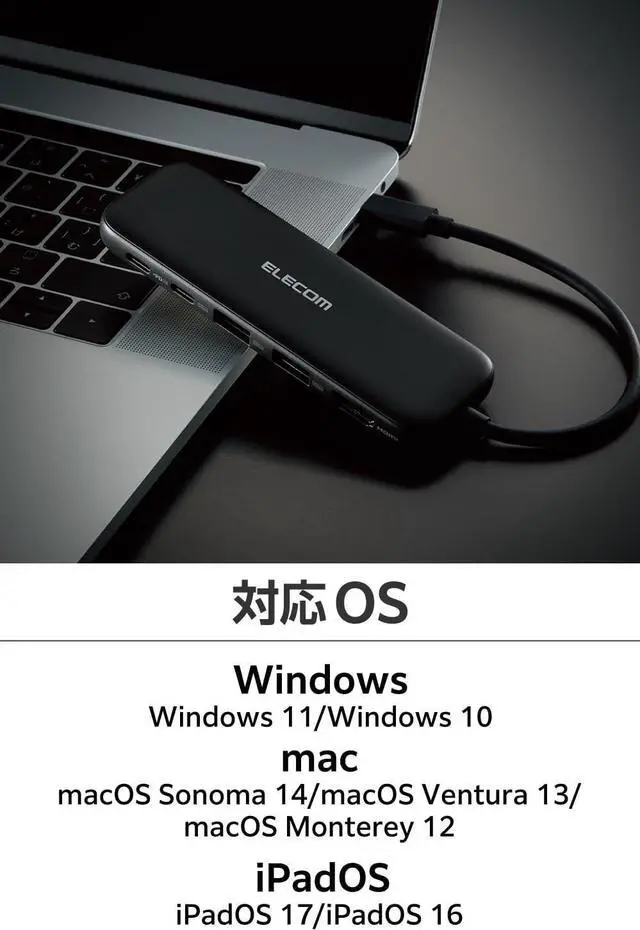
Supported OS (Windows): Windows 11/Windows 10.
Supported OS (mac): macOS Sonoma 14/macOS Ventura 13/macOS Monterey 12
Supported OS (iPadOS): iPad OS 17/iPad OS 16
Supported OS Note: *Updates to the latest version of each OS and installation of service pack may be required.
Connector Specification (Upstream): USB Type-C (TM) connector, USB Power Delivery support (maximum input 100W / maximum output 85W), DisplayPort(TM) Alt mode (works with USB 2.0 when connected to USB2.0 (video output is not supported when USB2.0 is connected))
USB port (downstream): 1: USB Type-C (TM) port x 1, Supply power value: 7.5W (5V/1.5A) *Data communication only, not support video output.
USB port (downstream): 2: USB Type-C (TM) port x 1 *USB Power Delivery port for charging.
USB port (downstream): 3: USB-A ports x 2, 2 ports total: 7.5W (5V/1.5A)
USB port (downstream): *This product is a product to increase the USB port. It is not recommended to use this product to charge smartphones or tablets.
Video output port (downstream): HDMI x 1
Power Source: Bus Power
Cable Length: Approx. 5.9 inches (15 cm) *Connector not included
Color: Black
External dimensions: Product body: Width 4.8 inches (122 mm) x Depth 1.6 inches (41 mm) x Height 0.4 inches (10 mm) *Cable not included
Operating Environment: Temperature 5-40 , humidity 30-80% *No condensation
Warranty period: 1 year
Description
A docking station that connects to a computer with a USB Type-C (TM) connector to connect a USB device or an HDMI display.
Connect all the necessary peripherals to a PC with a USB Type-C (TM) connector.
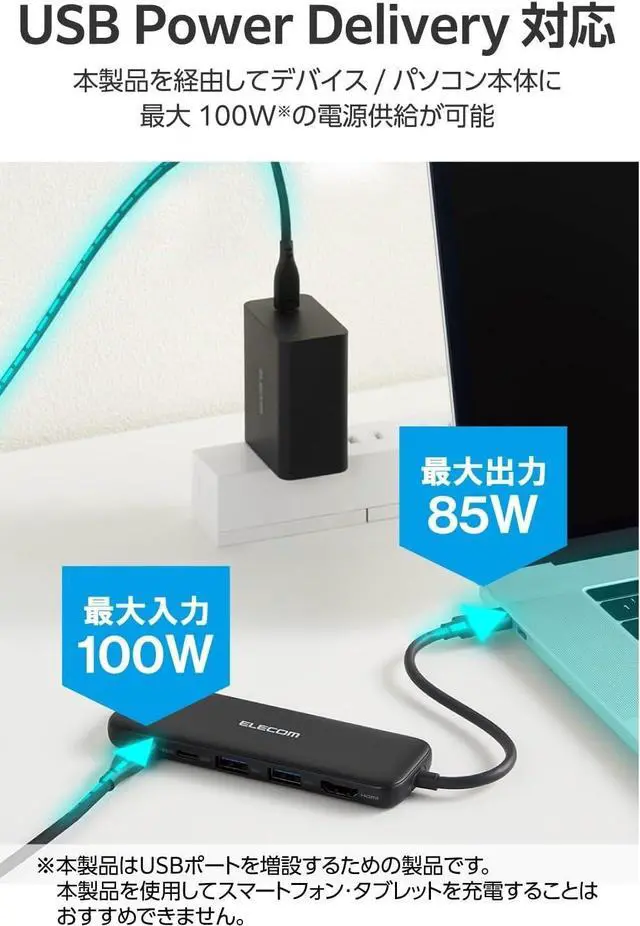
Supports USB Power Delivery that delivers up to 100W (*) power via the USB Type-C (TM) connector.
The product consumes 15 W, so the actual output is up to 85 W.
If power is required to supply 85W, please prepare a 100W output charger.
By connecting to the USB Type-C (TM) power adapter, you can charge your computer via this product.
It has 2 USB-A ports that support USB 5Gbps (USB3.2 (Gen1).
This product is designed to increase the USB port. It is not recommended to use this product to charge smartphones or tablets.
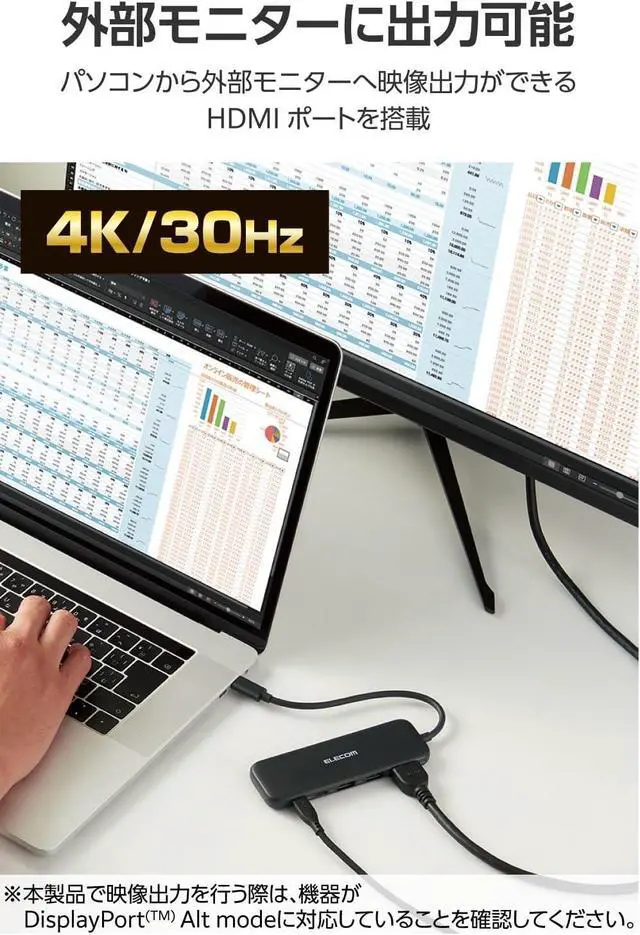
It is equipped with an HDMI port that can output video from a computer to an external monitor (Supported Resolution: up to 4K/30Hz).
When performing video output with this product, please make sure the device is compatible with DisplayPort(TM) Alt Mode.
If the device is not compatible with charging from a USB Type-C (TM) connector, it cannot be charged via the USB Type-C (TM) connector. Please make sure your device supports USB Power Delivery when charging.
This product will not work on the system screen or BIOS screen before operating the OS.
Please connect this product directly to the USB Type-C (TM) connector on your computer. If you connect to the USB Type-C (TM) connector on the USB hub or extension board, this product will not be compatible.
*USB Type-C and USB-C are trademarks of USB Implementers Forum
Supported OS (Windows): Windows 11/Windows 10.
Supported OS (mac): macOS Sonoma 14/macOS Ventura 13/macOS Monterey 12
Supported OS (iPadOS): iPad OS 17/iPad OS 16
Supported OS Note: *Updates to the latest version of each OS and installation of service pack may be required.
Connector Specification (Upstream): USB Type-C (TM) connector, USB Power Delivery support (maximum input 100W / maximum output 85W), DisplayPort(TM) Alt mode (works with USB 2.0 when connected to USB2.0 (video output is not supported when USB2.0 is connected))
USB port (downstream): 1: USB Type-C (TM) port x 1, Supply power value: 7.5W (5V/1.5A) *Data communication only, not support video output.
USB port (downstream): 2: USB Type-C (TM) port x 1 *USB Power Delivery port for charging.
USB port (downstream): 3: USB-A ports x 2, 2 ports total: 7.5W (5V/1.5A)
USB port (downstream): *This product is a product to increase the USB port. It is not recommended to use this product to charge smartphones or tablets.
Video output port (downstream): HDMI x 1
Power Source: Bus Power
Cable Length: Approx. 5.9 inches (15 cm) *Connector not included
Color: Black
External dimensions: Product body: Width 4.8 inches (122 mm) x Depth 1.6 inches (41 mm) x Height 0.4 inches (10 mm) *Cable not included
Operating Environment: Temperature 5-40 , humidity 30-80% *No condensation
Warranty period: 1 year
Description
A docking station that connects to a computer with a USB Type-C (TM) connector to connect a USB device or an HDMI display.
Connect all the necessary peripherals to a PC with a USB Type-C (TM) connector.
Supports USB Power Delivery that delivers up to 100W (*) power via the USB Type-C (TM) connector.
The product consumes 15 W, so the actual output is up to 85 W.
If power is required to supply 85W, please prepare a 100W output charger.
By connecting to the USB Type-C (TM) power adapter, you can charge your computer via this product.
It has 2 USB-A ports that support USB 5Gbps (USB3.2 (Gen1).
This product is designed to increase the USB port. It is not recommended to use this product to charge smartphones or tablets.
It is equipped with an HDMI port that can output video from a computer to an external monitor (Supported Resolution: up to 4K/30Hz).
When performing video output with this product, please make sure the device is compatible with DisplayPort(TM) Alt Mode.
If the device is not compatible with charging from a USB Type-C (TM) connector, it cannot be charged via the USB Type-C (TM) connector. Please make sure your device supports USB Power Delivery when charging.
This product will not work on the system screen or BIOS screen before operating the OS.
Please connect this product directly to the USB Type-C (TM) connector on your computer. If you connect to the USB Type-C (TM) connector on the USB hub or extension board, this product will not be compatible.
*USB Type-C and USB-C are trademarks of USB Implementers Forum
Warranty & Returns
Warranty, Returns, And Additional Information
Warranty
- Please contact the Seller directly for warranty information. Warranty information may also be found on the Manufacturer's website.
- CONTACT
Return Policies
- Return for refund within: 30 days
- Return for replacement within: 30 days
- This item is covered by PartsPro Store Return Policy
Manufacturer Contact Info
- For a directory of all our manufacturers, please click below.
- Manufacturers Directory
LOADING...