

Your Browsing History

Meet Your Seller

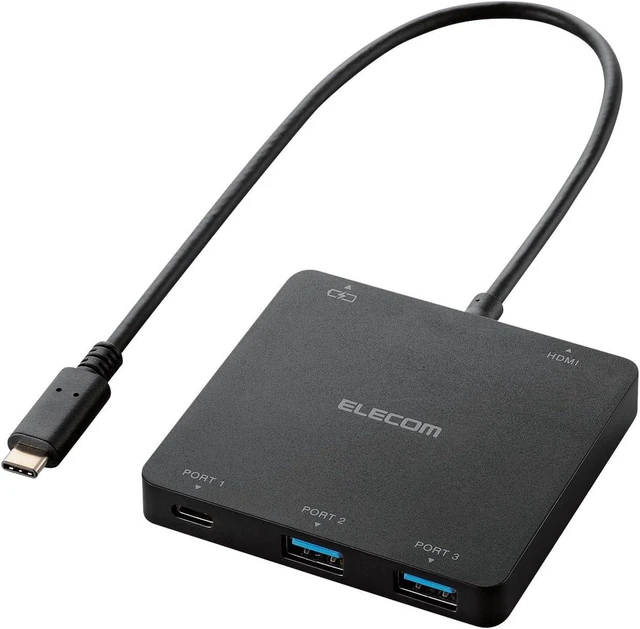
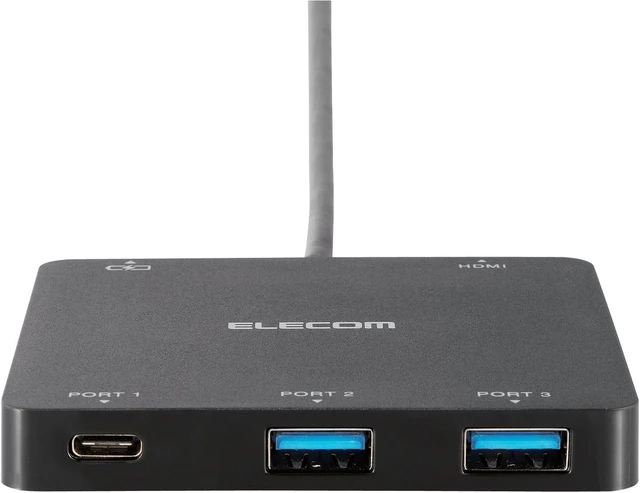
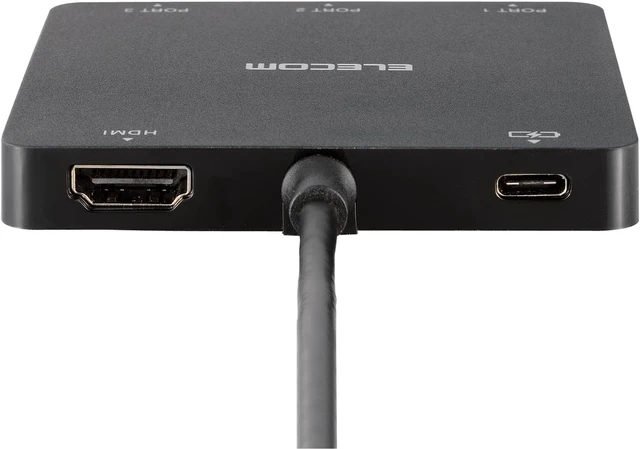
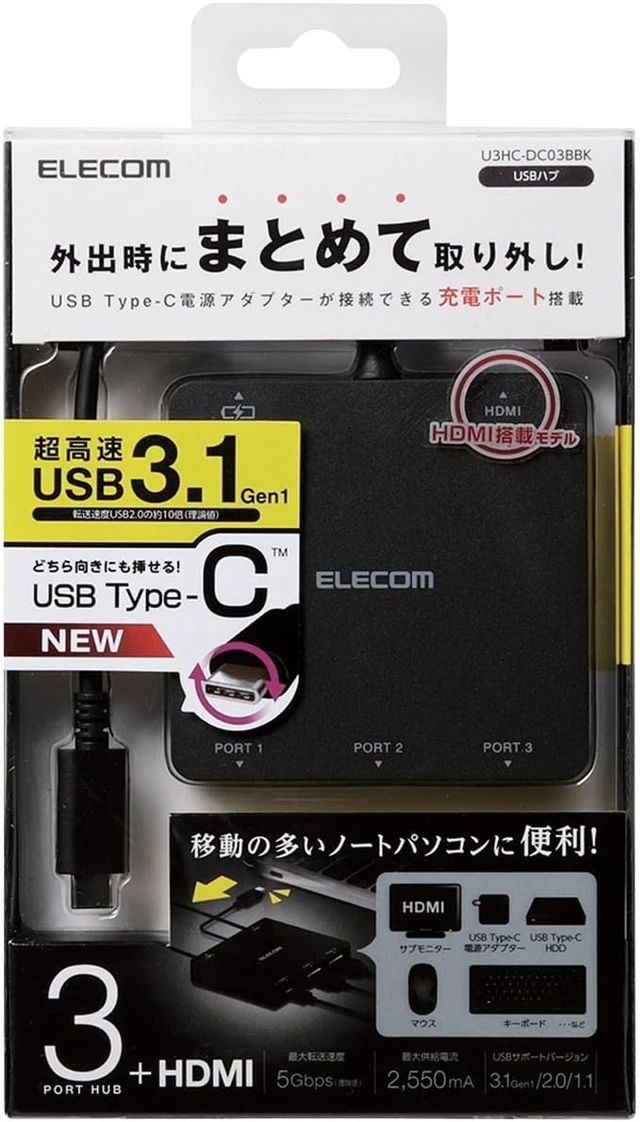


Elecom U3HC-DC03BBK USB 3.1 Type-C Hub, 3 Ports (A x 2/Type-C x 1), HDMI Output + 1 Type-C for PC Charging, Bus Power, Compatible with MacBook, iPad, Surface GO Pro 7, Chromebook, etc. USB PD, Black
- This docking station has a USB Type-C connector and can connect a USB A connector or a USB Type-C connector
- It has an HDMI port that can output video from a computer to an external monitor. The maximum resolution is Full HD
- Supports USB Power Delivery that delivers up to 100W of high power to your device/PC body via Type-C connector
- By connecting the USB Type-C power adapter to the dedicated charging port, you can charge your computer via this product
- You can use your USB device while charging your computer
+
+
Overview
Specs
Reviews

Any questions? Our AI mode will help you find out quickly.
Try me now
Specifications:
Interface: USB3.1 Gen1
Connector Shape: PC side (Upstream port): 1 x USB Type-C (tm) / Peripheral side (downstream port): 2 x USB-A (for data transmission) x 2, USB Type-C (TM) (for data transmission) x 1, USB Type-C (TM) (to connect USB Type-C (TM) power adapter) x 1, HDMI (for submonitor connection) x 1
Compatible OS: Windows 11/10/8.1/7/Vista, macOS Ventura 13/macOS Monterey 12/macOS Big Sur 11/Macintosh OS X 10.10 *Updates of each OS and installation of service pack may be required.
Maximum Transfer Rate: USB3.1 Gen1 Super Speed / 5 Gbps (theoretical value), USB 2.0 High Speed / 480 Mbps (theoretical value), USB 1.1 Full Speed 12 Mbps (theoretical value).
Number of upstream (PC side) ports: 1 port
Number of Downstream (peripheral end) Ports: 3 ports + 1 HDMI
USB cable type: USB3.1 Gen1
USB cable length: about 0.30m (excluding connector)
Power Source: Bus Power
Supply current: 3 ports total up to 2,550 mA (up to 900 mA per port) *Supply current may vary depending on the specifications of the computer being connected. When connected to a USB Type-C (TM) port that is not compatible with Power Delivery, the total of 3 ports is within 900 mA.
Color: Black
External dimensions: approx. W 3.1 x D 3.0 x H 0.4 inches (80.0 x 76.0 x 11.0 mm) (excluding cable)
Weight: Approx. 2.0 oz (56
Operating Environment: Temperature 5-40 , humidity 30-80% (without condensation)
Warranty period: 6 months
Description
This docking station is equipped with a USB Type-C connector and can connect USB devices with a USB A connector or a USB Type-C connector.
It has an HDMI port that can output video from a computer to an external monitor. The maximum resolution is Full HD.
Supports USB Power Delivery that delivers up to 100W of high power to your device/PC body via Type-C connector.
By connecting the USB Type-C power adapter to the dedicated charging port, you can charge your computer via this product.
USB devices can be used while charging your computer.
Suitable for MacBook with USB Type-C
The USB Type-C connector does not have any poop or rough, and can be plugged in without worrying about the orientation.
Supports USB 3.1 Gen1 for ultra-fast data transfer up to 5 Gbps (theoretical value) and about 10 times faster than USB 2.0.
This is a dedicated type for bus power without an AC adapter.
Cable is a direct connection type that does not need to worry about losing it. Cable length is about 30cm
HDMI cable for connecting the monitor is not included.
USB Type-C power adapter for charging a computer is not included.
*Only use on PCs with USB Type-C connector.
This product is designed to increase the USB port. It is not suitable for charging smartphones and tablets using this product.
Product inquiries
Elecom General Information Center
TEL. 0570-084-465
FAX. 0570-050-012
Reception Time / 10:00 - 19:00 24/7
Interface: USB3.1 Gen1
Connector Shape: PC side (Upstream port): 1 x USB Type-C (tm) / Peripheral side (downstream port): 2 x USB-A (for data transmission) x 2, USB Type-C (TM) (for data transmission) x 1, USB Type-C (TM) (to connect USB Type-C (TM) power adapter) x 1, HDMI (for submonitor connection) x 1
Compatible OS: Windows 11/10/8.1/7/Vista, macOS Ventura 13/macOS Monterey 12/macOS Big Sur 11/Macintosh OS X 10.10 *Updates of each OS and installation of service pack may be required.
Maximum Transfer Rate: USB3.1 Gen1 Super Speed / 5 Gbps (theoretical value), USB 2.0 High Speed / 480 Mbps (theoretical value), USB 1.1 Full Speed 12 Mbps (theoretical value).
Number of upstream (PC side) ports: 1 port
Number of Downstream (peripheral end) Ports: 3 ports + 1 HDMI
USB cable type: USB3.1 Gen1
USB cable length: about 0.30m (excluding connector)
Power Source: Bus Power
Supply current: 3 ports total up to 2,550 mA (up to 900 mA per port) *Supply current may vary depending on the specifications of the computer being connected. When connected to a USB Type-C (TM) port that is not compatible with Power Delivery, the total of 3 ports is within 900 mA.
Color: Black
External dimensions: approx. W 3.1 x D 3.0 x H 0.4 inches (80.0 x 76.0 x 11.0 mm) (excluding cable)
Weight: Approx. 2.0 oz (56
Operating Environment: Temperature 5-40 , humidity 30-80% (without condensation)
Warranty period: 6 months
Description
This docking station is equipped with a USB Type-C connector and can connect USB devices with a USB A connector or a USB Type-C connector.
It has an HDMI port that can output video from a computer to an external monitor. The maximum resolution is Full HD.
Supports USB Power Delivery that delivers up to 100W of high power to your device/PC body via Type-C connector.
By connecting the USB Type-C power adapter to the dedicated charging port, you can charge your computer via this product.
USB devices can be used while charging your computer.
Suitable for MacBook with USB Type-C
The USB Type-C connector does not have any poop or rough, and can be plugged in without worrying about the orientation.
Supports USB 3.1 Gen1 for ultra-fast data transfer up to 5 Gbps (theoretical value) and about 10 times faster than USB 2.0.
This is a dedicated type for bus power without an AC adapter.
Cable is a direct connection type that does not need to worry about losing it. Cable length is about 30cm
HDMI cable for connecting the monitor is not included.
USB Type-C power adapter for charging a computer is not included.
*Only use on PCs with USB Type-C connector.
This product is designed to increase the USB port. It is not suitable for charging smartphones and tablets using this product.
Product inquiries
Elecom General Information Center
TEL. 0570-084-465
FAX. 0570-050-012
Reception Time / 10:00 - 19:00 24/7
Warranty & Returns
Warranty, Returns, And Additional Information
Warranty
- Please contact the Seller directly for warranty information. Warranty information may also be found on the Manufacturer's website.
- CONTACT
Return Policies
- Return for refund within: 30 days
- Return for replacement within: 30 days
- This item is covered by PartsPro Store Return Policy
Manufacturer Contact Info
- For a directory of all our manufacturers, please click below.
- Manufacturers Directory
LOADING...