

Your Browsing History

Meet Your Seller

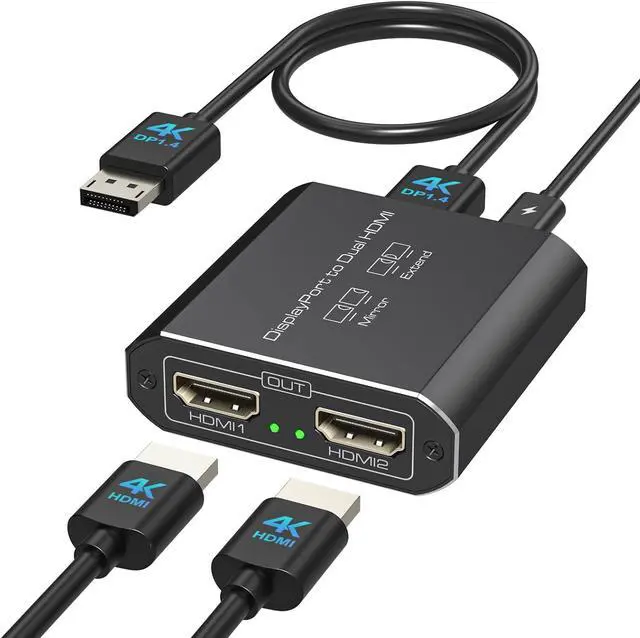


Displayport to Dual HDMI Splitter Extended for Double Screen 4K@60Hz Display Port to 2 HDMI Adapter for Computer Graphics Cards Support MST & SST Mode
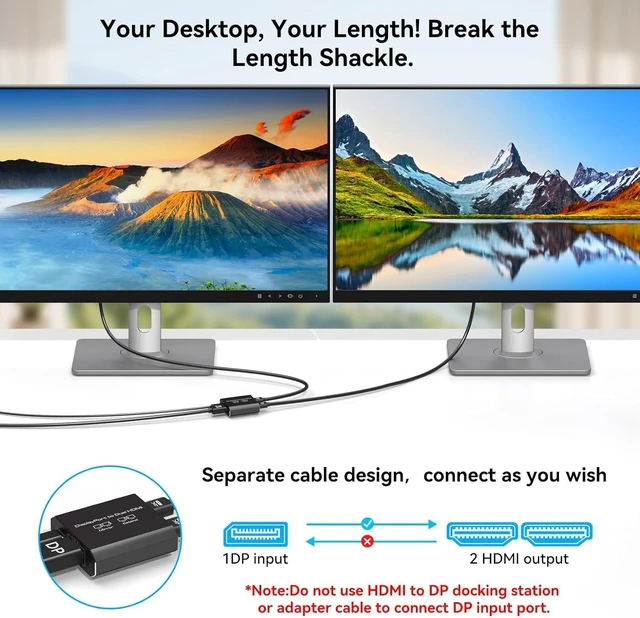
- Pre-Purchase Notes: 1. Please ensure the USB-C power cable included in the package is connected. 2. Suitable for desktop computers, not recommended for Mac laptops. 3.DP and HDMI cables are not included.4.The DP cable you use must meet the DP1.4 standard, and the length should be kept within 1 meter.5.Do not connect through any docking stations, adapters, or converter cables
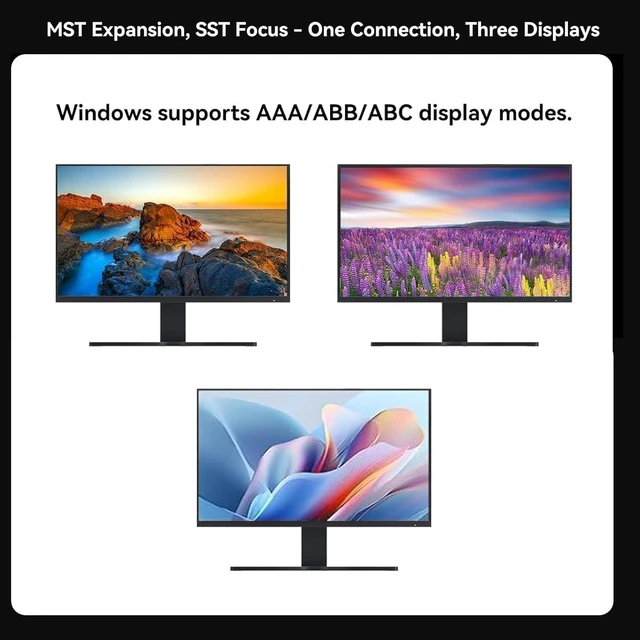
- DisplayPort to Dual HDMI Splitter: This hdmi splitter for dual monitors extended display converts one DisplayPort signal into two HDMI outputs. It only supports one-way transmission from a single DP source to two HDMI displays! Your computer must support a DP1.2 or higher graphics card, and a DP1.4 (or above) standard cable no longer than 3.3 feet is required. Windows systems support both extended and mirror modes, while Mac only supports mirror mode
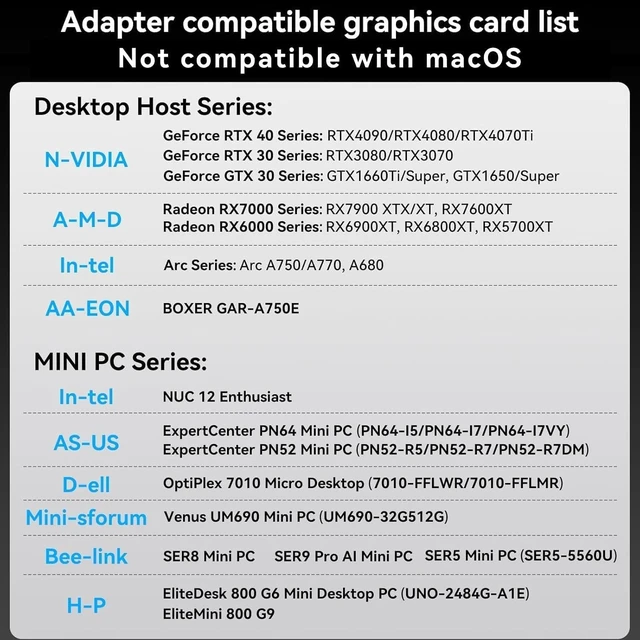
- Please Check Compatibility: The display port to dual hdmi splitter requires your computer has a DP port, or your mini pc and desktop graphics card is one of the fol
+
+
Overview
Specs
Reviews

Any questions? Our AI mode will help you find out quickly.
Try me now
Pre-Purchase Notes: 1. Please ensure the USB-C power cable included in the package is connected. 2. Suitable for desktop computers, not recommended for Mac laptops. 3.DP and HDMI cables are not included.4.The DP cable you use must meet the DP1.4 standard, and the length should be kept within 1 meter.5.Do not connect through any docking stations, adapters, or converter cables
DisplayPort to Dual HDMI Splitter: This hdmi splitter for dual monitors extended display converts one DisplayPort signal into two HDMI outputs. It only supports one-way transmission from a single DP source to two HDMI displays! Your computer must support a DP1.2 or higher graphics card, and a DP1.4 (or above) standard cable no longer than 3.3 feet is required. Windows systems support both extended and mirror modes, while Mac only supports mirror mode
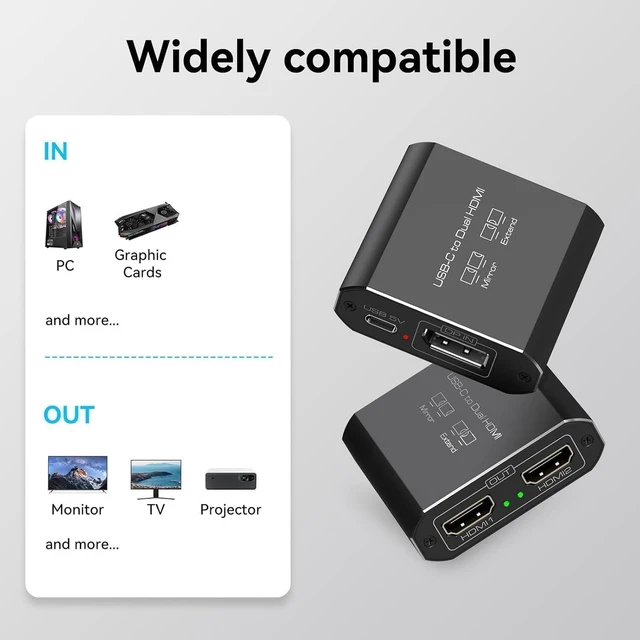
Please Check Compatibility: The display port to dual hdmi splitter requires your computer has a DP port, or your mini pc and desktop graphics card is one of the following models. mini PC :A-SUS ExpertCenter,Beelink SER8/SER9/SER5,D-ell OptiPlex,H-P EliteDesk,In-tel NUC 12 Enthusiast,Minisforum Venus. Graphics Card:AM-D Radeon RX7000/6000,AAEO-N GAR-A750E,In-tel Arc A750/A770/A680,NVI-DIA GeForce RTX/GTX. Please check the second picture and the second Product Description picture for compatible models
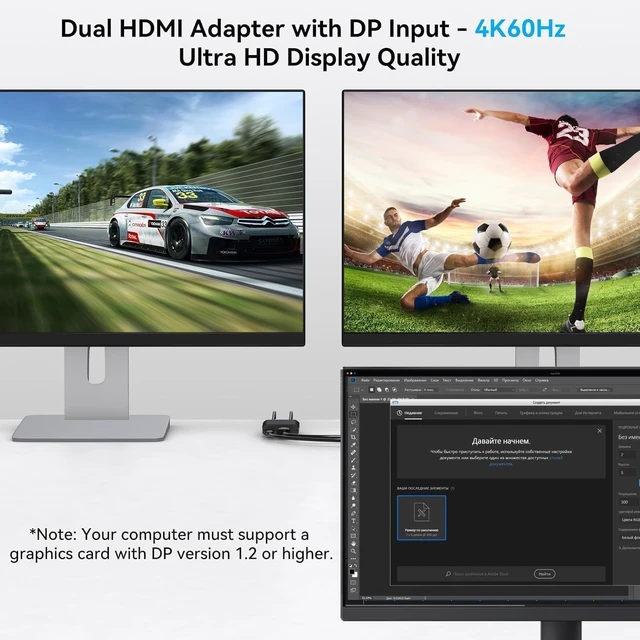
Dual HDMI 4K@60Hz Output: Both HDMI ports can simultaneously output ultra-high definition 4K@60Hz video, with backward compatibility for 4K@30Hz, 1440P, 1080P, and other resolutions. Note: Some computers require manual adjustment to 4K60Hz resolution in the display settings and configuration to either extended or mirror mode. Please ensure your DP cable meets the DP1.4 standard and your HDMI cable meets the HDMI 2.0 standard; otherwise, video quality may be affected
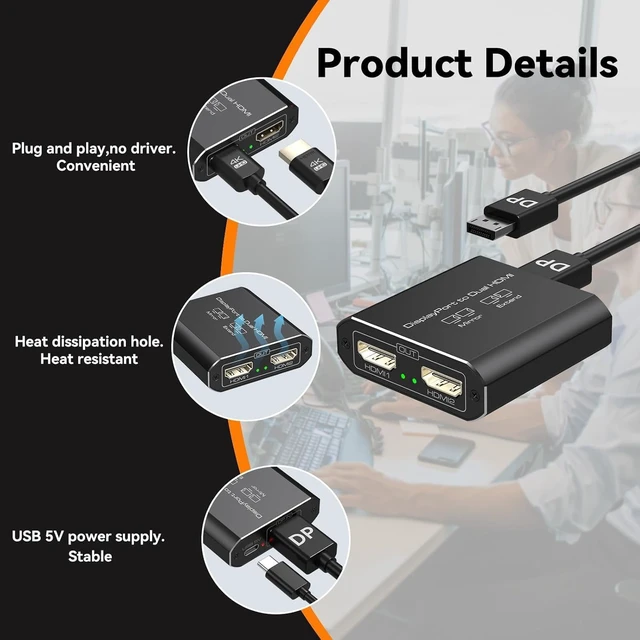
Easy to Use: Featuring a female DisplayPort input design, this adapter overcomes DP cable length restrictions, allowing you to freely choose cables of different lengths based on your environment. Its portable build enhances mobility while preventing cable damage. With plug-and-play functionality, no drivers are required. Simply connect your signal source to the adapter using a DP to DP cable, then link the adapter to your displays with two HDMI cables to enable full functionality
Stable Operation: The aluminum alloy housing provides superior heat dissipation. Your computer must have a native DisplayPort and connect directly to the splitter's DP input do not use any docking stations, adapters, or converter cables. A USB-C power cable must be connected for proper operation. Note: DP and HDMI cables are not included. We provide 2-year technical support and replacement service. Contact us if you have any questions
DisplayPort to Dual HDMI Splitter: This hdmi splitter for dual monitors extended display converts one DisplayPort signal into two HDMI outputs. It only supports one-way transmission from a single DP source to two HDMI displays! Your computer must support a DP1.2 or higher graphics card, and a DP1.4 (or above) standard cable no longer than 3.3 feet is required. Windows systems support both extended and mirror modes, while Mac only supports mirror mode
Please Check Compatibility: The display port to dual hdmi splitter requires your computer has a DP port, or your mini pc and desktop graphics card is one of the following models. mini PC :A-SUS ExpertCenter,Beelink SER8/SER9/SER5,D-ell OptiPlex,H-P EliteDesk,In-tel NUC 12 Enthusiast,Minisforum Venus. Graphics Card:AM-D Radeon RX7000/6000,AAEO-N GAR-A750E,In-tel Arc A750/A770/A680,NVI-DIA GeForce RTX/GTX. Please check the second picture and the second Product Description picture for compatible models
Dual HDMI 4K@60Hz Output: Both HDMI ports can simultaneously output ultra-high definition 4K@60Hz video, with backward compatibility for 4K@30Hz, 1440P, 1080P, and other resolutions. Note: Some computers require manual adjustment to 4K60Hz resolution in the display settings and configuration to either extended or mirror mode. Please ensure your DP cable meets the DP1.4 standard and your HDMI cable meets the HDMI 2.0 standard; otherwise, video quality may be affected
Easy to Use: Featuring a female DisplayPort input design, this adapter overcomes DP cable length restrictions, allowing you to freely choose cables of different lengths based on your environment. Its portable build enhances mobility while preventing cable damage. With plug-and-play functionality, no drivers are required. Simply connect your signal source to the adapter using a DP to DP cable, then link the adapter to your displays with two HDMI cables to enable full functionality
Stable Operation: The aluminum alloy housing provides superior heat dissipation. Your computer must have a native DisplayPort and connect directly to the splitter's DP input do not use any docking stations, adapters, or converter cables. A USB-C power cable must be connected for proper operation. Note: DP and HDMI cables are not included. We provide 2-year technical support and replacement service. Contact us if you have any questions
Warranty & Returns
Warranty, Returns, And Additional Information
Warranty
- Please contact the Seller directly for warranty information. Warranty information may also be found on the Manufacturer's website.
- CONTACT
Return Policies
- Return for refund within: 30 days
- Return for replacement within: 30 days
- This item is covered by PartsPro Store Return Policy
Manufacturer Contact Info
- For a directory of all our manufacturers, please click below.
- Manufacturers Directory
LOADING...