

Your Browsing History

Meet Your Seller

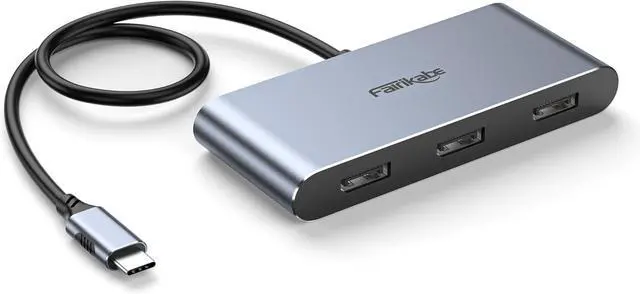
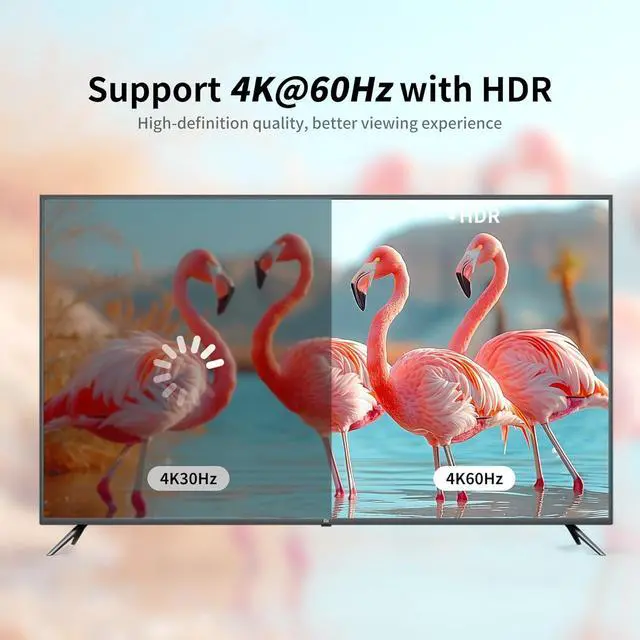
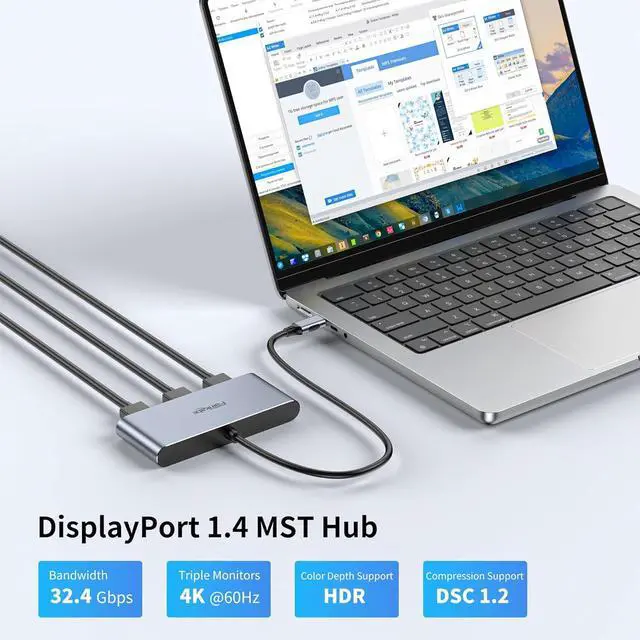


fairikabe USB C Hub with 3X DisplayPort 1.4 Triple Monitor 4K@60Hz, USBC to DisplayPort Splitter MST Hub for Windows Only, Compatible with Thunderbolt 4, USB4
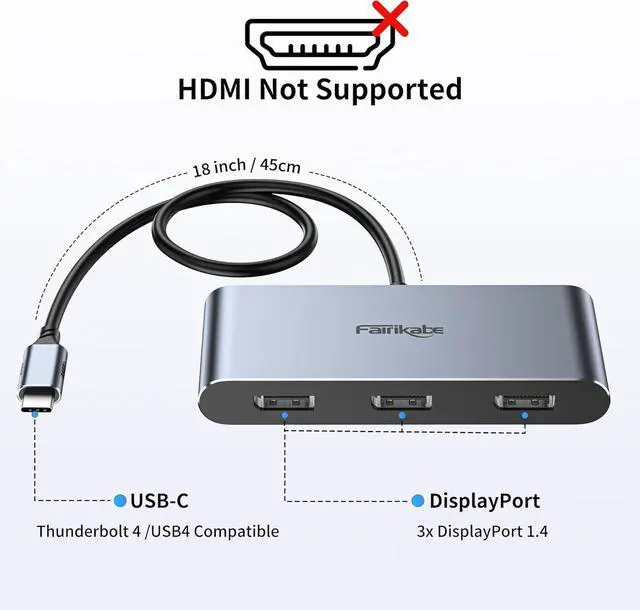
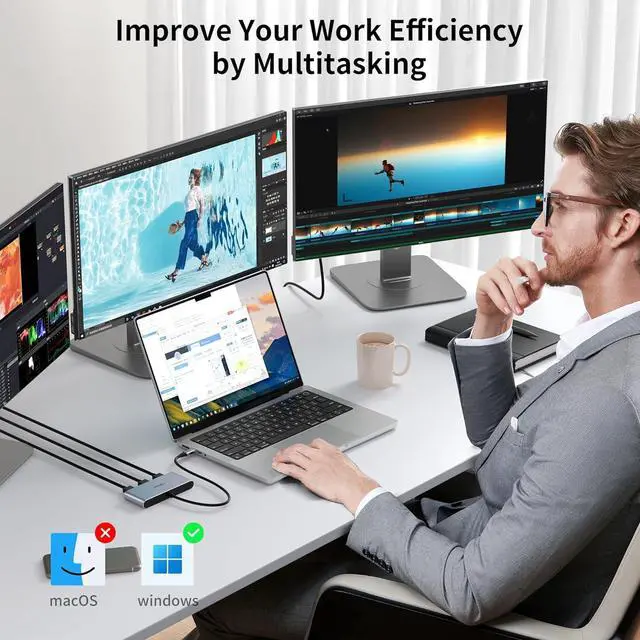
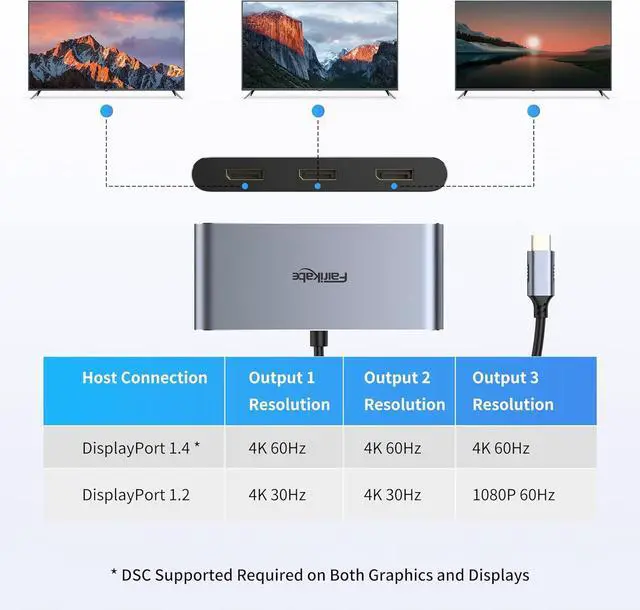
- TRIPLE MONITOR CONFIGURATION: fairikabe usb c hub displayport mst hub support triple DisplayPort monitors configurations for windows system. Connect laptop / desktop with USB-C DP Alt Mode, to achieve multitasking work station. Mst mode (ABC mode) only for Windows, not for mac
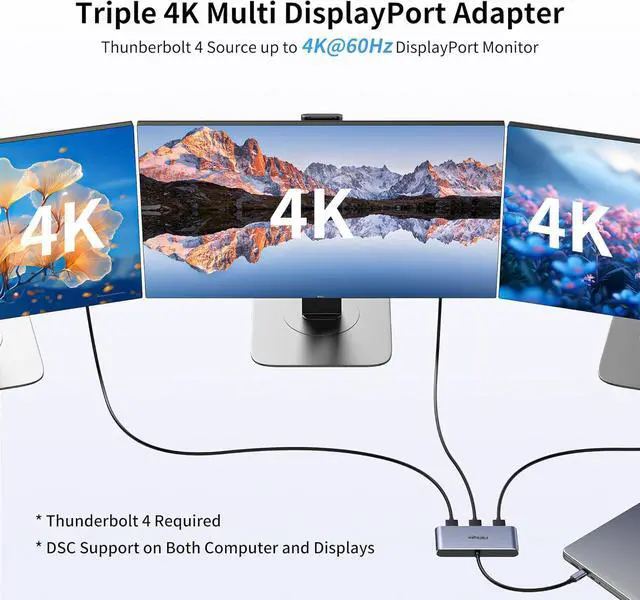
- 3x DP 1.4 PORT: USB Type-C to Triple DisplayPort MST Hub drives up to 3x 4K60Hz displays from a USB-C DP 1.4 host with DSC; Display Port splitter also supports 2x 8K@30Hz, or 1x 8K@60Hz monitor with a compatible DisplayPort 1.4 host with the latest Display Stream Compression (DSC) and Multi-Stream Transport (MST) support
- USB4 / THUNDERBOLT 4 COMPATIBLE: USB C to DisplayPort mst hub compatible with latest USB 4 and Thunderbolt 4. Please verify maximum number of displays supported by your GPU; Some GPU chips (such as Intel HD Graphics) are only capable of supporting a maximum of three displays (including laptop screen); GPU port and monitor must support DSC to get the max resolution
- DRIVER FREE: This USBC to Di
+
+
Overview
Specs
Reviews

Any questions? Our AI mode will help you find out quickly.
Try me now
Use a single USB-C port to transform a laptop or desktop into a triple-monitor workstation with fairikabe USB-C to DisplayPort 1.4 mst Hub. Extend your desktop up to triple 4K monitors at 60Hz refresh rate for an expanded workstation or connect to the latest 8K monitors for extreme detail.
Require laptop /desktop's USB-C with Display Stream Compression (DSC), and DP input monitors with DSC function
Confirm the maximum number of displays supported by your GPU, some GPU chips (such as Intel HD Graphics) are only capable of supporting a maximum of three displays (including laptop screen)
Multi monitor extended display must be supported by the host computer (Windows Only). macOS is not supported
Require your USB-C host device with the enough bandwidth, better applied with USB 4/ Thunderbolt 4
Connect USB-C end on laptop / desktop / GPU's USBC port, which support DP Alt Mode, or USB 4 / Thunderbolt 4 port on laptop/desktops.
Apply 3 DisplayPort 1.4 cable connect with the USB C to DisplayPort hub's DP port. (not included, sold separately)
Connect another DP end to DP input monitors, and choose the DP port as monitor's input signal.
Set the display mode in computer's display settings. Choose to extend display or mirror display. Extend mode only works for windows system.
Triple 4K 60Hz Setup via a Single Adapter To get 3x 4K 60Hz Triple Displays or 8K Single Display: Plug & Play Step 1 Step 2 Step 3 Step 4
Require laptop /desktop's USB-C with Display Stream Compression (DSC), and DP input monitors with DSC function
Confirm the maximum number of displays supported by your GPU, some GPU chips (such as Intel HD Graphics) are only capable of supporting a maximum of three displays (including laptop screen)
Multi monitor extended display must be supported by the host computer (Windows Only). macOS is not supported
Require your USB-C host device with the enough bandwidth, better applied with USB 4/ Thunderbolt 4
Connect USB-C end on laptop / desktop / GPU's USBC port, which support DP Alt Mode, or USB 4 / Thunderbolt 4 port on laptop/desktops.
Apply 3 DisplayPort 1.4 cable connect with the USB C to DisplayPort hub's DP port. (not included, sold separately)
Connect another DP end to DP input monitors, and choose the DP port as monitor's input signal.
Set the display mode in computer's display settings. Choose to extend display or mirror display. Extend mode only works for windows system.
Triple 4K 60Hz Setup via a Single Adapter To get 3x 4K 60Hz Triple Displays or 8K Single Display: Plug & Play Step 1 Step 2 Step 3 Step 4
Warranty & Returns
Warranty, Returns, And Additional Information
Warranty
- Please contact the Seller directly for warranty information. Warranty information may also be found on the Manufacturer's website.
- CONTACT
Return Policies
- Return for refund within: 30 days
- Return for replacement within: 30 days
- This item is covered by PartsPro Store Return Policy
Manufacturer Contact Info
- For a directory of all our manufacturers, please click below.
- Manufacturers Directory
LOADING...