

Your Browsing History

Meet Your Seller

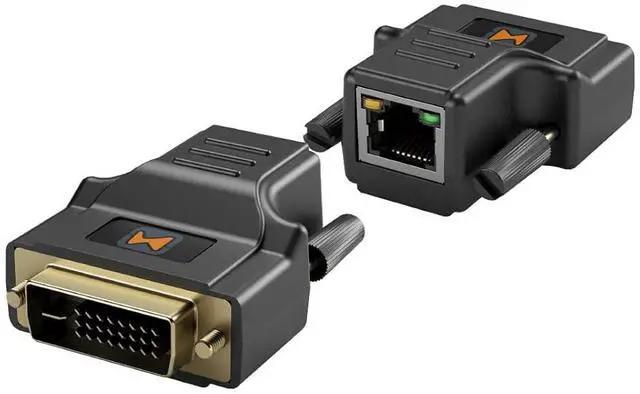
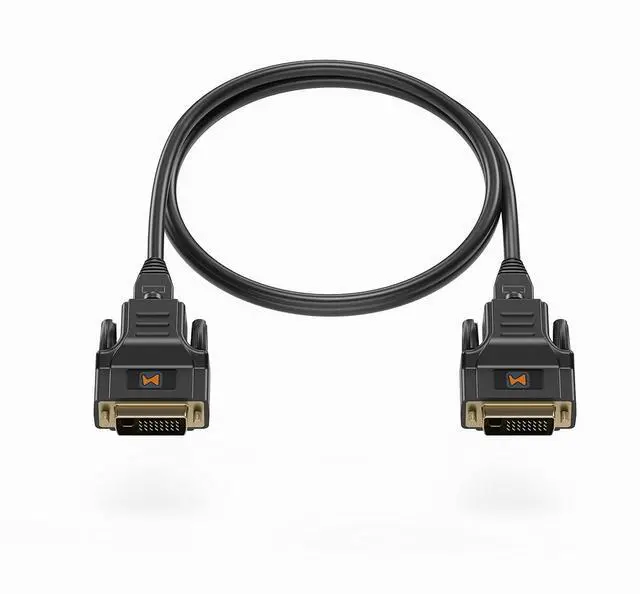


DVI CAT5E/6 Mini Extender, DVI CAT5 with EDID Emulator, Passive, Resolution Up to 1920x1200@60Hz, Transmission Distance Up to 100ft(30m), No Need to Separate TX/RX, TAA Compliant
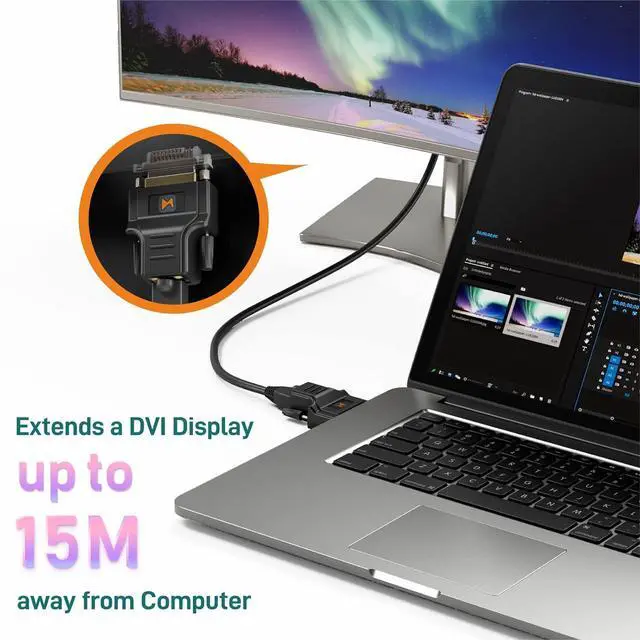
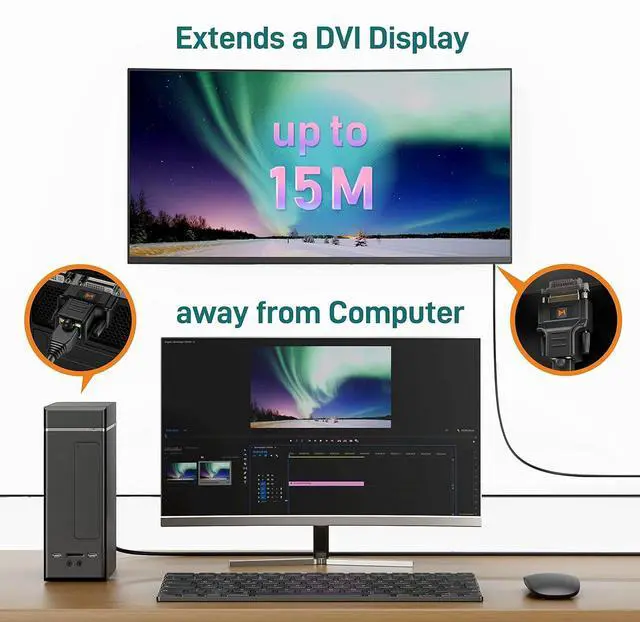
- Mini DVI extenderIntergrated TX/RX, no need to separate TX/RX. supports up to 1920x1200@60Hz resolution. The transmission length from the sources can extended up to 100ft under 1024x768@60Hz or 50ft under 1920x1200@60Hz. *Please note that the DVI interface itself does not support audio transmission.*
- Plug and playRequires no drivers and works with all operatoin systems such as Windows and Linux. HDCP not supported.
- DVI Display Emulator Fixes handshake issues between a video source and DVI sink and additionally provides headless function to keep the DVI connection stay active to prevent desktop re-arrangement with monitors powered off or other EDID syncing problems.
- Portable and LightweightMini design. Only 1.8 oz. It is portable and convenient to connect with other DVI over CAT.X series products.
- Superior Quality and Customer ServiceMade in Taiwan with the most rigid manufacturing process and quality control, all MAXSQUARE products are CE/FCC/RoHS certified. Also, w
+
+
Overview
Specs
Reviews

Any questions? Our AI mode will help you find out quickly.
Try me now
The MSQ-200E Mini DVI Extender over CAT5e/6 extends your PC DVI transmission distance up to 30m (100ft) with a resolution of 1024x768 @60Hz. With the MSQ-200E, users can send high quality digital video from PC applications to a remote display or projector through a single low-cost CAT-5/5e LAN cable, rather than using short and expensive DVI cables. With embedded EDID inside the extender, your PC will continue to send digital video even when the monitor is not connected. The user can then unplug the monitor, move it to a different position, and reconnect it without rebooting the operating system.
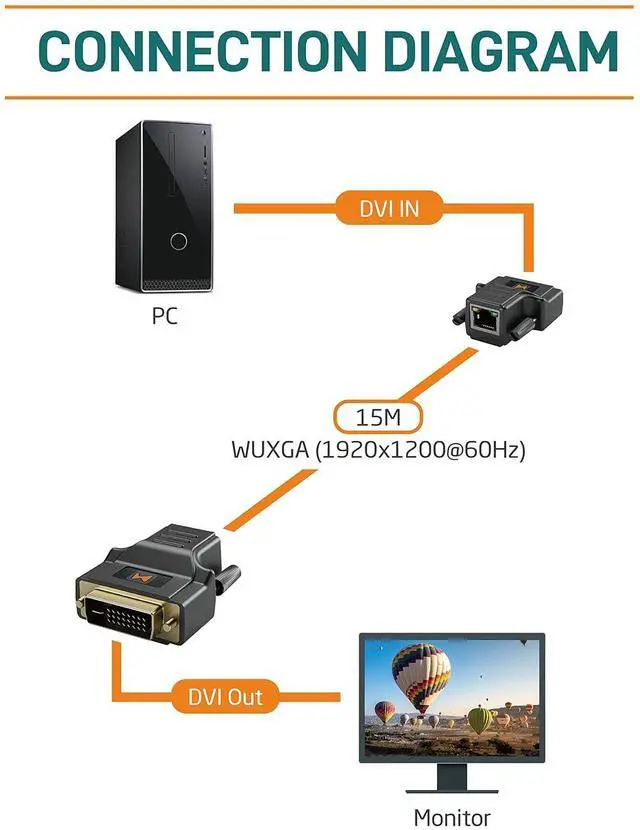
The MSQ-200E includes two identical units: transmitting and receiving units. The transmission unit is linked to your PC's DVI output, while the receiving unit is linked to your monitor or projector. The two LED lights on each RJ45 connector will blink if the connection is successful. Transmission distances between transmitting and receiving devices can be up to 30m (100ft) in XGA(1024x768@60Hz) and 15m (50ft) in UXGA (1600x1200@60Hz). With compact size and requiring no power, the MSQ-200E is the most cost effective choice for bringing your impressive digital video to the remote display.
*The length depends on the characteristics and quality of the cables. Higher resolutions and longer transmission distances require low skew cables (<25ns/100m) for best performance. Unshielded CAT6 with metal RJ45 connectors is recommended.*
Transmission distance from the sources up to 30m (100ft) under XGA (1024x768@60Hz) or 15m (50ft) under UXGA (1600x1200@60Hz)
Mini size & Lightweight: Only 4 x 5 x 2.5cm / 1.8 oz
HDCP not supported
No need for external power
Plug and Play / No need for software
Perfectly compatible with well terminated CAT.x cables
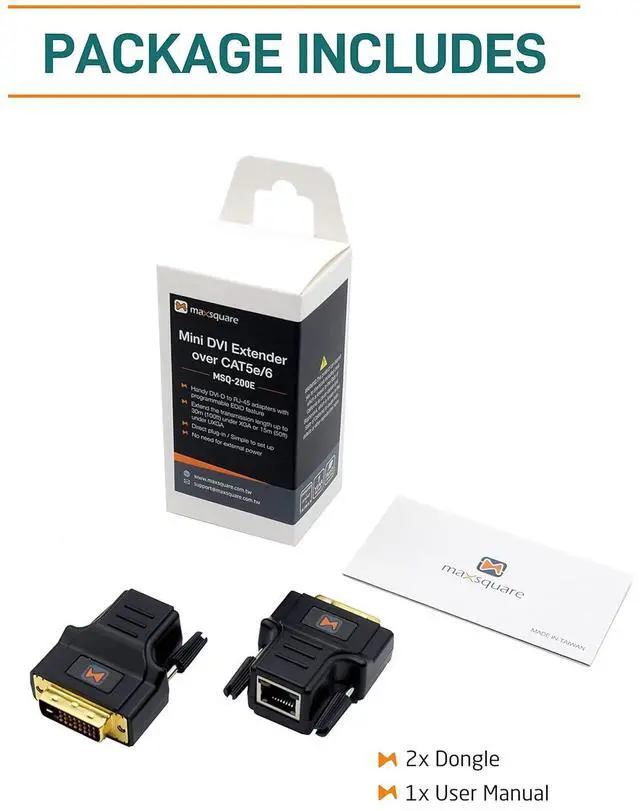
MSQ-200E dongle x2
User Manual x1
Question #1: Does it need power supply?
A: Nope. No need for external power.
Question #2: I connected with my display, but it has no video signal.
A: Please check your cable or try other source/display. It will depends on the quality of your cable, signal integrity of source, or reception capability of display.
Question #3: Can it extend 50ft under 1920x1200@60Hz?
A: Yes, however, the transmission length still have largely influences by your cable's quality.
Question #4: Does it support HDCP?
A: Nope.
Question #5: Does it support audio transmission?
A: The DVI interface itself does not support audio transmission. If audio transmission is required, it's recommended to consider interfaces like HDMI, which are specifically designed to carry both high-quality audio and video signals.
See More MSQ-200E MAXSQUARE Mini DVI Extender Over CAT5e / CAT6 FEATURES Package Includes FAQ
The MSQ-200E includes two identical units: transmitting and receiving units. The transmission unit is linked to your PC's DVI output, while the receiving unit is linked to your monitor or projector. The two LED lights on each RJ45 connector will blink if the connection is successful. Transmission distances between transmitting and receiving devices can be up to 30m (100ft) in XGA(1024x768@60Hz) and 15m (50ft) in UXGA (1600x1200@60Hz). With compact size and requiring no power, the MSQ-200E is the most cost effective choice for bringing your impressive digital video to the remote display.
*The length depends on the characteristics and quality of the cables. Higher resolutions and longer transmission distances require low skew cables (<25ns/100m) for best performance. Unshielded CAT6 with metal RJ45 connectors is recommended.*
Transmission distance from the sources up to 30m (100ft) under XGA (1024x768@60Hz) or 15m (50ft) under UXGA (1600x1200@60Hz)
Mini size & Lightweight: Only 4 x 5 x 2.5cm / 1.8 oz
HDCP not supported
No need for external power
Plug and Play / No need for software
Perfectly compatible with well terminated CAT.x cables
MSQ-200E dongle x2
User Manual x1
Question #1: Does it need power supply?
A: Nope. No need for external power.
Question #2: I connected with my display, but it has no video signal.
A: Please check your cable or try other source/display. It will depends on the quality of your cable, signal integrity of source, or reception capability of display.
Question #3: Can it extend 50ft under 1920x1200@60Hz?
A: Yes, however, the transmission length still have largely influences by your cable's quality.
Question #4: Does it support HDCP?
A: Nope.
Question #5: Does it support audio transmission?
A: The DVI interface itself does not support audio transmission. If audio transmission is required, it's recommended to consider interfaces like HDMI, which are specifically designed to carry both high-quality audio and video signals.
See More MSQ-200E MAXSQUARE Mini DVI Extender Over CAT5e / CAT6 FEATURES Package Includes FAQ
Warranty & Returns
Warranty, Returns, And Additional Information
Warranty
- Please contact the Seller directly for warranty information. Warranty information may also be found on the Manufacturer's website.
- CONTACT
Return Policies
- Return for refund within: 30 days
- Return for replacement within: 30 days
- This item is covered by PartsPro Store Return Policy
Manufacturer Contact Info
- For a directory of all our manufacturers, please click below.
- Manufacturers Directory
LOADING...