

Your Browsing History

Meet Your Seller

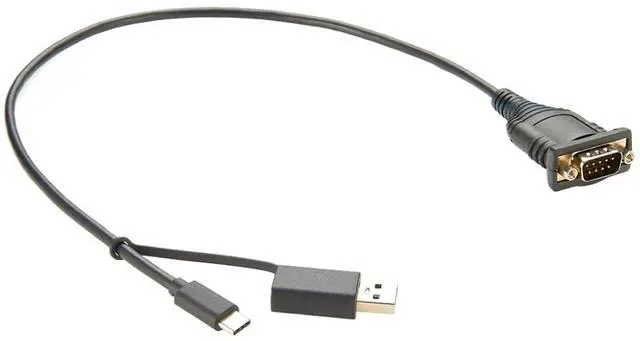
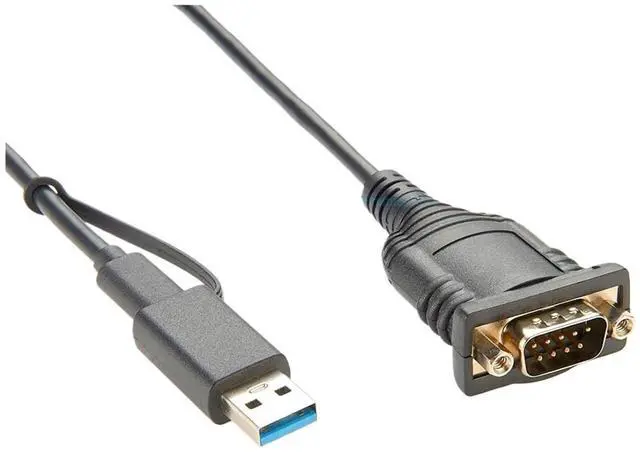
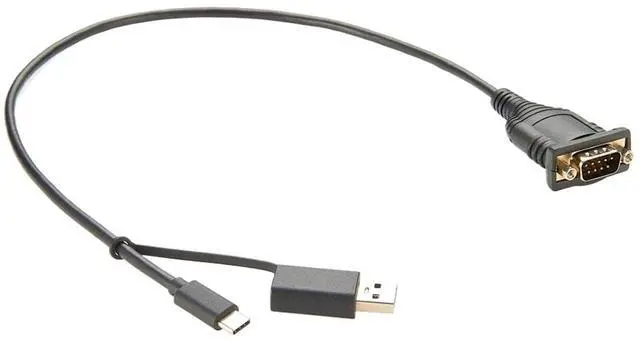
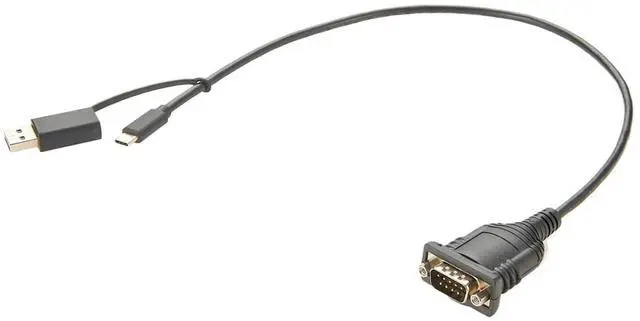
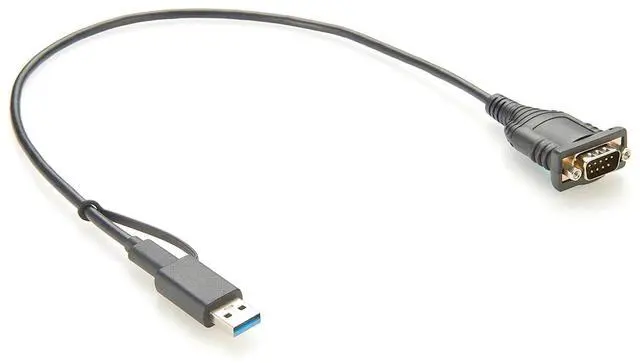


USB to RS232 Serial Adapter with FT232 Chipset USB to RS232 DB9 Male Converter Cable for 11,10, 8, 7, Vista, XP
- Cross-generation connection: RS232 serial interface is a traditional communication standard, and USB interface is the mainstream interface of modern computers. The USB-A USB-C to RS232 cable Bridges these two different generations of interfaces, making it easy for modern computers to to older devices that use RS232 serial ports, such as some older printers, scanners, industrial control devices, and more.
- Conversion function: This cable allows users to utilize the USB port of a modern computer to communicate with devices that support RS232 communication without the need for additional converters or adapters. This simplifies the connection process, saving users time and effort.
- port support: USB-A USB-C to RS232 cables usually support USB-A and USB-C interfaces. This allows users to choose the TY>pe of USB port they want to to their computer, providing greater flexibility.
+
+
Overview
Specs
Reviews

Any questions? Our AI mode will help you find out quickly.
Try me now
USB-A USB-C to RS232 Cable is a conversion cable that connects the USB-A and USB-C interfaces to the RS232 serial interface. It is designed to a modern USB interface with a traditional RS232 serial interface for data communication between modern computers and devices.
The purpose of this transfer cable is to enable data transfer between USB devices (via USB-A or USB-C ports) and devices that support RS232 serial communication (such as some older printers, serial devices, etc.). RS232 serial interface is a communication standard commonly used to computers to various external devices such as printers, modems, industrial equipment, etc.
USB-A USB-C to RS232 Cable has the following features and advantages:
Cross-generation connection: RS232 serial interface is a traditional communication standard, and USB interface is the mainstream interface of modern computers. The USB-A USB-C to RS232 cable Bridges these two different generations of interfaces, making it easy for modern computers to to older devices that use RS232 serial ports, such as some older printers, scanners, industrial control devices, and more.
Conversion function: This cable allows users to utilize the USB port of a modern computer to communicate with devices that support RS232 communication without the need for additional converters or adapters. This simplifies the connection process, saving users time and effort.
port support: USB-A USB-C to RS232 cables usually support USB-A and USB-C interfaces. This allows users to choose the TY>pe of USB port they want to to their computer, providing greater flexibility.
Easy installation: Connecting the device with USB-A USB-C to RS232 cable is very simple. The user simply Pl>ug*s the USB-A or USB-C port into the USB port of the computer, and then Pl>ug*s the RS232 port into the RS232 device that needs to be connected. quickly without any additional driver or software installation.
Wide compatibility: This cable is generally compa
The purpose of this transfer cable is to enable data transfer between USB devices (via USB-A or USB-C ports) and devices that support RS232 serial communication (such as some older printers, serial devices, etc.). RS232 serial interface is a communication standard commonly used to computers to various external devices such as printers, modems, industrial equipment, etc.
USB-A USB-C to RS232 Cable has the following features and advantages:
Cross-generation connection: RS232 serial interface is a traditional communication standard, and USB interface is the mainstream interface of modern computers. The USB-A USB-C to RS232 cable Bridges these two different generations of interfaces, making it easy for modern computers to to older devices that use RS232 serial ports, such as some older printers, scanners, industrial control devices, and more.
Conversion function: This cable allows users to utilize the USB port of a modern computer to communicate with devices that support RS232 communication without the need for additional converters or adapters. This simplifies the connection process, saving users time and effort.
port support: USB-A USB-C to RS232 cables usually support USB-A and USB-C interfaces. This allows users to choose the TY>pe of USB port they want to to their computer, providing greater flexibility.
Easy installation: Connecting the device with USB-A USB-C to RS232 cable is very simple. The user simply Pl>ug*s the USB-A or USB-C port into the USB port of the computer, and then Pl>ug*s the RS232 port into the RS232 device that needs to be connected. quickly without any additional driver or software installation.
Wide compatibility: This cable is generally compa
Warranty & Returns
Warranty, Returns, And Additional Information
Warranty
- Please contact the Seller directly for warranty information. Warranty information may also be found on the Manufacturer's website.
- CONTACT
Return Policies
- Return for refund within: 30 days
- Return for replacement within: 30 days
- This item is covered by PartsPro Store Return Policy
Manufacturer Contact Info
- For a directory of all our manufacturers, please click below.
- Manufacturers Directory
LOADING...